

Managing people is hard. Managing people without the right tools? That's a whole different level of chaos. Whether it's tracking attendance, running payroll, or keeping employee records organized, HR work piles up fast. And when systems fail or data gets compromised, the entire business feels it. That's why choosing the right HR software matters more than most businesses realize.
This is your complete, no-fluff guide to on-premise HRMS. Learn what HRMS is, how on-premise HRMS works, what it offers, and whether it's the right fit for your business. We'll walk you through its key features, real benefits, honest limitations, and how it compares to cloud solutions. By the end, you'll know exactly what to look for and what to decide.
What Is an On-Premise HRMS?
An on-premise HRMS (Human Resource Management System) is HR software that is installed and operated on a company’s own servers, rather than being hosted by a third-party cloud provider. In this setup, the organization owns and manages the infrastructure, and HR data is stored within the company’s internal environment under its direct control.
In practical terms, the company’s IT team installs and configures the HRMS on internal servers, and employees or HR staff access it through the organization’s internal network (and, when necessary, through secure remote access managed by the company). Core HR activities such as payroll, attendance, employee record, and leave management run within this internal environment, so data does not typically leave the organization’s premises.
On-premise HRMS is commonly chosen by organizations with strict security, compliance, or data residency requirements, such as large banks and government departments, because it provides maximum control over sensitive employee information and the systems that store and process it.
What Are the Key Features of On-Premise HRMS?
A solid on-premise HRMS comes packed with features like employee database management, payroll processing, attendance tracking, and performance management, all running right from your own servers. These aren't just basic tools; they're built to handle the full HR lifecycle of an organization. Let's break down each feature of HR software so you know exactly what you're getting.
1. Employee Database Management
This is the backbone of any HRMS. It stores every employee's information, including personal details, job title, department, salary history, and employment status in one centralized place. Instead of digging through spreadsheets or paper files, your HR team can pull up any record in seconds. You can also set access permissions so only the right people see sensitive information.
2. Payroll Processing & Compliance
On-premise HRMS handles end-to-end payroll. Your HRMS easily calculates salaries, deductions, bonuses, and tax obligations automatically. It reduces human error significantly and ensures your payroll stays compliant with local labor laws and tax regulations. For businesses in Nepal, this means it can be configured to align with local tax rules and provident fund or SSF deductions. Your finance and HR teams save hours every month because of this.
3. Attendance & Leave Tracking
The system records daily attendance, shift schedules, overtime, and leave applications in real time. Employees can apply for leave directly through the system, and managers can approve or reject it without a single paper form. It also integrates with biometric devices or ID card scanners for automatic check-in and check-out. The attendance management system alone eliminates one of the biggest daily headaches for HR teams.
4, Recruitment & Onboarding
From posting a job opening to sending the offer letter, this feature manages the full hiring journey. HR teams can track applicants, schedule interviews, and move candidates through each stage of the pipeline, all in one place. Once hired, the onboarding module helps new employees complete paperwork, access policies, and set up their profiles without confusion. It makes the first impression a lot smoother for everyone.
5. Performance Management System
This module lets managers set goals, track progress, conduct appraisals, and give structured feedback, all within the system. It replaces the scattered email chains and annual review forms with a clean, trackable process. You can set KPIs for each role and measure performance against them consistently. Over time, this helps businesses make fair, data-backed decisions about promotions and increments.
6. Document & Records Management
Every employee-related document, such as contracts, offer letters, training certificates, disciplinary records gets stored and organized digitally. HR teams no longer need to hunt through filing cabinets when an audit or legal situation comes up. Documents can be tagged, searched, and retrieved quickly. It also helps with compliance, since regulated industries often need proof that certain documents were shared and signed.
7. Role-Based Access Control
Not everyone in the organization should see everything. Role-based access control (RBAC) makes sure of that. An HR executive might see payroll data, but a team lead only sees their team's attendance. Admins can define who gets access to what, which protects sensitive information while still keeping the system usable across departments. It's security built right into how the system works.
8. Reporting & Analytics
On-premise HRMS can generate detailed reports on everything, including headcount, attrition rates, leave trends, payroll summaries, and more. These aren't just raw numbers; they give HR leaders the insight to spot problems before they grow. For example, if a department shows high absenteeism for three months straight, the system flags it. That kind of visibility helps management make smarter, faster decisions.
Benefits of On-Premise HR Management Software?
On-premise HRMS brings some real, tangible advantages: full data ownership, stronger security, deep customization, no monthly fees, and better compliance readiness for regulated industries. These aren't small perks; for certain types of businesses, they're deal-breakers. Here's a closer look at each of the on-premise HRMS benefits and why it actually matters.
1. Full Data Control and Ownership
When you use on-premise HRMS, your employee data belongs entirely to you. No shared servers, no third-party databases. You decide where it's stored, who touches it, and how long it's kept. This level of control is critical for businesses that handle sensitive HR information and can't risk losing ownership over it. It also means you're never dependent on a vendor's policies to access your own records.
2. Enhanced Data Security (No Third-Party Hosting)
Since everything runs on your internal servers, your data never travels over the public internet to reach an external host. That eliminates a whole category of common risks, such as data breaches from cloud vendor hacks, unauthorized access, and server outages on the provider's end. Your IT team manages the security directly, using your own firewalls, encryption, and access rules. For industries like banking or healthcare, this level of security is very essential.
3. Customization Flexibility
On-premise HR systems can be deeply customized to match exactly how your organization works. You can adjust workflows, add custom fields, modify reports, and even integrate with other internal software. Cloud platforms often limit what you can change because they serve thousands of customers with the same setup. With on-premise HRMS, your HR software adapts to your business, not a generic template.
4. No Recurring Subscription Costs
Cloud HRMS usually comes with a monthly or annual subscription that adds up over time. On-premise, on the other hand, typically involves a one-time license fee. After the initial investment and setup, there are no recurring charges just to use the software. For large organizations with hundreds of employees, this can mean significant savings over three to five years, making on-premise the more cost-efficient option in the long run.
5. Better Compliance for Regulated Industries
Industries like banking, insurance, government, and healthcare often have to follow strict rules about how employee data is stored, accessed, and reported. On-premise HRMS gives these organizations direct control over their compliance setup. They can configure the system to meet specific legal requirements without waiting on a cloud vendor to release an update. Audit trails, data retention policies, and access logs can all be managed internally, which makes regulatory reviews a lot less stressful.
What are the Limitations of On-Premise HRMS in 2026?
On-premise HRMS comes with a heavy upfront cost, the need for an in-house IT team, and limited access outside the office are just a few. These aren't minor inconveniences; they can genuinely affect how well the system works for your business. So before diving in, it's worth understanding each limitation clearly.
1. Higher Upfront Investment
Setting up an on-premise HRMS isn't cheap. You're looking at server hardware costs, software licensing fees, installation charges, and initial configuration work, all before a single employee logs in. For small and mid-sized businesses without a large IT budget, this initial investment can feel overwhelming. It's important to plan this cost carefully and make sure the long-term savings justify the upfront spend. In contrast, cloud solutions can offer you affordable HR software options.
2. Requires In-House IT Support
Once the system is live, your internal IT team takes full responsibility for keeping it running. That means managing server maintenance, troubleshooting issues, applying patches, and handling any technical failures. If your organization doesn't have a capable IT team, or if that team is already stretched thin, this becomes a serious operational burden. Hiring and retaining qualified IT staff adds yet another ongoing cost to the equation.
3. Limited Remote Accessibility
Since the system runs on your company's internal network, employees typically can't access it from home or while traveling, at least not without a VPN setup. In a world where hybrid and remote work is becoming the norm, this is a meaningful drawback. It can slow down HR processes when people aren't physically in the office. Cloud systems handle this naturally, which is something on-premise setups often struggle to match without extra technical effort.
4. Maintenance and Upgrade Responsibility
With on-premise HRMS, every update, security patch, and version upgrade falls on your team to manage. Unlike cloud software where the vendor pushes updates automatically, you have to schedule and execute them yourself. Miss an update, and you could be running outdated, vulnerable software. This responsibility demands both technical expertise and ongoing time investment, which are the two things not every organization has in abundance.
5. Scalability Challenges
As your business grows, your HRMS needs to grow with it. With on-premise systems, scaling up often means buying new hardware, expanding server capacity, and reconfiguring the system, which takes both time and money. Cloud platforms can scale almost instantly with just a plan upgrade. For fast-growing companies or businesses with fluctuating workforce sizes, this rigidity can become a real obstacle over time.
Ready to Accelerate Your Digital Growth?
Partner with The Pace Infosys to build scalable web and mobile solutions tailored to your business goals.
Pros vs Cons of On-Premise HRMS: 2026 Overview
On-premise HRMS offers strong control, deep security, and long-term cost savings, but it also demands significant upfront investment, dedicated IT support, and comes with limited flexibility for remote access. It's a powerful solution, but only when the right infrastructure backs it up. Here's a quick visual breakdown to help you weigh both sides at a glance.
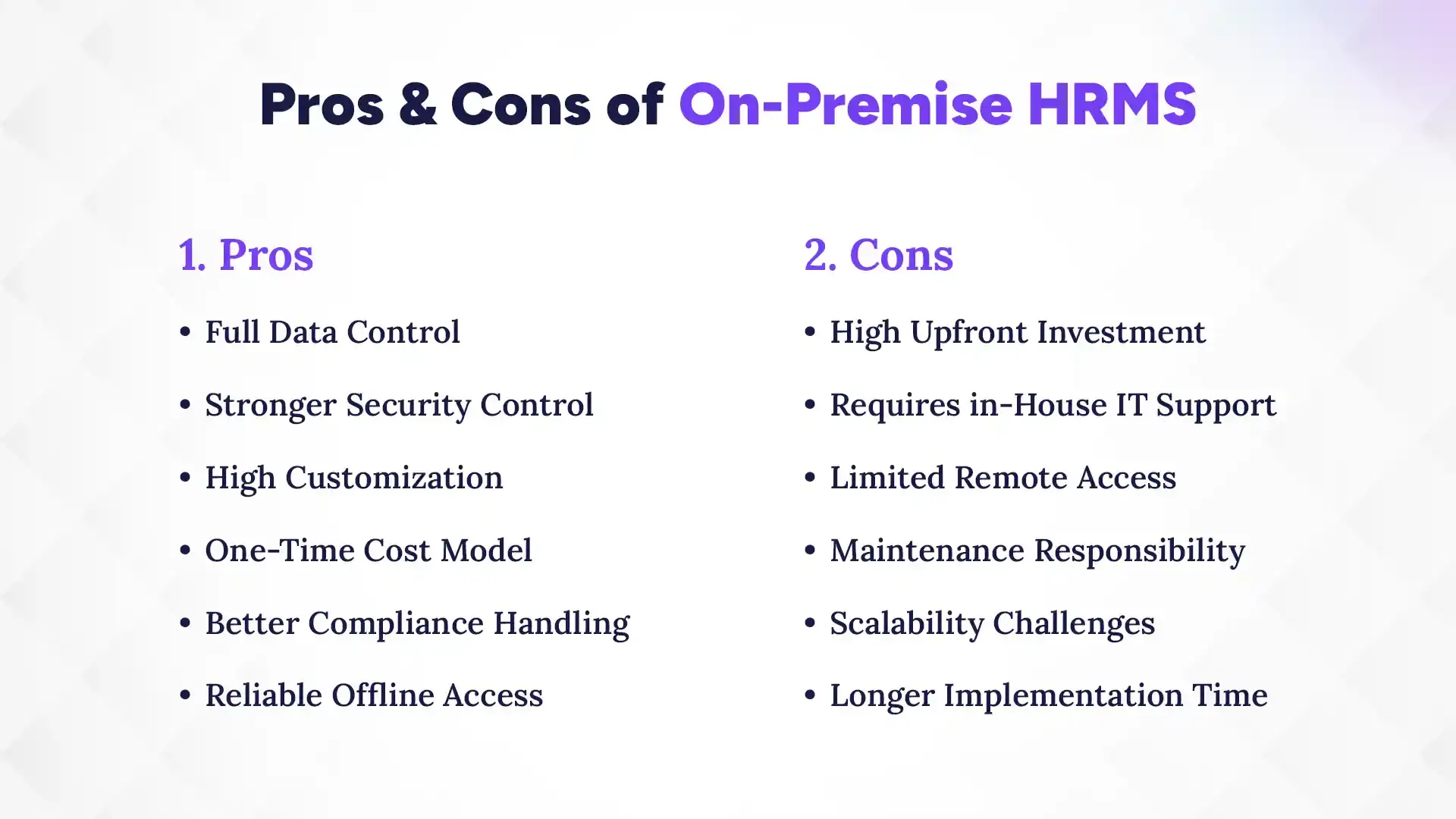
Beyond the surface-level trade-offs, it's worth understanding the nature of these pros and cons, because they don't hit every business the same way.
For an organization with a strong IT team and strict data compliance needs, the cons might feel minor compared to the level of control gained. But for a growing startup with a lean team and no dedicated server room, those same cons can quickly become bottlenecks. The key is to assess your own business context, not just the feature list.
Also worth noting that the cons around remote access and scalability aren't necessarily permanent problems. Many businesses solve the remote access issue by setting up a secure VPN, and scalability can be managed with planned hardware upgrades. So while these limitations are real, they're not always deal-breakers with the right planning in place.
Cloud-Based HRMS vs On-Premise HRMS
On-premise HRMS runs on your company’s own servers and is managed in-house, while cloud HRMS is hosted and maintained by a third-party provider over the internet. On-premise and cloud HRMS are fundamentally different in how they're deployed, who manages them, and what they cost, and neither is universally better than the other. The right choice depends entirely on what your business actually needs. Let's put them side by side so the differences are crystal clear:
| Feature | On-Premise HRMS | Cloud HRMS |
|---|---|---|
| Deployment | Installed on company servers | Hosted on vendor's cloud servers |
| Cost Structure | One-time license + setup costs | Monthly or annual subscription |
| Data Security | Managed internally by your IT team | Managed by the cloud vendor |
| Accessibility | Office network (VPN for remote) | Anywhere with internet access |
| Maintenance | Your IT team's responsibility | Handled by the vendor |
| Customization | Highly customizable | Limited to vendor's options |
| Scalability | Requires hardware investment | Scales easily with a plan upgrade |
| Implementation | Longer (weeks to months) | Faster setup |
| Internet Dependency | Works without internet | Requires stable internet |
| Compliance Control | Full internal control | Depends on vendor's compliance |
If your business handles sensitive data, operates in a regulated industry, or works in an area with unreliable internet, on-premise HRMS is likely the stronger fit. You get full control, better compliance management, and long-term cost predictability.
But if your team is remote or spread across locations, and you want a system that's quick to set up with minimal IT overhead, cloud HRMS is worth a serious look. For most businesses worldwide, a reputed cloud-based HR software works the best, given its flexibility, support, and pay as you go model.
Ultimately, the answer to which is the best HR system in Nepal is the one that fits your business, not the one with the longest feature list.
Who Should Use On-Premise HRMS in 2026?
Large enterprises, government bodies, financial institutions, and businesses with strict data privacy requirements are among the best candidates for on-premise HRMS. These organizations typically deal with sensitive data and need full control over how it's stored and accessed. Let's look at each of them in more detail.
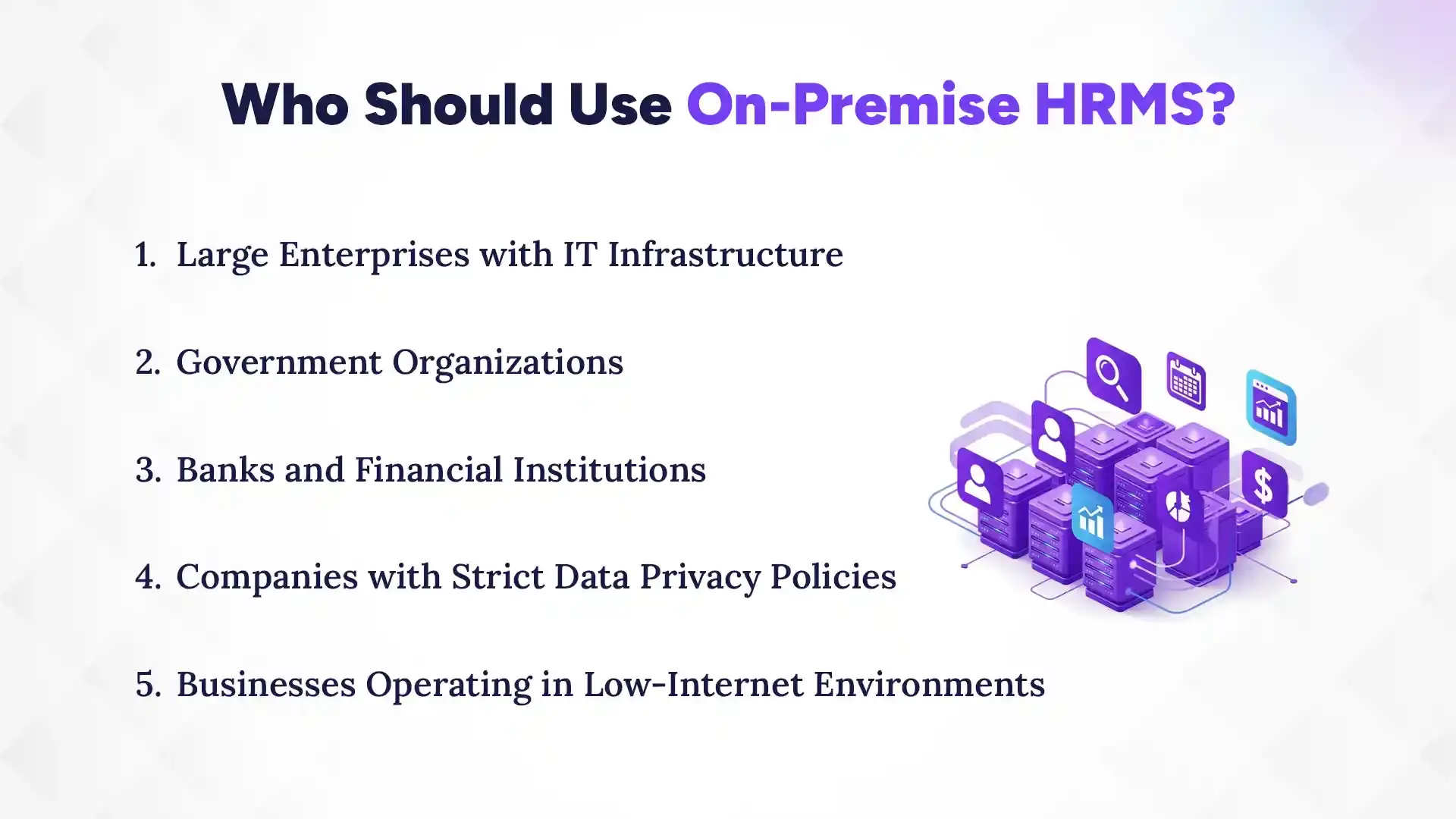
1. Large Enterprises with IT Infrastructure
Big organizations with hundreds or thousands of employees, and a dedicated IT department to match are natural fits for on-premise HRMS. They have the infrastructure to host and maintain the system, the budget to invest upfront, and the HR complexity that benefits from deep customization. A large manufacturing company, for example, might need custom workflows for shift management, multi-department payroll, and compliance reporting, all things an on-premise system handles well when properly configured.
2. Government Organizations
Government bodies manage large workforces, follow strict regulatory frameworks, and deal with highly sensitive employee data, which are all reasons why on-premise HRMS makes strong sense for them. Data sovereignty is a top concern; keeping records on government-owned servers rather than third-party clouds aligns with national security and compliance requirements. Many government departments also have established IT teams that can manage and maintain internal systems efficiently. On-premise gives them the control and accountability that public institutions are expected to uphold.
3. Banks and Financial Institutions
Banks and financial service providers are among the most data-sensitive organizations in any economy. They deal with employee financial records, access to client data, and regulatory requirements that demand tight control over information flow. On-premise HRMS for banks allows these institutions to enforce their own security protocols, audit trails, and data access rules, without relying on a third-party vendor's security practices. For Nepal's banking sector, where data compliance standards are increasingly stringent, this level of control is not just preferred, it's often required.
4. Companies with Strict Data Privacy Policies
Some businesses, especially those dealing with healthcare, legal services, or confidential research, have internal or industry-mandated policies that restrict storing employee data on external platforms. For them, on-premise HRMS isn't just a preference; it's a compliance requirement. Keeping data in-house means they can enforce their own privacy standards, limit data sharing, and maintain complete audit visibility. It's the kind of control that peace-of-mind policies are built on.
5. Businesses Operating in Low-Internet Environments
Not every business has access to fast, stable internet, especially in regions where connectivity is inconsistent. On-premise HRMS runs on the local network, so internet outages don't disrupt HR operations. Employees can still clock in, HR can still run payroll, and managers can still access records, all without a live internet connection. For businesses operating in remote areas of Nepal or any developing region with infrastructure gaps, this reliability makes on-premise a genuinely practical choice.
How to Choose the Right On-Premise HRMS?
Choosing the right on-premise HRMS starts with understanding your business size, your HR needs, and how much customization and security your operations require. Getting these basics right saves you from costly mistakes down the road. Here's a step-by-step look at what to evaluate before you decide the right type of HR software:
1. Assess Business Size and HR Needs
Start by mapping out exactly what your HR team handles on a daily, monthly, and annual basis. How many employees do you manage? Do you run multiple departments with different payroll structures? Do you need modules for recruitment, performance reviews, and training, or just core payroll and attendance? The answers to these questions will shape everything else. A system that works well for 50 employees may struggle at 500, so plan for where you're headed, not just where you are.
2. Check Customization Capabilities
Every business has its own workflows, approval chains, and HR policies. And, your HRMS should be able to reflect that. Ask vendors how much you can customize: Can you add custom fields? Can you modify leave policies? Can you create custom reports? A system that forces you to adapt your processes to fit the software is more of a problem than a solution. The right on-premise HRMS should bend to your business, not the other way around.
3. Evaluate Security Features
Since your IT team will own the system's security, you need to make sure the software itself supports strong security practices. Look for features like data encryption, multi-factor authentication, detailed audit logs, and role-based access control. Ask the vendor how the system handles unauthorized access attempts and what tools it gives your team to monitor activity. Strong built-in security features mean your IT team has a solid foundation to work from, instead of patching gaps from day one.
4. Ensure Compliance Support
If your industry has specific legal or regulatory requirements, such as labor laws, tax compliance, data retention rules, your HRMS must be able to support them out of the box or through configuration. For businesses in Nepal, this means the system should handle local tax structures, SSF contributions, and labor act requirements without manual workarounds. Ask vendors for a compliance checklist and verify that the system has been used successfully in your industry. Compliance gaps found after implementation are expensive and stressful to fix.
5. Look for Vendor Support and Scalability
Even with an on-premise setup, you'll still rely on the vendor for software updates, bug fixes, and technical guidance when issues arise. Make sure the vendor offers solid after-sales support. Ideally, with a local or regional team that understands your context. Also ask how the system handles growth: Can it scale as you hire more people or expand to new locations? A great on-premise HRMS should grow with your business, not hold it back.
Why Businesses Still Choose On-Premise Over Cloud?
Businesses still choose on-premise HRMS for strong reasons, such as data sovereignty, industry regulations, long-term cost savings, and the preference to keep full control in the hands of their own IT teams. These aren't outdated concerns; for many organizations, they're active, ongoing priorities. Let's look at each reason and why it still holds weight today.
1. Data Sovereignty Concerns
Data sovereignty simply means the right to keep your data within your own country or organization. And for many businesses, this is non-negotiable. When you store HR data on a cloud server, that server could be physically located in another country, subject to different laws and government access rules. On-premise HRMS keeps data exactly where you put it, whether on your servers, in your building, or under your jurisdiction. For government bodies, large enterprises, and any organization that takes data ownership seriously, this matters a lot.
2. Industry Regulations
Certain industries operate under regulatory frameworks that explicitly restrict how and where employee data can be stored. Banks, insurance companies, hospitals, and public sector organizations often have compliance mandates that cloud solutions can't fully satisfy without major configuration workarounds. On-premise HRMS gives these businesses direct control over their compliance setup. They can configure audit trails, access logs, and data retention policies to match regulatory requirements precisely. Staying compliant isn't just good practice; it protects the organization from legal and financial risk.
3. Long-Term Cost Control
While the upfront cost of on-premise HRMS is higher, many large businesses find that it's more cost-efficient over a five- or ten-year period. Cloud subscriptions scale with your workforce, meaning as you hire more people, your monthly bill grows. With on-premise, the core software cost stays relatively fixed once you've made the initial investment. For organizations with large, stable workforces, avoiding ongoing subscription fees can add up to substantial savings over time.
4. Internal IT Control Preference
Some organizations simply prefer having their IT team handle everything, from server management to software updates to security patches. This preference isn't just about trust; it's about accountability. When something goes wrong with a cloud platform, you're dependent on the vendor's support team and response timeline. With on-premise, your IT team diagnoses and fixes issues directly, which often means faster resolution and clearer accountability. For organizations where downtime is costly, having that internal control can be a genuine operational advantage.
Implementation Tips for On-Premise HRMS
A successful on-premise HRMS implementation starts with planning your infrastructure, training your teams, and rolling out core modules first before expanding. Skipping steps in this process almost always leads to delays, confusion, or costly fixes later. Here's what a smart, structured HRMS implementation actually looks like.
1. Plan Infrastructure in Advance
Before the software is even installed, your IT team needs to assess and prepare the hardware. That means ensuring servers have enough capacity, network bandwidth is sufficient, and backup systems are already in place. Don't wait until installation day to figure out if your current infrastructure can handle the load. Bring your IT team into the conversation early, ideally during the vendor evaluation stage, so they can flag requirements and plan accordingly.
2. Train HR and IT Teams
Even the best software fails when the people using it aren't prepared. HR staff need to understand how to use the system for daily tasks, like logging leave, running payroll, and generating reports. IT staff need to know how to maintain, update, and troubleshoot the system from the backend. Plan structured training sessions for both teams before go-live, and make sure there's a go-to person on each side who can handle questions after training ends. The more prepared your teams are, the smoother the transition will be.
3. Start with Core Modules
Trying to launch every feature at once is one of the most common implementation mistakes. Instead, start with the modules your team uses most. Typically, automated salary processing, attendance, and employee records. Get comfortable with those first before adding recruitment, performance management, or advanced analytics. This phased approach reduces the learning curve, makes it easier to spot issues early, and keeps the team from feeling overwhelmed. Think of it as building a house. Foundation first, then the walls, then the roof.
4. Ensure Regular Backups and Updates
Once the system is live, your IT team's job isn't over, it's just beginning. Set up automated backups so employee data is protected even if something goes wrong with the server. Schedule regular software updates to keep the system secure and running on the latest version. Create a simple maintenance calendar that covers when backups run, when updates are applied, and when system health checks happen. Consistent maintenance is what keeps a well-implemented system running well for years.
Conclusion
On-premise HRMS is a powerful, control-first solution. It is built for businesses that need full data ownership, strong security, deep customization, and reliable performance without depending on the internet or a third-party vendor.
If your business deals with sensitive employee data, operates in a regulated industry, or simply values having complete control over your HR systems, on-premise HRMS could be your best long-term investment. The setup takes effort, but the independence it gives you is real, and for many businesses, that independence is worth every rupee.
So before you decide, take a step back and honestly assess your needs, your infrastructure, and your team's capacity. The best HRMS isn't the most popular one, it's the one that fits your business. Start with that question, and the right answer will follow.
Searching for an HR software for government in Nepal? Discover top features, benefits, HR challenges, and HRMS solutions for government agencies.