Tracking employee attendance should be simple, but for many businesses, it’s not.
Many teams still rely on paper registers, spreadsheets, or separate tools to record employee details. But in these manual methods, there are more problems than benefits. Entries get missed, timesheets aren’t clear, and payroll can become confusing.
These small errors add up, slowing down HR work, leading to bigger problems like payroll disputes and lost productivity.
That’s why more organizations are turning to a modern attendance management system. A time and attendance management system brings everything together, from clock-ins to payroll-ready reports.
Here, you’ll understand what an attendance management system actually is, dive into its key features, benefits it brings, and ultimately, help you choose the right attendance management software for your business.
What Is an Attendance Management System?
An attendance management system is a digital tool that helps businesses track when employees start work, take breaks, and finish their shifts. Instead of using paper registers or scattered spreadsheets, everything is recorded in one central system. This makes it easier for HR teams and managers to see accurate attendance data at any time.
With the system in place, employees can clock in and clock out using a web portal, mobile app, or biometric device. It also keeps track of punctuality, working hours, overtime, and absences. At the same time, employees can request leave through the system, and managers can review and approve it without long email chains.
Most modern tools also connect attendance records with payroll and HR software. This means work hours automatically feed into salary calculations, reducing manual work and errors. In many companies, this is part of a broader time and attendance management system that helps HR teams manage workforce time, schedules, and records more efficiently via a comprehensive HRMS.
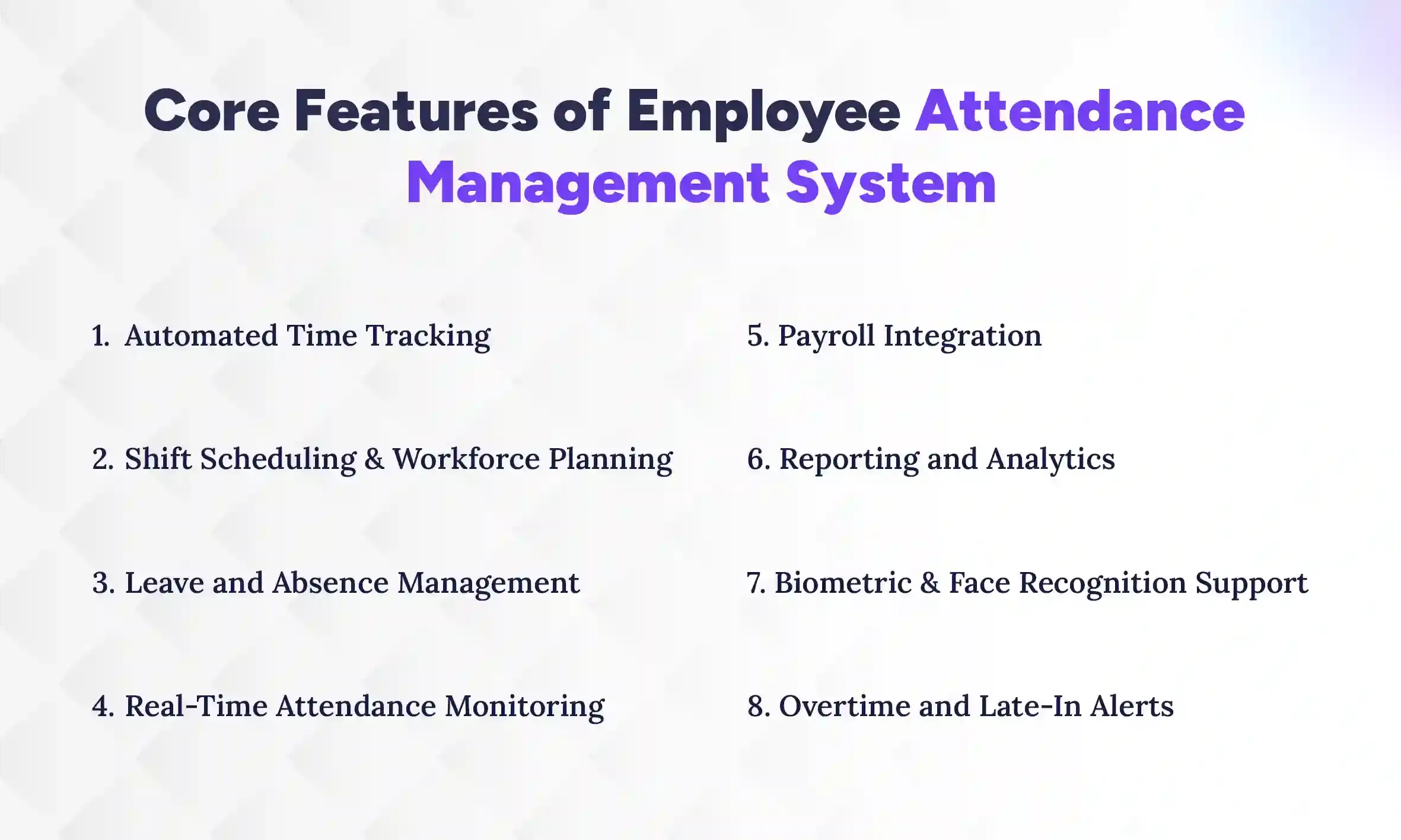
Core Features of Employee Attendance Management System
An attendance management system includes several built-in tools that help businesses track employee time, manage schedules, and maintain accurate attendance records. These features automate daily HR tasks and give managers clear visibility into workforce activity. The most important features include automated time tracking, shift scheduling, leave management, real-time monitoring, payroll integration, reporting, biometric verification, and overtime alerts. Let’s take a closer look at how each of these features works and why they matter for businesses.
1. Automated Time Tracking
Automated time tracking records when employees start and finish work without manual entry. Employees can clock in and out using mobile apps, web portals, or biometric devices, and the system saves the data instantly. This removes the need for paper registers or spreadsheets, which often cause errors. As a result, businesses get accurate records of employee working hours every day.
2. Shift Scheduling and Workforce Planning
Shift scheduling helps managers plan work hours and assign shifts based on team needs. Instead of juggling multiple files, schedules can be created and updated inside one system. Managers can quickly adjust shifts if someone calls in sick or if workload changes. This keeps teams organized and ensures there are enough employees working at the right time.
3. Leave and Absence Management
Leave and absence management makes it simple to handle employee time-off requests. Employees can apply for leave through the system, and managers can review and approve it quickly. The system also tracks leave balances and absence history automatically. This creates a clear and transparent process for both employees and HR teams.
4. Real-Time Attendance Monitoring
Real-time attendance monitoring allows managers to see who is present, absent, late, or on leave at any moment. Instead of waiting for end-of-day reports, attendance data updates instantly. This helps managers respond quickly if there are staffing gaps during a shift. As a result, operations continue smoothly even when unexpected changes happen.
5. Payroll Integration
Payroll integration connects attendance records directly with payroll software for small business. When payroll is processed, the system already has accurate data on work hours, overtime, and absences. This removes the need for manual calculations and reduces mistakes. It also ensures employees are paid correctly and on time.
6. Reporting and Analytics
Reporting and analytics turn attendance data into useful insights. HR teams can generate reports on absenteeism, overtime, late arrivals, and overall attendance trends. These reports help managers understand workforce patterns and identify problems early. Over time, businesses can use this information to improve scheduling and workforce planning.
7. Biometric & Face Recognition Support
Biometric and face recognition technology helps confirm employee identity during clock-in. Workers verify their presence using fingerprints or facial scans instead of passwords or cards. This prevents “buddy punching,” where one employee clocks in or clocks out for another employee who is not present. Because of this, attendance records become more reliable and secure.
Did You Know? Buddy punching is a significant issue, affecting up to 75% of small businesses and costing companies 2–8% of their gross payroll. An HRMS with biometric feature completely solves this problem.
8. Overtime and Late-In Alerts
Overtime and late-in alerts notify managers when employees arrive late or work beyond their scheduled hours. The system automatically flags unusual attendance patterns or extra work time. This helps companies control overtime costs and manage schedules better. It also ensures employees receive proper pay for additional hours worked.
Together, these features show that an attendance management system does much more than simply record time. It helps businesses manage employee attendance in a smarter and more organized way. Next, let’s explore the business benefits companies gain from using an attendance management system.
Insights
Did You Know?
Attendance data can directly affect payroll accuracy. An integrated attendance system can connect working hours, overtime, and attendance records with payroll, reducing the need for repetitive manual calculations.
Benefits of Using an Attendance Management Software
An attendance management system helps businesses save time, reduce mistakes, and manage teams better. Moreover, by automating attendance and leave tracking, HR teams can focus on more important tasks. Let’s look at the key benefits in detail.
1. Improves Accuracy in Time Tracking
One of the main benefits is accurate time tracking. Manual logs or spreadsheets often have mistakes, like missing entries or wrong hours. The system automatically records clock-ins and clock-outs. This gives HR and managers reliable data every day.
2. Saves Administrative Time
Tracking attendance manually takes a lot of time, especially for big teams. The system automates clock-ins, leave requests, and reports. HR no longer has to fix errors or chase missing entries. This frees them to focus on other important work.
3. Enhances Workforce Productivity
With an Managers can see who is present, absent, or late in real time. This helps them plan tasks and allocate work efficiently. Employees also become more accountable. Overall, it improves team productivity and workflow.
4. Reduces Payroll Errors
Payroll mistakes often happen when attendance data is wrong. The system connects attendance with payroll automatically. This ensures employees are paid correctly for hours worked and overtime. It reduces disputes and saves time for HR.
5. Supports Compliance and Labor Regulations
Keeping proper attendance records is required by law. The system stores work hours, absences, and overtime accurately. This makes audits and compliance easier. Businesses can avoid fines and legal issues while staying organized.
With these benefits, an attendance management system not only simplifies HR work but also creates a reliable and efficient work environment. While features show what the system can do, it’s also important to know the different types of attendance management systems available.
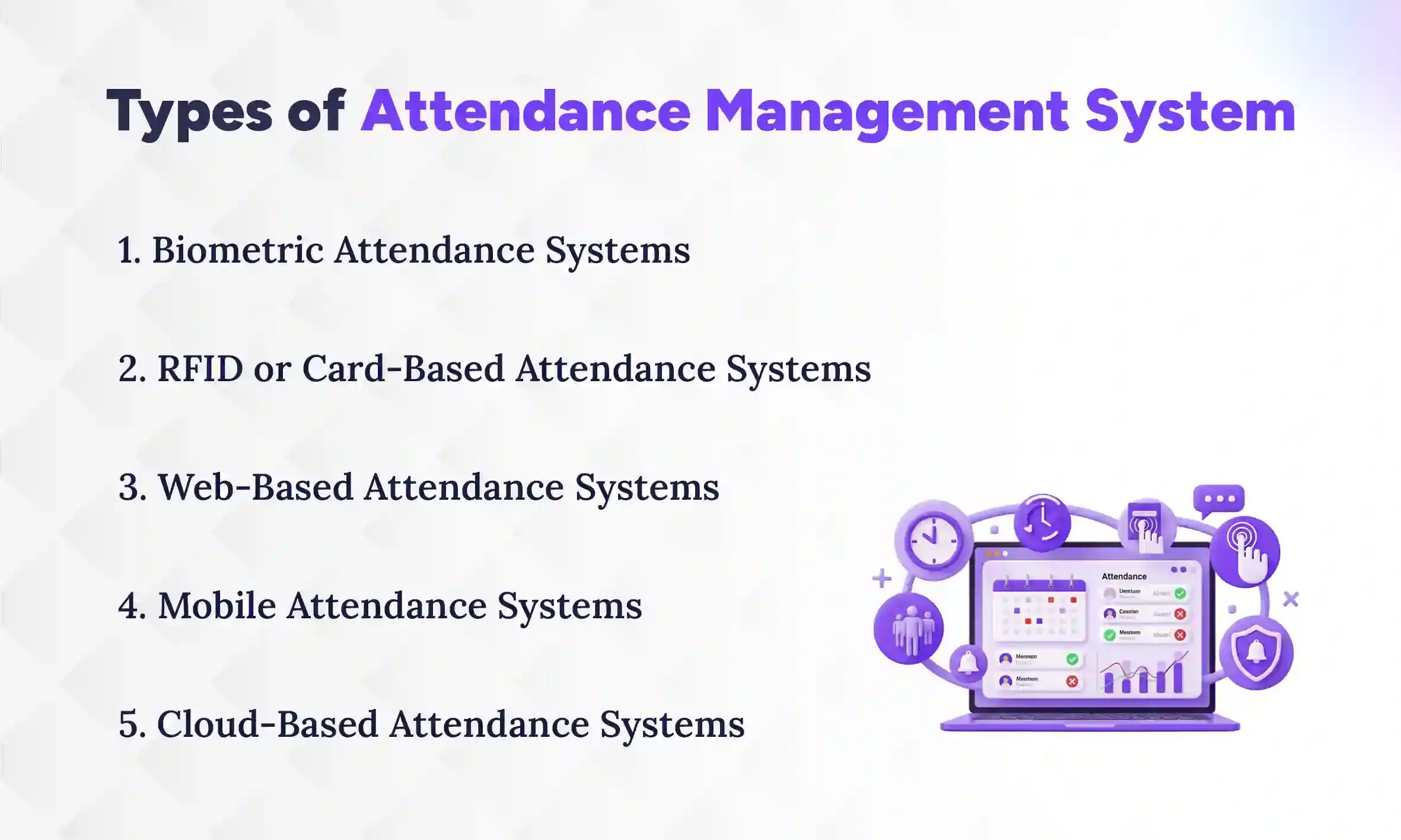
What are the Types of Attendance Management System?
Attendance management systems come in several types, including biometric systems, RFID or card-based systems, web-based systems, mobile attendance systems, and cloud-based systems. Businesses can choose the right type based on workforce size, security needs, and how the organization operates. Some systems are simple and easy to use, while others offer advanced features like biometric verification or real-time cloud access. Here’s a closer look at each type and how it works:
1. Biometric Attendance Systems
Biometric systems use fingerprints, facial recognition, or iris scans to record attendance. Each employee’s identity is verified before clocking in or out. This prevents “buddy punching,” where one employee clocks in for another. Biometric systems are very accurate and secure, making them ideal for companies concerned about attendance fraud.
2. RFID or Card-Based Attendance Systems
RFID or card-based systems let employees record attendance using ID cards or access badges. They simply swipe or tap their card at a reader to mark their presence. These systems are easy to install and use for medium to large teams. They also provide a quick and contactless way to track employee time.
3. Web-Based Attendance Systems
Web-based systems allow employees to log their attendance through a web portal. They can use office computers or secure networks to clock in and out. Managers can access attendance data in real time without paper records. This type of system is simple, flexible, and works well for office-based teams.
4. Mobile Attendance Systems
Mobile attendance systems let employees clock in using mobile apps. Many apps include GPS or geofencing to confirm the location. This is especially useful for remote workers or teams that work in the field. It keeps attendance tracking accurate even outside the office.
5. Cloud-Based Attendance Systems
Cloud-based systems store attendance data online, allowing access from anywhere. Managers and HR teams can check records in real time. These systems often integrate with payroll and HR software for easier management. They are scalable, secure, and great for companies with distributed teams.
With these options, businesses can choose a system that fits their size, security needs, and workflow. Next, we’ll look at different models of attendance management systems and how they are deployed.
Attendance management systems can also be grouped by how they are deployed or built. Different models suit different company needs, depending on size, IT setup, and security requirements. Some systems are hosted online, others are installed on company servers, and some are part of larger HR solutions. Understanding these models helps businesses choose the right setup for their workforce.
1. Cloud-Based Systems
Cloud-based systems are hosted online and can be accessed from anywhere. Managers and HR teams can check attendance records in real time, even if employees work remotely. These systems are easy to scale as the company grows and usually require minimal IT maintenance. They also allow integration with payroll and other HR tools seamlessly.
Examples of top cloud-based HRMS solutions include Pace HRMS, Zoho People, and BambooHR, which all offer centralized attendance tracking, leave management, and payroll integration in one platform. These solutions are ideal for businesses looking for flexibility, real-time insights, and easy access across multiple locations.
2. On-Premise Systems
On-premise attendance management systems are installed directly on a company’s own servers. This gives businesses full control over their data and internal IT infrastructure. These systems are ideal for organizations that prioritize data security and want to keep sensitive employee information within their network. Maintenance, updates, and backups are managed internally, so having an IT team is essential.
Examples of popular on-premise HRMS solutions include Pace HRMS, SAP SuccessFactors (on-premise edition), and Kronos Workforce Central. These platforms provide robust attendance tracking, shift management, and payroll integration while keeping all data within the company’s secure network.
3. Integrated HR or Workforce Management Systems
Some attendance systems are part of a larger HR or workforce management solution. These integrate time tracking with payroll, leave management, and employee analytics. This gives managers a complete view of workforce performance. It also reduces the need for multiple separate tools and simplifies HR operations.
With these models in mind, the next step for businesses is deciding which software is best suited for their attendance management needs.
Which Software Is Best for an Attendance Management System?
When it comes to managing attendance efficiently, Pace HRMS is one of the top choices for businesses looking for a complete solution. It is designed to handle everything from employee clock-ins to leave requests, payroll integration, and real-time reporting. Whether your company is small, mid-sized, or large, Pace HRMS adapts to your workforce needs while keeping operations smooth and accurate.
Best features of Pace HRMS:
1. Ease of Use
Pace HRMS is built with simplicity in mind. The interface is intuitive, so employees can clock in, request leave, or view schedules without confusion. Managers can quickly generate attendance reports and approve requests with just a few clicks. This reduces training time and minimizes errors from manual tracking.
2. HR and Payroll Integration
One of the strongest features of Pace HRMS is its seamless integration with HR and payroll systems. Attendance data automatically feeds into payroll calculations, ensuring employees are paid accurately for hours worked, overtime, and leave. This eliminates manual calculations and reduces the risk of errors or disputes.
3. Scalability
Pace HRMS grows with your business. Whether you have a small team or multiple branches across different locations, it can handle increasing numbers of employees and more complex scheduling needs. The system remains efficient and reliable as your workforce expands.
4. Mobile Accessibility
Employees can access Pace HRMS from their smartphones using the mobile app. Clock-ins, leave requests, and attendance approvals can happen from anywhere. GPS and geofencing features ensure location tracking for field teams and remote workers, keeping data accurate and reliable.
5. Security and Compliance Features
Pace HRMS keeps sensitive employee information secure. It complies with labor laws and industry standards, storing attendance and payroll records safely. The system also helps businesses generate audit-ready reports, making compliance checks much simpler.
By combining these features, Pace HRMS offers a complete, integrated time and attendance management system that reduces administrative work, increases accuracy, and gives managers full visibility into workforce operations. It’s a single platform that brings attendance, HR, and payroll together seamlessly.
Ready to Simplify Attendance Management?
Track attendance, manage shifts, monitor work hours, and connect attendance data with payroll using Pace HRMS.
How to Choose the Right Attendance Management System?
To choose the best HRMS for your businesses, you need to assess your workforce, define integration needs, evaluate automation and reporting, and ensure scalability. Making the wrong choice can lead to inefficiencies, errors, and frustration for both HR teams and employees. Here’s a practical framework to guide businesses in picking the most suitable system.
1. Identify Workforce Size and Structure
The first step is to assess your workforce. Are you a small office with a handful of employees, or a large organization with multiple departments and locations? Consider shift patterns, remote or field staff, and flexible schedules. A system that works for a small, single-location team may struggle with multiple locations or complex shifts. Understanding the size and structure helps you choose a solution that can handle your current needs and adapt as your business grows.
2. Determine Integration Needs with Payroll and HR Systems
Integration is crucial. Attendance data is only valuable if it can flow seamlessly into payroll, leave management, and HR analytics. Evaluate whether the system can sync with your existing HR and payroll software or if it comes with built-in modules. The right system reduces manual work, minimizes errors, and ensures employees are paid accurately. Lack of integration can lead to duplicate work, mismatched records, and compliance issues.
3. Evaluate Automation and Reporting Capabilities
Automation is a game-changer for attendance management. Look for systems that automatically record clock-ins, leave requests, overtime, and absences. Advanced reporting features are equally important. Your HRMS should allow managers to quickly identify attendance patterns, spot issues like frequent lateness or absenteeism, and generate audit-ready reports. Systems with actionable insights save time and empower decision-making instead of just storing raw data.
4. Ensure the System Can Scale as the Business Grows
Your business will evolve, and your attendance system should too. Check whether the system can accommodate an increasing number of employees, multiple locations, or new shifts without losing efficiency. Scalable systems also make it easier to implement new features, such as mobile tracking, biometric verification, or advanced analytics, as your workforce requirements become more complex.
5. Work with Experienced Technology Partners
Finally, implementation matters. Even the best system can fail without proper setup, training, and support. Experienced technology partners can guide businesses through configuration, onboarding, and ongoing support. They ensure the system aligns with operational workflows, avoids disruptions, and delivers the full benefits of automation and reporting.
While choosing an attendance management system, make sure the software not only tracks time but also improves overall HR efficiency and workforce productivity. This ensures the system is a long-term investment rather than just a temporary tool.
Conclusion
A reliable attendance management system is no longer a luxury, it’s a necessity for modern businesses. From accurate time tracking and shift management to payroll integration and compliance, the right system streamlines HR processes and reduces manual work.
A modern time and attendance management system not only simplifies these tasks but also gives managers real-time insights into workforce performance, making daily operations smoother and more efficient.
For businesses looking to modernize workforce operations, implementing a reliable attendance management system can be transformative. With expert guidance from digital solution providers like The Pace Infosys, companies can adopt a system that ensures accuracy, efficiency, and growth, all while keeping employees and managers stress-free.
FAQs
Which software is best for an attendance management system?
+
Pace HRMS is a top choice, offering automated time tracking, leave management, payroll integration, and real-time attendance insights for businesses of all sizes.
What is TMS in attendance?
+
TMS stands for Time Management System, a tool that tracks employee working hours, schedules, and attendance, often integrated with HR and payroll systems.
What are the different types of attendance systems?
+
Common types include biometric systems, RFID/card-based systems, web-based, mobile, and cloud-based attendance management systems for various business needs.
What is the biometric system of attendance?
+
Biometric attendance uses fingerprints, facial recognition, or iris scans to verify employee identity and prevent proxy attendance or “buddy punching.”
Why do businesses use time and attendance management systems?
+
They automate attendance tracking, reduce manual errors, improve payroll accuracy, provide workforce insights, and ensure compliance with labor regulations.
How does cloud-based attendance management work?
+
Cloud systems store attendance data online, offering real-time access, integration with HR tools, scalability, and remote workforce management from any device.
Can mobile apps track employee attendance?
+
Yes, mobile attendance apps allow employees to clock in/out, submit leave, and use GPS or geofencing to confirm location.
How do attendance systems improve HR efficiency?
+
They automate time tracking, leave management, reporting, and payroll integration, reducing administrative work and giving HR teams more time for strategic tasks.
Do attendance systems support payroll compliance?
+
Yes, these systems maintain accurate work hours, overtime, and leave records, helping businesses comply with labor laws and audit requirements.
Ready to get started?
Book a 30-minute consultation call, and let's talk about your goals.