Managing employees becomes increasingly complex as organizations grow, and many HR teams struggle to keep up with payroll errors, compliance risks, scattered employee data, and slow hiring processes. Without understanding the types of HR software available, businesses often rely on outdated tools that create inefficiencies and frustrate both HR teams and employees.
The challenge is not just managing people. It is choosing the right HR technology from multiple software categories, such as HRIS, HRMS, payroll systems, and applicant tracking tools. Selecting the wrong solution can lead to wasted investment and operational bottlenecks.
This guide breaks down the major types of HR software, explains their functions, and helps you identify which solution best supports your workforce management and business growth.
What is HR Software?
HR software is a digital tool that helps businesses manage their employees and HR tasks in one system. Instead of using paper files, spreadsheets, or many separate tools, companies use HR software to automate and organize their people operations. In simple terms, HR software helps you manage everything related to employees, from hiring to retirement. It stores employee data in one secure place and reduces manual work. This saves time, lowers errors, and makes HR processes faster and easier.
What Does HR Software Do?
Store employee records
Manage payroll and salaries
Track attendance and work hours
Handle leave requests
Manage benefits
Support recruitment and hiring
Run performance reviews
Manage employee training
Generate HR reports and analytics
Different types of HR software focus on different tasks. For example, payroll software handles salary payments, while an applicant tracking system helps with hiring. Some platforms combine many features into one complete HR system.
Modern HR software is often cloud-based, which means you can access it from anywhere. It also allows employees to use self-service portals to update their details, request leave, or download payslips without contacting HR. In short, HR software helps businesses stay organized, stay compliant, and manage their workforce more efficiently as they grow.
What are the Types of HR Software?
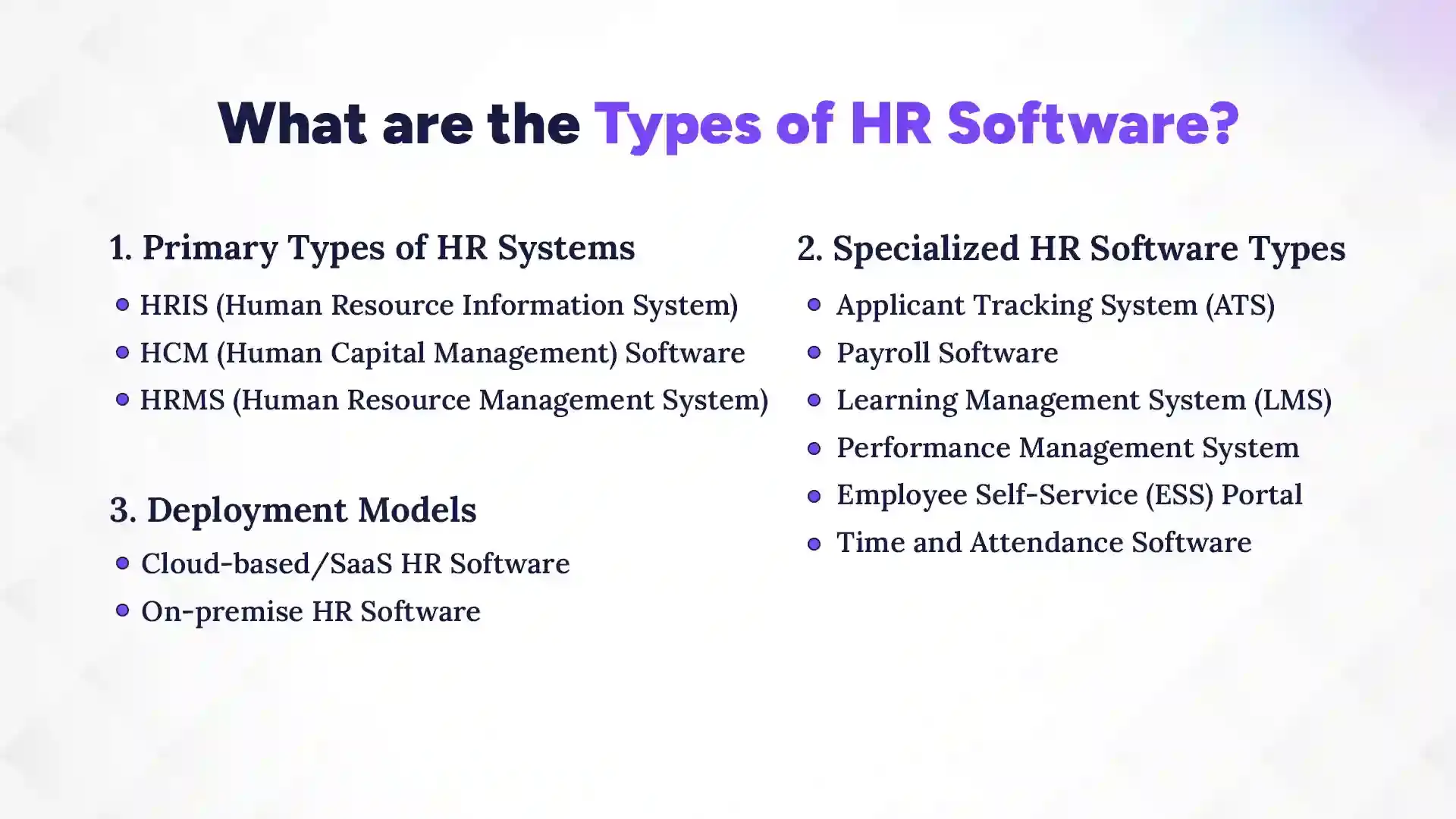
The main types of HR software include core systems like HRIS, HRMS, and HCM; specialized tools such as ATS, payroll, LMS, performance management, ESS, and time tracking; and deployment models like cloud-based and on-premise solutions. HR software is not just one system. It includes different categories of tools designed to manage specific HR tasks and business needs.
Some platforms serve as a complete HR management system, while others focus on one function, such as hiring or payroll. To understand the types of HR software clearly, it helps to group them into three categories: primary HR systems, specialized HR software, and deployment models.
1. Primary Types of HR Systems
Primary HR systems are comprehensive platforms that manage multiple HR functions in one place. These systems often act as the central hub for employee data and workforce operations. Most businesses start with one of these core systems before adding specialized tools.
a) HRIS (Human Resource Information System)
An HRIS is the foundation of many HR technology stacks. It focuses mainly on storing, organizing, and managing employee information. This system helps businesses replace spreadsheets and manual files with a secure digital database.
An HRIS typically includes:
Employee records management
Benefits administration
Payroll integration
Compliance tracking
Basic HR reporting
HRIS software is ideal for small and mid-sized businesses that want to streamline administrative HR tasks and improve data accuracy.
b) HCM (Human Capital Management) Software
HCM software takes a broader and more strategic approach to HR. Instead of focusing only on data storage, it helps organizations manage talent and long-term workforce planning. It supports business growth by aligning people strategy with company goals.
HCM platforms often include:
Talent acquisition tools
Performance management systems
Learning and development modules
Compensation planning
Workforce analytics and reporting
Succession planning
Large and enterprise-level companies often choose HCM software to manage complex HR needs and support strategic decision-making.
c) HRMS (Human Resource Management System)
HRMS software combines core HR data management with operational workforce tools. It is more comprehensive than an HRIS but may not be as strategy-focused as a full HCM platform. Many growing companies prefer HRMS because it balances functionality and usability.
An HRMS generally includes:
All core HRIS features
Time and attendance tracking
Payroll processing
Performance management tools
Employee self-service portal
In simple terms, HRIS manages employee data, HRMS manages workforce processes, and HCM manages talent strategy.
2. Specialized HR Software Types
While primary HR systems cover many functions, specialized HR software focuses on one specific area. Businesses often integrate these tools with their main HR platform. These solutions solve targeted problems and improve efficiency in specific processes.
a) Applicant Tracking System (ATS)
An Applicant Tracking System is designed to improve recruitment and hiring. It helps HR teams manage candidates and streamline the hiring process. Companies that hire frequently benefit greatly from an ATS.
An ATS typically provides:
Job posting across multiple platforms
Resume screening and filtering
Interview scheduling tools
Candidate communication tracking
Recruitment pipeline management
This type of HR software reduces time-to-hire and improves candidate experience.
b) Payroll Software
Payroll software automates salary processing and ensures compliance with tax regulations. It reduces the risk of manual errors and helps businesses pay employees accurately and on time. For many companies, payroll is one of the most critical HR functions.
Payroll software usually includes:
Salary and wage calculation
Tax deductions and reporting
Payslip generation
Direct deposit management
Multi-country payroll support
Some companies use standalone payroll systems, while others use payroll modules within a larger HR system.
c) Learning Management System (LMS)
A Learning Management System focuses on employee training and development. It allows organizations to create structured learning programs and track progress. This is especially important for compliance training and skill development.
An LMS typically offers:
Course creation and management
Online training delivery
Progress tracking
Certification management
Compliance training tracking
LMS platforms help companies build a skilled and knowledgeable workforce.
d) Performance Management System
Performance management software helps organizations track employee goals and evaluations. It creates a structured process for feedback and development. This improves transparency and supports employee growth.
Common features include:
Goal setting and OKR tracking
Performance reviews
360-degree feedback
Continuous feedback tools
Performance analytics
This system ensures that employee performance aligns with business objectives.
e) Employee Self-Service (ESS) Portal
An ESS portal empowers employees to manage their own information. It reduces administrative work for HR teams and improves employee satisfaction. Employees can access important information without sending emails or filling out forms.
An ESS portal usually allows employees to:
Update personal information
Download payslips
Request leave
View benefits details
Track attendance records
This type of HR software improves efficiency and transparency.
f) Time and Attendance Software
Time and attendance software tracks employee work hours and absences. It ensures accurate payroll calculations and helps manage workforce schedules. Businesses with shift workers especially benefit from this system.
Time and attendance systems generally include:
Digital time tracking
Leave management
Shift scheduling
Overtime calculation
Biometric or mobile clock-in options
This tool helps control labor costs and maintain accurate records.
3. Deployment Models of HR Software
In addition to functional categories, types of HR software also differ based on how they are deployed. The deployment model affects cost, accessibility, and maintenance.
a) Cloud-Based or SaaS HR Software
Cloud-based HR software is hosted online and accessed through the internet. It does not require internal servers or heavy IT support. Most modern businesses prefer this model due to its flexibility and ease of use.
Cloud HR software typically offers:
Lower upfront costs
Automatic updates
Remote access from anywhere
Built-in data backup
Easy scalability
This model is ideal for growing companies and remote teams.
b) On-Premise HR Software
On-premise HR software is installed on company servers and managed internally. It gives organizations more control over data and customization. However, it often requires more IT resources and a higher initial investment.
On-premise solutions may provide:
Greater control over system configuration
Internal data management
Custom security controls
Long-term infrastructure ownership
Large organizations with strict data policies sometimes choose this model.
Cloud-Based vs On-Premise HR Software
When it comes to HR software, small businesses often face the choice between cloud-based (SaaS) and on-premise solutions. A cloud based hr system is hosted online and accessible from anywhere, while on-premise software is installed locally on your company’s servers. Each option has its own benefits, costs, and security considerations, so understanding the differences helps businesses make the right choice for efficiency, scalability, and budget.
Feature
Cloud-Based HR Software (SaaS)
On-Premise HR Software
Deployment
Hosted online; accessible anywhere with internet
Installed on local servers; accessed within the company network
Setup & Maintenance
Quick setup; vendor handles updates and maintenance
Requires an IT team for installation, updates, and troubleshooting
Cost
Subscription-based, lower upfront costs
Higher upfront cost for software and infrastructure
Scalability & Flexibility
Easily scalable as business grows; add users/features on demand
Limited by server capacity; scaling may require hardware upgrades
Full control over data, but security depends on in-house expertise
Accessibility
Remote access for employees and managers from any device
Typically accessible only on-site or via VPN
Integration
Easily integrates with cloud apps, payroll, accounting, and productivity tools
Integration possible but may require custom development
Updates & Features
Automatic updates and feature upgrades
Manual updates; slower adoption of new features
How to Choose the Right Type of HR Software for Your Business?
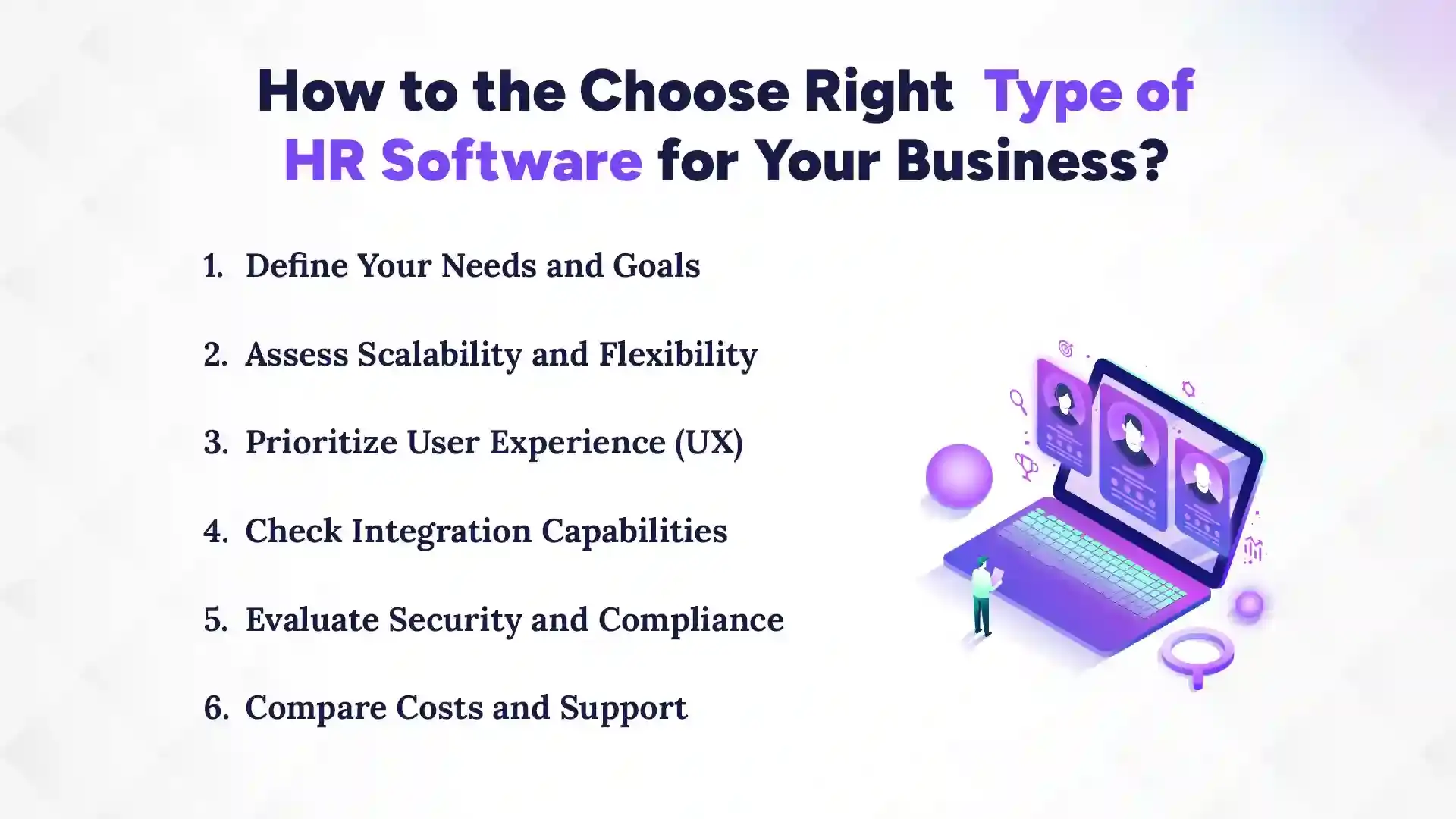
To choose the right type of HR software, define your company’s goals, growth plans, user needs, integrations, security requirements, and budget before you implement hr software. Choosing the right HR software is not about picking the most popular or feature-rich system. It’s about finding a solution that fits your organization’s current needs while supporting future growth. The ideal platform should make HR tasks easier, improve employee experience, integrate well with your existing systems, and remain secure and compliant. Here’s a step-by-step guide to help you make the best choice.
1. Define Your Needs and Goals
Before you start evaluating software, clarify what you need from HR technology. Are you mainly looking to simplify payroll, streamline hiring, or improve performance management? Identify the HR pain points your company faces and decide which processes you want to automate. Set clear goals, such as reducing administrative tasks by 50% or improving employee onboarding efficiency. Knowing your priorities will help you narrow down the options and avoid paying for unnecessary features. Make a list of must-have features versus nice-to-have features to guide your selection.
2. Assess Scalability and Flexibility
Your HR software should grow with your business. Consider whether the system can handle an increasing number of employees, departments, or locations. Flexible platforms allow you to add modules or features as your needs evolve, such as payroll, performance, or learning management. Avoid systems that lock you into rigid configurations or complicated upgrade processes. Cloud-based solutions often offer better scalability than on-premise systems. Also, think about future HR trends, like remote work or AI-driven analytics, and whether the software can adapt to them.
3. Prioritize User Experience (UX)
The software should be easy for both HR staff and employees to use. A simple, intuitive interface reduces training time and encourages adoption across the company. Employees should be able to access self-service portals, request leave, view payslips, or update personal information without confusion. HR administrators should find it easy to run reports, track performance, and manage workflows. Check for mobile accessibility, dashboards, and straightforward navigation. Good UX improves engagement and reduces frustration for everyone.
4. Check Integration Capabilities
Your HR software will likely need to connect with other tools like accounting, payroll, or project management systems. Integration ensures smooth data flow and avoids duplicate work. Look for software that supports APIs, pre-built connectors, or popular third-party integrations. A system that doesn’t integrate well can create data silos, slow down processes, and increase errors. Consider whether it can sync with your existing HRIS, ERP, or communication platforms. Seamless integration improves efficiency and provides a unified view of your workforce.
5. Evaluate Security and Compliance
HR software stores sensitive employee information, including personal details, salaries, and tax data. Security features like encryption, role-based access, and multi-factor authentication are essential. Also, the system should support compliance with labor laws, GDPR, or other regional regulations. Ask vendors about their data backup, disaster recovery, and security certifications. Non-compliance or a data breach can be costly and damage your company’s reputation. Ensuring strong security protects both employees and your business.
6. Compare Costs and Support
Finally, consider both upfront and ongoing costs, including licensing, implementation, and maintenance. Cheaper solutions may lack key features, while expensive systems might include features you don’t need. Evaluate vendor support, training resources, and response times. Good customer support can save time and prevent frustration during setup and daily use. Also, check whether updates are included and how frequently the platform is improved. A system that balances cost, features, and support is the best long-term investment.
Benefits of Using Different Types of HR Software Together
Using different types of HR software together creates a seamless HR ecosystem for small businesses. Instead of juggling multiple disconnected tools, integration allows data and processes to flow smoothly. Understanding the benefits of hr system integration helps businesses see how everything works better together. Think of it as turning individual instruments into a well-tuned orchestra: each tool has a role, but together they produce harmony. Small business owners benefit from fewer errors, better insights, and faster operations when their HR systems communicate with each other.
1. Integrated HR Ecosystem
An integrated HR ecosystem connects payroll, attendance, recruitment, and performance management into one cohesive platform. Teams no longer switch between apps or duplicate work. Integration ensures real-time updates across systems, so everyone, from HR to management, sees the same accurate information. It’s like turning scattered puzzle pieces into a complete picture. Additionally, it enables smoother reporting and quicker problem-solving across departments.
2. Centralized Employee Data
Centralizing employee data means all records, contracts, attendance logs, and performance reports live in one secure location. This reduces confusion and eliminates the need for multiple spreadsheets or filing cabinets. HR staff can access data quickly, make informed decisions, and avoid digging through endless documents. Centralization is the backbone of efficient HR operations. Moreover, it improves data security and ensures compliance with regulations.
3. Improved Operational Efficiency
When HR tools communicate seamlessly, daily tasks are faster and smoother. Payroll runs automatically, leave requests are approved without delay, and recruitment pipelines stay updated in real time. Employees spend less time on administrative tasks and more time on productive work. Efficiency isn’t just a buzzword; it’s a visible improvement in workflow. It also frees managers to focus on strategy and employee development rather than mundane paperwork.
4. Reduced Manual Errors
Manual data entry is a productivity killer and a risk for errors. Integrated HR software reduces mistakes in payroll, attendance, and reporting. Accurate data builds trust with employees and management alike. It’s like replacing a leaky bucket with a sealed container, less mess, more reliability. On top of that, automated checks catch inconsistencies before they become bigger issues, saving time and frustration.
Conclusion
Choosing the right types of HR software is essential for businesses aiming to grow efficiently and keep employees engaged. The best HR systems streamline payroll, recruitment, performance management, and training while centralizing data for better decision-making. Small businesses may start with an HRIS or payroll software, while larger organizations often need a full HCM platform combined with specialized tools like ATS or LMS. Cloud-based solutions offer flexibility and scalability, whereas on-premise systems provide greater control.
Ultimately, the right HR software fits your company’s needs, integrates seamlessly with existing processes, ensures security and compliance, and empowers HR teams to focus on strategy rather than administrative tasks. Choosing solutions from The Pace Infosys can help transform HR from a challenge into a competitive advantage.
FAQs
What are the main types of HR software?
+
The main types of HR software are primary HR systems like HRIS, HRMS, and HCM, specialized tools such as ATS, payroll, LMS, performance management, ESS, and time tracking, and deployment models like cloud-based or on-premise solutions. Each type serves a specific HR function to help businesses manage employees efficiently.
How do HRIS, HRMS, and HCM software differ?
+
HRIS manages employee data and basic HR tasks, HRMS adds workforce operations like payroll and attendance, and HCM focuses on strategic talent management and workforce planning. The scope increases from HRIS to HRMS to HCM.
Which HR software is best for small businesses?
+
HRIS or simple payroll software is usually best for small businesses because it simplifies administrative tasks and keeps costs low. Small businesses can later scale by adding HRMS or HCM features.
What is the role of an Applicant Tracking System (ATS) in HR?
+
The role of an ATS is to streamline recruitment by posting jobs, screening resumes, scheduling interviews, and tracking candidates. It helps reduce hiring time and improve the candidate experience.
How does cloud-based HR software compare to on-premise solutions?
+
Cloud-based HR software is hosted online, easy to access remotely, and scalable, while on-premise software is installed locally and offers greater control over data. Cloud solutions are generally faster to implement and require less IT support.
Can different HR software systems be integrated together?
+
Yes, different HR software systems can be integrated to share data and streamline processes. Integration reduces errors, avoids duplicate work, and creates a seamless HR ecosystem.
What features should I look for when choosing HR software?
+
Key features include employee data management, payroll, attendance tracking, recruitment tools, performance management, security, and integration capabilities. The right features depend on your company’s size, goals, and HR needs.
How does HR software improve employee management and efficiency?
+
HR software automates repetitive tasks, centralizes employee data, and provides real-time insights. This reduces errors, saves time, and allows HR teams to focus on strategy and employee growth.
Ready to get started?
Book a 30-minute consultation call, and let's talk about your goals.