Ever felt like HR work is a never-ending game of whack-a-mole, one spreadsheet pops up, another compliance issue smacks you from the side? Between hiring, payroll, attendance, and employee queries, HR teams often spend more time chasing data than managing people. That’s where HR software quietly steps in, like a reliable assistant who remembers everything and never asks for a coffee break. It doesn’t replace HR; it gives HR its sanity back.
In this blog, we’ll break down the features of HR software in a simple, no-nonsense way. You’ll learn what these tools actually do, which features matter most for growing businesses, and how modern HR systems streamline recruitment, payroll, performance, and compliance. Think of this as a practical field guide to help you understand what HR software brings to the table and why it’s become a must-have, not a nice-to-have.
What Is HR Software and Why Do Businesses Need It Today?
HR software is a digital system designed to manage, automate, and streamline core human resource activities from one centralised platform. Instead of juggling paper files, spreadsheets, and scattered tools, businesses use HR software to handle employee data, payroll, attendance, recruitment, performance, and compliance in a more organised way. In simple terms, it’s the engine room that keeps HR operations running smoothly behind the scenes.
Over the years, HR has shifted from manual, paperwork-heavy processes to smart, cloud-based HR management systems. This shift isn’t about chasing trends; it’s about survival and efficiency. Modern organisations depend on HR technology because it saves time, reduces errors, improves compliance, and gives leaders real-time insights into their workforce. When people's data is clean and accessible, better decisions follow, almost naturally.
Core Purpose of HR Management Software
Centralises all employee information in one secure, easily accessible system
Automates repetitive HR tasks like attendance, payroll, and leave approvals
Reduces manual errors and dependency on spreadsheets
Supports labour law compliance and statutory reporting
Helps with workforce planning through accurate data and reports
Improves transparency for both HR teams and employees
Frees up HR professionals to focus on people, not paperwork
Key Features of HR Software
HR software isn’t just a fancy digital notebook; it’s the Swiss Army knife of HR. From tracking employee data to automating payroll and attendance, these tools save time, reduce errors, and make HR teams look like superheroes without the cape. Let’s break down the key features that make HR software indispensable for modern businesses.
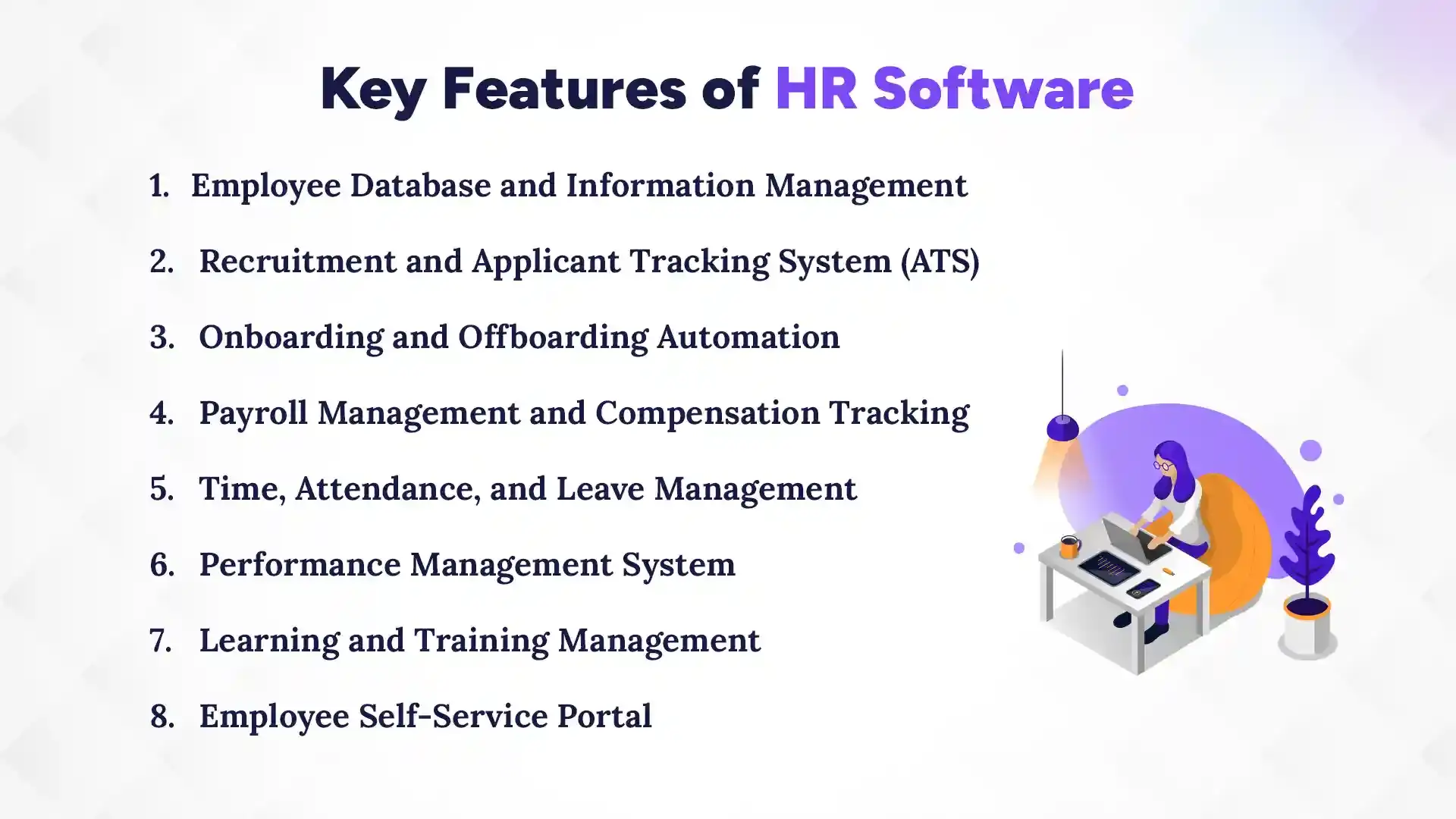
1. Employee Database and Information Management
The employee database is the heart of HR software, and it goes way beyond simple records. Modern systems include advanced record-keeping mechanisms covering onboarding details, contract information, academic qualifications, and past work experience. Attendance is seamlessly integrated via biometric devices, PWA, or mobile apps with geofence tracking. HR admins can even handle bulk attendance uploads, approval flows for attendance requests, and generate daily or monthly attendance logs. Add to that dynamic leave types, master leave reports, and you’ve got a complete, organised employee information hub that reduces errors and keeps everything accessible.
2. Recruitment and Applicant Tracking System (ATS)
The ATS streamlines the entire hiring process, from posting jobs to finalising candidates. It helps track applications, manage interviews, and organise communication. By integrating with the employee database, recruitment ensures that all onboarding details are automatically captured once a candidate is hired. This keeps HR from juggling multiple spreadsheets and ensures smooth transitions from applicant to employee.
3. Onboarding and Offboarding Automation
Onboarding is no longer a stack of papers or repetitive emails. Digital workflows let new employees complete all necessary documentation, training tasks, and system access requests online. Offboarding is equally structured, ensuring exit checklists, asset return, and final settlements are handled without delays. Automation here ensures nothing slips through the cracks while saving HR teams hours of repetitive work.
4. Payroll Management and Compensation Tracking
Payroll management goes far beyond calculating salaries. Modern HR software handles taxation policies, overtime management, bonuses, incentives, and all statutory compliance. It can integrate attendance logs directly into payroll for accurate salary calculations. Payslips can be auto-generated, and the system keeps a transparent, traceable record for employees and auditors alike. Errors drop, trust rises, and finance loves it.
5. Time, Attendance, and Leave Management
Attendance tracking is no longer manual or error-prone thanks to an advanced attendance management system. Features include biometric devices, mobile attendance with geofencing, bulk attendance management for HR admins, and approval flows for leave or attendance requests. Daily and monthly logs are easily generated, and dynamic leave types, along with master leave reports, ensure HR always has the clearest picture. Employees can check their balances and submit requests on the go, making time management simple for everyone.
6. Performance Management System
Performance tracking tools help set goals, track employee progress, and manage appraisals efficiently. By linking tasks, attendance, and project contributions, HR can get an accurate view of employee performance. Regular reviews, continuous feedback, and development plans are easier to implement when all data is centralised and accessible.
7. Learning and Training Management
Training management features allow HR to assign courses, track completion, and monitor skill growth. Whether it’s mandatory compliance training or skill development programs, employees can access learning modules online, and HR can track progress in real time. Integrating training with performance and task management ensures development aligns with organisational goals.
8. Employee Self-Service Portal
The self-service portal empowers employees to update personal info, access payslips, apply for leave, and view attendance logs. It reduces the back-and-forth with HR, allowing staff to manage their own data while HR oversees workflows like approvals, payroll integration, and reporting. It’s a small feature with a huge impact on efficiency and employee satisfaction.
How Do Advanced HR Software Features Improve Workforce Productivity?
Advanced HR software boosts workforce productivity by streamlining repetitive tasks, reducing errors, and giving managers clear insights into employee performance. Understanding the benefits of hr system adoption helps organisations see how automation and data-driven tools improve efficiency. When HR teams spend less time chasing data and more time focusing on people, everyone benefits. Automation and real-time analytics allow leaders to make smarter decisions faster, freeing up energy for strategic initiatives instead of paperwork. In short, HR software turns chaos into clarity and helps employees perform at their best without burning out.
HR Analytics and Reporting Tools
HR analytics tools give managers a clear view of workforce trends, from performance metrics to attrition patterns. You can track employee progress, identify high performers, and spot potential issues before they escalate. Detailed reports on productivity, engagement, and attendance help make data-driven decisions that actually improve outcomes. Instead of guessing, leaders have actionable insights right at their fingertips, turning raw HR data into a powerful tool for growth.
Compliance and Risk Management Features
Compliance features ensure your organisation stays on the right side of labour laws and regulations, reducing the risk of fines or legal headaches. Audit-ready documentation means all HR actions, from attendance to payroll, are easily traceable. By automating compliance checks and risk reporting, HR software not only protects the company but also frees up time for HR teams to focus on employee engagement and growth initiatives, rather than paperwork nightmares.
Cloud-Based vs On-Premise HR Software Features: What’s the Difference?
Choosing the right HR software often comes down to deployment: cloud-based or on-premise. A cloud-based HRMS allows businesses to access their system from anywhere with internet connectivity, while on-premise software is installed locally on company servers. The difference isn’t just technical; it affects accessibility, cost, maintenance, and scalability. Cloud-based systems are like renting a fully furnished office you can access anywhere, while on-premise feels more like owning a building, you have control, but the upkeep is on you. Understanding these differences helps businesses pick a solution that fits both current needs and future growth.
Features of Cloud-Based HR Software
Cloud-based HR software offers flexibility and remote accessibility that’s hard to beat. Employees and managers can log in from anywhere using web or mobile apps. Updates happen automatically, reducing IT headaches, and scalability is simple; adding users or features doesn’t require major infrastructure changes. These systems often come with integrated analytics, self-service portals, and automated workflows, making HR operations faster and more efficient without the heavy lifting of maintaining servers or software locally.
Features of On-Premise HR Systems
On-premise HR software gives organisations full control over data, customisation, and security. Everything is hosted on internal servers, so companies can tailor the system to very specific needs. However, this comes with higher maintenance responsibilities, including software updates, hardware upkeep, and IT staffing. On-premise systems can be robust for larger organisations with dedicated IT teams, but they’re less flexible for remote access or quick scalability, making them feel more “fixed” compared to the agile cloud alternatives.
Why Choosing the Right HR Software Features Matters for Business Growth?
Choosing the right HR software features directly impacts how smoothly your business operates and how effectively your employees perform. The right tools save time, reduce errors, and give leaders actionable insights, all of which drive growth. Picking the wrong features, on the other hand, can lead to wasted budgets, frustrated staff, and missed opportunities. In short, HR software isn’t just a tool; it’s an investment in your company’s productivity and future.
Impact on Employee Experience
The right HR software makes employees’ lives easier, from seamless onboarding to simple leave requests and easy access to payslips. When employees can manage their own data, and HR processes run smoothly, satisfaction and engagement naturally increase. Happy employees are more productive, committed, and likely to stay, reducing turnover and fostering a positive workplace culture.
HR Scalability and Efficiency
Efficient HR systems grow with your business. Automation handles repetitive tasks, freeing HR teams to focus on strategy rather than paperwork. Whether your workforce doubles or triples, scalable HR features, like bulk attendance management, dynamic leave types, and integrated payroll, ensure operations stay smooth without overloading staff or systems.
Long-Term Return on Investment
Investing in the right HR software pays off in the long run. Reduced errors, faster processes, and better compliance save money, while improved employee engagement boosts performance. Essentially, every hour saved in HR operations or every frustrated employee prevented contributes directly to your company’s bottom line, making the software not just a cost but a strategic growth tool.
How to Choose HR Software Based on Features and Business Needs?
Choosing the right HR software starts with understanding what your business actually needs before you implement hr software. The best system isn’t always the flashiest one; it’s the one that fits your company size, budget, workflow, and growth plans. By evaluating features, scalability, and integration options, businesses can select software that simplifies HR tasks, improves productivity, and grows alongside the company. Picking carefully now saves headaches and wasted money later.
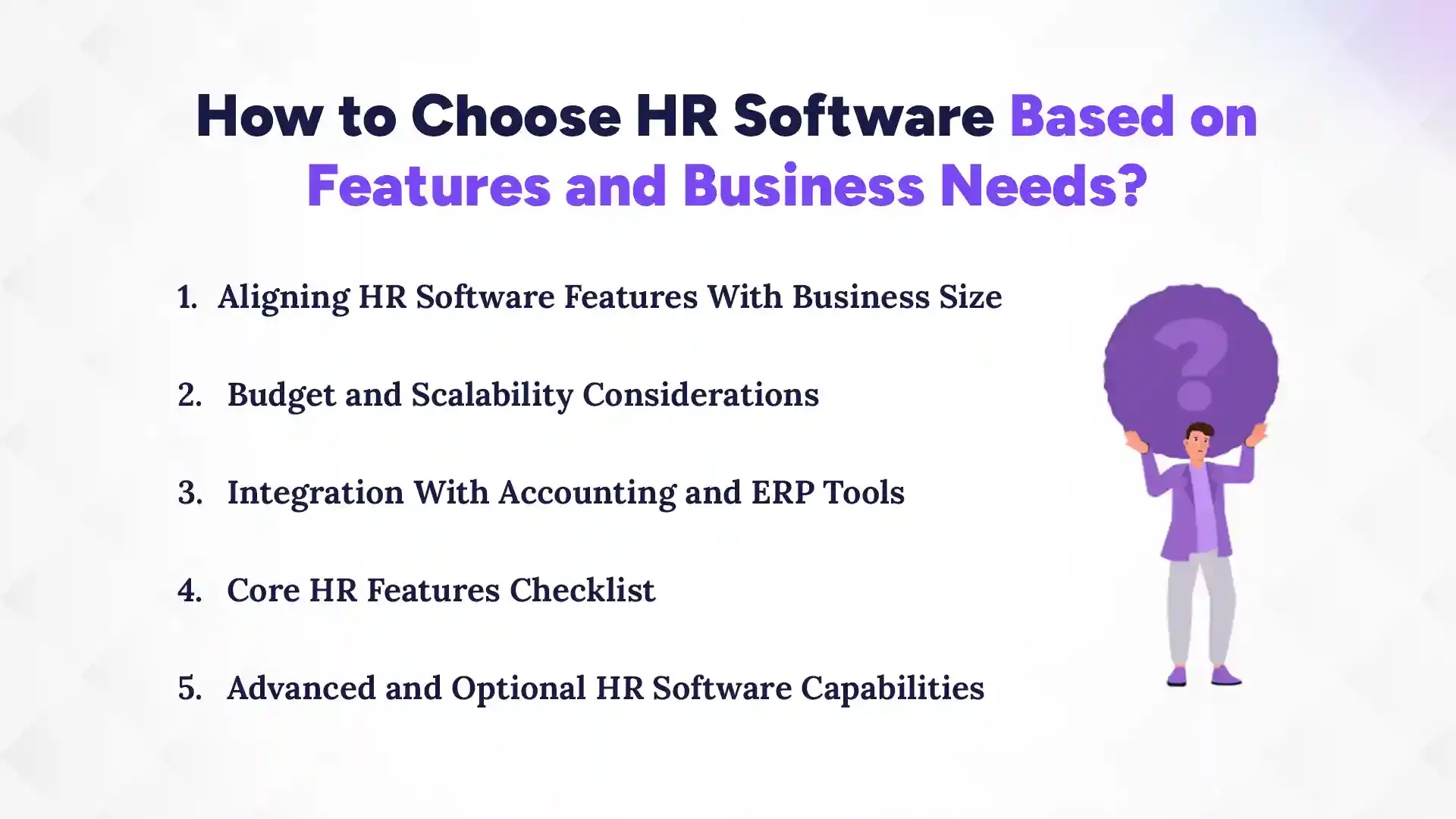
1. Aligning HR Software Features With Business Size
Your HR software should match the scale of your business. Small businesses may only need core functionalities like payroll, attendance, and leave management, while mid-sized or large organisations benefit from advanced features such as performance tracking, analytics, and task management. Choosing a system too complex for your team can lead to underutilization, while choosing one too basic can limit growth.
2. Budget and Scalability Considerations
Direct answer: Always balance cost with potential growth. HR software should fit your current budget while allowing you to expand features or users as your company grows. Look for modular pricing or cloud-based solutions that let you add functionality without major infrastructure changes. Investing in scalable tools now avoids costly replacements later.
3. Integration With Accounting and ERP Tools
Integration is key for smooth workflows. HR software should connect seamlessly with accounting, ERP, and other business tools to reduce duplicate data entry, improve payroll accuracy, and provide a unified view of operations. Smooth integration saves time, prevents errors, and allows HR to focus on strategy rather than manual updates.
4. Core HR Features Checklist
Core features are non-negotiable; they form the backbone of daily HR operations. Look for employee database management, payroll and compliance handling, attendance tracking, leave management, and onboarding/offboarding automation. These essentials ensure your HR processes run efficiently without constant firefighting.
5. Advanced and Optional HR Software Capabilities
Advanced features enhance productivity but aren’t critical for all businesses. Tools like performance management systems, analytics dashboards, training modules, and task management add value as your organisation grows. These optional capabilities can be added over time, letting you scale HR sophistication without overwhelming your team.
Which Is the Best HR Software in Nepal?
Pace HRMS is considered one of the best HR software in Nepal because it combines a user-friendly interface with features tailored to Nepali businesses. From payroll that follows local taxation policies to attendance tracking with geofencing, it covers the essential HR needs while keeping compliance simple. While no software is perfect for every organization, Pace HRMS stands out for its reliability, scalability, and local support that truly understands Nepali business requirements.
Why Localized HR Software Matters for Nepali Organizations
Better statutory compliance: Pace HRMS ensures your HR processes follow Nepal’s labor laws and taxation rules, reducing legal risks.
Easier implementation: Designed with Nepali businesses in mind, setup and onboarding are straightforward, saving time and avoiding confusion.
Faster support and customization: Local teams provide quick assistance and can tweak the system to fit company-specific needs, making HR operations smoother and stress-free.
Conclusion
Choosing the right HR software isn’t just about adopting a tool, it’s about transforming how your HR team operates. The right system streamlines attendance, payroll, recruitment, performance tracking, and training, while also keeping compliance and reporting accurate and stress-free. By understanding the features of HR software, businesses can make informed decisions that save time, reduce errors, and improve employee satisfaction. It’s about working smarter, not harder, and giving HR the tools to focus on people instead of paperwork.
For organizations in Nepal, selecting a localized solution like Pace HRMS from The Pace Infosys ensures compliance with local laws, smooth implementation, and reliable support. Investing in feature-rich, scalable HR software is a strategic move that boosts productivity, enhances the employee experience, and contributes directly to long-term business growth. The right HR system doesn’t just manage tasks, it empowers your entire workforce.
FAQs
What are the most important features of HR software?
+
The most important features include employee database management, payroll, attendance tracking, leave management, recruitment, onboarding, performance monitoring, and training modules.
How does HR software improve employee management?
+
HR software automates routine tasks, centralizes employee data, tracks performance, and streamlines communication, making workforce management more efficient and organized.
Are HR software features suitable for small businesses?
+
Yes, small businesses benefit from core features like payroll, attendance, and leave management, while advanced features can be added as the company grows.
What payroll features should HR software include?
+
It should handle salary calculations, taxation, overtime, bonuses, incentives, and statutory compliance while integrating with attendance data for accuracy.
How secure is employee data in HR software?
+
Employee data is protected through encrypted databases, access control, and regular backups, ensuring sensitive information remains safe and confidential.
Can HR software help with compliance?
+
Yes, it automates labor law compliance, generates audit-ready reports, tracks statutory requirements, and reduces legal and regulatory risks.
What is the difference between core and advanced HR features?
+
Core features handle essential HR tasks like payroll, attendance, and leave, while advanced features include analytics, performance management, and training modules.
Which HR software is best for Nepalese companies?
+
Pace HRMS is ideal for Nepali businesses, offering payroll aligned with local laws, attendance tracking, compliance support, and localized implementation and support.
Ready to get started?
Book a 30-minute consultation call, and let's talk about your goals.