Managing HR tasks can feel overwhelming, especially when your team is spread across offices, field sites, or working remotely. Tasks like approving leave, tracking attendance, running payroll, and updating records can take a lot of time and lead to errors.
That’s where mobile HR software makes a real difference. Designed for smartphones and tablets, it brings essential HR tools to your fingertips, letting managers and employees access, update, and approve tasks anytime, anywhere.
Many businesses worldwide are already adopting mobile HR software and seeing better efficiency and smoother daily operations. From approving leave on your morning commute to checking team performance from a café, mobile HR software makes HR simple, efficient, and surprisingly stress-free.
In this guide, we’ll explore what mobile HR software is, its key benefits, features, and practical tips to help you make the most of it.
What is Mobile HR Software?
Mobile HR software is an HR management platform designed for smartphones and tablets, letting employees and managers access HR tasks anytime, anywhere. Simply put, it brings your HR tools out of the office and into your pocket. This makes it easier for teams to stay updated and for managers to make quick decisions, even when they are on the go.
Most mobile HR apps include core features like leave and attendance management, payroll and expense tracking, and employee self-service portals. With these tools, employees can apply for leave, check their schedules, or view payslips directly from their phones. Managers can approve requests, monitor workflows, and send reminders in real-time.
Additionally, mobile HR software often sends push notifications and alerts for pending tasks, approvals, or important updates. This keeps everyone informed and reduces delays that usually happen with emails or manual processes. Overall, it makes HR work smoother, faster, and more transparent for the whole team.
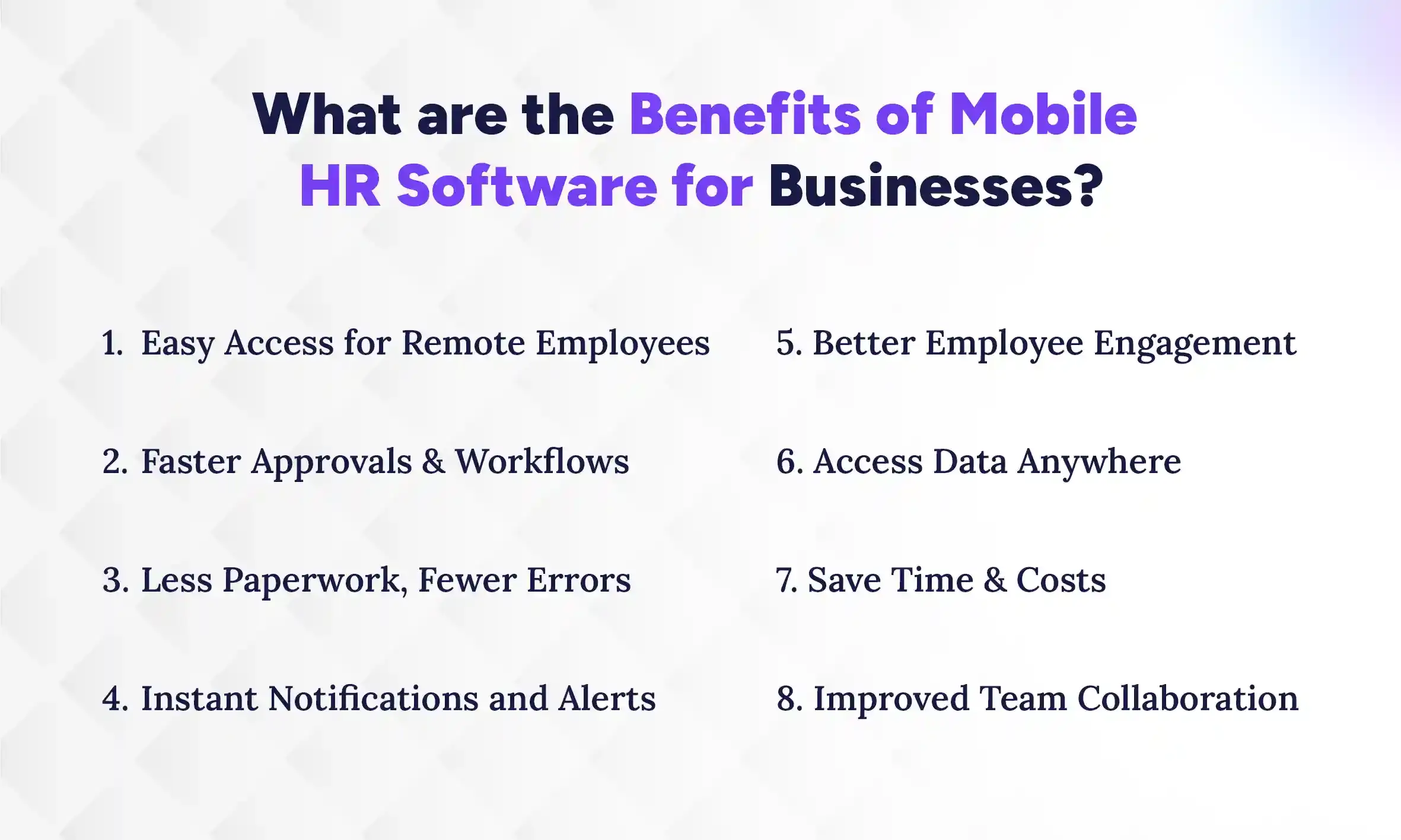
What are the Benefits of Mobile HR Software for Businesses?
Mobile HR software brings efficiency, accessibility, and control to HR teams, helping businesses manage tasks faster and more accurately. It reduces delays, errors, and repetitive work while keeping employees engaged. Let’s explore the key benefits that make mobile HR software a game-changer for modern HR.
1. Easy Access for Remote Employees
Mobile HR software allows employees to access HR tools from anywhere, whether they’re at home, in the field, or traveling for work. They can check schedules, request leave, or view payslips instantly, without waiting for office hours. This flexibility increases productivity and helps teams stay aligned. By making HR accessible on the go, employees feel more empowered and connected.
2. Faster Approvals and Workflows
Managers can approve leave requests, expenses, or performance updates directly from their mobile devices, speeding up workflows significantly. Tasks that used to take days are now handled within hours. This reduces bottlenecks and ensures business processes keep moving smoothly. Quick approvals also improve employee satisfaction because they don’t have to wait unnecessarily.
3. Less Paperwork, Fewer Errors
Mobile HR software reduces the need for manual forms, spreadsheets, or emails. Automated tracking minimizes mistakes in attendance, payroll, or leave calculations. This saves HR teams countless hours correcting errors and ensures more accurate records. Fewer mistakes also strengthen compliance and build trust across the organization.
4. Instant Notifications and Alerts
Push notifications and alerts keep employees and managers updated in real-time. Whether it’s a pending leave request, an upcoming deadline, or policy update, everyone stays informed instantly. This reduces delays caused by emails or manual follow-ups. Consistent communication ensures teams never miss critical tasks.
5. Better Employee Engagement
When employees can manage their HR tasks directly on their phones, they feel more in control. Mobile access to performance feedback, schedules, and leave balances keeps them informed and involved. Engaged employees are more motivated, productive, and satisfied with their work. This also reduces HR’s workload, as employees find answers themselves.
6. Access Data Anywhere
Managers and HR teams can access reports, analytics, and dashboards on the go. They don’t have to wait to sit at a desktop or visit the office. This flexibility supports quicker decision-making and allows leaders to respond to issues immediately. Real-time insights help businesses stay agile and proactive.
7. Save Time and Costs
Automation of tasks like leave tracking, payroll processing, and approvals saves HR teams significant time. Less manual work reduces administrative costs and frees staff for more strategic activities. Over time, mobile HR software can deliver measurable savings while improving operational efficiency.
8. Improved Team Collaboration
Mobile HR tools make it easy for teams to communicate, share updates, and collaborate on tasks. Managers can assign work, monitor progress, and provide feedback from anywhere. This transparency fosters accountability and teamwork, ensuring projects run smoothly and everyone stays aligned with organizational goals.
What are the Top Features of a Mobile HR Software?
A great mobile HR software comes packed with features like attendance tracking, leave management, payroll access, and real-time notifications that make HR faster, smarter, and more organized. Let’s take a closer look at the tools that can transform how your HR team and employees work.
1. Attendance & Leave Tracking on Mobile
Mobile HR software allows employees to mark attendance, request leave, and check schedules directly from their phones. Managers can monitor team attendance and approve leave instantly. Such an integrated attendance system in mobile eliminates registers and reduces errors, making workforce management accurate and stress-free. Real-time updates keep everyone on the same page.
2. Mobile Payroll & Expense Management
Payroll processing and expense tracking are simplified on mobile. Employees can submit claims, view payslips, and check reimbursements instantly. With easy access to HR payroll system, managers can approve expenses and run payroll without waiting for desktop access. This speeds up financial operations while reducing mistakes and administrative burden.
3. Employee Self-Service on Mobile
Employees can manage profiles, update personal information, view leave balances, and track tasks without HR intervention. Self-service reduces repetitive queries and empowers staff to take control of their data. This not only saves HR time but also boosts engagement and accountability.
4. Mobile Performance & Feedback Tools
Performance reviews, goals, and feedback can all be handled through the app. Managers can track progress, provide real-time feedback, and keep performance records up to date. Employees stay informed about their goals and achievements, which improves motivation and clarity.
5. Push Notifications & Alerts
Instant notifications remind employees of approvals, deadlines, or policy updates. Managers also receive alerts for pending tasks or important actions. This keeps work moving, prevents delays, and ensures nothing slips through the cracks. Everyone stays informed without constant follow-ups.
6. Task & Workflow Automation on Mobile
Mobile HR software automates repetitive HR tasks, from leave approvals to onboarding workflows. Automation reduces manual errors and speeds up processes, freeing HR teams for strategic work. It also ensures consistency across the organization, so nothing is missed.
7. Mobile Analytics & Reporting
HR leaders can access reports, dashboards, and analytics directly from their phones. They can track attendance trends, leave patterns, payroll summaries, and more in real time. Mobile analytics helps managers make faster decisions and keeps the organization proactive rather than reactive.
Mobile vs Desktop HR Software: What’s the Difference?
Choosing between mobile and desktop HR software depends on your team’s needs. Mobile HR tools focus on convenience and real-time access, letting employees and managers handle tasks from anywhere. Desktop HR software, on the other hand, offers more detailed features and analytics, making it better for in-depth reporting and complex HR processes.
Understanding the strengths of each helps you pick the right solution for your business. Here are the key differences you should know:
Feature / Aspect
Mobile HR Software
Desktop HR Software
Accessibility
Access from anywhere via smartphone/tablet
Typically used from office or desktop computer
Notifications
Real-time alerts for approvals, tasks, and updates
Notifications may be delayed or require email check
Full-featured system with advanced reporting, analytics, and integrations
Convenience
Quick, on-the-go actions for employees and managers
Requires sitting at a computer, less mobile-friendly
Reporting & Analytics
Basic insights and dashboards
Detailed reports, data analysis, and trend tracking
Use Case
Ideal for day-to-day approvals, remote access, and employee self-service
Best for in-depth HR planning, payroll management, and strategic analysis
Which One Should You Use, Desktop or Mobile HR Software?
Mobile HR software is ideal if your priority is speed, convenience, and remote access. It’s perfect for managers approving leave requests on the go, employees checking schedules, or teams staying connected across locations. On the other hand, desktop HR software is better suited for complex tasks, detailed reporting, and strategic HR planning, such as payroll processing, compliance audits, and in-depth performance analysis.
When deciding, consider your team’s daily workflow and priorities: if your HR tasks require frequent approvals, employee self-service, and mobility, mobile should be your primary tool. If your focus is analytics, compliance, and detailed record-keeping, desktop becomes essential. Many organizations find the best approach is a hybrid setup, using mobile for quick, everyday actions and desktop for deep-dive reports and planning.
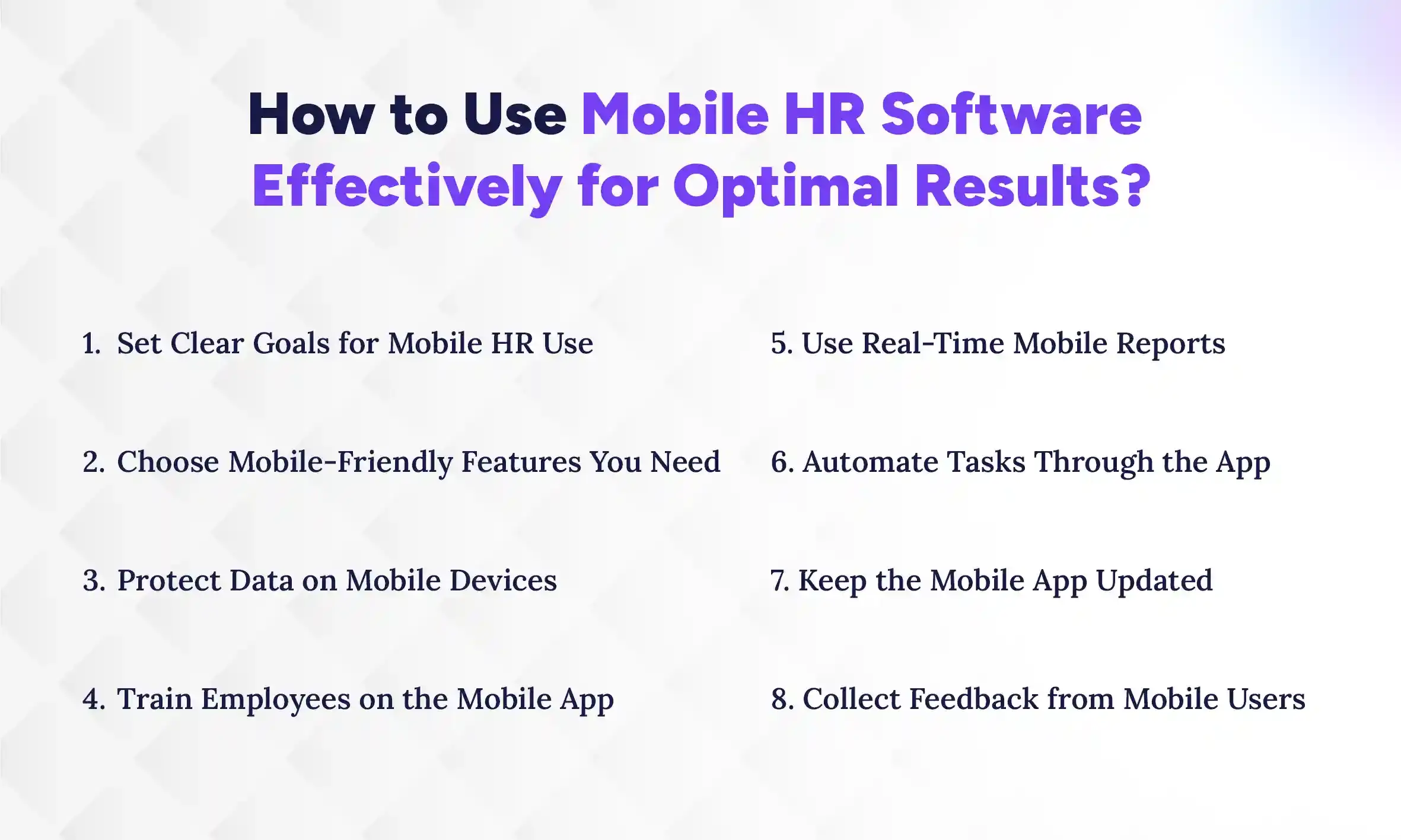
How to Use Mobile HR Software Effectively for Optimal Results?
Using mobile HR software effectively means setting goals, training your team, securing data, and using the app for real-time updates and automation. When you focus on these actions, HR tasks become faster, more accurate, and less stressful. In the following sections, we’ll break down the key steps to get the most from your mobile HR software.
1. Set Clear Goals for Mobile HR Use
Before using mobile HR software, define what you want to achieve. Are you aiming to speed up leave approvals, improve attendance tracking, or boost employee engagement? Do you understand how HRMS works? Clear goals help you focus on the most important features and measure success. Sharing these objectives with your team ensures everyone knows how to use the app efficiently.
2. Choose Mobile-Friendly Features You Need
Not all HRMS features are equally useful on mobile. Focus on tools that improve daily workflows, like attendance tracking, leave approvals, payroll updates, or performance feedback. Avoid cluttering the app with functions rarely used on the go. This keeps the experience simple, fast, and effective for employees and managers.
3. Protect Data on Mobile Devices
Security is crucial when HR data is on mobile devices. Use apps with end-to-end encryption, multi-factor authentication, and role-based access. Encourage employees to use strong passwords and keep devices updated. Secure practices reduce risks of data leaks and ensure sensitive information stays protected.
4. Train Employees on the Mobile App
Proper training ensures high adoption and smooth usage. Provide step-by-step guides, in-app tutorials, or short training sessions. Show employees how to apply for leave, view payslips, and submit feedback. Confident users make fewer errors and use the app more effectively, saving HR time and effort.
5. Use Real-Time Mobile Reports
Mobile HR software can generate instant reports on attendance, leave balances, or team performance. Regularly reviewing these insights helps managers make quick decisions and identify trends early. Real-time reporting keeps the business agile, prevents delays, and allows proactive problem-solving.
6. Automate Tasks Through the App
Take advantage of automation features to handle routine tasks. For example, automate leave approvals, reminders, or performance notifications. Automation reduces manual errors, frees up HR time, and ensures consistent processes. It also keeps employees informed without constant manual follow-up.
7. Keep the Mobile App Updated
Regular updates ensure the app runs smoothly, fixes bugs, and introduces new features. Encourage employees to install updates promptly. Updated apps improve security, performance, and user experience, making HR processes faster and more reliable across the organization.
8. Collect Feedback from Mobile Users
Regularly ask employees and managers about their app experience. Identify pain points, missing features, or difficulties in navigation. Feedback allows you to optimize usage, adjust workflows, and ensure the software truly supports your HR goals. Continuous improvement keeps the team engaged and satisfied.
How Does Cloud Mobile HR Software Work?
Cloud mobile HR software stores all employee and HR data on secure online servers instead of a single office computer. This allows managers and employees to handle tasks like attendance, leave requests, payroll, and performance updates from any device with internet access. As a result, users experience faster access, fewer delays, and no dependency on office systems to get work done.
Because everything is synced in real time with cloud-based HRMS, employees always see updated leave balances, managers approve requests instantly, and HR teams work with accurate data. This removes confusion, avoids duplicate work, and reduces back-and-forth communication. In simple terms, it makes everyday HR tasks smoother, quicker, and far less stressful for everyone involved.
Over time, this also improves how teams work together. Employees feel more in control, managers respond faster, and HR teams spend less time fixing errors. With cloud access, your HR system becomes something people actually use daily, not just a tool they log into occasionally.
Key Advantages of Cloud Integration
Automatic software updates without manual intervention
Secure data storage with encrypted backups
Scalable for growing teams and departments
Access HR data from any device anywhere
Faster deployment compared to on-premise systems
Reduced IT maintenance and server costs
Real-time synchronization across all users
Simplified compliance with data regulations
Which is the Best Mobile HR Software for Nepalese Companies?
Pace HRMS is one of the best mobile HR software for Nepalese companies, that balances strong mobile access, local compliance, and complete HR functionality. While many global tools offer advanced features, they often miss Nepal-specific needs like payroll structure, tax handling, and local support. That’s why solutions like Pace HRMS stand out for they combine global-level capabilities with local relevance.
1. Pace HRMS – Built for Nepal, Ready for Mobile Workforces
Pace HRMS offers a mobile-friendly PWA (Progressive Web App) along with a full desktop version, giving businesses flexibility to manage HR tasks both on the go and in-depth when needed. Employees can handle attendance, leave requests, and updates directly from their phones, while HR teams can switch to desktop for detailed reports and management.
Because it runs on cloud-based access, users experience real-time updates, faster approvals, and seamless data sync across devices. This makes it especially useful for companies with remote teams, field staff, or multiple office locations. At the same time, it is built to support Nepalese business requirements, including payroll, compliance, and workforce structures.
2. Key Features and Mobile Strengths of Pace HRMS
Pace HRMS is designed with a mobile-first approach, focusing on features that are actually useful on the go. The mobile version of Pace HRMS is not just desktop tools compressed into a smaller screen, it helps employees and managers complete daily HR tasks quickly, while still offering deeper functionality through its desktop version.
Mobile Strengths:
Mark attendance with geo-location support
Apply and approve leave in real time
Receive instant notifications and reminders
Access payslips and employee details anytime
Track team activity and updates on the go
Desktop Capabilities:
Centralized employee records and data management
Automated payroll processing and compliance support
Detailed attendance tracking and reporting
Advanced HR analytics and performance insights
This balance of mobile speed and desktop depth ensures that everyday HR tasks stay fast and simple, while strategic decisions remain data-driven and accurate.
3. Who Should Use Pace HRMS? (Business Size & Fit)
Pace HRMS is a strong fit for small businesses, growing companies, and mid-sized organizations that want to simplify HR without adding complexity. Smaller teams can use it to replace manual work like spreadsheets and paperwork, while growing businesses benefit from structured workflows and automation.
It works especially well for companies with remote teams, field staff, or multiple locations, where mobile access is essential for daily operations. As the business expands, Pace HRMS scales with it, supporting more employees, approvals, and processes without needing a system change.
Conclusion
Mobile HR software is no longer a nice-to-have, it’s a practical tool that helps businesses work faster, stay organized, and support teams from anywhere. From easy access and quicker approvals to real-time updates and better collaboration, it brings everything HR needs into one simple, connected system.
If you’ve ever felt slowed down by manual work, missed updates, or constant follow-ups, it’s time to search for the right mobile HR software can fix that. It gives your team more control, saves time, and makes daily work feel a lot less stressful.
So, what’s the delay for? Take that step today! Explore your top 5 HR software options in Nepal, choose a solution that fits your needs, and start building a smoother, smarter HR process today.
FAQs
Which HR software offers the best mobile app experience?
+
HR software like Pace HRMS offers a strong mobile experience with real-time access, easy navigation, and essential features like attendance, leave, and approvals on the go.
What is HR software in Nepal?
+
HR software in Nepal is a digital system that manages payroll, attendance, leave, and employee data while supporting local compliance, tax rules, and business practices.
Can mobile HR software manage payroll?
+
Yes, mobile HR software can manage payroll by allowing salary processing, payslip access, and expense tracking, though detailed payroll setup is usually handled on desktop.
Is mobile HR software secure for confidential data?
+
Yes, most mobile HR software uses encryption, secure login, and role-based access to protect sensitive employee data and ensure safe usage across devices.
Can remote teams fully rely on mobile HR tools?
+
Yes, remote teams can rely on mobile HR tools for attendance, communication, approvals, and updates, making daily HR tasks faster and more accessible from anywhere.
Do I need separate mobile and desktop versions?
+
No, most HR software offers both mobile and desktop access within one system, allowing users to switch based on task complexity and convenience.
How much does mobile HR software cost on average?
+
Mobile HR software costs vary by features and team size, but most solutions charge monthly per employee, making it scalable and affordable for growing businesses.
Ready to get started?
Book a 30-minute consultation call, and let's talk about your goals.