Is manual payroll still the best way to manage salaries as your business grows?
Attendance, leave, overtime, TDS, SSF, CIT, bonuses, and changing employee details can turn one payroll cycle into hours of checking and rechecking.
Manual payroll can work for a small team. But as employees, rules, and payroll data increase, the room for errors grows too. Automated payroll takes a different approach by handling repetitive calculations and payroll tasks through software.
In this guide, we’ll compare manual vs automated payroll in Nepal, covering accuracy, cost, compliance, time, reporting, and more.
What is Manual Payroll?
Manual payroll is the traditional way of calculating and managing employee salaries without dedicated payroll software. HR or finance teams collect employee information, check attendance and leave, calculate earnings and deductions, and prepare payslips using spreadsheets, calculators, or paper records.
For a small team, this may seem manageable. But payroll becomes more complicated as the number of employees, salary components, overtime, bonuses, loans, and deductions increases.
How Manual Payroll Works
In a manual payroll process, each payroll cycle involves several steps. HR gathers attendance, leave, overtime, and other employee data, then calculates gross salary, adds allowances or incentives, and applies deductions such as TDS, SSF, CIT, or other applicable amounts.
After checking the calculations, the team prepares final salaries and creates payslips manually. Payroll records and reports may also need to be updated separately.
The process can work, but it depends heavily on accurate data entry and repeated checking. Even a small mistake in attendance, payroll deduction, or salary calculation can affect an employee’s final pay.
What is an Automated Payroll System?
An automated payroll system uses software to handle salary calculations and other repetitive payroll tasks. Instead of calculating every employee’s salary manually, the system uses stored employee data, salary structures, attendance, leave, overtime, and deduction rules to process payroll.
For businesses in Nepal, this can be especially useful when payroll involves multiple salary components and statutory deductions such as TDS, SSF, PF, or CIT.
The goal is not simply to make payroll faster. It is to reduce repetitive work, limit calculation errors, keep payroll records organized, and make the entire salary process easier to manage.
How Automated Payroll Works
With automated payroll, employee and salary data is stored in the system. It can connect attendance, leave, overtime, allowances, bonuses, and deductions to the payroll process.
When payroll is processed, the system applies configured salary rules, calculates pay and deductions, and generates payslips and reports. HR can then review the results, make adjustments, and finalize payroll without repeating the entire process each month.
This makes payroll easier to manage as the business grows and salary structures become more complex.
Manual vs Automated Payroll: Full Comparison to Help You Decide the Right System
Manual payroll can work when you have a small team and a simple salary structure. But it gets harder as your business grows. More employees mean more attendance data, deductions, salary changes, and records to manage.
Automated payroll handles much of this work for you. It reduces repetitive calculations, saves time, keeps payroll data organized, and helps reduce errors. For most growing businesses, it offers a more efficient way to manage payroll.
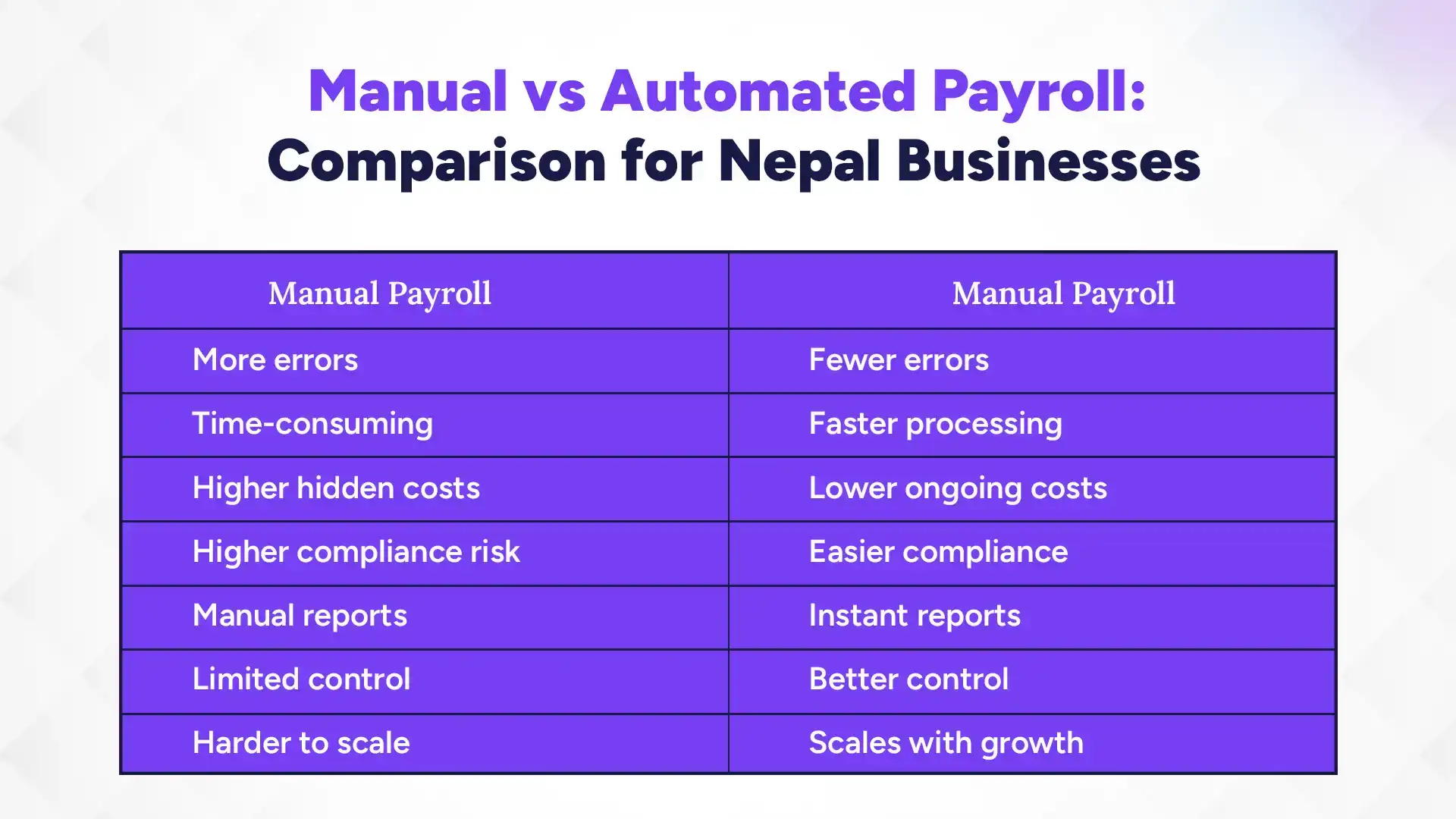
The difference becomes clearer when we compare the two approaches side by side.
Comparison Basis
Manual Payroll
Automated Payroll
Accuracy
More prone to calculation and data-entry errors
Fewer errors through automated calculations
Processing Time
Takes more time each payroll cycle
Processes payroll much faster
Payroll Costs
Low software cost but higher hidden labor costs
Software cost but lower ongoing manual effort
Compliance
Compliance depends heavily on manual checks
Compliance calculations and records can be automated
Reporting
Reports often require manual preparation
Payroll reports can be generated quickly
Security and Control
Data is spread across files and systems
Payroll data is centralized and easier to control
Scalability
Becomes harder to manage as employees increase
Designed to handle growing employee numbers
HR Workload
Repetitive work takes up HR and finance time
Frees teams to focus on higher-value work
Salary Changes
Salary changes require manual updates
Salary structures and rules can be configured
Payslips
Payslips may need to be prepared separately
Payslips can be generated automatically
Manual payroll may cost less to start, but its time, error, and compliance costs grow with your business. Automated payroll shifts more of the work to software, making payroll faster, more consistent, and easier to scale.
As payroll grows, manual work grows too. Automation takes more of that work off your team.
These differences matter for more than just convenience. They can affect how much time your team spends on payroll, how often errors occur, and how easily you meet payroll requirements.
So, let’s look at each area in more detail.
1. Time & Labor: Who Does the Work?
Manual payroll puts most of the work on HR or finance. The team collects attendance, checks leave, updates salary changes, calculates deductions, and prepares payslips.
Automated payroll moves much of this work into the system. An HRMS can pull attendance and leave data into payroll, reducing repeated data entry and speeding up each payroll cycle.
The key difference is simple: manual payroll makes people do the work; automated payroll lets people manage the process.
2. Cost: Which Payroll Fits Your Budget?
Manual payroll has one clear advantage: there may be little or no software cost. But the business still pays for the staff time spent running payroll.
Errors also create hidden costs. A wrong deduction may require recalculation. A missed overtime payment may need correction. Preparing a report can mean another round of spreadsheet work.
Automated payroll has a software cost, but it reduces these repeated tasks. For a very small business, manual payroll may still be practical. As payroll becomes more complex, the time saved can make automation more valuable.
3. Accuracy: How Reliable Is Payroll?
Manual payroll can be accurate, but it depends on careful data entry and checking. A missed attendance day, wrong overtime figure, or incorrect deduction can change an employee’s pay.
Automated payroll reduces these manual steps. It uses stored employee, attendance, leave, and salary data to calculate payroll based on set rules. HR still reviews the results, but the system handles much of the repetitive calculation.
4. Compliance: Who Handles the Rules?
Manual payroll leaves compliance largely in the hands of HR or finance. The team must apply the correct TDS, SSF, PF, CIT, and other applicable deductions and keep the related records updated.
Automated payroll can apply configured rules during payroll processing and keep the resulting records together. But software does not remove responsibility from the business. Someone still needs to maintain the right rules and review the results.
For businesses in Nepal, it makes sense to choose payroll software built around local tax, SSF, and deduction requirements, rather than adapting a generic system.
5. Reporting: How Easy Is It to Get Data?
With manual payroll, the data may sit across spreadsheets, attendance records, and other files. When management asks for payroll totals or deduction details, someone often has to collect and format the information.
Automated payroll keeps the data in one system. Reports can use the same information used to process salaries.
An HRMS reporting module can make this even more useful by combining payroll, attendance, leave, and employee data in one place.
6. Security and Control: Who Can Access Payroll?
Manual payroll gives direct control, but that control comes with responsibility. Anyone working on the file can potentially change a figure, overwrite data, or create another version.
Automated payroll can control access by role. It can also keep payroll data in one system instead of spreading it across multiple files.
That matters when more people become involved in payroll. HR, finance, managers, and administrators may need different levels of access.
7. Scalability: Can Payroll Systems Keep Up With Growth?
Manual payroll can work well for a small team with simple salaries. It becomes harder when the business adds employees, departments, allowances, overtime, bonuses, loans, or different salary structures.
Automated payroll handles these changes through employee records and configured rules. The process does not need to be rebuilt every month.
This is where an integrated HRMS becomes useful. Payroll can work alongside attendance, leave, employee records, loans, and other HR modules as the business grows.
Here's a summary of all the discussion so far:
The Hidden Cost of Manual Payroll
Manual payroll costs more than the time spent processing salaries. Errors, compliance work, and repeated reporting can add to the real cost.
Employee Time: HR spends time checking attendance, leave, salaries, and payslips. As the team grows, so does the workload. Automation handles much of this repetitive work.
Payroll Errors: Wrong attendance, overtime, or deductions can lead to payroll errors and extra rework. Automation reduces these errors using stored data and set rules.
Compliance Risks: TDS, SSF, PF, and CIT calculations require accuracy. Automation reduces the risk of missed or incorrect deductions.
Reporting and Rework: Manual reports take time to compile and update. Automated payroll generates reports directly from payroll data.
When Should You Automate Payroll?
There is no fixed employee count for switching to payroll software. The right time depends on how much work your current process creates.
1. Signs You Have Outgrown Manual Payroll
You may need automation if:
Payroll takes hours or days each month.
HR repeatedly checks the same calculations.
Attendance and payroll data need separate entry.
Salary structures are becoming more complex.
Payroll errors are becoming common.
Reports take too long to prepare.
An HRMS can connect employee records, attendance, leave, and payroll in one process.
2. When Manual Payroll Still Works
Manual payroll can work for a small team with simple salaries. If payroll takes little time and the team can check everything easily, software may not be necessary yet.
But as employees and payroll tasks increase, HR automation can save time and reduce the workload.
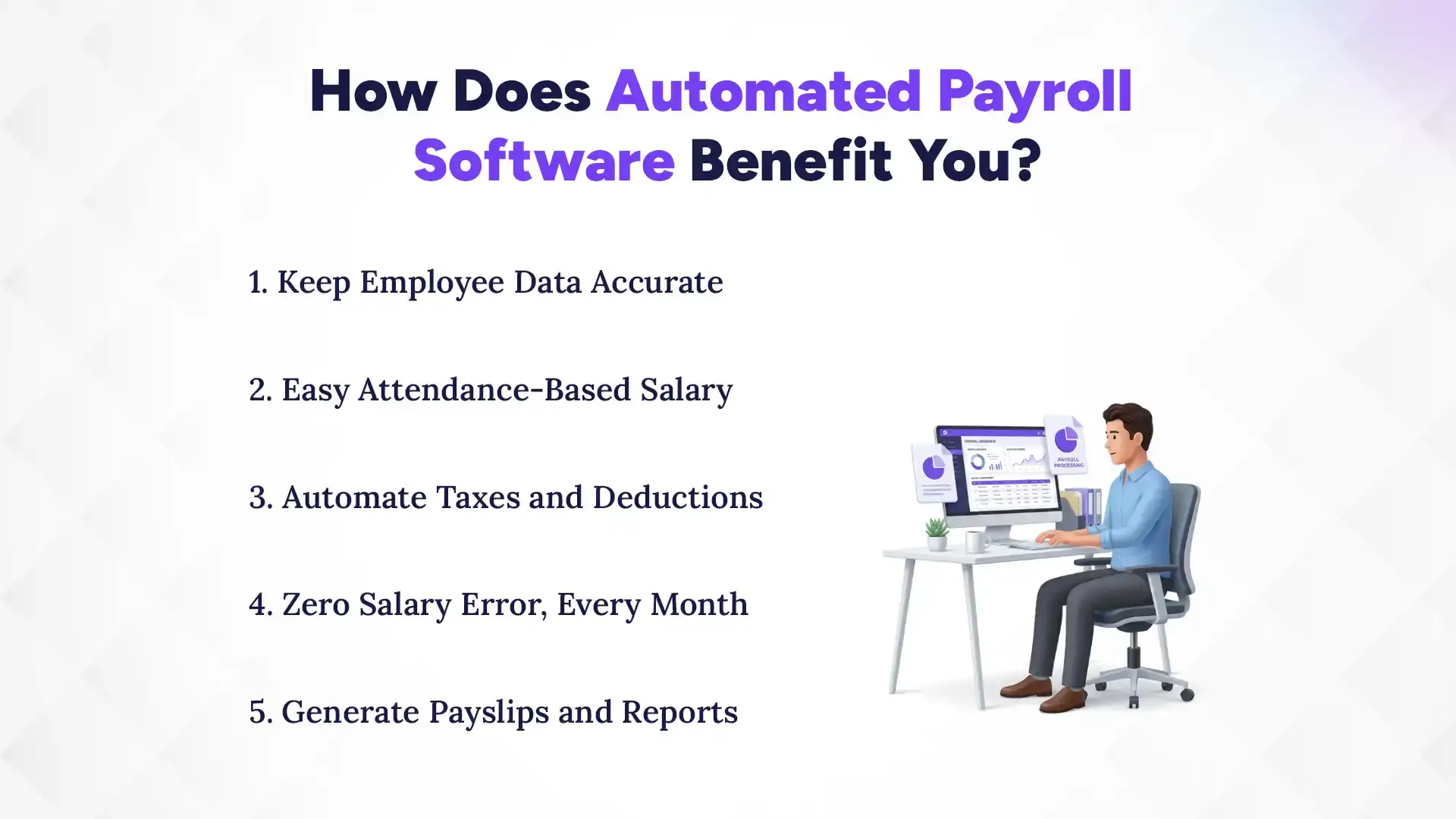
How Does Automated Payroll Software Benefit You?
Automated payroll saves time, keeps employee data organized, reduces errors, and simplifies salary calculations, deductions, payslips, and reports. Instead of repeating the same payroll work every month, HR can review and manage a process that the system handles for them. Here’s how each part works in practice.
1. Keep Employee Data Accurate
Keep employee details, salary structures, allowances, deductions, and other payroll data in one place. When information changes, update it once instead of fixing multiple spreadsheets. This gives payroll calculations a consistent source of employee data.
2. Easy Attendance-Based Salary
Connect attendance and leave data directly with payroll to calculate salary based on actual working records. The system can factor in overtime, absences, leave, and other attendance-based adjustments. This removes repeated data entry between attendance and payroll.
3. Automate Taxes and Deductions
Set rules for TDS, SSF, PF, CIT, and other applicable deductions within the payroll system. The software then applies these rules during salary processing instead of making HR calculate each deduction manually. HR can review the results before finalizing payroll.
4. Zero Salary Error, Every Month
Reduce errors caused by repeated calculations, data entry, and manual updates. Automated payroll applies configured salary rules consistently across employees and payroll cycles. HR still reviews the payroll, but fewer manual calculations mean fewer chances for mistakes.
5. Generate Payslips and Reports
Generate employee payslips and payroll reports directly from processed salary data. There is no need to recreate figures in separate files or prepare each payslip from scratch. HR can quickly access payroll records for employees, management, and reporting needs.
How to Choose Payroll Software in Nepal?
Choosing payroll software starts with understanding what your business actually needs. Then, check the features, integrations, ease of use, and total cost before making a decision.
1. Determine Your Payroll Needs
Start with your employee count, salary structure, payroll complexity, and current manual workload. This helps you choose software that fits your business instead of paying for features you will not use.
2. Check the Essential Features
Look for core features such as automated salary calculations, TDS, SSF, PF, CIT, overtime, allowances, deductions, payslips, and payroll reports. Also check whether attendance and leave records can feed directly into payroll. Most HR systems make this flow smoother and easier with integrated payroll, attendance, and leave management system.
3. Check the Integrations
Payroll should work smoothly with the systems that provide its data. Attendance, leave, employee records, accounting, and other HR tools should connect without repeated data entry.
4. Consider a Complete HRMS
If payroll is only one part of your HR work, consider a full HRMS instead of standalone payroll software. A complete system can connect employee information, recruitment, attendance, leave, payroll, performance, and more in one platform.
Automate Payroll with Pace HRMS
If manual payroll is taking too much time, Pace HRMS can automate your payroll process from salary calculation to payslip generation. Its payroll module connects with employee, attendance, and leave data, while handling salary components, deductions, taxes, and payroll reports in one system.
Key Payroll Features in Pace HRMS
Automated Salary Processing: Calculate salaries and deductions automatically.
Attendance Integration: Connect attendance, leave, and overtime data.
Tax & Deductions: Manage TDS, SSF, PF, CIT, and insurance.
Bonus & Allowances: Manage bonuses, incentives, commissions, and overtime.
Automatic Payslips: Generate payslips instantly.
Payroll Reports: Generate salary and deduction reports.
Salary Revisions: Manage salary increments and changes.
Full & Final Settlement: Process final pay and settlements.
With Pace HRMS, your team can spend less time calculating payroll and more time managing people. See how automated payroll can work for your business.
5. Test Before You Buy
Request a demo and test the system with your actual payroll process. Check how easily your team can set up employees, process salaries, make changes, generate payslips, and access reports.
6. Compare the Total Cost
Do not compare software based on price alone. Consider setup fees, subscription or license costs, maintenance, support, integrations, and the HR time saved through automation.
Conclusion
Manual payroll can work for small, simple teams. But as your business grows, automated payroll is the more efficient, reliable, and scalable choice. It reduces repetitive work, limits calculation errors, simplifies compliance, and gives your team faster access to payroll data and reports.
Payroll is more than numbers on a spreadsheet. It affects your employees’ trust, your HR team’s time, and your ability to stay compliant. When payroll takes hours of checking and rechecking every month, it may be time to change the process, not just work harder at it.
The right payroll software should make that change simple. Choose a system that fits Nepal’s payroll requirements, connects with attendance, and takes the routine work off your team’s hands. Start by seeing what automated payroll can do for your business.
FAQs
Is Excel good enough for payroll?
+
Yes, for small teams with simple payroll. As employees and payroll requirements grow, dedicated software becomes easier to manage.
Is automated payroll more accurate?
+
Yes. It reduces calculation and data-entry errors by applying configured payroll rules consistently.
Is payroll software worth it for small businesses?
+
It can be, especially if payroll takes significant time or involves complex deductions, overtime, or attendance.
When should a business switch to payroll software?
+
Switch when payroll becomes time-consuming, error-prone, or difficult to manage as your team grows.
What should payroll software support in Nepal?
+
It should support TDS, SSF, PF, CIT, overtime, allowances, deductions, payslips, and payroll reports.
Ready to get started?
Book a 30-minute consultation call, and let's talk about your goals.