Managing customer relationships becomes harder as your business grows. Leads come from different sources, customer information gets scattered, and follow-ups become difficult to track. Without a proper system, valuable sales opportunities can easily be missed.
CRM software helps solve this by centralizing customer data, organizing sales activities, and automating routine tasks. But simply buying a CRM isn't enough. Successful implementation requires a clear plan that fits your business processes and helps your team adopt the system confidently.
In this guide, you'll learn how to implement CRM software in a Nepali company step by step, from choosing the right setup and preparing customer data to configuring workflows, training employees, overcoming common challenges, and ensuring long-term success.
What Does Implementing CRM Software Mean?
Implementing CRM software means introducing and configuring a digital system to manage customer information, sales activities, communication, and business relationships more efficiently. It involves more than purchasing a CRM subscription or creating employee accounts. Proper implementation ensures that the software aligns with your sales process, customer management practices, and overall business objectives.
Key aspects of CRM software implementation include:
Planning and goal setting: Identifying what your business wants to achieve, such as better lead management, faster follow-ups, or improved sales tracking.
Requirement identification: Determining which CRM features your sales, marketing, and customer support teams actually need.
Data preparation: Organizing existing customer records, lead information, and communication history before moving them into the new system.
System configuration: Setting up sales pipelines, lead categories, user permissions, custom fields, and workflows according to your business requirements.
Data migration: Transferring existing customer and sales information into the CRM without losing important records.
Training and onboarding: Helping employees understand how to use the CRM and manage their daily activities through it.
Testing and monitoring: Checking whether the system works correctly and making improvements based on actual usage.
It is important to understand the difference between installing CRM software and implementing it properly. Installation gives you access to the system, but implementation makes sure your team can use it effectively.
In short, CRM implementation transforms scattered customer information and disconnected sales activities into an organized, centralized process. When done correctly, it improves lead visibility, strengthens customer relationships, reduces missed follow-ups, and helps businesses make better sales decisions.
Why Is Proper CRM Software Implementation Important?
Proper CRM implementation helps businesses keep customer information organized, avoid missed follow-ups, and manage sales more easily. Without proper planning, teams may face data mistakes, missed leads, and confusion when using the system. Here are the main benefits of getting it right.
Avoid losing leads and missing important follow-ups.
Keep customer details accurate and easy to find.
Save time by reducing manual tasks.
Track sales progress and spot problems early.
Respond to customers faster and more consistently.
Help employees use the CRM with confidence.
Get more value from your CRM investment.
8 Steps to Implement CRM Software Successfully in Nepal
Implementing CRM software becomes easier when you break the process into smaller steps. You don't need to set up everything at once. Start by understanding your business needs, prepare your data, and help your team get comfortable with the new system.
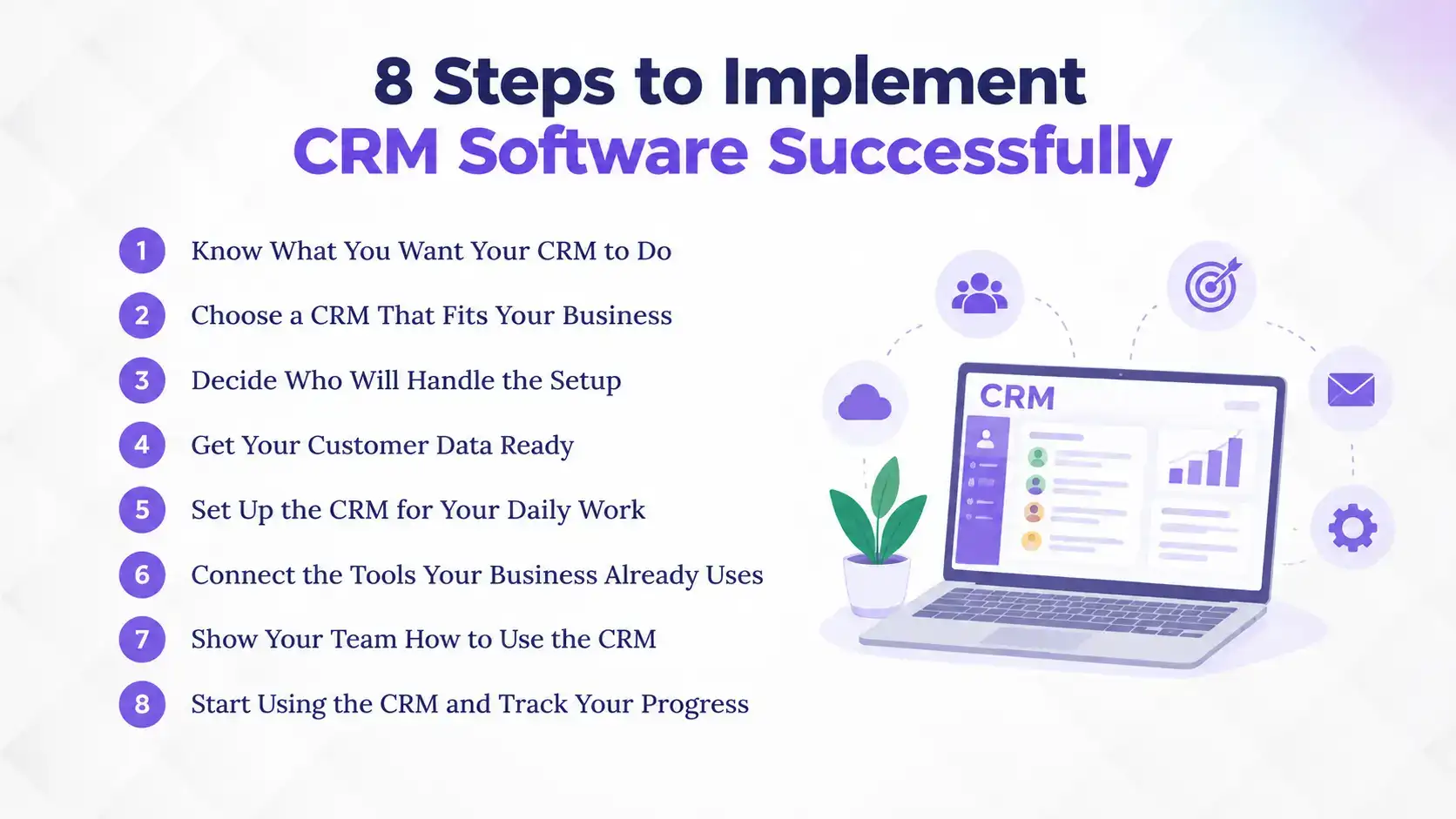
Here are eight steps to help you get started:
1. Know What You Want Your CRM to Do
Before choosing a CRM, identify the problems you want it to solve. For example, you may want to organize customer details, track sales leads, manage follow-ups, or improve communication with customers.
Talk to the employees who handle sales and customer interactions every day. Find out which tasks take too much time, where information gets lost, and what makes their work difficult.
Make a list of your main requirements. This will help you choose a CRM that solves real business problems instead of paying for features you may never use.
2. Choose a CRM That Fits Your Business
Once you understand your requirements, look for a CRM that matches your business size, processes, and budget. Compare available options based on the features you need, ease of use, customization, pricing, and customer support.
Consider whether you need a cloud-based system or an on-premise solution. Also, check whether the CRM can support your business as it grows.
Before making a decision, request a demo or free trial. Let the people who will use the system explore it and see whether it fits their daily work.
3. Decide Who Will Handle the Setup
CRM implementation works better when someone is responsible for coordinating the process. Choose a team member or a small team to manage the setup, communicate with the provider, and keep everyone informed.
Involve representatives from departments that will use the CRM, such as sales, marketing, and customer service. They can help identify important requirements and explain how their teams handle customer information.
Also, clarify who will manage user accounts, handle questions, and coordinate with the CRM provider when support is needed.
4. Get Your Customer Data Ready
Before moving information into your new CRM, review the customer data you already have. This may include contact details, company information, sales records, lead sources, and communication history stored in spreadsheets or other systems.
Remove duplicate contacts, correct outdated details, and fill in missing information where possible. Organize the records into a consistent format so they are easier to transfer and manage.
Clean data helps your team find accurate customer information, avoid repeated entries, and maintain better communication after implementation.
5. Set Up the CRM for Your Daily Work
Now, configure the CRM according to the way your business operates. Start with essential details such as user accounts, contact fields, lead stages, sales pipelines, and follow-up activities.
For example, a sales team may need clear stages to track leads from initial contact to deal closure. A real estate business may need fields to record property preferences, client requirements, and follow-up status.
Avoid adding too many fields or complicated workflows at the beginning. Set up what your team needs first, then make improvements as you start using the system.
6. Connect the Tools Your Business Already Uses
Your business may already use separate tools for email, accounting, marketing, or customer communication. Connecting these tools with your CRM can help reduce repeated data entry and keep important information organized.
First, identify which connections are necessary for your daily operations, including CRM and accounting software integration. Then check whether the CRM supports those integrations and whether any additional setup is required.
Test each connection before the full launch to make sure information is being shared correctly and your existing processes continue to work.
7. Show Your Team How to Use the CRM
Even a well-configured CRM will not deliver much value if employees do not know how to use it. Provide practical training based on each team's responsibilities rather than explaining every feature at once.
Show employees how to add customer details, update lead status, record interactions, and manage follow-up activities. Use examples from their daily work to make the training easier to understand.
Give employees time to practice, encourage questions, and make sure they know whom to contact when they need help.
8. Start Using the CRM and Track Your Progress
Once the setup and training are complete, start using the CRM in your daily operations. Encourage employees to record customer interactions, update lead information, and manage follow-ups through the system instead of relying on scattered records.
Monitor how regularly employees use the CRM and whether it is helping achieve your original goals. Check for issues such as incomplete records, missed follow-ups, or workflows that are difficult to manage.
Collect feedback from your team and make adjustments where needed. You can introduce additional features and improve workflows gradually as your business requirements change.
Which Is the Most Trusted CRM Software in Nepal?
Pace CRM is a renowned CRM solution for businesses in Nepal that want to manage customer relationships, organize leads, and improve sales operations. Trusted by over 200 organizations, including established businesses like Sheetal Real Estate and Property Hub Nepal, it is a strong choice for companies looking for reliable and customizable CRM software.
Here is what makes Pace CRM a practical choice:
Most customizable software in Nepal: Adapt modules and workflows to your business needs instead of changing your processes to fit the software.
Lead management from multiple sources: Capture leads from websites, Facebook, property portals, and referrals without losing track of potential customers.
Sales pipeline management: Track leads and opportunities at every stage to see which deals need attention.
SMS and email integration: Send timely updates and follow-ups without managing every communication separately.
Sales reports and analytics: Monitor sales activities and performance to make better business decisions.
Multi-company management: Manage customer and sales operations across multiple companies from one system.
Over a decade of software experience: Benefit from years of experience developing and delivering software solutions.
24/7 customer support in Nepal: Get assistance whenever your team needs help, backed by excellent response times.
With its customization options, practical CRM features, and dependable local support, Pace CRM helps businesses bring their customer and sales activities into one organized system.
What To Do After Implementing CRM Software: Post-Setup Best Practices
Completing CRM implementation is only the beginning. To get consistent value from the system, businesses need to monitor its performance, encourage regular usage, and improve workflows as their requirements change.
Here are some best practices to follow after implementation.
1. Monitor CRM Usage and Performance
Regularly check how employees are using the CRM and whether it is improving your sales processes. Monitor lead updates, follow-up activities, pipeline movement, and report accuracy. If employees are still maintaining separate spreadsheets or failing to update customer records, identify what is preventing them from using the system consistently.
2. Gather Feedback from CRM Users
Ask sales representatives, managers, and other users about their experience with the CRM. Find out which features are useful, which workflows are confusing, and what improvements would make their work easier. At Pace Infosys, we frequently follow up with feedback from real users. This helps us and your management identify unnecessary steps, improve configurations, and provide additional training where needed.
3. Keep Customer Data Updated
A CRM becomes less useful when its information is outdated. Encourage employees to update customer details, record interactions, and maintain accurate lead statuses after every important activity. You should also review customer records periodically to identify duplicate, incomplete, or inactive entries.
4. Review and Improve Sales Workflows
Your business processes may change as your customer base and sales operations grow. Review your existing pipeline stages, lead assignment rules, follow-up schedules, and reporting requirements regularly. Make adjustments when necessary to ensure that the CRM continues supporting your actual sales process.
5. Provide Regular Training and Support
New employees may join the team, and existing employees may need help understanding additional features. Provide refresher training, updated user guides, and access to technical support. Regular employee training helps maintain consistent CRM usage and ensures that employees can make the most of the system.
Common Challenges During CRM Software Implementation in Nepal Companies
CRM implementation can be challenging, especially when businesses move from manual processes to a centralized digital system. Knowing the common problems beforehand helps you prepare for them and avoid unnecessary delays.
Here are six challenges businesses may face and how to overcome them.
1. Lack of Clear Goals and Planning
Without clear objectives, businesses may struggle to decide which CRM features they need, what processes to improve, and how to measure success. This can lead to unnecessary customization and wasted resources.
How to overcome it: Set clear implementation goals, assign responsibilities, and create a rollout plan based on your business priorities.
2. Poor Data Quality
Incomplete records, duplicate contacts, and outdated lead information can cause problems during data migration. They can also affect customer communication and reporting.
How to overcome it: Clean and organize existing records before migration. Set consistent data entry standards to maintain accurate customer information.
3. Employee Resistance and Lack of Training
Employees who are used to spreadsheets, notebooks, or personal contact lists may hesitate to adopt a new CRM. Without proper training, they may continue using old systems or struggle with everyday tasks.
How to overcome it: Involve employees in the implementation process and provide practical, role-specific training. Explain how the CRM makes their work easier and give them a way to ask questions or share feedback.
4. Complicated CRM Configuration
Customizing too many features or setting up complex workflows from the beginning can overwhelm employees. Unnecessary fields, notifications, and automation may make the system harder to use.
How to overcome it: Start with essential features such as contact management, lead tracking, sales pipelines, and follow-up activities. Add more features as your team becomes comfortable.
5. Integration Difficulties
Connecting a new CRM with existing tools for email, accounting, marketing, and other business operations can create technical issues or disrupt existing workflows.
How to overcome it: Identify essential integrations before selecting a CRM. Check compatibility and test supported integrations before the full rollout.
6. Data Security and Access Management
CRM systems store sensitive business information, including customer details, communication history, and sales records. Poor access controls can expose this information to unauthorized users.
How to overcome it: Set user permissions based on job responsibilities, limit access to necessary information, and review the CRM provider's security and data protection practices.
What is the Cost of Implementing a CRM Software in Nepal?
The cost of implementing CRM software in Nepal varies depending on the software provider, business size, required features, customization, deployment method, and implementation support.
Some CRM providers charge a monthly or annual subscription, while others may have separate setup, customization, or licensing costs. Cloud-based CRM solutions generally follow subscription-based pricing, whereas on-premise systems may involve additional infrastructure and setup expenses.
When calculating your CRM implementation budget, consider the following expenses:
Software Subscription or License: The basic cost of accessing and using the CRM system.
Implementation and Setup: Expenses related to system configuration, user accounts, and initial deployment.
Data Migration: Costs associated with transferring customer records from existing systems.
Customization: Additional expenses for custom fields, workflows, integrations, or specialized requirements.
Employee Training: Resources required to train employees and administrators.
Maintenance and Support: Ongoing costs related to technical assistance, updates, and system maintenance.
Pace CRM offers customizable pricing based on business requirements, with plans starting from NPR 3,000 per month. Businesses can also explore the available features and customization options to find a setup that fits their budget.
Although CRM software requires an initial investment, it can provide long-term value by reducing manual work, addressing lead management problems, and helping sales teams manage customer relationships more consistently.
Conclusion
Implementing CRM software takes more than choosing a platform. It requires clear goals, clean customer data, well-planned workflows, and proper employee training. Regularly reviewing system performance also helps businesses improve their processes over time.
For businesses in Nepal, a well-implemented CRM can organize lead management, improve sales visibility, reduce missed follow-ups, and strengthen customer relationships. Starting with essential features makes adoption easier and helps teams get more value from the system.
Pace CRM offers customizable features, flexible deployment options, and guided implementation support to help businesses move from scattered customer records to an organized sales process. Choosing the right CRM and implementing it properly can support better customer management and business growth.
FAQs
How do you implement CRM software step by step?
+
Start by defining business goals, selecting a CRM, preparing customer data, configuring workflows, migrating records, training employees, and monitoring performance.
How long does CRM software implementation take?
+
CRM implementation time depends on business size, data volume, customization, and integrations. Some solutions, including Pace CRM, offer one-day implementation support.
Is CRM software implementation expensive in Nepal?
+
CRM implementation costs vary by provider, features, and customization. Pace CRM offers plans starting from NPR 3,000 per month.
Who should be involved in CRM implementation?
+
Sales representatives, sales managers, marketing teams, customer support employees, management, and IT administrators should be involved according to their CRM responsibilities.
Can small businesses implement CRM software without an IT team?
+
Yes. Many modern CRM systems are designed for non-technical users and offer guided setup, training, and support to help small businesses get started.
What data is needed before implementing CRM software?
+
Businesses should prepare customer names, contact details, company information, lead sources, sales records, and available customer interaction history.
How do you train employees on a new CRM system?
+
Provide role-specific training, demonstrate everyday CRM activities, use real business examples, and offer user guides and ongoing support.
Which CRM software is best for businesses in Nepal?
+
Pace CRM is a practical option for Nepali businesses looking for customizable customer management, lead tracking, sales pipeline management, workflow automation, and local implementation support.
What are the common mistakes in CRM implementation?
+
Common mistakes include poor planning, inaccurate data migration, complicated workflows, insufficient employee training, and choosing software that does not match business requirements.
Ready to get started?
Book a 30-minute consultation call, and let's talk about your goals.