Many businesses install a CRM tool… and then wonder why sales stay slow and customers don’t respond faster. The real problem is usually not the CRM itself. It’s that teams start using CRM without fully understanding the CRM software features inside it. When features are unclear, people avoid the system, leads get missed, and reports become just numbers, not decisions.
CRM features are practical tools inside the software that help your team run sales, marketing, and customer support smoothly.
In this guide, you’ll learn features of CRM software, how CRM works, how they connect in a real workflow, and how to compare and choose the right features for your business, especially if you’re building something in Nepal’s real-world pace.
What is CRM Software?
CRM (Customer Relationship Management) software is a system businesses use to manage customer interactions across the sales cycle and support journey. Instead of keeping details in WhatsApp chats, scattered spreadsheets, or different email inboxes, CRM brings customer information into one place. That helps teams communicate with customers in a more organised, consistent way.
In practical use, CRM helps you capture leads, track conversations, and move deals forward, while also supporting customers after purchase.
Think of it like a shared “customer memory” your team can access anytime. When records are updated and activities are tracked, businesses respond faster, follow up properly, and avoid losing important leads.
1. Core Purpose of Using a CRM Software
The core purpose of using CRM software is simple: to help your business handle customers better and faster, with less confusion, and with more consistency. CRM features work together in a flow: a lead comes in, the CRM captures and tracks it, the pipeline shows where the deal stands, and support tools take over when the customer needs help. That’s how businesses stop losing time and start improving conversions, service quality, and customer satisfaction without extra chaos.
Faster responses improve customer satisfaction.
Fewer mistakes happen with shared records.
CRM keeps follow-ups consistent.
It improves conversions through better tracking.
Pipelines show exact deal status.
Support tools help resolve issues quickly.
Consistency builds trust and retention.
Your team works with less stress.
2. CRM Features: What You Actually Use Inside CRM Software
CRM features are the built-in tools inside CRM software that let users manage contacts, log calls and meetings, track deals in a pipeline, and record communication history. Instead of guessing what happened last time, the team can open a customer profile and instantly see the latest activity. Then they can assign next steps, automate routine follow-ups, and keep everything moving in an organised workflow.
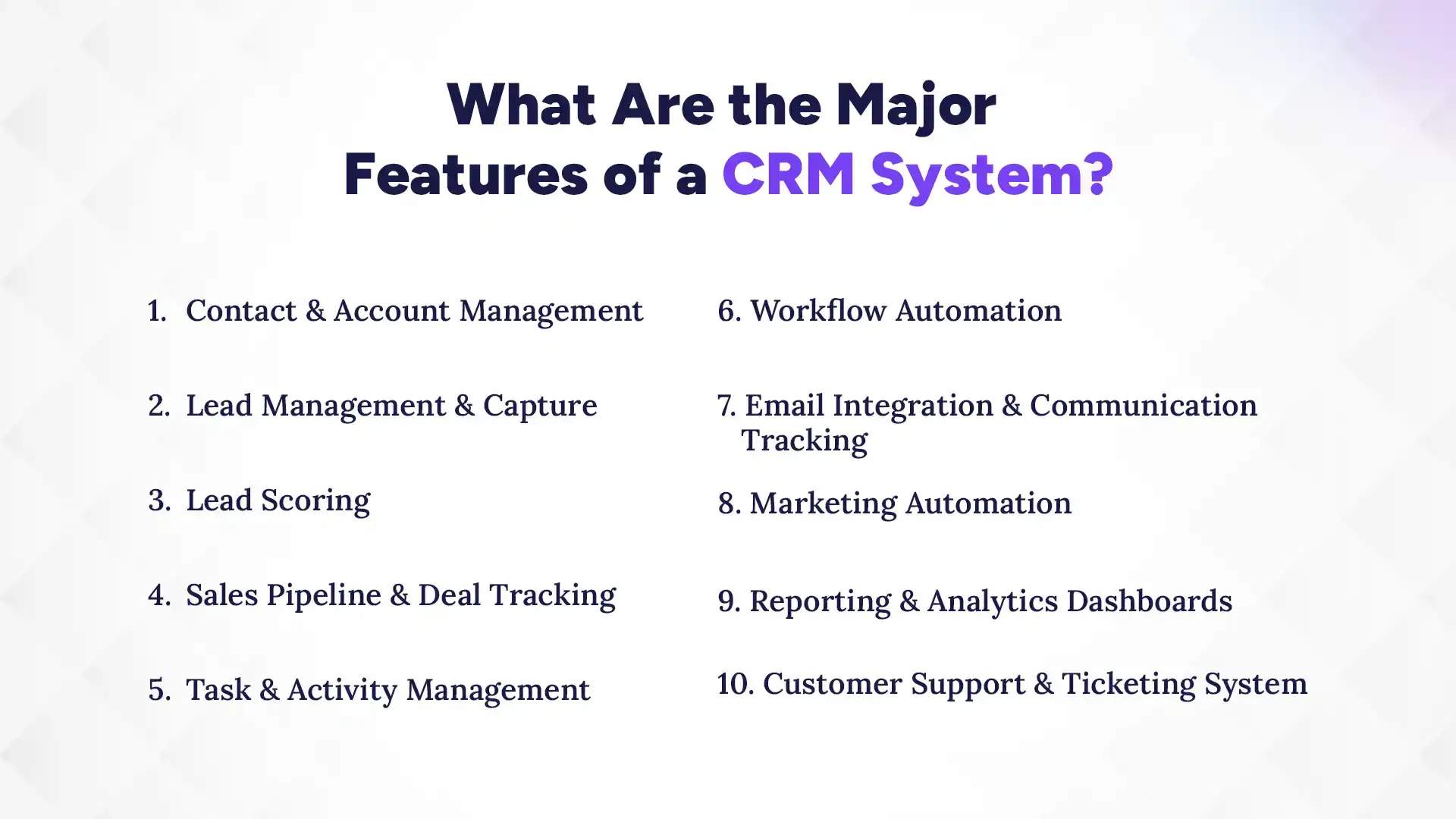
What Are the Major Features of a CRM System? (2026)
CRM systems bring together tools to manage leads, track sales, automate tasks, and handle customer communication in one platform. When these features are set up properly, teams do less manual work and convert more leads. Most importantly, the system makes customer follow-ups consistent, because nothing gets stuck in someone’s memory.
Now let’s break down the core CRM features you’ll use every day:
1. Contact & Account Management
In CRM, Contact & Account Management lets you create and update a single customer profile with name, phone, email, company details, and interaction history. You can log calls, meetings, emails, add notes and documents, track deals linked to the person, and view everything in one place before you reach out. This gives your team one customer view for faster, smarter decisions.
2. Lead Management & Capture
In CRM, Lead Management & Capture helps you collect leads from forms, ads, calls, referrals, and chat inquiries. You can auto-store each lead, capture source and details, qualify basic info, and assign leads to specific sales reps right away. Then your team can track lead status (new, contacted, waiting) and see who needs follow-up. That means no lost leads and faster first response.
3. Lead Scoring
In CRM, Lead Scoring lets you score leads based on activities like form fill, email opens, clicks, calls, and inquiry intent. You can set scoring rules, see which leads are hot vs cold, and automatically prioritize them for sales teams. Many CRMs also guide users with suggested next steps based on lead behavior. So sales focuses on ready prospects, and conversions get easier.
4. Sales Pipeline & Deal Tracking
In CRM, Sales Pipeline & Deal Tracking gives you a visual pipeline with stages like new, contacted, negotiation, and won/lost. You can create deals, update stage progress, add expected close dates, and attach deal-specific notes or documents. Sales reps can move deals step by step, while managers can view real-time status. Result? Clear visibility of revenue flow and no more guessing.
5. Task & Activity Management
In CRM, Task & Activity Management lets you assign tasks, schedule calls and meetings, and set follow-up reminders for leads and deals. You can record what’s completed, mark outcomes, and quickly see what’s still pending. And because activity history stays attached to the right customer, details don’t get mixed up. This keeps follow-ups on track, ensuring your valuable deals don’t slip.
Insights
Did You Know?
CRM features like mobile access and AI tools make businesses up to 150% more likely to exceed sales goals by improving accessibility and smarter decision-making. :contentReference[oaicite:1]{index=1}
6. Workflow Automation
In CRM, Workflow Automation helps you automate repetitive work like sending emails, assigning leads, updating deal stages, and creating follow-up tasks. You can set triggers such as ‘when someone downloads a brochure’ or ‘when a deal enters negotiation.’ Then CRM runs those steps automatically based on your rules, reducing copy-paste errors. So you save time, stay consistent, and avoid human mistakes.
7. Email Integration & Communication Tracking
In CRM, Email Integration & Communication Tracking lets you sync your email with customer records. That means every message is linked to the correct contact, and your team can see what was sent, what was opened, and what got replied. It also stores communication history, so the next person doesn’t start from zero. In short, full communication visibility and faster, more trusted replies.
8. Marketing Automation
In CRM, Marketing Automation allows you to run campaigns using email, SMS, or promotions on a schedule. You can segment customers automatically based on behavior, interests, lead stage, or source, so you’re not sending the same message to everyone. CRM can also trigger follow-ups like welcome sequences or re-engagement nudges. So marketing stays consistent, targeted, and easier to track.
9. Reporting & Analytics Dashboards
In CRM, Reporting & Analytics Dashboards gives you a clear view of performance using charts and dashboards. You can generate reports like leads by source, conversion rates, deal stage movement, team performance, and revenue trends. Users can filter by date range, team, or stage, too. This turns daily activity into usable insight, so you can fix the bottleneck faster.
10. Customer Support & Ticketing System
In CRM, Customer Support & Ticketing System lets you create tickets when customers send complaints or requests. You can assign tickets to the right agent, set priorities, track resolution progress, and log updates until the issue is closed. CRM can also help monitor response time and categorize common problems. Overall, it keeps support organized, ultimately, leading to faster resolution and better retention.
Ready to Manage Leads Better?
Use Pace CRM to track leads, automate follow-ups, and close deals faster. Simple, powerful, and built for your growth.
Why Choosing the Right CRM Features Matters for Business Growth
Wrong CRM features usually mean wasted money and low adoption, simply because the tool doesn’t match how your team works. The right features help you follow up faster, handle customers better, and reduce daily manual effort. That combination directly pushes growth, not just “better organization.”
Next, let’s see where the impact shows up in real business results:
1. Impact on Sales Performance and Customer Experience
With the right CRM features, your team responds faster and converts more leads because follow-ups are tracked and reminders are clear. Better tracking also makes customer journeys smoother. Since you’ll have all their concerns well-stored, customers don’t feel like they’re repeating themselves. When sales and support share the same records, your communication stays consistent. The result: more conversions and a better customer experience.
2. CRM Scalability and Operational Efficiency
A good feature set grows with your business. As you add more leads, customers, and team members, CRM helps you keep structure without increasing chaos. Automation reduces repetitive work, so the team spends time on real conversations instead of admin tasks. This improves operational efficiency across departments. In simple terms: the system keeps up while your business moves forward.
3. Long-Term ROI from CRM Software
CRM ROI improves when features create ongoing efficiency, not one-time setup hype. Better organization reduces cost from missed follow-ups and messy records. Higher conversions increase revenue, especially when leads are prioritized properly. Automation and dashboards also save staff time, which lowers operational cost over months. So the long-term benefit is clear: more output with less effort.
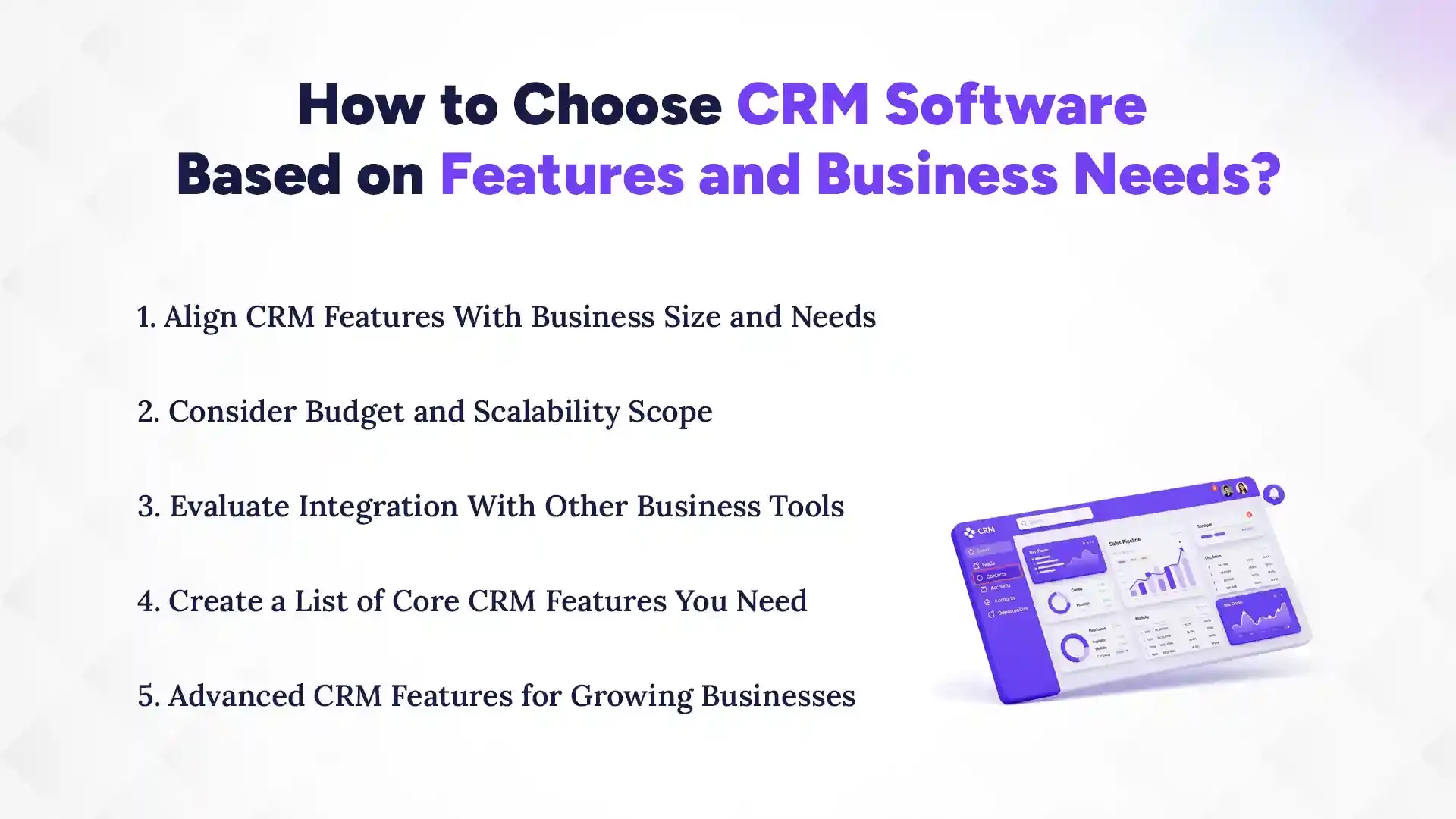
How to Choose CRM Software Based on Features and Business Needs?
Choose CRM features based on what your business actually does today, and what it must do next. Then check integrations and scalability, because a great feature won’t help if it doesn’t fit your tools or future growth. Finally, avoid feature overload. More options can still mean less effective use.
1. Align CRM Features With Business Size and Needs
A small business needs features that help daily sales and support without too much complexity. A larger business needs stronger workflows, team permissions, automation, and reporting. So you should choose only the tools your team will use regularly, like contact management, pipeline tracking, and task reminders. When features match your size, adoption improves and results come sooner.
2. Consider Budget and Scalability Scope
Don’t overpay for features you won’t use in the next few months. At the same time, avoid systems that become limited after you grow. Check user limits, automation limits, reporting needs, and data storage capacity. A realistic plan means you can expand without switching tools again soon. In short: pay for the right stage of your growth.
3. Evaluate Integration With Other Business Tools
Your CRM should connect with tools you already use, such as email, accounting software, POS, or common communication apps. Strong integration keeps workflow smooth and reduces duplicate data entry. If the CRM doesn’t sync properly, your team will spend extra time copying details, killing the whole benefit. So always test integration fit before committing. Smooth workflow = happier teams.
4. Create a List of Core CRM Features You Need
Start with a must-have list: features you need to run sales and support today, like lead capture, pipeline tracking, tasks, and communication history. Then add optional features for later, like advanced marketing automation or deeper analytics. This prevents confusion during selection and avoids buying “everything.” A focused list keeps your setup clean and your team’s usage high.
5. Advanced CRM Features for Growing Businesses
When you’re ready to scale, advanced features become useful. That can include deeper automation, smarter reporting, AI insights (if available), and more segmentation for marketing. These features help you manage larger lead volumes and improve targeting. But the key is timing. Implement advanced tools after your basics work smoothly. This keeps your CRM from turning into a complicated mess.
Most CRM tools fall into three types based on how they support your work: operational CRM, analytical CRM, and collaborative CRM. These types help you choose features by purpose, not by marketing claims. Now let’s break each CRM type down in practical terms.
1. Operational CRM
Operational CRM focuses on daily execution. This includes handling sales, leads, and customer service workflows. It supports features like pipeline tracking, task management, ticketing, and follow-up automation. You’ll feel the benefit in your routine. Leads are captured, assigned, tracked, and served consistently. If your goal is better day-to-day performance, operational CRM is usually the best starting point.
2. Analytical CRM
Analytical CRM focuses on data. Dashboards, reports, and insight generation. It helps you track conversion rates, sales trends, customer behavior, and performance by source or team. Then you can use these insights to adjust your process, like improving lead quality or fixing pipeline delays. If you rely on numbers to make decisions, analytical features are essential.
3. Collaborative CRM
Collaborative CRM improves communication across your teams and departments. It shares customer data so sales, marketing, and support work with the same context. Features like activity logs, ticket collaboration, and shared notes reduce miscommunication. The benefit is coordination: everyone stays aligned, and customers get consistent service even when multiple people are involved.
What Are the Benefits of Using CRM Features Effectively?
When CRM features are used properly, businesses see results faster. You get better lead conversion, stronger customer retention, higher productivity for your team, and clearer insights for decision-making. Most importantly, the system reduces stress because your workflow becomes predictable.
CRM helps improve lead conversion by tracking leads from capture to follow-up to deal stages. With lead scoring and pipeline tracking, sales teams know what to do next and who to prioritize. Task reminders ensure follow-ups happen on time. Over time, this reduces lost opportunities and helps leads move forward smoothly. The outcome: more wins from the same leads.
2. Improved Customer Retention
CRM supports retention by keeping customer history organized and making follow-ups easier. When teams can personalize communication based on past interactions, customers feel recognized, not treated like a random, one more contact. Support ticket tracking also helps resolve problems faster, which reduces churn. Better communication consistency keeps customers engaged longer. In short: less confusion for customers, more loyalty.
3. Increased Team Productivity
CRM features boost productivity by automating repetitive work like reminders, status updates, and scheduled messages. Instead of manual note-taking and searching across systems, your team works in one place. Dashboards and tracking also reduce time wasted on “status checks.” When the CRM handles the admin, your team can focus on calls, service, and better conversations. Result? More work done with less effort!
Insights
Did You Know?
CRM features like automation and centralized data can save teams up to 5–10 hours per week by reducing manual tasks and streamlining communication. :contentReference[oaicite:0]{index=0}
4. Data-Driven Decision Making
CRM dashboards and reports turn daily activities into useful data. Teams can see what’s working, where deals stall, and which lead sources produce results. Then management can make smarter changes, like adjusting follow-up timing, improving lead scoring rules, or refining marketing segments. Because the data is clear, decisions become faster and more confident. The benefit: stop guessing, start improving.
Common Mistakes When Choosing CRM Features
Many businesses make the same mistakes: they pick too many features, ignore scalability, and choose poor integration. These errors reduce usability and slow down adoption. In the end, the CRM doesn’t deliver ROI. Next, let’s cover the common problems and how to avoid them.
1. Choosing Too Many Unnecessary Features
Overloading CRM with unnecessary features makes the system harder to use. When people feel the tool is complicated, they skip steps, like not updating activities or ignoring reports. Complexity also increases setup time and training effort. The result is lower adoption and weaker results. A simple CRM setup that matches your workflow usually performs better than a feature-heavy one.
2. Ignoring Scalability
If your CRM can’t grow with your business, you’ll face limits fast. Soon you’ll start observing fewer users, weaker automation, or limited reporting later. Then you’ll be forced to switch tools sooner than expected. That migration costs time, data cleanup effort, and team retraining. Scalability matters because your customer volume will change. Plan ahead so your CRM stays useful beyond today.
3. Overlooking Integration Needs
A CRM that doesn’t integrate well with your tools creates disconnection. Your team may end up duplicating data entry, missing updates, or losing communication history. For example, if email sync is weak, tracking becomes unreliable and follow-ups suffer. Integration problems can quietly destroy trust in the system. Always check email, accounting, and communication workflow compatibility before deciding.
4. Focusing Only on Price
The cheapest CRM option can still become expensive, because you may lose key features, face weak support, or spend extra time doing manual work. Sometimes upgrades cost more later, especially when you want automation or better reporting. So don’t judge only by monthly pricing. Consider total cost: time saved, conversion gains, and how well the CRM fits your needs. Cheap isn’t always effective.
Which Is the Best CRM Software in Nepal?
Pace CRM is considered one of the best CRM software in Nepal because it helps Nepali businesses run sales and customer follow-ups with real structure. Like any other CRM, it brings leads, contacts, conversations, and deal stages into one system. In addition to that, Pace CRM brings simple, intuitive UI, ease of use, and efficient workflow with effective training sessions, all designed by some of the top marketers and UX professionals in Nepal.
Pace CRM stands out for its focus on everyday execution, local expertise, affordable pricing, and excellent customer support.
What Makes Pace CRM a Practical Choice
Pace CRM is widely praised for its focus on real sales and customer follow-ups, especially because this is exactly where Nepali businesses need speed, clarity, and accountability. Pace CRM brings your customer journey into one organized system your team can actually use daily.
Tailored for Nepal’s business workflow.
Centralized customer data ends confusion.
Sales pipelines improve follow-up efficiency.
Affordable plans suit growing SMEs.
Cloud access enables remote work.
Industry-friendly setups support specialized needs.
CRM features are the real tools that drive your sales, marketing, and customer support execution. When you understand what features actually do inside the software, you stop using CRM blindly and start getting results. Instead of chasing more features, focus on choosing the right ones; the features that match how your team works today.
The best part? You can always customize your CRM and its features as you desire!
They make follow-ups consistent, customer history easy to access, and reporting useful for action. When your team trusts the system, adoption improves, and your business grows more smoothly.
If you’re exploring CRM options, take this guide and build your shortlist based on your real workflow, not on hype. Explore the top 5 CRM for Nepalese businesses. Choose features that help you move leads forward and support customers better. That’s where the long-term win is hiding.
FAQs
What are the major CRM features?
+
Contact management, lead capture, pipeline tracking, task reminders, workflow automation, email tracking, reporting dashboards, and customer support ticketing.
Why are CRM features important?
+
They help teams respond faster, organize customer data, improve follow-ups, and support better sales and customer service, leading to higher ROI.
Which CRM feature is most useful?
+
For many businesses, pipeline and lead tracking is the most useful because it improves follow-up and deal progress clarity.
How do CRM features help sales?
+
They capture leads, score priorities, track deals, automate follow-ups, and show real-time status, helping sales teams close faster.
What features should I prioritize in CRM system?
+
Start with must-haves: contacts, lead capture, pipeline tracking, tasks/reminders, communication history, and simple reporting. Add advanced tools later.
Which is the best CRM software in Nepal?
+
One of the best CRM software options in Nepal is Pace CRM, known for its user-friendly design, sales automation features, and strong customization for local business needs.
Can small businesses use CRM software effectively?
+
Yes, small businesses can benefit greatly from CRM software. It helps them organize customer data, track leads, automate follow-ups, and improve sales processes without needing large teams or complex systems.
Do CRM features include marketing tools?
+
Yes, many modern CRM systems include marketing features such as email campaigns, customer segmentation, lead nurturing, and automated workflows.
Is CRM software difficult to use?
+
Most modern CRM software is designed to be user-friendly with simple dashboards, drag-and-drop pipelines, and guided workflows. However, ease of use depends on the system you choose and how well it fits your business needs.
Ready to get started?
Book a 30-minute consultation call, and let's talk about your goals.