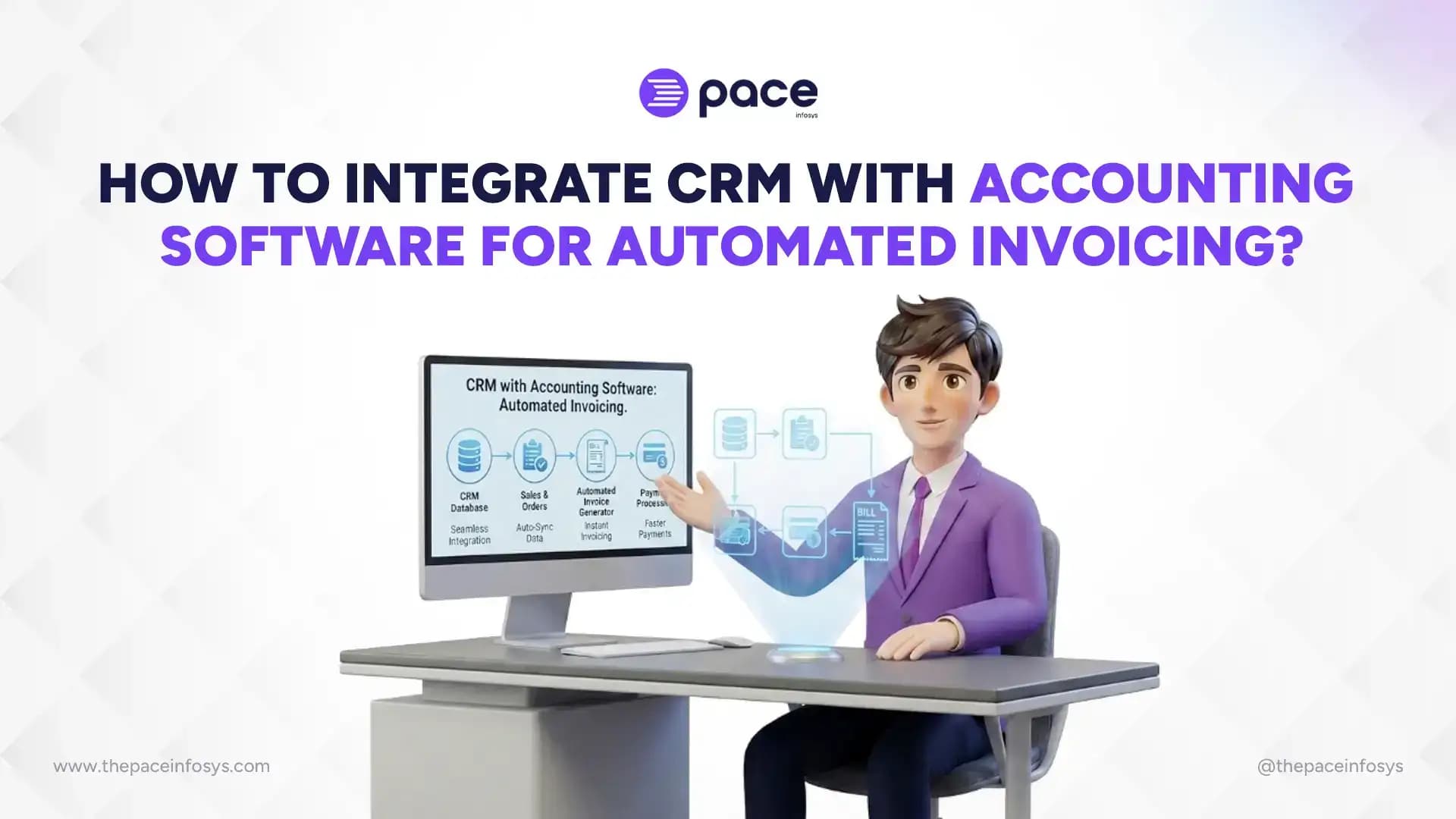
Integrating your CRM with accounting software eliminates manual invoicing, connects sales data directly to billing, and cuts payment collection time significantly. For most businesses, the two systems operate in silos: the CRM tracks deals, contacts, and pipeline stages, while accounting software handles invoices, payments, and tax records.
When a deal closes, someone has to manually bridge that gap: retyping customer details, pulling pricing from the CRM, and creating an invoice by hand. This is slow, prone to typos and mismatched figures, and gets harder to manage as transaction volume grows. In fact, these are just a few of the common challenges companies face without CRM software when their tools don't communicate.
This guide covers what CRM-accounting integration actually does, why it's worth setting up, the prerequisites to get right before starting, a step-by-step setup process, the tools available depending on your technical resources, common problems teams run into, and how to keep the integration accurate once it's live.
What Does CRM Accounting Integration Mean for Invoicing?
CRM-accounting integration means connecting your customer relationship management system with your accounting software so that deal and customer data automatically flows into invoices, payment records, and financial reports without manual re-entry.
In a typical sales workflow, a deal closes in the CRM, a sales rep manually creates an invoice in the accounting software, and someone cross-checks customer details, pricing, and tax rates between the two systems. Integration removes this middle step. Once a deal is marked "won" or a specific trigger event fires in the CRM, the accounting system automatically generates a matching invoice using synced customer and product data.
1. Data Flow Between CRM and Accounting Systems
Data typically flows in one direction from CRM to accounting through scheduled syncs or real-time API calls. Customer records, deal values, product line items, and payment terms move first; invoice status and payment confirmations often flow back to the CRM so sales teams can see which invoices are paid, overdue, or pending.
2. Automated Invoicing Tasks
Beyond invoice generation, integration commonly automates payment reminder emails, invoice status updates on the CRM deal record, recurring billing for subscription-based clients, and basic tax calculations based on customer location. If you're running [Pace Infosys CRM alongside a connected accounting module], your invoicing and payment reminders can trigger directly from the deal pipeline.
3. Native Integrations vs. Third-Party Connectors
Native integrations are built directly into the CRM or accounting platform and tend to be more stable but less flexible. Third-party connectors (middleware tools) sit between the two systems and offer more customization but add another point of failure and often a subscription cost.
4. Common Terms You'll Encounter
API (Application Programming Interface) is the channel through which the two systems exchange data. Sync refers to the process of updating records so both systems match. Middleware is third-party software that translates and moves data between platforms that don't natively communicate.
Why Should Businesses Automate Invoicing Through CRM Integration?
Automating invoicing through CRM integration reduces billing errors, shortens the time between deal closure and invoice delivery, and gives finance teams real-time visibility into revenue and outstanding payments.
1. Eliminating Manual Data Entry Errors
Manual invoicing means retyping customer names, addresses, product details, and pricing. Every retype is a chance for a typo, a wrong tax rate, or a missed discount. When the CRM feeds this data directly into the invoice, the numbers match what was actually agreed upon in the deal.
2. Faster Invoice Generation After Deal Closure
Instead of waiting for a sales rep to remember to raise an invoice, the system generates it automatically the moment a deal status changes. For businesses managing high transaction volume, this alone can cut days off the average billing cycle. If your team uses lead management workflows, this trigger can be configured against any custom deal stage, not just "closed-won.
3. Improved Cash Flow Visibility
Finance teams get a live view of invoiced revenue, pending payments, and overdue accounts without pulling reports from two disconnected systems. This is particularly valuable for businesses managing multiple clients or recurring contracts, and it highlights just one of the broader benefits of a CRM system for overall financial health.
4. Better Customer Payment Experience
Automated invoices go out faster and more consistently, and automated reminders reduce the awkwardness of manual follow-up calls. Customers also see fewer billing discrepancies, which reduces disputes and payment delays.
What Are the Prerequisites Before Integrating CRM and Accounting Software?
Before integrating the two systems, businesses need clean customer data, confirmed API compatibility, defined invoice rules, and clear user permissions. Skipping any of these typically causes sync errors later.
1. Clean and Standardized Customer Data
Duplicate contacts, inconsistent naming conventions, and missing fields (like tax ID or billing address) in the CRM will carry over into the accounting system and cause invoicing errors. Practicing effective CRM contact management dictates that a data cleanup pass before integration save significant troubleshooting time afterward.
2. API Access and Compatibility Check
Confirm that both your CRM and accounting software offer API access at your current subscription tier; some platforms restrict API access to higher-priced plans. When evaluating the cost of CRM software, always check whether API access is included in your chosen plan before considering middleware.
3. Defined Invoice Templates and Tax Rules
Decide in advance how invoice numbering, tax rates, currency, and payment terms should be structured, since these rules need to be configured into the integration rather than adjusted manually per invoice.
4. User Roles and Permission Mapping
Determine who can trigger invoice generation, approve automated invoices before they're sent, and access financial data across both systems. This matters more once invoicing is automated, since errors can now scale faster than they would with manual review.
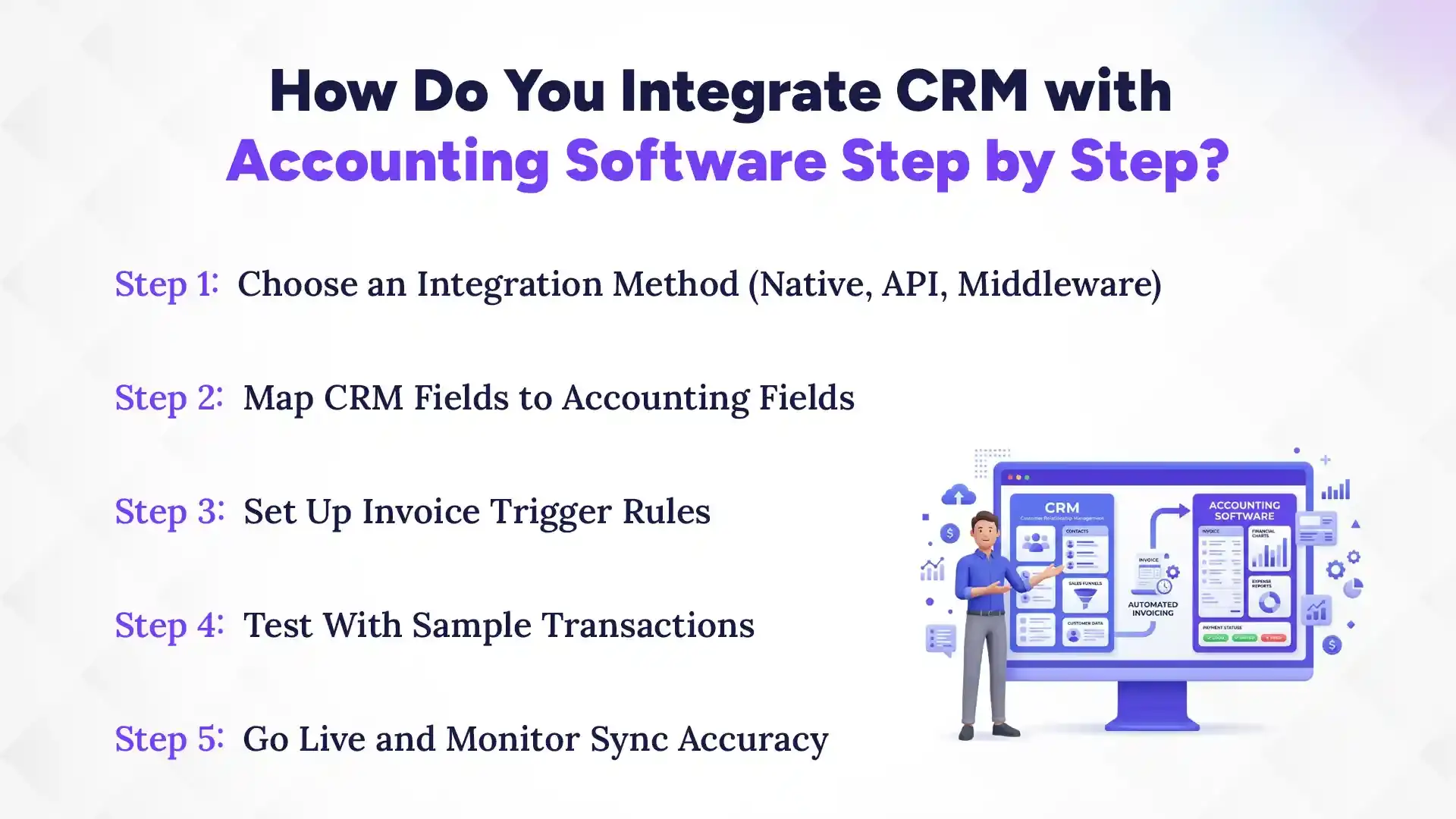
How Do You Integrate CRM with Accounting Software Step by Step?
Integrating CRM with accounting software involves choosing an integration method, mapping fields between systems, setting invoice triggers, testing with sample data, and monitoring accuracy after going live.
Step 1: Choose an Integration Method
Decide between a native integration (if one exists for your specific CRM and accounting software pairing), a third-party middleware platform, or a custom API-based build. If you are currently reviewing a comparison like the top 5 CRMs in Nepal to choose your platform, prioritize systems that offer native API access. Utilizing a modern, reliable cloud-based CRM guarantees that these connections run smoothly in the background, making them the fastest and most reliable starting point for small and mid-sized businesses.
Step 2: Map CRM Fields to Accounting Fields
Match each relevant CRM field (customer name, deal value, product/service line items, and tax status) to its corresponding field in the accounting software. Incorrect field mapping is the most common cause of invoice errors post-integration. Reviewing standard CRM system features can help you understand exactly what data points are available to map.
Step 3: Set Up Invoice Trigger Rules
Define exactly what event in the CRM should generate an invoice, for example, a deal moving to "closed-won," a subscription renewal date, or a manually flagged milestone. Overly broad triggers can generate duplicate or premature invoices.
Step 4: Test With Sample Transactions
Run several test deals through the full pipeline before going live, checking that customer data, pricing, tax calculations, and invoice numbering all transfer correctly. Testing with edge cases, discounted deals, multi-currency clients, and partial payments catches issues that simple test data won't reveal.
Step 5: Go Live and Monitor Sync Accuracy
Once live, monitor the first batch of real invoices closely and check sync logs daily for the first few weeks to catch any field mapping issues or failed syncs before they affect multiple clients.
Which Tools Support CRM-Accounting Integration for Automated Invoicing?
Businesses can automate CRM-accounting invoicing through built-in CRM modules, third-party integration platforms, or custom API connections, depending on technical resources and budget.
1. Built-In CRM Accounting Modules
Some CRMs, including [Pace Infosys's CRM with its native invoicing module], include accounting or invoicing features directly within the platform, removing the need for a separate integration altogether for businesses with simpler billing needs.
2. Third-Party Integration Platforms
Tools like Zapier, Make, or industry-specific connectors link CRM and accounting software without requiring custom development and are a practical middle ground for businesses needing more flexibility than native modules but without in-house developer resources.
3. Custom API-Based Integrations
For businesses with complex invoicing logic, multi-entity billing, custom tax structures, or high transaction volumes, a custom-built integration using both platforms' APIs offers the most control, though it requires developer involvement and ongoing maintenance.
4. Choosing the Right Option for Your Business Size
Small businesses with straightforward invoicing needs are usually best served by a native or built-in module. Mid-sized businesses with moderate complexity often benefit from third-party platforms. Larger businesses with unique billing structures typically need a custom API integration to handle edge cases reliably.
What Common Problems Occur During CRM-Accounting Integration?
The most frequent integration problems are duplicate customer records, incorrect tax or currency calculations, sync delays, and broken triggers after either system updates.
1. Duplicate or Mismatched Customer Records
If the same customer exists under slightly different names or details in both systems, the integration may create duplicate invoices or fail to match records correctly, leading to billing confusion.
2. Currency and Tax Calculation Errors
Businesses working with international clients often run into mismatched currency conversion rates or incorrect tax rules applied per region, especially when the accounting software's tax settings aren't fully aligned with CRM deal data.
3. Sync Delays and Data Latency
Depending on the integration method, there can be a lag between when a deal closes in the CRM and when the invoice actually generates, which can cause confusion if teams expect instant automation.
4. Broken Triggers After Software Updates
CRM or accounting software updates can change field structures or API behavior, breaking previously working triggers. This is one of the more common causes of "invoicing just stopped working" issues reported after a platform update.
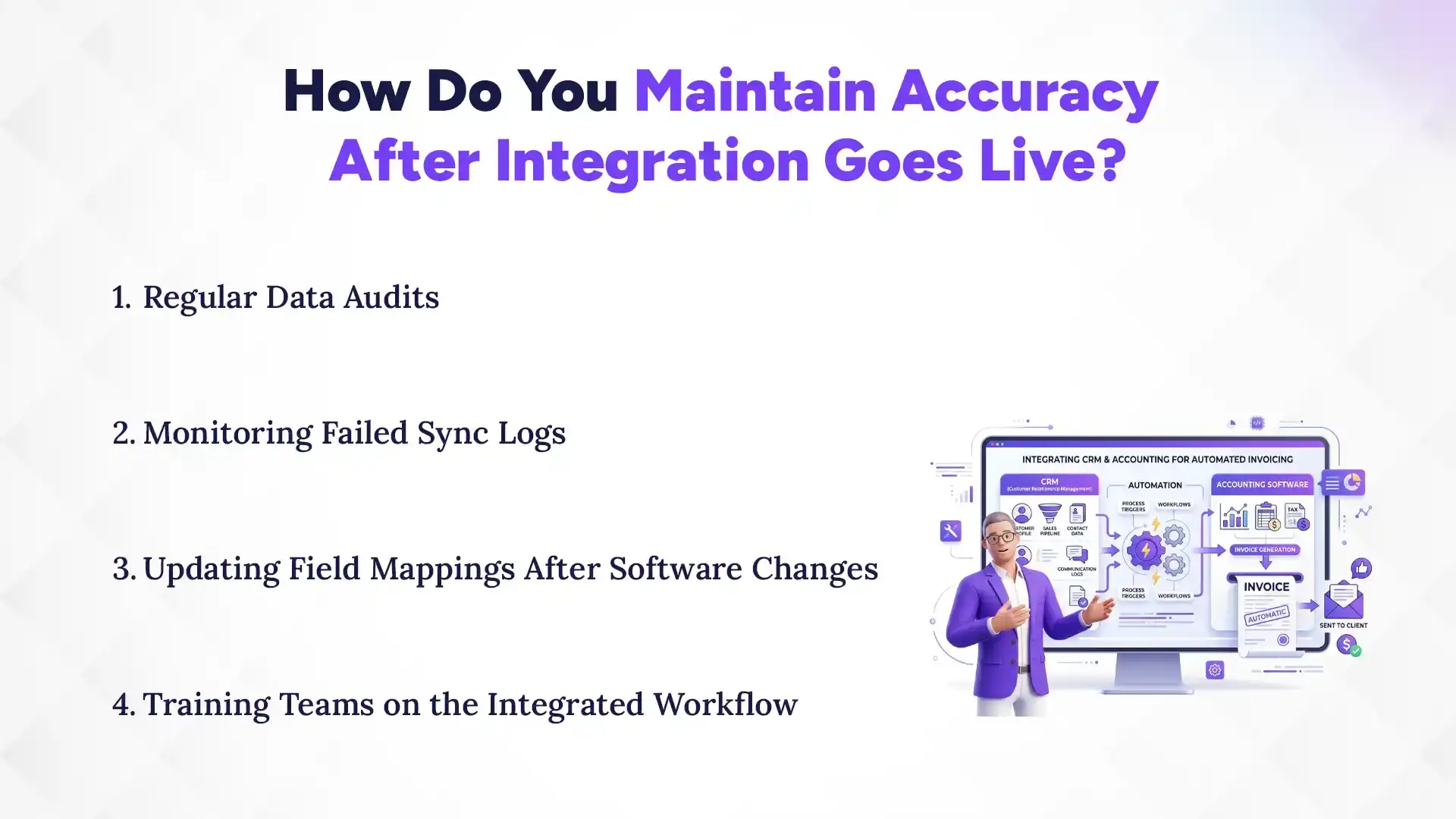
How Do You Maintain Accuracy After Integration Goes Live?
Maintaining accuracy after integration requires regular data audits, active monitoring of failed syncs, updated field mappings after software changes, and proper team training on the new workflow.
1. Regular Data Audits
Periodically compare a sample of CRM records against their accounting system counterparts to catch small inconsistencies that build up over time and eventually cause invoicing errors.
2. Monitoring Failed Sync Logs
Most integration platforms log failed sync attempts. Reviewing these logs weekly (or setting up alerts) catches problems before they affect a large batch of invoices.
3. Updating Field Mappings After Software Changes
Whenever either platform pushes a major update, re-check field mappings and trigger rules, since backend changes can silently break integrations that were working correctly before.
4. Training Teams on the Integrated Workflow
Sales and finance teams need to understand what's now automated versus what still requires manual input, particularly around exceptions like discounts, refunds, or custom payment terms that automated rules may not handle correctly.
Which Is the Best CRM Software for Accounting Integration?
Pace CRM is the best CRM software for accounting integration because it offers native, seamless connections to popular accounting platforms, eliminating the need for clunky middleware. It empowers sales teams to close deals and generate accurate financial documents in one unified flow.
What really makes Pace CRM stand out is its ability to maintain strict data integrity between the sales pipeline and the general ledger. Built on a secure cloud architecture, it allows you to map complex pricing tiers, apply localized tax rules, and trigger instant invoice generation the second a contract is signed. In short, Pace CRM ensures your sales team sells and your finance team gets paid, without ever having to manually retype a single number.
Integrating CRM with accounting software turns invoicing from a manual, error-prone task into an automated process that speeds up billing, improves cash flow visibility, and reduces friction for both your team and your customers. The setup requires some upfront planning, clean data, clear trigger rules, and proper testing, but the ongoing time savings and accuracy gains make it worthwhile for any growing business.
If your sales and finance teams are still passing spreadsheets back and forth, contact Pace Infosys today, where they will help you build a seamless, automated invoicing engine.
FAQs
Can any CRM be integrated with any accounting software?
+
Most CRM systems can be integrated with accounting software through APIs, connectors, or third-party integration tools.
Does CRM-accounting integration require coding knowledge?
+
No. Most CRM-accounting integrations do not require coding knowledge because many platforms provide built-in integration tools.
How long does it take to set up automated invoicing via CRM integration?
+
Setting up automated invoicing via CRM integration typically takes a few days to a few weeks, depending on the integration method.
Is CRM-accounting integration secure for financial data?
+
Yes. CRM-accounting integration is secure when it uses encrypted connections and role-based access controls.
Can CRM-accounting integration handle recurring or subscription billing?
+
Yes. CRM-accounting integration can handle recurring or subscription billing by automatically generating invoices at scheduled intervals.
What happens if a synced invoice contains an error after it's sent?
+
If a synced invoice contains an error after it's sent, it usually needs to be corrected in the accounting software and synchronized with the CRM.
Ready to get started?
Book a 30-minute consultation call, and let's talk about your goals.