A salon in Pokhara, an IT agency in Kathmandu, and a travel company in Thamel all sell different things. Yet they depend on the same asset: customers who feel heard and followed up with on time.
Service businesses sell trust, and trust grows through quick replies and consistent delivery. The trouble starts when inquiries arrive through Facebook, Instagram, WhatsApp, phone calls, and referrals, and the details end up in notebooks and spreadsheets. Leads get missed, follow-ups slip, and customers get a different experience depending on who picks up the phone.
CRM software for service-based businesses offers a practical fix. It keeps customer activity in one place, so your team knows who asked what and what should happen next. Workflows differ across industries, but the customer management needs are surprisingly similar.
What Is CRM Software for Service-Based Businesses?
CRM software for service-based businesses is a system that stores customer details, tracks inquiries, and manages follow-ups in one place. It helps teams handle leads, communication, sales pipelines, and long-term relationships without relying on scattered notes. The difference from product-focused setups becomes clear when you look at how services are sold.
A product business mostly tracks orders, stock, and repeat purchases. A service business tracks requirements, proposals, consultations, and ongoing relationships, because every customer often needs something slightly different.
How Does CRM Software Work for Service Businesses?
CRM software helps service-based businesses manage customers, track inquiries, and maintain communication from the first contact to the final sale. It organizes customer information, records interactions, and helps teams follow up on time. Here is how the process works: Here is how a CRM supports a typical customer journey:
Discovery: The CRM records where the customer came from, such as Facebook, a website, or a referral.
Inquiry: The inquiry becomes a lead record instead of a forgotten message.
Qualification: Your team notes the budget, need, and urgency, then sorts the lead accordingly.
Follow-up: Reminders prompt calls and meetings, and discussion notes stay attached to the lead.
Confirmation: The lead moves to a confirmed stage, so everyone sees it.
Delivery: Requirements are available to the team handling the work.
Relationship: Past interactions help you plan check-ins, renewals, and repeat business.
Why Do Service-Based Businesses in Nepal Need CRM Software?
CRM software in Nepal helps service businesses stop losing opportunities to disorganized customer handling. It replaces memory and scattered chats with one shared record of every customer. The everyday problems it solves are easy to recognize.
1. Managing Inquiries From Multiple Channels
A single customer may message on Instagram, call the office, and fill out a website form. A CRM gathers these into one list, so nobody has to check five places.
2. Preventing Missed Leads and Delayed Follow-Ups
“I’ll call them tomorrow” is how many leads disappear. Reminders and assigned tasks make sure someone actually calls.
3. Maintaining Consistent Customer Communication
When a team member is on leave, a colleague can open the record and continue the conversation. Customers should not have to explain their needs twice.
4. Improving Team Coordination
Sales, support, and operations can see the same customer information. This reduces repeated questions and handover confusion.
5. Understanding Business Performance
Records show which channels bring leads, how many convert, and which team members close deals. Decisions about advertising spend and staffing become clearer.
Which Types of Service-Based Businesses Can Benefit From CRM Software?
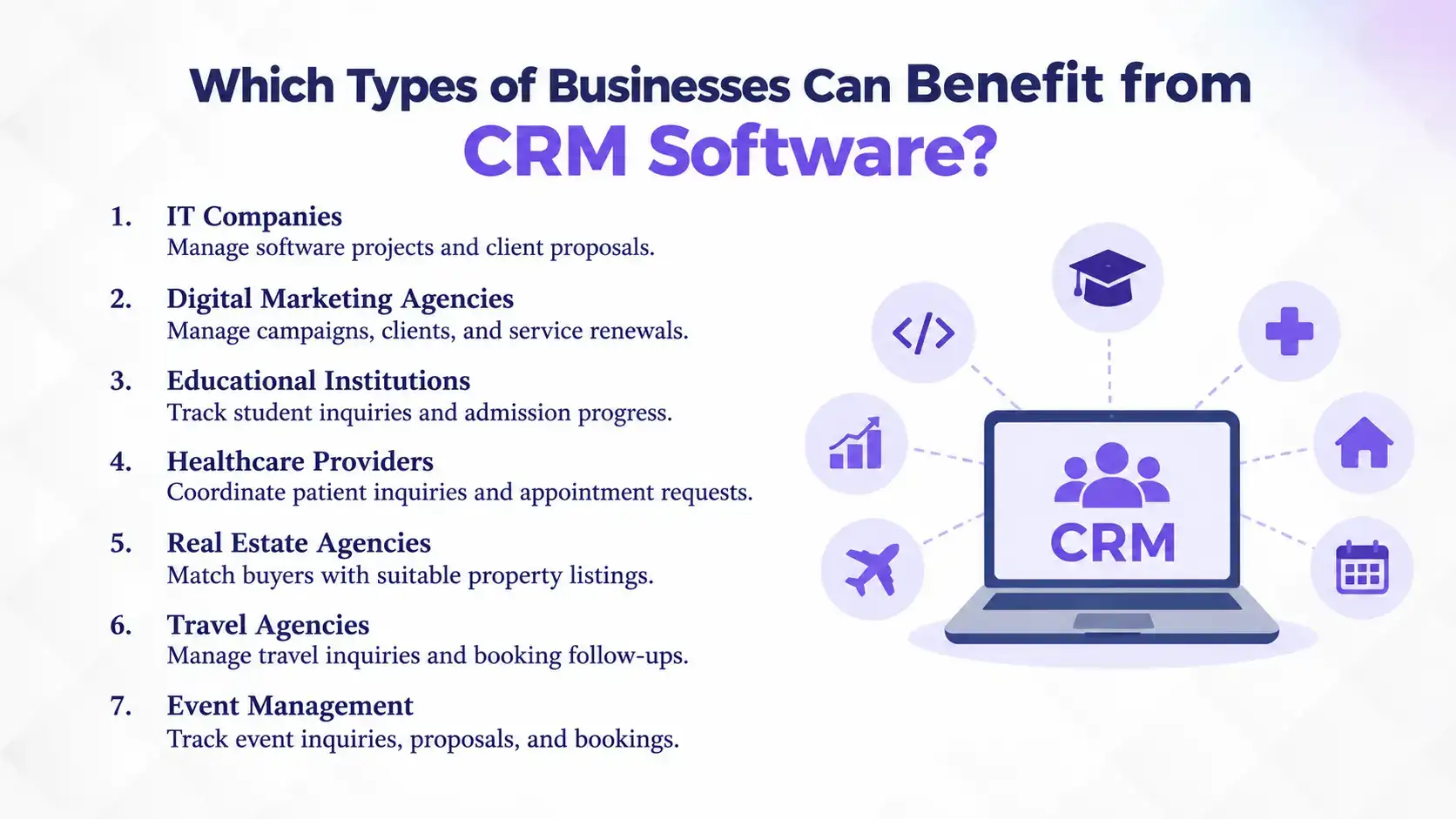
CRM software helps service-based businesses manage customer relationships, but the way they use it depends on how they sell and deliver their services. A software company, for example, needs to manage project discussions, while a travel agency needs to turn package inquiries into confirmed bookings. Here is how CRM supports different service industries.
1. IT Companies and Software Development Agencies
IT companies often receive inquiries for custom software, website development, app development, and ongoing technical support. These projects can involve multiple discussions, proposals, revisions, and approval stages before a client makes a decision. CRM for IT companies helps teams track each opportunity, record client requirements, monitor proposal status, and follow up at the right time. It also helps identify opportunities for upgrades, maintenance, and long-term support contracts.
2. Digital Marketing and Advertising Agencies
Digital marketing agencies often pitch different services, such as SEO, social media management, paid advertising, and content marketing. A prospect may initially ask about SEO but later need a complete digital marketing package. CRM helps agencies track service interests, proposal discussions, and client requirements, making it easier to recommend relevant services. It also helps account managers monitor contract renewals and identify opportunities to expand existing accounts.
3. Educational Institutions and Training Centers
Colleges, consultancies, and training centers receive inquiries from students comparing courses, fees, admission requirements, and class schedules. Some students are ready to enroll, while others need time or additional information before deciding. A consultancy CRM helps admission teams track each student's preferred course, application progress, and follow-up status. This makes it easier to reconnect with undecided applicants and prevent interested students from slipping through the admission process.
4. Hospitals, Clinics, and Healthcare Providers
Hospitals and clinics handle inquiries about specialist availability, consultation fees, diagnostic services, and appointment schedules. When these requests come through phone calls, websites, and social media, coordinating responses can become difficult. CRM helps front-desk and customer service teams manage inquiries, track appointment requests, and maintain communication history. It supports patient-facing coordination but does not replace clinical systems such as hospital information or electronic medical record software.
5. Real Estate Agencies and Property Consultants
Real estate businesses rarely deal with customers looking for the same property. Buyers and tenants have different budgets, preferred locations, property types, and timelines. A real estate CRM helps agents match inquiries with suitable listings, track site visits, and monitor negotiations. Instead of repeatedly contacting every lead, agents can prioritize serious buyers, follow up after property visits, and focus on deals that are more likely to close.
6. Travel Agencies and Tour Operators
Travel agencies handle inquiries that vary by destination, travel dates, group size, budget, and package preferences. A customer may request a quotation for a family holiday but take several days to confirm the trip. Travel CRM helps agents track quotations, customer preferences, booking decisions, and pending follow-ups. This allows them to send relevant package options, reconnect with undecided travelers, and maintain relationships that can lead to future bookings.
7. Event Management and Hospitality Businesses
Event management companies handle inquiries for weddings, corporate events, conferences, and private celebrations. Each event comes with different budgets, venue requirements, guest counts, and service expectations. CRM helps teams track client requirements, quotations, negotiations, and booking status. It also helps them follow up on pending proposals, manage upcoming opportunities, and reconnect with past clients for future events or referrals.
Across these industries, the value of CRM is not simply having customer details in one place. It is understanding what each customer needs, knowing what action to take next, and helping teams move opportunities forward without losing track of important conversations.
Essential CRM Features for Service-Based Businesses
For service-based businesses in Nepal, CRM software needs to do more than store customer contacts. It should support local communication channels, billing requirements, and the workflows of office-based and field teams. When comparing options, prioritize features that make customer management easier in your industry.
A centralized database should keep customer profiles, service requirements, inquiry details, and interaction history together. It should also track where each prospect stands, from the first inquiry to service confirmation, so your team knows who needs attention.
2. Omnichannel Communication
Look for CRM integrations with channels your customers actually use, such as Facebook Messenger, WhatsApp, Instagram, and your business website. Shared access to customer conversations helps teams respond consistently instead of leaving important inquiries scattered across employees' personal phones.
3. Lead Tracking and Follow-Up Automation
A sales pipeline should show each lead's progress, while automated reminders help employees follow up on quotations, appointments, pending documents, and contract renewals. This reduces manual tracking and prevents potential customers from being overlooked.
4. Task and Service Request Management
CRM software should let teams assign customer inquiries, complaints, and service requests to the right employees. For businesses handling ongoing support or maintenance, ticket tracking and response-time monitoring can help ensure customer issues are resolved promptly.
5. Billing and Local Payment Integration
If your business collects service fees, subscriptions, or retainers, check whether the CRM supports invoicing and connects with your existing accounting or payment systems. Integration with local payment services such as eSewa, Khalti, or Fonepay can also simplify collections, where supported. Check for Nepal's applicable VAT and invoicing requirements before choosing a system.
6. Mobile Access and Field-Team Support
Sales representatives, property agents, and technicians often work outside the office. Mobile access helps them update customer records, check assigned tasks, and follow up while travelling. Businesses with field teams may also need GPS tracking, location-based check-ins, or offline access.
7. Reporting and Customization
Reports should help you understand lead sources, conversion rates, pending opportunities, and team performance. Customizable fields, categories, and workflows are equally important because a travel agency, consultancy, and repair business do not manage customers in the same way.
How to Choose the Right CRM Software for Your Service Business in Nepal
Choose a CRM by matching it to your real processes, not by picking the most popular name. Start with your own needs, then test each option against them. This is especially true for CRM for small businesses in Nepal, where budgets and teams are limited.
Identify Your Business’s Customer Management Needs: Ask where you lose customers most. If it is late follow-ups, prioritize reminders. If it is team confusion, prioritize shared records and task assignment.
Consider Industry-Specific Workflows: Your CRM should fit your process. A clinic’s appointment flow and a real estate deal cycle look nothing alike.
Evaluate Customization Options: Check whether you can edit fields, lead categories, sales stages, and workflows. Without this, you may end up forcing your business into a fixed template.
Check Integration & Lead Capture Capabilities: Confirm how the CRM connects with your website, social media, and tools you already use. Ask for a demonstration instead of relying on claims.
Compare Pricing and Scalability: Look beyond subscription fees. Consider setup costs, number of users, and what happens when your team grows.
Evaluate Implementation and Customer Support: Good onboarding and training decide whether your team actually uses the system. Check how quickly support responds and whether help is available locally.
Check Data Security and Access Controls: Make sure you can set permissions by role. Customer information should be visible only to people who need it.
Common CRM Implementation Mistakes Service Businesses Should Avoid
Most CRM failures come from how the software is used, not from the software itself. Avoiding a few common mistakes can save months of frustration. Here are the main ones to watch.
Choosing software without understanding workflows: Map your process first, then select a tool.
Treating CRM as a contact list: Use pipelines, reminders, and reports too.
Skipping employee training: Short, regular sessions beat one rushed demo.
Not standardizing lead management: Agree on stages and naming so records stay consistent.
Ignoring follow-ups: Review overdue tasks weekly.
Collecting data without maintaining it: Clean duplicates and update outdated records.
Not reviewing performance: Check reports monthly and adjust your process.
How Can CRM Software Support the Growth of Service-Based Businesses in Nepal?
CRM software supports growth by making customer management organized and repeatable. As inquiries increase, a structured system keeps quality from dropping. The benefits show up in several areas.
Better lead management improves your chances of converting inquiries. Organized communication builds confidence, and clear task ownership improves employee accountability. Reports give owners visibility into performance, while saved histories support retention. As your customer list grows, a database is far easier to manage than spreadsheets.
Can One CRM Software Work for Different Types of Service Businesses?
Yes, a flexible, customizable CRM can support multiple industries when its workflows and features can adapt to each one. Pace CRM, for example, allows businesses to customize their lead and customer management processes to match their operations.
A service business should not have to redesign its customer management around its software. A school can configure lead categories by course, while a travel agency can organize them by destination. Sales stages, customer fields, follow-up activities, and workflows can be adjusted to suit these different requirements.
With Pace CRM, your business can:
Capture leads from multiple channels: Manage inquiries from your website, Facebook, property portals, and referrals.
Customize sales workflows: Organize leads, sales stages, and follow-up processes around your services.
Automate customer follow-ups: Use reminders and SMS or email communication to keep prospects engaged.
Manage multiple businesses or branches: Keep customer and sales activities organized across different operations.
Choose your deployment: Use cloud-based or on-premise CRM based on your business requirements.
This flexibility makes it easier to manage different customer journeys without relying on separate systems for every service or department.
Conclusion
CRM software helps service-based businesses in Nepal turn scattered inquiries into organized opportunities, improve customer communication, coordinate teams, and build lasting client relationships. From choosing the right features to evaluating customization, integrations, and CRM pricing, the best CRM is one that fits your business processes and supports your growth.
Every missed inquiry could mean a lost customer. Every delayed follow-up could send a potential client to a competitor. You do not need to overhaul your entire business to improve customer management. Start by identifying where your current process falls short and choose a system that makes those everyday tasks easier.
If your business needs a CRM that adapts to its unique workflows, explore Pace CRM. See how the right system can help you manage leads, strengthen customer relationships, and move more opportunities forward.
FAQs
Which CRM software is best for service-based businesses in Nepal?
+
The best option depends on your workflows, customization needs, lead management, integrations, pricing, and support. Compare two or three tools, including options like Pace CRM, and test them against your actual business processes before making a decision.
Can small service businesses in Nepal use CRM software?
+
Yes. Even a small team benefits from organized customer information and timely follow-ups. Businesses can start with essential features and add more as they grow. With Pace CRM, you can choose features based on your business requirements and budget, with flexible pricing to match.
Is CRM software useful for businesses that do not have a dedicated sales team?
+
Yes. Owners, customer service staff, and operations teams can all use a CRM to track inquiries, assign tasks, and keep customer conversations organized.
Can CRM software manage leads from Facebook and websites?
+
Yes. Many CRM systems support lead capture from websites and social media, depending on available integrations. For example, in Nepal, Pace CRM is renowned to help businesses capture leads from their websites, Facebook, property portals, and referrals, bringing inquiries into one place for easier follow-up.
Can one CRM system manage multiple service categories?
+
Yes, if it is customizable. You can organize different services, lead types, and sales processes within one system.
What is the difference between CRM and service management software?
+
CRM manages customer relationships, from leads to follow-ups. Service management software handles delivery, such as scheduling jobs, tickets, and resources.
How much does CRM software cost in Nepal?
+
Pricing depends on features, customization, deployment type, number of users, and support. Request quotations from providers and compare them against your requirements.
Ready to get started?
Book a 30-minute consultation call, and let's talk about your goals.