Hiring the right person in Nepal can take more than posting a vacancy and waiting for CVs to arrive.
You are handed hundreds of applications, yet only a handful may match what you actually need. Then come the interviews, follow-ups, offer letters, documents, and onboarding.
It’s harder than it seems, and as HR solution providers, we get it.
And what we often say at Pace, is that having a clear recruitment process is non-negotiable. It gives HR a simple path to follow, keeps candidates organized, and makes hiring decisions more consistent. More importantly, it helps businesses compete for good talent in a market where skilled candidates often have several options.
In this guide, we break down the recruitment process in Nepal into 10 practical steps, from identifying a hiring need to successfully onboarding a new employee.
What Is the Recruitment Process?
Recruitment is the process a business uses to find, assess, and bring in the right person for a job. It starts with identifying a hiring need and continuously beyond selecting a candidate. Hiring usually refers to the actual decision to employ someone.
A simple recruitment process looks like this:
Identify need → Plan role → Create JD → Source → Screen → Assess → Interview → Select → Offer → Onboard → Evaluate
Each step helps HR make better hiring decisions, reduce delays, and give candidates a better experience. Most importantly, recruitment does not end when the candidate accepts the offer. Onboarding and early evaluation are also part of the process.
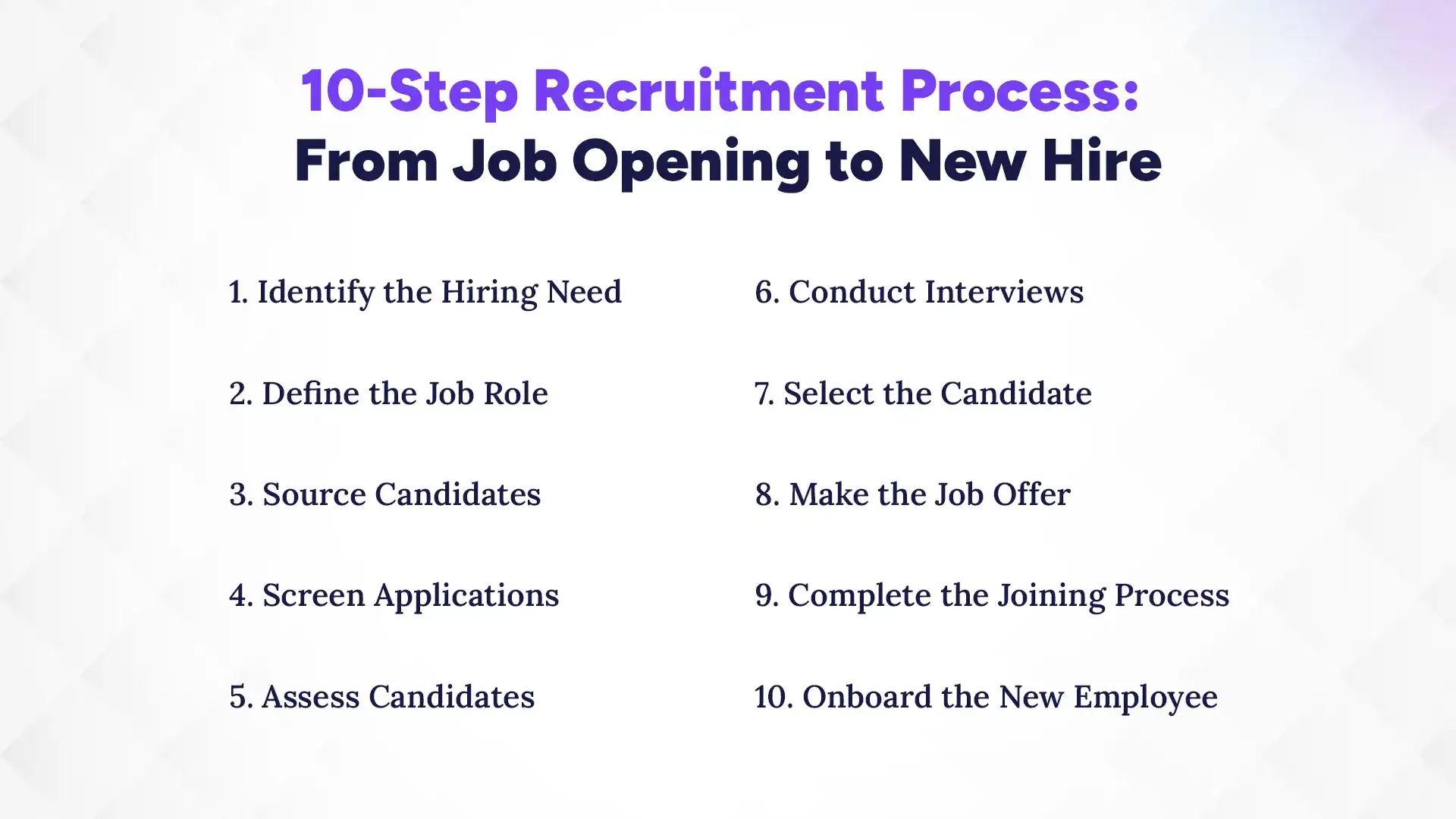
10-Step Recruitment Process: From Job Opening to New Hire
A good recruitment process gives HR a clear path from the first hiring request to a new employee’s first few months at work. The exact steps may vary by company and role, but the basic process remains similar:
Identify hiring need → Define the role → Source candidates → Screen applications → Assess candidates → Conduct interviews → Select candidate → Make offer → Complete joining → Onboard
Here is how to manage each step effectively.
1. Identify the Hiring Need
Before posting a vacancy, first be clear about why you need to hire. A new position created because the business is growing will need a different plan from a replacement for an employee who has left.
Start by confirming:
Why is the position needed?
Is it a replacement or a new role?
How many people need to be hired?
Is the position permanent, temporary, contract-based, or an internship?
What is the approved hiring budget?
When should the person join?
Who will they report to?
It is useful to have a simple manpower requisition and approval process before recruitment begins. This prevents HR from starting a search for a role that has not been properly approved.
For growing teams, keeping these requests in one HR system also makes it easier to track open positions, approvals, and hiring progress.
2. Define the Job Role
Once the hiring need is clear, define exactly what you are looking for. A vague job description can attract many applications but still leave HR with very few suitable candidates.
Before writing the vacancy, decide on the:
Job title
Main responsibilities
Required qualifications
Experience
Technical skills
Soft skills
Reporting structure
Work location
Employment type
Salary and benefits, where appropriate
Separate the requirements into must-have and nice-to-have skills. For example, three years of relevant experience may be essential, while experience with a specific tool may simply be preferred.
Also, avoid copying an old job description without checking it. Roles change as teams, tools, and business needs change. The JD should describe the job you are hiring for now, not the job that existed two years ago.
If you need help creating effective and comprehensive job descriptions, JD generating tools can come handy too.
Need Smarter Recruitment Management?
Connect recruitment with employee management through an ATS-integrated HR software and manage the hiring process from one platform.
Now that you know who you need, decide where to look for them. In Nepal, HR teams can use several channels, depending on the role and the type of candidate they want to reach.
Common options include:
Job portals for reaching a large pool of active jobseekers
LinkedIn for professional and experienced roles
Your company website and social media pages
Employee referrals for trusted recommendations
Campus recruitment for interns and entry-level positions
Internal hiring for employees ready to move into new positions
Do not rely on one channel for every vacancy. A software developer, sales executive, and fresh graduate may all respond better to different sourcing methods.
Most importantly, track where applications come from. Getting 500 applications sounds impressive, but if only 10 are qualified, the real question is whether you are using the right source.
4. Screen Applications
Screening is where HR turns a large application pool into a manageable shortlist. To keep the process fair and consistent, use the same basic criteria for every candidate applying for the same role.
A practical screening checklist is:
Minimum qualification – Does the candidate meet the basic education or certification requirement?
Relevant experience – Have they worked in a similar role or industry?
Required skills – Do they have the skills listed as must-haves?
Career relevance – Does their previous work relate to the position?
Location and availability – Can they work from the required location and join when needed?
Salary expectations – Where appropriate, do expectations fit the approved range?
Overall fit – Does the profile make sense for the role?
For a small vacancy, HR may manage this manually. But when hundreds of CVs arrive, checking emails, spreadsheets, and attachments one by one quickly becomes difficult.
This is where an Applicant Tracking System (ATS) can help. An ATS can bring applications into one place, organize candidate profiles, filter applicants, and track their status throughout the recruitment process instead of making HR search through scattered emails and spreadsheets.
5. Assess Candidates
A CV can tell you what someone has done. It does not always show how well they can actually do the job. That is why some roles need an additional assessment before the final interview.
Depending on the position, you may use:
Technical tests
Writing tests
Practical tasks
Case studies
Aptitude tests
Portfolio reviews
The best rule is simple: test what the candidate will actually need to do in the job.
For example, a content writer can be asked to write a short piece, while a developer may be given a practical coding task. Keep the instructions and evaluation criteria clear, and use the same basic standard for candidates applying for the same role.
Avoid adding tests simply because they are common in hiring. Every assessment should help answer a specific question about the candidate's ability.
6. Conduct Interviews
Interviews should help you understand what the candidate can bring to the role, not simply confirm whether you like them.
Depending on the position, the process may include:
HR screening: Basic experience, expectations, availability, and general fit
Technical or functional interview: Job-specific skills and knowledge
Final or managerial interview: Role expectations, decision-making, working style, and team fit
For better results, use a structured interview. Prepare the main questions before the interview and ask core questions consistently across candidates. Then score their answers against clear criteria and record the interviewer's feedback.
For example:
Area
What to Assess
Technical ability
Role-specific knowledge
Communication
Clarity and listening
Problem solving
How they approach situations
Experience
Relevance of past work
Team fit
Working style and collaboration
This reduces the risk of choosing someone simply because they made a good first impression. HR can also use a candidate pipeline to track interview stages, schedule interviews, and keep feedback in one place.
7. Select the Candidate
After interviews and assessments, it is time to make the decision. If several candidates look suitable, compare them against the same criteria rather than relying on memory.
Consider:
Interview scores
Assessment results
Relevant experience
Required skills
Fit with the role
Compensation expectations
Reference or background checks, where appropriate
Document the reasons behind the decision. This makes it easier to explain why one candidate was selected and helps avoid decisions based only on personal preference.
It is also useful to review what happened throughout the process. Recruitment reports can show where candidates dropped out, how long each stage took, and which sources produced the strongest applicants.
8. Make the Job Offer
Once the decision is final, move quickly. A strong candidate may be interviewing with other companies too, so unnecessary delays can cost you the hire.
Before sending the offer, confirm the key terms, including:
Position and job title
Compensation
Benefits
Start date
Working arrangements
Reporting manager
Key employment terms
Documents required for joining
Make sure the offer and employment documents are consistent with your company's policies and applicable labour requirements in Nepal.
Also, keep communication clear. Tell the candidate what happens next, what documents they need to provide, and when they can expect to join. A good candidate experience should continue even after the selection decision.
9. Complete the Joining Process
Once the candidate accepts, recruitment moves into the joining stage. This is where HR turns candidate information into an employee record and prepares the person to start work.
Depending on your organisation, this may include:
Collecting required documents
Completing employment or appointment documents
Creating the employee record
Setting up attendance
Preparing system and workplace access
Collecting payroll information
Introducing the employee to the relevant team
Sharing joining and orientation details
One important point: HR should not have to enter the same information again from scratch.
If recruitment and HR processes are connected, information can move from candidate → employee record → payroll and onboarding with less duplicate work. This also reduces the chance of errors when transferring employee details.
A new employee accepting the offer is not the finish line. Their first few days and weeks can strongly affect how quickly they understand the role and settle into the organisation.
Break onboarding into three stages.
Before Day 1
Prepare the workspace
Create required accounts and access
Complete necessary documents
Inform the team about the new employee
First Day
Welcome the employee
Introduce the company and team
Explain key policies and processes
Set clear role expectations
Introduce their manager and colleagues
First 30–90 Days
Provide role-specific training
Set initial goals
Schedule regular manager check-ins
Track probation where applicable
Discuss performance expectations and progress
HR should also keep onboarding records and follow up with the manager. If the process is managed through an HR system, onboarding tasks, employee information, attendance, and performance activities can be connected instead of being handled separately. Explore the capabilities of an HR system to see how these processes can work together in one place.
What Documents Are Needed for Recruitment in Nepal?
HR may need documents such as a CV, academic certificates, identification, previous employment details, and bank information during recruitment and joining. The exact documents depend on the role, company, and stage of the process, so not everything needs to be collected from a candidate upfront. Here’s a simple breakdown of what HR may need and when.
The key is to collect only the information needed for each stage and store it securely. Candidate documents used for selection should not be confused with employee records created after hiring.
What Are the Common Recruitment Problems in Nepal?
Common recruitment problems in Nepal include getting too many irrelevant CVs, delayed hiring decisions, scattered candidate information, and too much manual work. HR teams often face recruitment problems when they rely on manual processes and scattered information. Common issues include:
HR receives too many irrelevant CVs.
Managers delay interview feedback and hiring decisions.
Long hiring processes make good candidates leave.
HR struggles to coordinate interviews across teams.
Recruiters lose candidate information across emails and spreadsheets.
Recruiters lack clear data on hiring performance.
HR misses important details during onboarding.
HR re-enters candidate details when creating employee records.
As hiring volume grows, these problems can make recruitment slower and harder to manage.
Simplify Hiring & HR Management
Manage job postings, candidates, interviews, onboarding, and employee records through one integrated HR system.
How Can HR Improve the Recruitment Process in Nepal?
HR can improve recruitment in Nepal by standardizing hiring requests, writing better job descriptions, setting clear screening criteria, structuring interviews, tracking candidates, measuring results, and planning onboarding early. These steps help HR reduce delays, avoid unnecessary manual work, and make better hiring decisions. Here are the practical ways to improve each part of the process.
1. Standardize Hiring Requests
Use a standard hiring request form to capture the role, reason for hiring, required headcount, budget, and expected joining date. This gives HR and managers the same information before recruitment starts and helps avoid unclear or unapproved hiring requests.
2. Write Better Job Descriptions
Write job descriptions that clearly explain the role, responsibilities, qualifications, experience, and required skills. Separate must-have requirements from preferred skills so candidates understand what the company actually needs.
3. Set Clear Screening Criteria
Decide your screening criteria before reviewing applications. Using the same criteria for each candidate helps HR shortlist people based on the requirements of the role rather than personal judgment.
4. Structure Interview Questions
Prepare a set of questions around the skills and responsibilities of the role. Ask core questions consistently, score responses against clear criteria, and record interviewer feedback to make comparisons easier.
5. Track Candidate Progress
Keep candidate information, interview stages, feedback, and next steps in one place. This helps HR know where each candidate stands and reduces the need to search through emails and spreadsheets.
6. Measure Hiring Performance
Track metrics such as time to hire, qualified applicants, offer acceptance rate, source of hire, and early employee turnover. These numbers help HR understand what works and where the recruitment process needs improvement.
7. Plan Onboarding Early
Start preparing for onboarding before the new employee joins. Get documents, system access, attendance, payroll setup, workspace, and first-day activities ready so the employee can start without unnecessary delays.
8. Consider Using Recruitment Software
If your team handles frequent hiring, recruitment software can reduce manual work and keep candidate information organized. It can help HR manage applications, screening, interviews, candidate status, and recruitment data in one place.
In fact, a full HRMS can be even more useful than a recruitment-only system. Along with recruitment, it can manage employee information, attendance, payroll, onboarding, and other HR tasks in the same system. This gives HR one place to manage the employee journey from application to employment.
HR software helps you manage recruitment, employee records, attendance, onboarding, and payroll in one place. It cuts down scattered files, repeated data entry, and manual follow-ups, while keeping employee records organized and easy to access. Pace HRMS, the most customizable HR software in Nepal, brings these tasks together with recruitment, employee information, attendance, onboarding, payroll, and HR reports.
Its core features include:
Recruitment & ATS: Manage candidates, screening, interviews, and hiring.
Employee Information: Keep employee records organized in one place.
Attendance & Leave: Track attendance, working hours, and leave.
Payroll: Manage salary calculations, deductions, and payslips.
Onboarding: Manage joining tasks and new employee setup.
Reports & Analytics: Track HR data and recruitment performance.
Recruitment Process Checklist for Nepali Companies
A clear checklist helps HR make sure no important step gets missed during hiring. Use this list from the initial hiring request through onboarding and review. You can save it and use it for your next recruitment process.
A good recruitment process gives HR a clear path from identifying a hiring need to selecting and onboarding the right person. Clear job descriptions, consistent screening, structured interviews, and regular tracking can make hiring more organized and help avoid costly hiring mistakes.
As your team grows, HR software can take much of this work off your hands. Pace HRMS connects recruitment with employee records, attendance, onboarding, and payroll, so HR can manage the employee journey in one place.
Ready to simplify your recruitment process? Book a free demo of Pace HRMS and see how it can work for your team.
FAQs
What is the most popular HR software in Nepal?
+
The most popular HR software varies by market, with solutions like Pace HRMS offering payroll, attendance, recruitment, performance management, and employee data management.
What does HR software do?
+
HR software helps businesses manage employee records, payroll, attendance, leave, recruitment, performance, and other HR processes in one system.
What are the benefits of HR software?
+
HR software reduces manual work, improves data accuracy, simplifies compliance, and helps HR teams manage employees more efficiently.
Who should use HR software?
+
Businesses of all sizes can use HR software to manage employee information, payroll, attendance, leave, recruitment, and other HR tasks.
How much does HR software cost?
+
HR software normally costs between NPR 50–500 per employee per month in Nepal. The exact cost, however, vary based on features, employee numbers, customization, deployment, and the provider’s pricing model.
Is HR software difficult to use?
+
Modern HR software is designed to be user-friendly, with simple interfaces that help HR teams manage daily tasks efficiently.
What features should HR software have?
+
Essential HR software features include employee management, payroll, attendance, leave management, recruitment, performance tracking, reporting, and compliance tools.
Ready to get started?
Book a 30-minute consultation call, and let's talk about your goals.