Are users leaving your website or app without taking action, even though it looks modern and professionally built? Many businesses face this challenge because their digital products focus on features instead of user experience. When navigation feels confusing or interactions are not intuitive, users lose interest quickly, resulting in poor engagement and lost revenue.
This is where UI/UX design plays a vital role. It bridges the gap between what users expect and how a product actually functions. A well-planned UI/UX strategy ensures that users can easily navigate, understand, and trust your digital product from the very first interaction.
In this guide, you will discover what UI/UX design is, how it works, what designers do, how much agencies charge, and how to choose the right UI/UX design partner for your business.
What is UI/UX Design?
UI/UX design is the process of creating digital products that are both visually appealing and easy to use. It focuses on how a product looks, feels, and functions from a user’s perspective, ensuring a smooth and meaningful interaction across websites, mobile apps, and software platforms.
User Interface (UI) design refers to the visual and interactive elements of a digital product. This includes colors, typography, buttons, icons, layouts, and overall visual consistency. UI design ensures that the interface is attractive, intuitive, and aligned with the brand identity while guiding users toward specific actions.
User Experience (UX) design focuses on the overall journey a user takes when interacting with a product. It involves understanding user behavior, needs, and pain points to create logical flows, easy navigation, and satisfying experiences. UX design aims to reduce friction and make every interaction purposeful and efficient through UI/UX design services.
UI and UX work together to create successful digital products. UX defines how the product should work, while UI defines how it should look. Without UX, a product may feel confusing, and without UI, even a well-planned experience can feel unengaging.
Real-world examples of UI/UX design include:
A mobile app with simple onboarding and clear navigation
An ecommerce website with fast checkout and intuitive product filters
A dashboard that presents complex data in a clean, readable layout
A booking platform that guides users step by step without confusion
Together, strong UI and UX design help businesses improve usability, engagement, and customer satisfaction.
What Does a UI/UX Designer Do?
A UI/UX designer is responsible for shaping how users interact with digital products such as websites, mobile apps, and software platforms. Their role goes beyond aesthetics and focuses on creating seamless, user-centered experiences that meet both user needs and business goals.
A UI/UX designer begins by understanding the target audience. Through user research, surveys, interviews, and data analysis, they identify user behavior, pain points, and expectations. This research helps in designing solutions that are intuitive and relevant.
They then structure the user journey by creating wireframes, user flows, and information architecture. This stage defines how users move through the product and ensures that navigation is logical and friction-free. Once the structure is finalized, designers focus on the visual layer, selecting colors, typography, spacing, and interactive elements that enhance usability and brand consistency.
Key responsibilities of a UI/UX designer include:
Conducting user research and usability analysis
Creating wireframes, prototypes, and user flows
Designing visually appealing and functional
Developing design systems for consistency across products
Collaborating with developers, product managers, and stakeholders
Testing designs with real users and iterating based on feedback
UI/UX designers also play a critical role during development by ensuring designs are implemented accurately and remain user-focused. After launch, they analyze user behavior, gather feedback, and continuously improve the experience.
By combining creativity, research, and problem-solving, a UI/UX designer helps businesses build products that are easy to use, engaging, and capable of driving long-term user satisfaction and conversions.
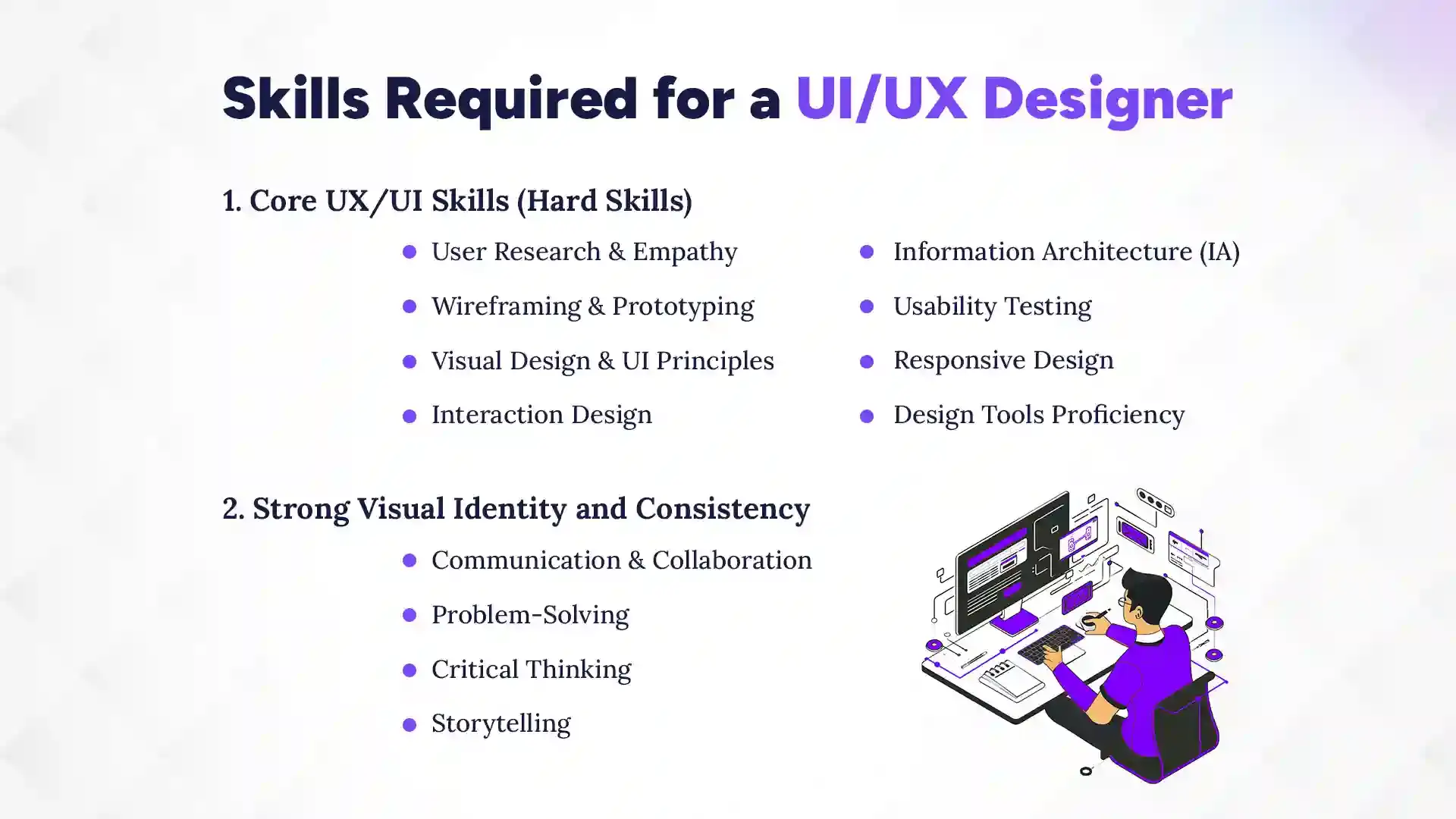
Skills Required for a UI/UX Designer
A successful UI/UX designer needs a mix of technical skills and people skills. Designing a good product is not only about making it look nice but also about making it easy to use. Designers must understand users, solve problems, and work closely with teams. These skills help turn ideas into smooth and useful digital experiences.
1. Core UX/UI Skills (Hard Skills)
These skills help designers build clear, usable, and visually pleasing products. They focus on research, structure, and design execution. Without these skills, it becomes hard to create products that users enjoy using.
User Research & Empathy: This skill helps designers understand what users need and expect. Designers study user behavior through surveys, interviews, and testing. Empathy allows them to design from the user’s point of view.
Wireframing & Prototyping: Wireframes show the basic layout of a product before design starts. Prototypes allow users to test how the product works. This helps catch problems early and save time.
Visual Design & UI Principles: Visual design focuses on colors, fonts, spacing, and layout. UI principles ensure the design looks clean and balanced. A good visual design makes products easy and pleasant to use.
Interaction Design: This skill focuses on how users interact with buttons, menus, and screens. It ensures smooth actions and clear responses. Good interaction design reduces confusion.
Information Architecture (IA): IA helps organize content in a clear way. It makes navigation simple and logical. Users can find what they need faster.
Usability Testing: Usability testing checks how real users use a product. Designers watch where users struggle. This feedback helps improve the design.
Responsive Design: Responsive design ensures products work well on all screen sizes. This includes mobile, tablet, and desktop. It improves user experience across devices.
Design Tools Proficiency: Designers use tools like Figma, Adobe XD, and Sketch. These tools help create layouts, prototypes, and design systems. Knowing these tools speeds up work.
2. Essential Soft Skills
Soft skills help designers work better with people and teams. They improve communication and decision-making. These skills are just as important as technical knowledge.
Communication & Collaboration: Designers must explain ideas clearly to teams and clients. They work closely with developers and managers. Good communication avoids mistakes.
Problem-Solving: Designers face challenges in every project. Problem-solving helps them find simple and effective solutions. It keeps the user experience smooth.
Critical Thinking: This skill helps designers make smart decisions. They analyze feedback and data before changing designs. It improves design quality.
Storytelling: Storytelling helps designers explain user journeys. It makes ideas easy to understand. This skill helps teams connect with the user’s experience.
What is the Difference Between UI and UX Design?
UI and UX design are closely connected but serve different purposes in a digital product. Both aim to improve how users interact with a website or app, but they focus on different stages of the design process. UI design deals with the visual elements users see on the screen, while UX design focuses on the overall experience users have while using the product. When combined properly, they create products that are both attractive and easy to use.
Aspect
UI Design (User Interface)
UX Design (User Experience)
Core Focus
Focuses on the visual look and feel of a product
Focuses on the complete user journey and experience
Main Goal
Make the interface attractive, clear, and consistent
Make the product easy, useful, and smooth to use
Design Scope
Deals with screens, layouts, buttons, and icons
Deals with structure, flow, and user behavior
User Perspective
How users see and interact with the interface
How users feel while using the product
Process Stage
Works after the UX structure is defined
Starts at the early planning and research stage
Key Activities
Choosing colors, fonts, spacing, and visual styles
Conducting research, creating user flows, and testing
Problem Solving
Solves visual clarity and design consistency issues
Solves usability and navigation problems
Tools Used
Figma, Sketch, Adobe XD for visual design
Research tools, wireframes, usability testing tools
Deliverables
High-fidelity designs, UI kits, and design systems
Wireframes, personas, journey maps, test results
Example
Designing how a checkout page looks
Designing how easy the checkout process feels
UI and UX design work best when they support each other. UX ensures the product works well for users, and UI ensures it looks good while doing so. Together, they help businesses create digital products that users trust and enjoy using.
How Much Do Agencies Charge for UI/UX Design?
UI/UX design agencies typically charge anywhere between $1,500 and $50,000+, depending on the project size, complexity, and agency expertise. The cost of UI/UX design is not fixed because every project has different goals and requirements. A simple website redesign will cost much less than a complex mobile app or enterprise software. Agencies price their services based on time, effort, skills, and value delivered.
Key Factors That Affect UI/UX Design Cost
Several elements influence how much an agency will charge:
Project size and scope, such as the number of screens, features, and platforms
Level of research required, including user interviews and testing
Design complexity, animations, and custom components
Experience and location of the agency
Timeline, whether it is a standard or urgent delivery
More detailed and strategic projects usually cost more.
Average UI/UX Design Cost by Project Type
Basic website UI/UX: $1,500 to $5,000
Mobile app UI/UX: $5,000 to $25,000
Complex platforms or SaaS products: $25,000 to $50,000+
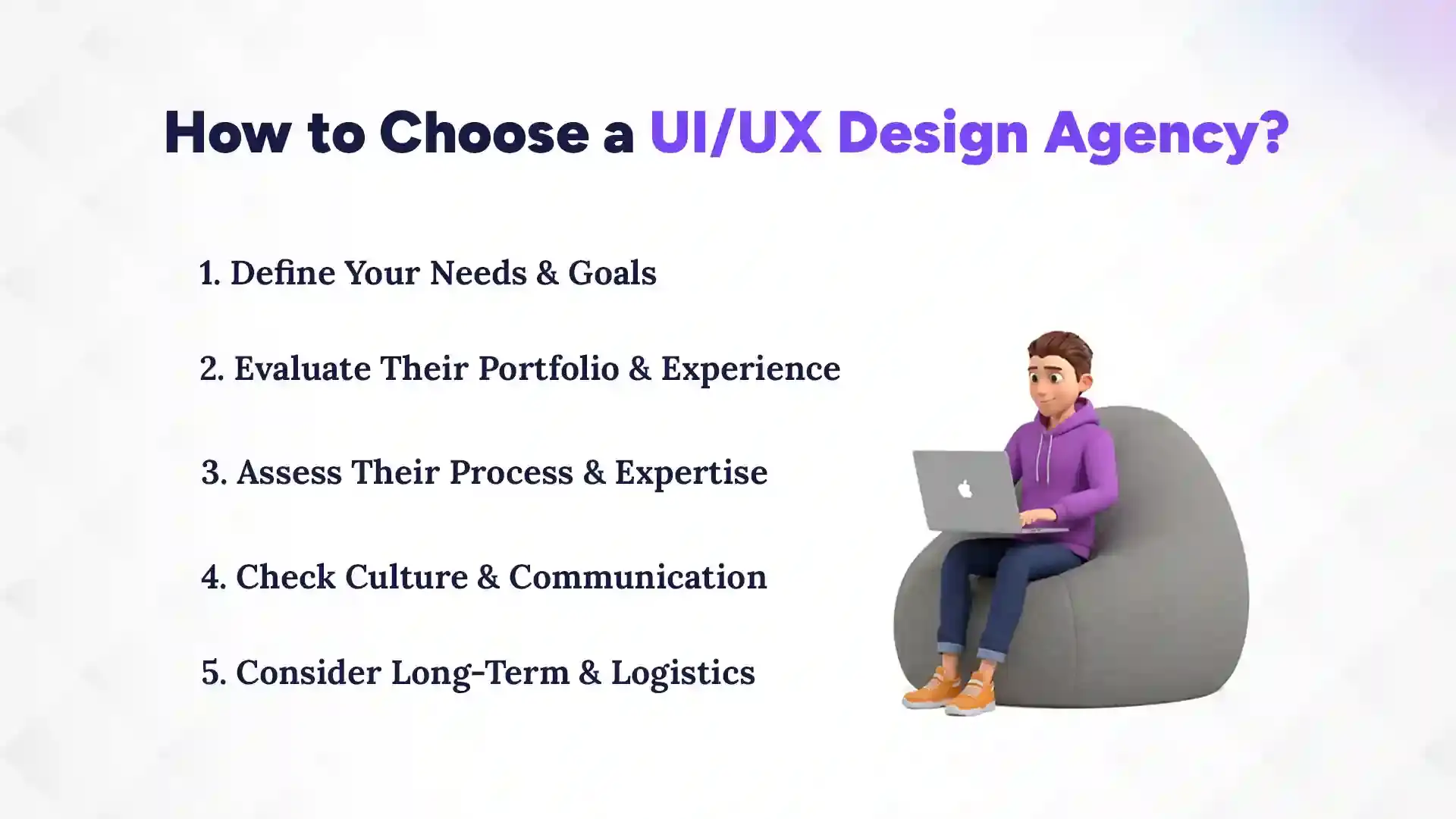
How to Choose a UI/UX Design Agency?
To choose a UI/UX agency, first understand your goals, then look for an agency that has proven experience, follows a solid design process, communicates well, and can support your long-term needs. Finding the right UI/UX design partner can make or break your digital product’s success. A good agency doesn’t just create beautiful designs; they understand your users, solve problems, and deliver a smooth experience. Here’s a simple guide to help you pick the best digital agency for your project.
1. Define Your Needs & Goals
Start by clearly identifying what you want to achieve with your project. Are you redesigning an existing website, building a mobile app, or improving user flows? Knowing your goals helps the agency understand the project scope. Define your target audience, desired features, and key success metrics. The clearer you are, the better the agency can propose solutions that fit your needs. Writing a short brief can also save time during discussions. This step ensures both you and the agency are aligned from the start.
2. Evaluate Their Portfolio & Experience
Check the agency’s previous work to see if they have experience in projects similar to yours. Look for quality, creativity, and usability in their designs. Pay attention to whether their solutions actually solved user problems. Reading case studies can give insight into their process and thinking. A strong portfolio shows the agency’s versatility and ability to deliver results. Don’t hesitate to ask for references or client feedback. This step helps you assess whether their style and skills match your expectations.
3. Assess Their Process & Expertise
A professional agency follows a structured process, from research to testing and final delivery. Ask how they conduct user research, create wireframes, and test designs. Check what tools they use and how they handle collaboration with clients. Agencies that focus on both UI and UX, not just visuals, usually deliver better results. Understanding their approach gives you confidence that they can handle your project efficiently. A transparent process also makes it easier to track progress and avoid surprises.
4. Check Culture & Communication
Good communication is critical for smooth collaboration. Ensure the agency is responsive, listens to feedback, and explains ideas clearly. Cultural fit matters too. If the agency shares your work style and values, teamwork becomes easier. Frequent updates and open channels prevent misunderstandings. This also helps during iterations when changes are needed. An agency that values collaboration is more likely to deliver designs that meet your goals.
5. Consider Long-Term & Logistics
Think about your future needs beyond the current project. Will you need updates, new features, or ongoing support? Consider the agency’s location, time zone, and availability for meetings. Long-term partnerships save time and maintain consistency across products. Also, check their capacity to handle project deadlines without compromising quality. Choosing an agency that fits both your present and future requirements ensures smoother growth and better results.
Which Company Is Best for UI/UX Design Services?
The Pace Infosys is the best company for UI/UX design because of our experience, structured process, and focus on creating user-friendly digital products. When choosing a UI/UX design partner, you need a company that understands both business goals and user needs. At The Pace Infosys, we have built a reputation for delivering designs that are visually appealing, easy to use, and aligned with client objectives. Our team of experienced designers, researchers, and developers ensures every project is handled professionally, from concept to final delivery through branding services.
Why The Pace Infosys Stands Out:
Proven Expertise: Years of experience across websites, mobile apps, and software platforms.
User-Centered Approach: We focus on understanding user behavior, needs, and pain points.
Structured Design Process: Research → Wireframes → Prototypes → Usability Testing → Final Design.
Collaborative Communication: We involve our clients at every step, ensuring alignment with goals.
Creative & Practical Solutions: We deliver designs that are visually appealing while remaining intuitive and functional.
Long-Term Support: Our team provides ongoing updates, improvements, and consistent design quality.
By choosing The Pace Infosys, you get more than just attractive interfaces; we create digital products that engage users, improve conversions, and build long-term trust. Our combination of creativity, process, and client focus makes us the ideal partner for any UI/UX design project.
Why UI/UX Design Matters for Business Growth?
UI/UX design directly drives business growth by improving user engagement, increasing conversions, and building trust with customers. A well-designed product doesn’t just look good; it makes users’ lives easier, keeps them engaged, and encourages them to take action. Poor design, on the other hand, can frustrate users, reduce loyalty, and hurt revenue. Businesses that invest in UI/UX see measurable benefits, from higher sales to stronger brand credibility.
Good UI/UX helps businesses in several key ways:
Improves User Engagement: Users spend more time on products that are easy to navigate and visually appealing.
Boosts Conversions and Sales: Clear calls-to-action and smooth user flows lead to more sign-ups, purchases, or inquiries.
Enhances Brand Credibility: A professional and consistent interface builds trust and positions your brand as reliable.
Reduces Costs: Intuitive designs reduce support tickets, errors, and the need for constant redesigns.
Encourages Customer Loyalty: Satisfied users are more likely to return and recommend your product to others.
Supports Business Strategy: UX insights can guide product improvements and help make data-driven decisions.
In today’s competitive digital market, businesses cannot rely solely on products or services; they must also deliver excellent user experiences. Investing in UI/UX design ensures your product is not only functional but also enjoyable to use, creating long-term value for both your users and your business.
Ultimately, UI/UX design is an investment that pays off through increased engagement, better conversions, sustained growth, and brand development. Companies that prioritize it stay ahead of the competition while building lasting relationships with their users.
Conclusion
UI/UX design plays a pivotal role in shaping how users interact with your digital products. A well-designed interface paired with a seamless user experience ensures that your website or app is not only visually appealing but also intuitive, efficient, and enjoyable to use. These design elements directly influence user engagement, conversions, and brand credibility by exploring top 10 UI/UX design companies in Austin.
Investing in professional UI/UX design helps businesses meet user needs, reduce friction, and create long-term loyalty. By partnering with the right branding and design agency and focusing on both design and usability, companies can build digital products that stand out in a competitive market. Effective UI/UX design is a strategic tool that drives growth, strengthens your brand, and delivers measurable business results.
FAQs
What is UI/UX design?
+
UI/UX design is about making digital products visually appealing and easy to use. UI focuses on the look and interactive elements, while UX focuses on the overall experience and user journey.
What does a UI/UX designer do?
+
A UI/UX designer researches users, creates wireframes and prototypes, and designs interfaces that are both functional and visually attractive. They also test designs and collaborate with developers to ensure a smooth user experience.
Why is UI/UX design important for business?
+
Good UI/UX design improves user engagement, boosts conversions, and builds trust with customers. It ensures digital products are easy to use and encourages users to take action.
What skills are required to be a UI/UX designer?
+
Key skills include user research, wireframing, prototyping, visual design, and interaction design. Soft skills like communication, problem-solving, storytelling, and critical thinking are equally important.
What is the difference between UI and UX design?
+
UI design deals with the visual elements users see, like buttons, colors, and layouts. UX design focuses on how users interact with a product and how easy and enjoyable the experience is.
How much do UI/UX design agencies charge?
+
Agency costs vary depending on project size, complexity, and expertise. Basic website design starts around $1,500, mobile apps $5,000–$25,000, and complex platforms $25,000+.
How do I choose the right UI/UX agency?
+
Look at their portfolio, experience, process, and client communication. Ensure the agency understands your goals, follows a structured design process, and can provide long-term support.
How does UI/UX design help business growth?
+
UI/UX design increases engagement, conversions, and customer loyalty while reducing errors and support costs. A well-designed product strengthens brand credibility and supports long-term growth.
Ready to get started?
Book a 30-minute consultation call, and let's talk about your goals.