A new enquiry comes in through Facebook. Another person calls the office. Someone else walks in, while a promising lead waits for a reply on WhatsApp. When enquiries come from everywhere, keeping track of who needs a follow-up can quickly become a full-time job.
For consultancies in Nepal, losing track of a lead can mean losing a client. A spreadsheet may work for a while, but it becomes harder to manage as enquiries, consultants, and follow-ups grow. The good news is that lead tracking does not have to be complicated. With a clear process, you can capture every enquiry, assign it to the right person, follow up on time, and see which leads actually become clients.
Why Is Lead Tracking Important for Consultancies in Nepal?
Lead tracking helps consultancies organize enquiries, manage follow-ups, and turn more prospects into clients. It gives teams a clear view of where each lead came from, what service they need, who is handling them, and what should happen next. Before looking at the tracking process, let’s see why these basics matter.
1. Leads Come From Multiple Channels
Consultancies can receive leads through websites, social media, WhatsApp, phone calls, walk-ins, referrals, and existing clients. Keeping these enquiries in separate inboxes or personal records makes it easy for some leads to slip through the cracks.
A simple lead tracking process brings these enquiries together so your team can manage them from one place.
2. Missed Follow-Ups Can Cost Potential Clients
A lead may be interested today but choose another consultancy tomorrow if nobody follows up at the right time. This is especially important when the decision involves several conversations, documents, consultations, or proposals. Tracking the next action and follow-up date helps your team stay in touch without relying on memory.
3. Different Consultancies Have Different Lead Journeys
The lead journey depends on the service your consultancy provides, so the same pipeline will not work for everyone. For example, an education consultancy may move from counselling to application, while a law firm may move from consultation to case evaluation.
Here are a few common examples:
Consultancy
Typical Lead Journey
Education Consultancy
Enquiry → Counselling → Application → Admission
Law Firm
Enquiry → Consultation → Case Evaluation → Engagement
Once the journey is clear, the next step is knowing what information to record for each lead.
What Information Should You Track for Every Consultancy Lead?
You should track each lead’s contact details, source, service need, owner, status, follow-ups, interactions, and outcome. These details give your team enough context to understand the prospect and decide what to do next. With the right information captured from the start, managing leads becomes much more organized.
Lead Information
What to Track
Contact details
Name, phone, email
Lead source
Website, social media, referral, walk-in
Service interest
Service or consultation required
Lead owner
Consultant or salesperson responsible
Lead status
New, contacted, qualified, etc.
Communication
Calls, messages, emails, meetings
Follow-up
Next action and date
Opportunity value
Potential revenue
Outcome
Won, lost, or still active
Lost reason
Price, timing, competitor, etc.
The goal is not to collect information just for the sake of it. Each detail should help your team understand the lead, take the right action, or measure what is working.
How to Effectively Track Consultancy Leads in Nepal?
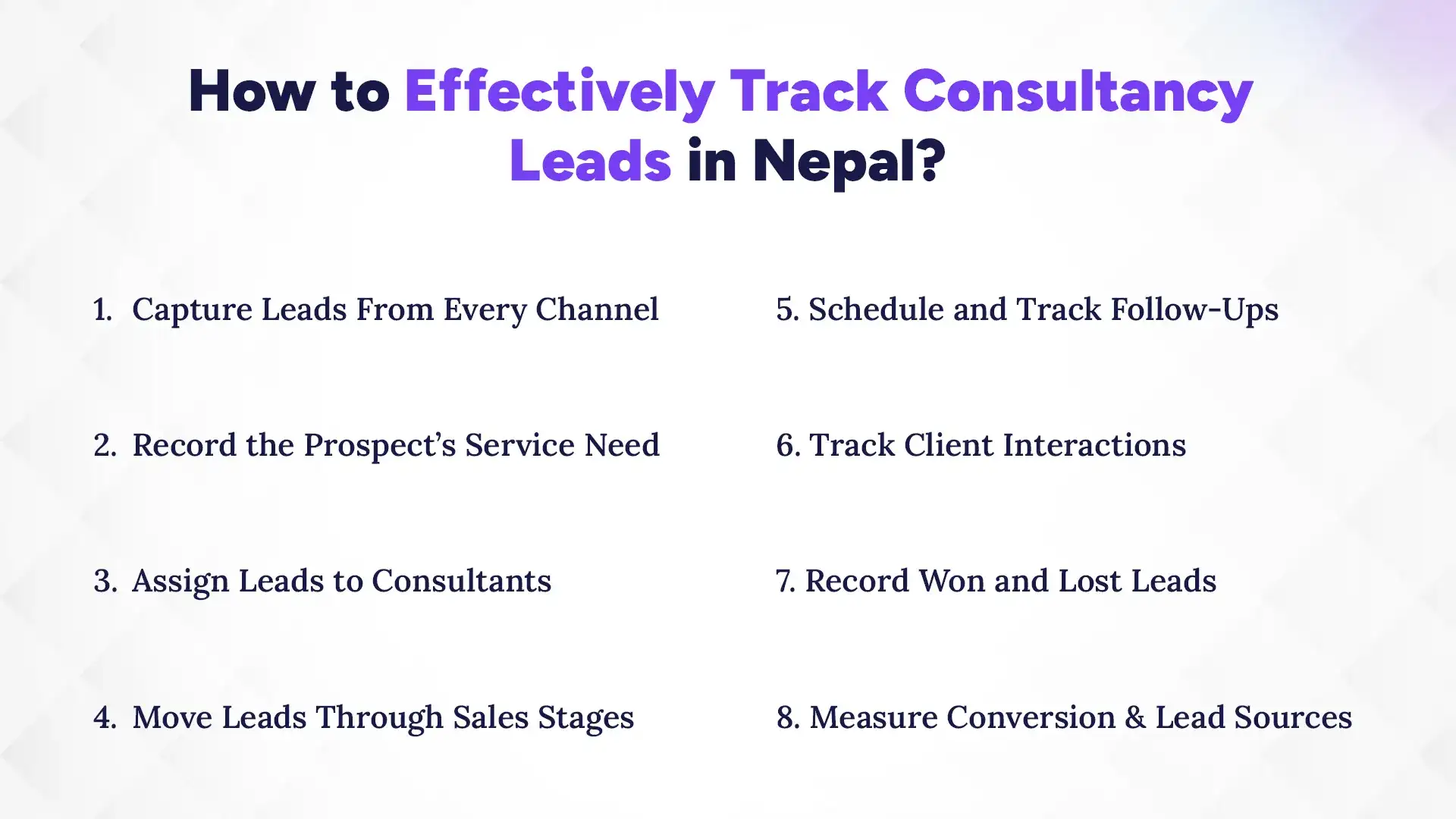
The best way to track consultancy leads is to give every enquiry a clear record, owner, stage, next action, and outcome. Instead of simply storing contact details, your team should be able to see what the prospect needs, how interested they are, when they were last contacted, and what needs to happen next. Here is a practical process you can use to manage leads from the first enquiry to the final sale.
1. Capture Leads From Every Channel
Start by creating one lead record for every genuine enquiry, regardless of where it comes from. Record the source along with the prospect's contact details so you know whether the lead came from Facebook, your website, a referral, a walk-in, a phone call, or WhatsApp.
For example, an education consultancy could record:
Lead: Suman K.
Source: Facebook Lead Ad
Service: Australia study consultation
Date received: October 6
Assigned to: Counsellor A
This prevents leads from becoming scattered across Facebook inboxes, phone contacts, notebooks, and spreadsheets. It also lets you compare which channels bring enquiries and which ones actually bring clients later.
2. Record the Prospect’s Service Need
Do not stop at the prospect's name and phone number. Record what they are actually looking for, along with important details that help the consultant prepare for the next conversation.
Depending on the consultancy, this could include:
Service or case type
Budget or estimated project value
Preferred service, country, course, or solution
Urgency or expected timeline
Key requirements
Documents already submitted
Main concern or reason for enquiry
For example, an IT consultancy may record the software requirement, estimated budget, number of users, and expected project date. This makes the lead more useful to the consultant than a simple entry saying "Ram - interested."
3. Assign Leads to Consultants
Every lead should have one clear owner. The assignment can be based on service, expertise, location, workload, or another rule that fits your team.
More importantly, track the first response and current owner. If a lead comes in at 10 AM but nobody contacts them until the next day, the problem is not just a missed follow-up; it is a response-time issue.
For larger teams, automatic assignment can also prevent two consultants from contacting the same person or, worse, everyone assuming someone else will do it.
4. Move Leads Through Sales Stages
A lead tracker becomes much more useful when it shows where each prospect stands, not just how many enquiries you have. Create stages that reflect the actual buying journey of your consultancy.
Each stage should have a clear meaning. For example, Qualified could mean the prospect needs your service, meets your basic requirements, and is likely to move forward, while Proposal means a quotation or formal proposal has already been sent.
This also makes stalled leads easier to spot. If 20 prospects are sitting in "Proposal" with no recent activity, your team knows exactly where to look.
5. Schedule and Track Follow-Ups
A follow-up should never exist only as a mental note saying, "I'll call them tomorrow." Every active lead should have a next action and due date.
A useful lead record might show:
Lead
Current Stage
Last Action
Next Action
Due
Suman K.
Consultation
Consultation completed
Send proposal
Oct 7
Riya P.
Qualified
Eligibility discussed
Call back
Oct 8
Arun T.
Proposal
Proposal sent
Follow up
Oct 10
You can also set different follow-up rules for different situations. A missed call may need a same-day response, while a proposal may need follow-ups after a few days.
6. Track Client Interactions
Keep the important history of each lead in one timeline. Record calls, emails, messages, meetings, proposals, notes, document requests, and other relevant actions against the same lead.
This matters when a prospect speaks with more than one person. The next consultant should not have to ask, "What did you discuss last time?" and make the client repeat everything.
A shared interaction history also protects the business when a consultant is absent or leaves the company.
7. Record Won and Lost Leads
A lead tracker should explain what happened to every lead, including the ones that did not convert. Mark leads as won or lost and, where possible, record the reason for the outcome.
Useful lost reasons can include:
Price or budget
Chose another consultancy
Not ready yet
Service not suitable
No response
Project postponed
Requirements not met
This turns lost leads into useful business data. If many prospects are lost because of price, for example, that tells you something different from losing them because nobody followed up.
8. Measure Conversion and Lead Sources
Finally, look beyond the number of enquiries. Track how leads move through the pipeline and which sources actually generate clients.
At a minimum, monitor:
Total leads received
Qualified leads
Consultations booked
Proposals sent
Won leads
Lost leads
Conversion rate
Conversion by lead source
Conversion by consultant
Leads with no recent activity
For example, if Facebook generates 200 enquiries but referrals generate only 30, yet referrals produce more clients, the two channels should not be judged by lead volume alone.
This is where lead tracking becomes more than a contact list. It gives you a clearer picture of where opportunities are coming from, where they are getting stuck, and what your team can improve.
What is the Best Way to Track Consultancy Leads?
The best tracking method depends on your lead volume, team size, and how complex your sales process is, but spreadsheets, messaging apps, and CRM software are the most common options. A spreadsheet may be enough for a small consultancy, while teams handling leads across several channels usually need something more organized. Understanding the strengths and limits of each option can help you choose the right setup.
1. Spreadsheets
Spreadsheets are a simple starting point for consultancies with a small number of leads. You can create columns for contact details, lead source, service, status, follow-up date, and outcome without needing specialized software.
However, spreadsheets become harder to maintain as the number of leads grows. Multiple people may edit the same file, follow-up dates can be missed, and keeping a complete history of calls, messages, and meetings takes extra work.
It can work if you are starting out with a small team with low lead volume and a straightforward sales process.
2. Messaging Apps and Notebooks
WhatsApp, Messenger, phone contacts, and notebooks are often where consultancy leads first appear. They are useful for communication, but they are not designed to give your team a complete view of the sales pipeline.
Important details can remain buried in individual conversations, while other team members may not know what was discussed or when the next follow-up is due. These are the non-negotiable mediums, but limiting your lead management to some messaging and note-taking apps is not a sustainable choice. These applications must service you as a communication portal with prospects, but not as the main system for managing leads.
3. CRM Software
A CRM brings lead records, sales stages, assignments, follow-ups, communication history, and reports into one system. Instead of checking several platforms to understand a prospect, consultants can see the lead's journey and next action from a central record.
It also makes the process easier to manage as the team grows. Leads can be assigned automatically, inactive prospects can be identified, and managers can see which sources and consultants are generating actual conversions. A scalable CRM software is great for consultancies across all industries for managing multiple channels, consultants, services, and follow-ups.
How Can a CRM Help Consultancies Manage Leads?
A CRM can help consultancies centralize leads, manage sales pipelines, automate follow-ups, track consultant performance, and measure which sources generate clients. More importantly, it turns lead tracking from a collection of separate tasks into one connected workflow. Here are some of the ways this can improve day-to-day lead management:
1. Centralize Leads From Different Sources
A consultancy CRM can bring leads from websites, social media, referrals, calls, and other channels into one place. Your team can then see the source, service interest, owner, status, and latest activity without jumping between different platforms. This also makes it easier to respond consistently, even when enquiries are coming in from several channels at once.
2. Manage Leads Through a Sales Pipeline
A visual pipeline shows how many prospects are new, qualified, under consultation, waiting for a proposal, or ready to close. This helps consultants focus on leads that need action instead of manually checking every record.
Managers can also spot bottlenecks. If many leads remain stuck at the consultation or proposal stage, the team can investigate why.
3. Automate Follow-Up Reminders
A CRM can remind consultants about upcoming follow-ups so active opportunities do not depend on memory. You can schedule the next call, meeting, document request, or proposal follow-up directly against the lead. For consultancies handling many enquiries at once, this small change can make a big difference.
4. Track Consultant Performance
Lead tracking can also show how each consultant handles opportunities. You can compare leads assigned, response times, follow-ups, consultations, conversions, and lost opportunities. The goal is not simply to rank employees. It is to identify where the team needs better support, training, or a different lead assignment process.
5. Understand Which Lead Sources Generate Clients
A good CRM should help you connect lead source with actual conversion. Instead of saying, "Facebook gave us 200 leads," you can see how many of those leads became consultations, proposals, and paying clients. This helps you invest more wisely in channels that produce business rather than simply generating enquiries.
What Should You Look for in Consultancy CRM Software?
When choosing CRM software for a consultancy, look for lead capture, customizable pipelines, follow-up tools, lead assignment, interaction history, source tracking, reporting, and flexible workflows. The right features should match the way your consultancy actually handles prospects rather than forcing your team into a rigid process. Before choosing a CRM, check whether it can support these core requirements.
1. Lead Capture
The CRM should make it easy to add leads from your main sources, including websites, social media, referrals, phone calls, and walk-ins.
2. Customizable Sales Pipeline
You should be able to create stages that match your consultancy's actual journey, whether that means consultation, case evaluation, proposal, application, or project delivery.
3. Follow-Up Reminders
Look for reminders and scheduled tasks that help consultants stay on top of calls, meetings, proposals, document requests, and other next actions.
4. Lead Assignment
The system should let you assign leads to specific consultants and clearly show who is responsible for each opportunity.
5. Communication History
A useful CRM should keep important notes and interactions connected to the lead so consultants can understand the conversation without starting from scratch.
6. Lead Source Tracking
Make sure you can identify where leads came from and connect that information with conversions. This helps you understand which marketing and referral channels are actually working.
7. Reports and Analytics
Look for reports covering lead volume, conversion rates, sales stages, sources, consultant performance, and inactive leads.
8. Custom Workflows
Every consultancy works differently. Custom fields, stages, rules, and workflows allow the CRM to adapt to your process instead of making your team work around the software.
Conclusion
If your consultancy is still managing leads across spreadsheets, messages, phone contacts, and individual records, bringing them into one system can make the entire process easier to manage. A CRM gives your team one place to capture enquiries, assign leads, track conversations, manage follow-ups, and monitor the sales pipeline.
For consultancies in Nepal, Pace CRM can help manage this process from lead capture to conversion. Teams can organize leads, assign opportunities, track follow-ups and interactions, and monitor the sales pipeline from one platform.
The goal is simple: capture every opportunity, follow up at the right time, and turn more enquiries into clients.
FAQs
What is consultancy lead tracking?
+
Consultancy lead tracking is the process of recording, organizing, following up, and monitoring potential clients from their first enquiry until they become clients or are marked as lost.
How can consultancies track leads?
+
Consultancies can track leads using spreadsheets or CRM software by recording contact details, lead sources, service needs, sales stages, follow-ups, interactions, and outcomes.
What information should a consultancy track about leads?
+
A consultancy should track contact details, lead source, service interest, assigned consultant, sales stage, follow-up dates, interactions, opportunity value, and conversion outcome.
Can a CRM track leads from Facebook and websites?
+
Yes, a CRM can centralize leads from websites, social media, referrals, calls, and other sources, depending on its integrations and lead capture features.
Which CRM is best for consultants in Nepal?
+
The best CRM depends on your consultancy's size, sales process, and workflow. Pace CRM is one option that offers lead management, customizable pipelines, follow-ups, and reporting for growing teams.
How can consultancies avoid missing lead follow-ups?
+
Consultancies can avoid missed follow-ups by assigning every lead to an owner, recording the next action and due date, and using reminders to keep active opportunities moving.
What is the best CRM software available in Nepal?
+
The best CRM software available in Nepal depends on your business size, budget, and local support needs, with Pace CRM, HubSpot CRM, and Zoho CRM standing out as top choices.
Ready to get started?
Book a 30-minute consultation call, and let's talk about your goals.