Most CRM buying decisions focus on price and features. But a long feature list doesn't guarantee that a CRM will work for your business. A system can look impressive in a demo and still fail because it's difficult to use, doesn't fit your sales process, or provides poor support after implementation.
A good CRM buying checklist should cover more than features. It should help you evaluate ease of use, implementation, integrations, support, security, scalability, and total cost before you commit. For Nepali businesses, local support, field-sales requirements, and how customer data is managed should also be part of the decision.
This checklist walks you through the key questions to ask before choosing a CRM so you can compare options based on what your business actually needs, not just what's shown in the demo.
What Should You Check Before Choosing a CRM?
Before choosing a CRM, check that it fits your actual sales process, covers the features you genuinely need, is easy for your team to use day to day, integrates with your existing tools, protects customer data, offers reliable support, and remains affordable as your business and team grow.
Don't evaluate a CRM based only on what it can do. Consider how your sales team will actually use it, how much work is required to get started, and whether the system will continue to make sense as your business grows. The right CRM should solve your current challenges without creating unnecessary complexity for your team.
For teams that haven't used a CRM before, understanding how CRM systems work in practice can provide useful context before you start evaluating specific products.
When choosing CRM software, look beyond the price and feature list. Evaluate whether the CRM fits your sales process, is easy for employees to use, integrates with your existing tools, protects customer data, supports business growth, and provides reliable support. For Nepali businesses, it's also worth considering mobile access for field teams, multi-branch support, local support availability, and the total cost of using the system as your business grows. The decision between local and international CRM platforms often comes down to these practical factors rather than feature comparisons alone.
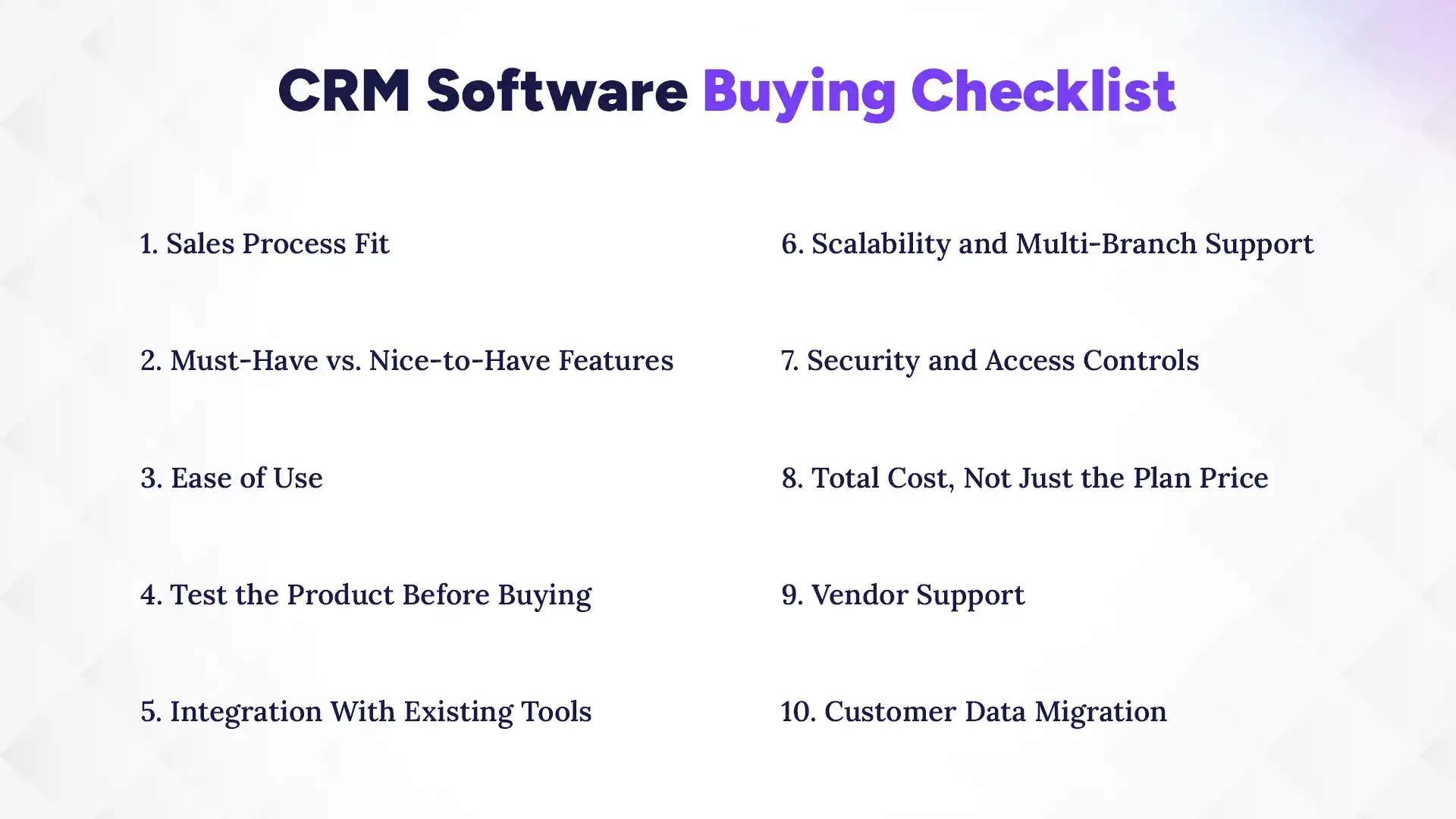
1. Sales Process Fit
Your CRM should match how your sales team actually works. Check whether it supports your lead stages, deal tracking, follow-ups, assignments, and approval processes without forcing major changes to your workflow. Companies with project-based sales cycles, such as CRM for IT companies in Nepal, often need different pipeline structures compared to retail or real estate businesses.
2. Must-Have vs. Nice-to-Have Features
Don't choose a CRM simply because it has a long feature list. Focus on the features your team will actually use, such as lead tracking, pipeline management, follow-up reminders, reporting, communication logging, and mobile access. Breaking down CRM system features can help you prioritize what matters instead of getting distracted by extras.
3. Ease of Use
A CRM only creates value when employees actually use it. Test everyday tasks such as adding leads, updating deals, and checking customer history to make sure the system is simple enough for regular use, including for field staff.
4. Test the Product Before Buying
Don't rely only on a sales presentation or guided demo. Let the people who will use the CRM test real tasks, such as adding and assigning leads, moving deals through the pipeline, logging conversations, generating reports, and importing customer data.
5. Integration With Existing Tools
Your CRM should work with the systems you already use. Check whether it integrates with your website, email, accounting, or ERP software, and whether customer data can be imported and exported easily. API access can also be useful if you need custom integrations later.
6. Scalability and Multi-Branch Support
Consider how the CRM will perform as your business grows. Check user limits, storage, pricing at higher user counts, and whether the system supports multiple branches or locations if you plan to expand.
7. Security and Access Controls
Customer data should be protected through appropriate access controls, secure authentication, regular backups, and clear data ownership policies. If the vendor stores data outside Nepal, also confirm where the data is stored and how it is protected.
8. Total Cost, Not Just the Plan Price
The advertised monthly price may not represent the actual cost. Consider per-user pricing, higher-tier features, implementation, integrations, training, and contract terms so you understand the CRM's total first-year and ongoing cost.
9. Vendor Support
Support quality matters most when something goes wrong. Before buying, ask about available support channels, response times, onboarding, training, and whether local or regional support is available when your team needs help.
10. Customer Data Migration
If your customer information is currently stored in spreadsheets or another CRM, check how easily it can be moved. Look at supported formats, field mapping, duplicate handling, test imports, and whether you can export your data later if you change systems.
Before choosing a CRM, ask the vendor specific questions about pricing, usability, support, data security, integrations, and future growth. Getting clear answers before signing a contract can help you avoid unexpected costs and choose a system that actually fits your business.
Can we test the full product with our own data before purchasing?
What exactly is included in the advertised price, and what costs extra?
What support channels are available, and what are the typical response times?
How is our customer data stored, secured, and backed up?
Can we import our existing customer data, and can we export it later if needed?
How does pricing change as our team and customer database grow?
Is mobile and field access included in the plan?
Does the CRM support multiple branches or locations?
What does onboarding and employee training include?
Can we speak with an existing customer with a similar team size or industry?
Red Flags to Watch for Before Buying CRM Software
Not every CRM that looks good in a demo will be a good fit for your business. Watch for these warning signs before making a purchase:
Feature-heavy sales pitch: The vendor keeps focusing on the number of features instead of asking about your sales process, team requirements, and the problems you actually need the CRM to solve.
Unclear pricing: The vendor cannot give you a clear breakdown of what is included in the advertised price and which features, users, integrations, or services require additional payment.
No proper product trial: You're discouraged from testing the actual CRM before committing, making it difficult to understand how the system will perform in your team's day-to-day work.
Hidden add-on costs: Features you assumed were included, such as reporting, integrations, automation, or mobile access, turn out to require a more expensive plan or separate paid add-ons.
Unclear support: The vendor cannot clearly explain which support channels are available, how quickly they normally respond, or what assistance is included during implementation and onboarding.
Restricted data access: Exporting or migrating your customer data is difficult, limited, or discouraged, which can create problems if you ever need to change systems.
Poor user experience: Employees testing the CRM find it confusing, slow, or difficult to use, which can become a major adoption problem after implementation.
A few red flags don't automatically mean you should reject a CRM, but they are reasons to ask more questions and test the product carefully before signing a contract.
How to Choose the Right CRM After Evaluation
Once you've gathered information from different CRM vendors, a structured decision process can help you avoid choosing a system simply because it had the best sales pitch. Compare your shortlisted options based on how well they fit your team's actual needs, both now and as your business grows.
Shortlist two to three suitable systems: Focus on CRMs that genuinely match your business requirements instead of comparing too many options. Looking at the best CRM software in Nepal can be a useful starting point, but your final shortlist should be based on your specific workflows and team needs.
Test the same real workflows: Try tasks such as adding leads, assigning customers, updating deals, and generating reports in each CRM rather than relying only on a generic demo.
Compare the key factors: Evaluate usability, features, integrations, security, support, implementation requirements, and total cost across your shortlisted options.
Involve the actual users: Get feedback from the employees who will use the CRM every day, since their experience can reveal usability problems that decision-makers may overlook.
Calculate the long-term cost: Consider how pricing will change as your team, customer database, and business operations grow rather than looking only at the entry-level plan.
Choose based on overall fit: The best CRM is not necessarily the cheapest option. Choose the system that offers the right balance of functionality, usability, support, security, and long-term value.
Based on the criteria above, Pace customer management software covers several core areas businesses typically look for when evaluating CRM software, including lead capture and tracking, pipeline and opportunity management, follow-up reminders, and reporting. It can also help teams organize leads from channels such as phone and WhatsApp and connect customer activity with its source.
For Nepali businesses, Pace CRM also supports practical requirements such as field-based sales access and local support. Features such as email connectivity, data import and export, and role-based access controls can help teams manage customer information and daily sales activities more efficiently. As with any CRM purchase, businesses should evaluate these capabilities against their own workflows, team size, integration requirements, and budget before making a final decision.
Conclusion
Choosing the right CRM is about more than comparing features or finding the lowest price. Businesses need a system that fits their sales process, is easy for employees to use, protects customer data, integrates with existing tools, and remains practical as the business grows. For Nepali businesses, factors such as local support, mobile access for field teams, multi-branch requirements, integrations, and overall cost should also be part of the evaluation. Testing the CRM with real workflows and involving the people who will use it every day can help you make a more informed decision.
If you're evaluating CRM software for your business, use this checklist to compare your options and identify what actually fits your needs. Contact the Pace Infosys Team to discuss your requirements and request a demo of Pace CRM to see how it fits your workflows in practice.
FAQs
What should I look for when buying CRM software?
+
Look for features, ease of use, integrations, security, support, scalability, and how well the CRM fits your sales process.
How do I compare different CRM software?
+
Compare CRM software by testing the same workflows, features, usability, support, integrations, and total cost across each option.
Should I choose CRM based on features or price?
+
Neither alone. Choose a CRM that best fits your business needs, budget, and sales process.
Is a free trial necessary before buying CRM software?
+
Yes. A free trial helps you test the CRM with real workflows and identify potential issues before purchasing.
Which is the best CRM software in Nepal?
+
Pace CRM is a leading CRM software in Nepal, offering lead management, sales pipeline tracking, customer management, automation, and reporting in one platform.
Does a CRM contract need anything beyond the subscription price?
+
Yes. Review implementation fees, integration costs, user-based pricing, support charges, and cancellation terms.
How much does CRM software cost for a small business?
+
CRM software costs vary based on team size, features, and vendor pricing, so businesses should evaluate the total cost rather than just the starting price.
Can I migrate my existing customer data to a new CRM?
+
Yes. Most CRM platforms support customer data migration, including contact imports, field mapping, and duplicate management.
Ready to get started?
Book a 30-minute consultation call, and let's talk about your goals.