Have you ever opened an app and thought, “My business needs something like this”? It’s a common moment for many founders and teams, especially when they see competitors launching digital solutions, automating workflows, or reaching customers through mobile experiences that feel effortless. The truth is, today’s users expect convenience, speed, and personalization, and a mobile app is often the most powerful way to deliver all three.
But wanting an app and knowing how to build one are two very different things. Many businesses get stuck at the very first step: Where do we begin to build a mobile app? How much will it cost? Who do we need? What if the app fails? These questions can slow down even the most promising ideas.
This guide breaks the entire process into simple, actionable steps. By the end, you’ll understand how apps are built, which tools matter, and how to make smart decisions from concept to launch.
Understanding the Basics Before You Build a Mobile App
Before diving into development, it’s essential to build a solid foundation. Understanding the core concepts, app types, and the tools involved helps you make informed decisions and avoid costly mistakes later. Not all apps are created equal. What works for one business may not work for another. From choosing between native, hybrid, or cross-platform approaches to grasping the key technologies and skills required, having clarity upfront saves time, effort, and budget.
This section will guide you through the essential knowledge every business owner or project manager should have before starting a mobile app. By the end, you’ll have a clear mindset, know the technical landscape, and be better equipped to plan your app’s development journey strategically and confidently with mobile app development service.
1. Native vs Hybrid vs Cross-Platform Apps
Before starting any mobile app project, it’s important to understand how apps are actually built. Every app needs to run on a device, and each device has its own operating system, rules, and development languages. Because of this, developers follow one of three main approaches of mobile app development: native, hybrid, or cross-platform. These choices shape how your app performs, how much it costs, and how easy it will be to maintain.
As we explore more of this, keep note of these three terms: native, cross-platform, and framework. They explain the method your developers will use to bring your app to life and how your app behaves on iPhones and Android devices. Even if you’re not technical, knowing these terms helps you choose the right path that fits your goals, timeline, and budget.
Native Apps
Native apps are built for a single platform using its official language and tools like Swift or Objective-C in Xcode for iOS, and Kotlin or Java in Android Studio. Because they’re written in the device’s “mother tongue,” they offer the fastest performance and deepest access to features like the camera, GPS, and sensors. This makes native development the best choice for apps that need high speed, advanced functionality, or maximum reliability.
Hybrid Apps
Hybrid apps are built with web technologies like HTML, CSS, and JavaScript and run inside a mobile shell. They rely on a browser view rather than direct communication with the operating system. This makes hybrid development faster and more affordable, especially for simple apps or early prototypes. However, hybrid apps often struggle with heavy animations, complex logic, or long-term scalability.
Cross-Platform Apps
Cross-platform apps use a single codebase that runs on both iOS and Android, without relying on a browser layer. Frameworks like Flutter and React Native enable near-native performance while reducing development time. This approach is ideal for businesses that want to reach both platforms quickly without building two separate apps. Today, cross-platform development is one of the most reliable and future-ready options for general business applications.
Key Mobile App Development Tools and Technologies
Once you understand the different types of mobile apps, the next step is to learn about the tools that actually power them. These tools affect how fast your app is built, how well it performs, and how easy it is to maintain. Even if you’re not technical, knowing the basics helps you work smoothly with your development team.
1. Development Environments (IDEs) and Official SDKs
Every mobile app begins with a development environment, which is a software workspace where developers write, test, and debug the app. iOS apps use Xcode with Swift or Objective-C, while Android apps use Android Studio with Kotlin or Java. These official tools offer direct access to device features and receive regular updates, which keeps apps stable and secure.
2. Cross-Platform Frameworks
If you want one app that works on both iOS and Android, frameworks like Flutter and React Native are popular choices. Flutter uses Dart and creates fast, visually rich interfaces. React Native uses JavaScript or TypeScript, making it ideal for teams with web backgrounds. Both reduce development time and remain strong, reliable options in 2026.
3. Hybrid Frameworks
Tools like Ionic or Cordova use web technologies such as HTML, CSS, and JavaScript. They’re best for simple apps, prototypes, or projects where speed and cost matter more than top performance.
4. Backend and Cloud Services
Most apps need login systems, data storage, and server logic. Cloud services such as Firebase, AWS Amplify, or custom backends on AWS, Azure, or Google Cloud handle tasks like databases, file storage, and real-time updates. This lets developers focus on the user experience instead of building everything from scratch.
5. Testing, Automation, and CI/CD
Tools like Fastlane, Bitrise, and built-in device testing services automate builds, run tests, and manage deployments. CI/CD pipelines ensure every update is checked before release, helping reduce bugs and keep the app running smoothly.
Essential Skills Required for Modern App Development
1. Programming Fundamentals
A mobile app developer needs to be proficient with basic coding concepts, able to think logically, and write clean, structured code. These skills make it easier to understand how apps work behind the scenes. They also help you break complex problems into small, manageable steps.
2. Knowledge of Mobile-Specific Languages
A modern developer should be comfortable using platform-specific languages like Swift for iOS and Kotlin for Android. These languages are the backbone of native app development. Even if you use cross-platform tools later, knowing one native language helps you solve issues faster and build more stable features.
3. Familiarity With Cross-Platform Frameworks
A developer must understand popular cross-platform frameworks such as Flutter and React Native. These tools allow you to create apps for both iOS and Android using a single codebase. This knowledge is especially useful for businesses that want faster delivery and lower development costs.
4. UI/UX Principles
A skilled app developer should know the basics of mobile design, layout, and user behavior. This includes understanding design guidelines like Material Design and Apple’s Human Interface Guidelines. With these principles, developers can build apps that feel easy, intuitive, and enjoyable to use.
5. Backend and API Basics
A modern developer needs a solid understanding of APIs, databases, and authentication systems. These elements allow apps to store data, manage users, and connect to other services. With backend knowledge, developers can create features that feel reliable and fast.
6. Version Control (Git)
A developer should feel confident using Git to manage and track their code. Git keeps every version of the project organized so you can fix mistakes without losing progress. It is also essential for teamwork, as it helps multiple developers work together smoothly.
7. Testing and Debugging Skills
A good developer must be comfortable testing their app manually and using automated testing tools. These skills help catch bugs early and make the app more stable. Debugging then allows them to fix issues without causing new problems elsewhere.
8. Deployment and Store Requirements
A developer needs to understand the submission rules and technical requirements of the App Store and Google Play Store. Each platform has its own guidelines, reviews, and approval steps. Knowing this process helps avoid delays and ensures a smooth launch.
9. Soft Skills
A successful developer needs strong problem-solving abilities, clear communication, and a product-focused mindset. These soft skills help them work well with teams, understand client needs, and make smarter decisions throughout the project. As a result, the final app becomes more useful and aligned with business goals
How to Build a Mobile App: Step-by-Step Process
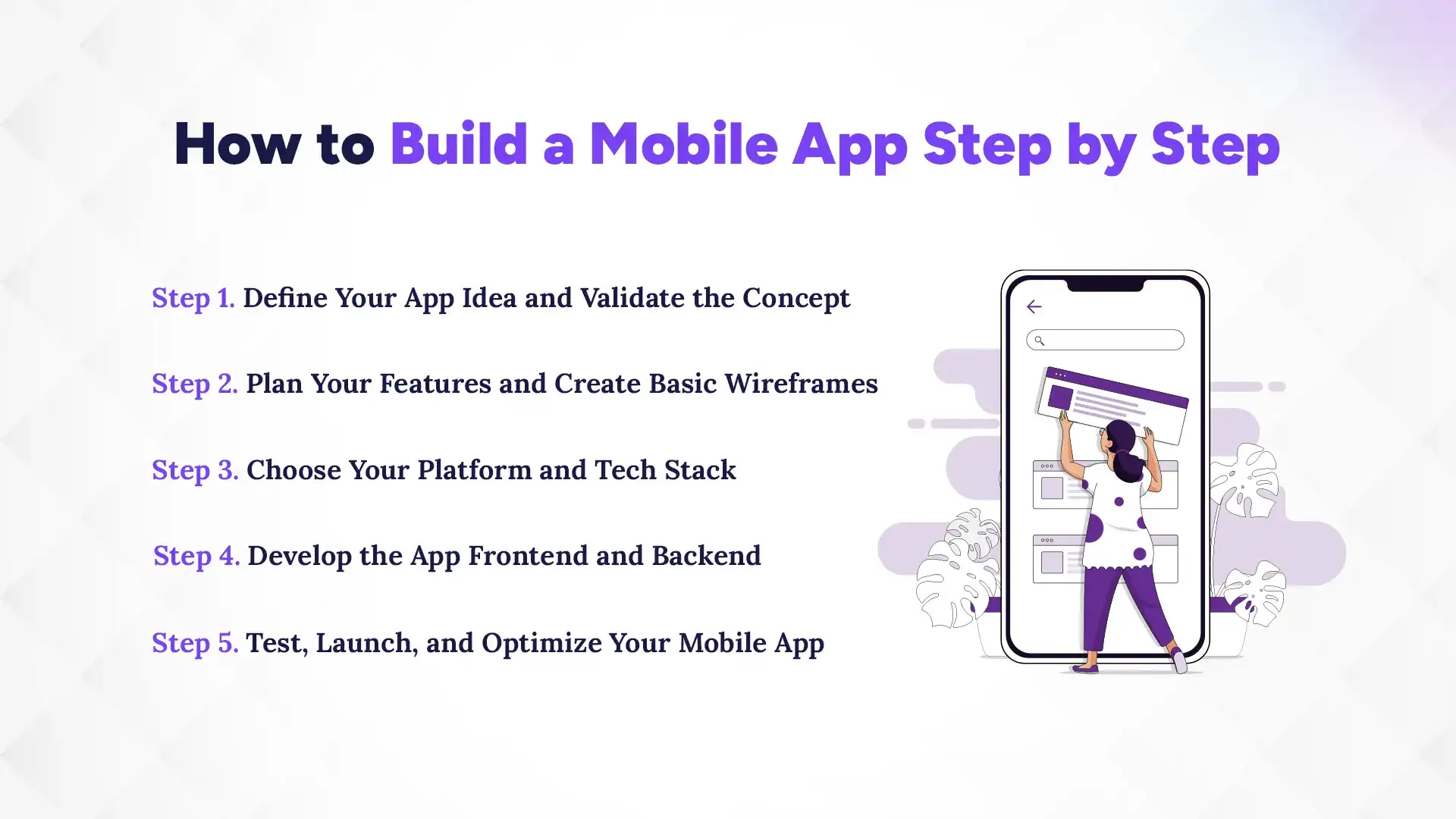
To build a mobile app, you start with a clear idea and research what users need. Then you design how the app should look and choose whether to build it with native code, cross-platform tools, or no-code options. After creating the features, you test everything, launch on the app stores, and keep improving the app through updates and marketing. Follow these standard steps to build a mobile app:
Step 1. Define Your App Idea and Validate the Concept
Start by writing a one-sentence value proposition: what your app does and who it helps. Then test real demand cheaply. Build a landing page, collect emails, run simple ads or a smoke test, and measure conversion. These quick checks show whether people will actually use or pay for your product before you invest heavily. Simple validation methods like landing pages and pre-signups are widely recommended because they reveal genuine interest with minimal cost.
Create a basic MVP plan next: list the one or two core features that must exist for the app to be useful. Keep the scope tight since an MVP’s goal is to learn, not to be perfect. Track early KPIs such as signup conversion, daily active users, and retention to decide whether to invest more in the idea. Early data-driven pivots save time and money later.
Many startups fail because there’s no market need, so treating validation as a phase, not just a checkbox. Use surveys, interviews, and small-group tests alongside your smoke tests to collect both quantitative and qualitative feedback. That mix of signals helps you refine the core feature set before design and development begin.
Step 2. Plan Your Features and Create Basic Wireframes
Turn validated features into a prioritized list: must-have, nice-to-have, and later. Prioritization keeps your first release focused and reduces scope creep during development. Use techniques like the MoSCoW method or a simple priority matrix to make decisions clear and defensible.
Next, make wireframes and simple user flows that show how people move through the app. Tools like Figma or Sketch let you sketch screens quickly and get feedback from stakeholders and test users. Early wireframes help identify missing logic, confusing flows, and opportunities to simplify the interface before any code is written.
Finally, create a clickable prototype or a short usability test script to verify the flow with real users. This step usually spots the biggest UX problems cheaply and early. Refining flows at this stage prevents costly UI rework after engineering has started.
Step 3. Choose Your Platform and Tech Stack
Decide whether to build native, cross-platform, or hybrid based on goals, budget, and timeline. If performance and deep device access matter, choose native. If you need to reach iOS and Android quickly, modern cross-platform frameworks like Flutter or React Native are strong choices. Keep in mind developer availability and long-term maintenance when making this choice.
Select backend services next: managed services (Firebase, AWS Amplify) speed development and reduce ops burden, while custom backends give more control and lower marginal costs at scale. For many early-stage business apps, Firebase or similar cloud backends deliver authentication, database, and push notifications out of the box, which shortens time to market.
Also pick your CI/CD and testing stack early so builds and tests are repeatable. Set up automated builds, signing, and a simple release pipeline from day one. That investment prevents manual errors and makes app store submissions and hotfixes much smoother later.
Step 4. Develop the App Frontend and Backend
Start engineering with the prioritized MVP features and the approved wireframes. Keep frontend screens modular and backend APIs small and well-documented so teams can work in parallel. Use feature flags to roll out risky features gradually and enable quick rollbacks if something goes wrong.
While developing, instrument the app for analytics and crash reporting from the first build. Tools like Firebase Crashlytics and Sentry provide real-time crash data and help you prioritize fixes. Collecting telemetry early lets you see real usage patterns and find performance bottlenecks before launch.
Maintain frequent code reviews, automated tests (unit and integration), and short release cycles. Small, regular releases reduce integration headaches and keep the team focused on shipping value. This approach also makes it easier to iterate based on user feedback from your MVP.
Step 5. Test, Launch, and Optimize Your Mobile App
Testing should cover functional tests, device compatibility, and real-world performance. Use device farms or cloud device labs and a mix of manual and automated UI tests to cover the most common devices your audience uses. Aiming for a high crash-free session rate matters: high-rated apps typically maintain very low crash rates, which correlates strongly with better app store ratings and user retention.
Prepare your store listings like a conversion funnel: use targeted keywords, clear screenshots, and a short demo video if possible. Then run a soft launch in a smaller market or with a beta group to collect early metrics and feedback. The soft launch reveals real-world issues and helps you adjust onboarding, performance, and messaging before a full release.
After launch, prioritize three things: fix critical crashes quickly, measure the core KPIs you defined earlier, and iterate on the onboarding and retention flows that drive user value. Use A/B testing for store listings and in-app onboarding to improve conversion and retention. Over time, focus on feature improvements driven by data, not guesses.
Wondering how mobile apps are built? Explore our case study on Kumari Job’s mobile app development. It shows how we turned their idea into a working app, from design and development to testing and launch, built for smooth performance and real results.
What Tools Do You Need to Build a Mobile App
Before you start building your app, it helps to understand the main tools that developers use during the design, development, and backend setup process. These tools make the workflow faster, reduce manual effort, and improve the overall quality of the final product. Let’s break down the essentials you’ll need.
1. Design Tools for Wireframes and Prototypes
Design tools help you turn your ideas into clear screens, flows, and visual concepts. They allow you to build wireframes, prototypes, and complete UI designs without writing any code. This step sets the foundation for how your app will look, feel, and function.
Figma
Figma is one of the most popular tools today because it works in the cloud and supports real-time collaboration. Designers, developers, and stakeholders can review and edit the same file at the same time. It’s also flexible enough for both low-fidelity wireframes and high-fidelity prototypes.
Sketch
Sketch is another trusted option, especially among Mac users. It is known for its clean interface and strong plugin ecosystem. However, it is not cloud-based by default, which is why teams often use it with additional versioning tools.
Adobe XD
Adobe XD is widely used for designing interactive prototypes with animations and transitions. It integrates well with other Adobe tools, making it a good fit for teams already using the Adobe ecosystem.
These design tools help teams test ideas early, reduce rework during development, and ensure every screen feels smooth and consistent.
2. Popular App Development Frameworks
App development frameworks help developers write code faster, reuse components, and build apps with clean, stable structures. Choosing the right framework depends on your timeline, budget, and desired performance.
Flutter
Flutter, developed by Google, has become a top choice for cross-platform development. It uses the Dart language and allows you to build iOS and Android apps using one codebase. Flutter’s “hot reload” feature helps developers preview changes instantly, which speeds up the development cycle.
React Native
React Native, backed by Meta, uses JavaScript and integrates well with many web technologies. Because it relies on native components, apps built with React Native often feel fast and responsive. It also benefits from a large developer community, which simplifies support and troubleshooting.
Native iOS (Swift) & Native Android (Kotlin)
For apps that need the highest performance or deep device-level integrations, native development is the strongest choice. iOS developers use Swift with Xcode, while Android developers use Kotlin with Android Studio. These tools provide full access to hardware features and advanced animations.
Choosing the right framework helps balance development speed, cost, and long-term flexibility.
3. Backend Services and APIs
Backend tools handle server-side tasks like storing data, managing authentication, sending notifications, and processing requests. Without a strong backend, even a well-designed app can feel slow or unreliable.
Firebase
Firebase is a popular backend-as-a-service (BaaS) platform with features like authentication, real-time databases, cloud storage, and analytics. Since it is fully managed, developers can launch apps faster without dealing with server setup.
AWS Amplify
AWS Amplify offers scalable backend services including APIs, hosting, GraphQL support, and enterprise-grade security. It’s a strong choice for apps expecting large traffic or complex infrastructure needs.
Custom Backend (Node.js, Django, Ruby on Rails, Go)
For apps that need complete flexibility, custom backend development is the best route. It allows full control over database design, API endpoints, performance tuning, and scalability.
APIs also connect your app to third-party tools like payment systems, maps, chat services, and AI models. They help add powerful features without reinventing the wheel.
A reliable backend ensures your app loads quickly, stays secure, and handles growth smoothly.
Why User Experience Matters When You Build a Mobile App
User experience (UX) plays a major role in whether people enjoy using your app or decide to delete it. Even a powerful idea can fail if users find the app confusing, slow, or frustrating. Good UX increases engagement, boosts retention, and helps your app stand out in a crowded market. Let’s look at the key areas that shape a strong user experience.
Creating Intuitive Navigation
Intuitive navigation means users always know where they are and what to do next. When screens follow a simple and familiar pattern, people naturally understand how to move through the app without needing instructions. This reduces cognitive load and makes the experience feel effortless.
Clear menus, bottom navigation bars, and consistent icons help guide users smoothly. It also helps to keep pathways short. People prefer completing a task in as few steps as possible. When navigation feels predictable, users stay longer and trust the app more.
Reducing Friction in Key User Journeys
Friction is anything that slows users down or forces them to think too hard. This includes long signup forms, unclear buttons, and unnecessary steps in a process. Reducing friction makes your app faster to use and increases the likelihood that users complete important actions.
A simple onboarding process is a good place to start. You can allow social logins, autofill data where possible, and highlight only the most essential steps. Making these small improvements can significantly raise completion rates and overall satisfaction.
Smooth user journeys also reduce drop-offs during critical moments, such as checkout for eCommerce apps or booking flows for service apps. The easier it is for people to complete a task, the more likely they are to return.
Ensuring Accessibility and Performance
Accessibility ensures that your app works for everyone—including users with visual, auditory, or motor challenges. This includes readable font sizes, proper color contrast, voice-over support, and clear button spacing. Even small accessibility improvements can open your app to a wider audience.
Performance is equally important. Slow loading, lagging screens, or crashes break trust immediately. Users expect apps to load within a few seconds, respond instantly, and run smoothly on different devices and screen sizes.
Optimizing performance includes compressing images, reducing heavy animations, caching important data, and testing on real devices—not just simulators. When users experience fast, reliable performance, they are more likely to stay engaged and recommend the app to others
How Much Does It Cost to Build a Mobile App
The cost of building a mobile app varies widely because each project has its own features, design needs, backend complexity, and user experience goals. Instead of searching for one fixed number, it’s more practical to understand the main factors that shape the budget and the typical cost ranges in 2025–2026. This helps businesses plan realistically and invest wisely without feeling overwhelmed.
1. Development and Design Costs
Development and design usually make up the largest share of the budget. UI/UX cost ranges from $3,000 to $30,000, depending on the level of polish and customization needed. This includes wireframes, visual layouts, and prototypes. Basic layouts cost less, while branded interfaces with animations, illustrations, or detailed prototypes sit toward the higher end.
Mobile app development costs rise as complexity increases. A simple app with a few features may cost $20,000 to $60,000, while moderately complex apps with dashboards, login systems, notifications, or API integrations usually fall between $60,000 and $150,000. Advanced apps with payments, chat, real-time tracking, AI features, or multi-platform requirements often start around $150,000 and exceed $250,000.
These differences come from factors such as the number of screens, type of backend needed, design complexity, platform choice (iOS, Android, or cross-platform), security standards, and any third-party integrations. The more features and refinements you require, the more development time and testing the app needs.
2. Ongoing Maintenance and Support
Once the app is live, it needs continuous updates to stay secure, fast, and compatible with the latest OS versions. Most experts recommend setting aside 15–25% of the initial development cost per year for maintenance and support.
For example, if your app costs $100,000 to build, you can expect annual maintenance costs of $15,000 to $25,000. This includes bug fixes, SDK and library updates, server monitoring, database management, performance improvements, and small enhancements based on user feedback. Maintenance ensures your app stays healthy, reliable, and competitive as devices and market expectations evolve.
3. Marketing and User Acquisition Costs
Even a well-designed app needs marketing to reach new users. In 2025–2026, the average Cost Per Install (CPI) across platforms like Google, Apple Search Ads, TikTok, and Meta typically ranges from $1.50 to $5.00. This varies based on targeting, competition, and the quality of your campaign.
App Store Optimization (ASO), which helps your app rank better on the App Store or Google Play, usually costs between $500 and $5,000, depending on how in-depth the strategy is. Paid launch campaigns can range from $5,000 to $50,000+, depending on how aggressively you want to scale. Additional marketing efforts such as content campaigns, PR outreach, email marketing, and partnerships often add another $2,000 to $20,000, depending on volume.
Marketing budgets vary because different industries have different levels of competition, and some audiences are more expensive to reach than others. Many businesses set aside 20–50% of their development budget for marketing during the first year to maintain consistent growth.
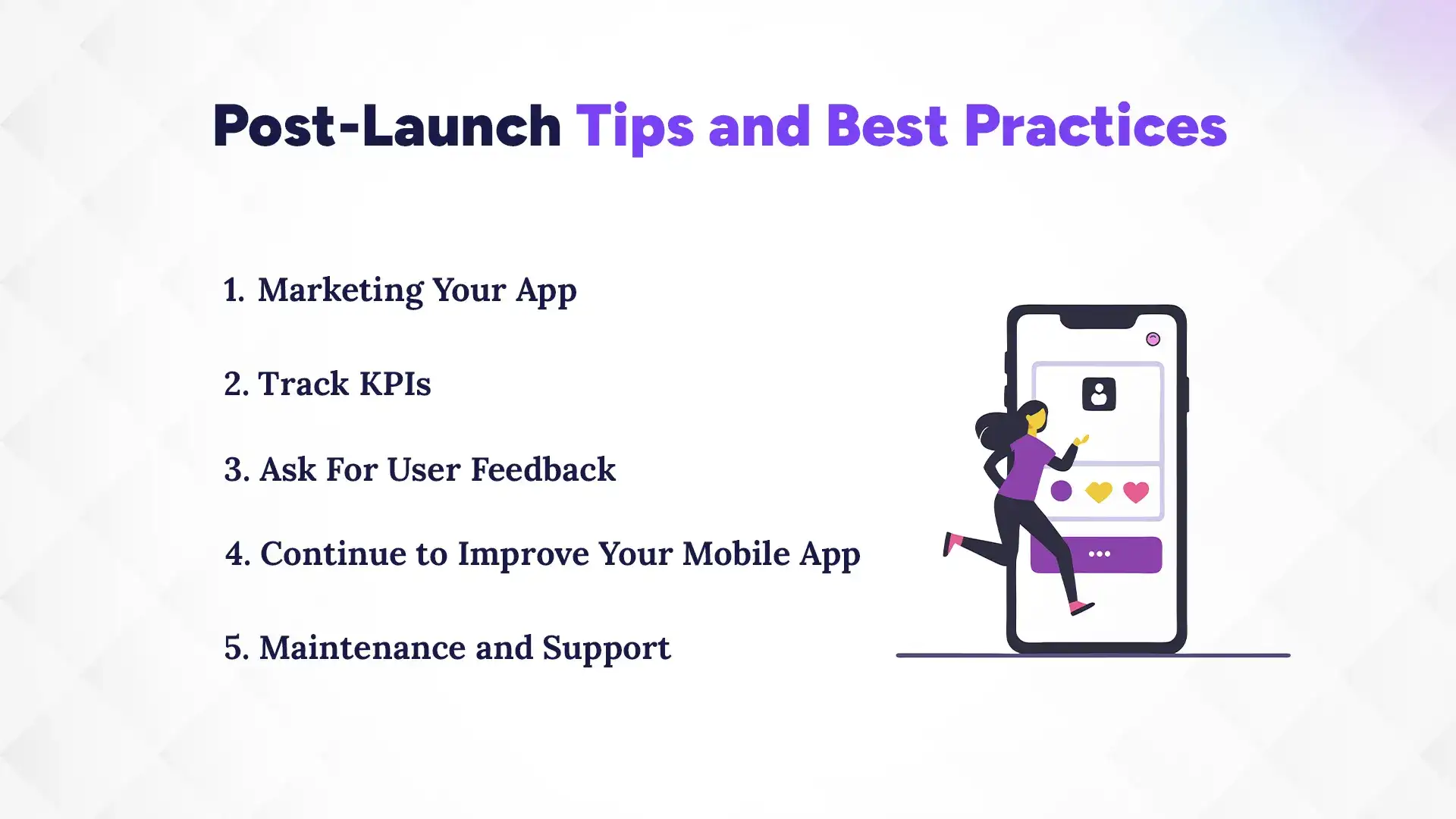
Post-Launch Tips and Best Practices
Launching your app is only the beginning. The post-launch period is where you gather real user data, refine the experience, and optimize your path to growth. A strong post-launch strategy helps you retain users, improve your product, and scale sustainably.
1. Marketing Your App
Marketing ensures your app gets discovered by the right users. Start with App Store Optimization (ASO). Optimize your app title, keywords, screenshots, and video previews so people can find you organically. ASO improves visibility without requiring a huge budget.
Once ASO is in place, amplify reach with strategic marketing. Social media promotion, short-form videos, blog posts, email campaigns, and partnerships can help build initial traction. These organic methods are low-cost and effective when done consistently.
If you want faster results, you can layer in paid promotion. Paid ads (Apple Search Ads, Google App Campaigns, Meta ads) give your app an initial boost and help you test which audiences convert the best. The key is balance. Use paid ads to accelerate growth, but maintain a foundation of organic marketing so your long-term costs stay manageable.
2. Track KPIs
Tracking Key Performance Indicators (KPIs) helps you understand what’s working and what needs improvement. Start with the essentials:
Downloads & Install Rate – Shows whether your marketing and app store listing are effective.
User Retention – How many users continue using the app after 1 day, 1 week, and 1 month.
Engagement – How often users open the app and interact with features.
Conversion Rate – Measures how many users complete key actions.
Cost Per Install (CPI) – Helps you understand how much paid ads are costing.
By reviewing these KPIs regularly, you can make smart decisions, improve user experience, and avoid wasting money on ineffective strategies.
3. Ask for User Feedback
User feedback is one of your most valuable improvement tools. Encourage users to share their thoughts through in-app surveys, feedback forms, or periodic prompts. Look for patterns. Multiple complaints or repeated suggestions usually point to issues worth fixing.
Positive feedback can also help boost your App Store ratings. Prompt satisfied users to leave reviews, as higher ratings increase credibility and improve search visibility. Listening to your users builds trust and strengthens overall engagement.
4. Continue to Improve Your Mobile App
Apps evolve over time, and so should yours. Plan regular updates to improve the UI, enhance features, fix issues, and maintain performance. Even small improvements like smoother animations or faster loading can significantly improve retention.
Keep an eye on competitors and industry trends. If other apps are adopting new features or technologies, evaluate whether they could benefit your users as well. Continuous improvement keeps your app competitive and relevant.
5. Maintenance and Support
Maintenance ensures your app stays fast, secure, and compatible with the latest iOS and Android updates. This includes bug fixes, security updates, server monitoring, and keeping libraries up to date.
Support is equally important. Respond to user issues, solve technical problems, and offer timely customer help. Strong support builds trust and improves user satisfaction.
Setting aside a yearly maintenance budget helps protect your app from unexpected issues and ensures it continues running smoothly long-term.
Conclusion
Building a mobile app is a big but rewarding journey. You start with a clear idea, move through planning and design, choose the right tech stack, and bring everything to life with development, testing, and continuous improvement. Along the way, you make decisions about features, user experience, budget, marketing, and long-term support, all of which shape how successfully your app performs in the real world by exploring the top 10 mobile app development companies in Austin.
But even with the right guidance, many businesses struggle with limited technical knowledge, unclear requirements, or the challenge of managing everything alone. That’s why having the right partners makes such a difference. Professional app development service teams bring experience, structure, and proven processes that help you avoid costly mistakes and build an app that actually grows with your business.
So as you move forward, ask yourself: Do you want to build alone, or build smarter with expert support? The right partnership can turn a good idea into a powerful digital product.
FAQs
How long does it take to build a mobile app?
+
The time it takes to build a mobile app usually ranges from 3 to 9 months, depending on complexity. Simple apps take less time, while advanced apps with custom features and integrations take longer.
How much does it cost to build a mobile app?
+
The cost to build a mobile app typically ranges from $20,000 to over $250,000, depending on features and design complexity. Ongoing maintenance and marketing costs should also be included in your budget.
Should I build my app for iOS or Android first?
+
You should build your app for the platform where most of your target audience is active. Many businesses choose cross-platform development to launch on both iOS and Android at the same time.
Do I need technical knowledge to build a mobile app?
+
You do not need deep technical knowledge to start planning a mobile app. However, you need either a skilled development team or a reliable agency to turn your idea into a working product.
What is an MVP in mobile app development?
+
An MVP in mobile app development is a minimum viable product with only the core features needed to solve the main problem. It helps you test your idea in the market before investing in full development.
How do mobile apps make money?
+
Mobile apps make money through methods like in-app purchases, subscriptions, ads, or paid downloads. The best monetization model depends on your audience and app type.
What happens after my app is launched?
+
After your app is launched, you must monitor performance, fix bugs, and release updates regularly. Marketing and user feedback also become essential for growth and retention.
Can I update my app after it is published?
+
You can update your app after it is published by releasing new versions through the App Store or Google Play. Regular updates improve security, add features, and keep your app compatible with new devices.
Ready to get started?
Book a 30-minute consultation call, and let's talk about your goals.