
.webp&w=3840&q=75)
CRM data migration is the process of moving customer, lead, sales, and business data from spreadsheets or other systems into a Customer Relationship Management (CRM) platform. As businesses grow, spreadsheets often become difficult to manage, leading to duplicate records, missing information, and limited visibility into customer interactions. A CRM system helps centralize data, improve organization, and support better decision-making across sales, marketing, and customer service teams.
Many businesses migrate from spreadsheets to CRM software to increase efficiency, improve data accuracy, and automate manual processes. However, CRM data migration can present challenges such as duplicate records, incorrect field mapping, and potential data loss if not planned properly. By following a structured migration process, businesses can transfer data safely, maintain data integrity, and gain the full benefits of a CRM system, including improved customer management, better reporting, and stronger business growth.
Why Businesses Outgrow Spreadsheets
Businesses outgrow spreadsheets because they become difficult to manage as customer data, sales activities, and team collaboration increase. While spreadsheets may work for small datasets, they often create challenges such as duplicate records, manual data entry errors, limited visibility, and difficulty tracking customer interactions. As a business grows, these issues can reduce productivity and affect customer relationships.
CRM software solves these problems by storing all customer information in a centralized system, automating repetitive tasks, and providing real-time access to customer data. Sales teams can track leads more effectively, marketing teams can manage campaigns with better insights, and customer service teams can respond faster to customer needs. If your business relies on multiple spreadsheets, struggles with data accuracy, or spends too much time updating records manually, it may be time to migrate from spreadsheets to a CRM system.
What Is CRM Data Migration and Why Is It Important?
CRM data migration is the process of transferring customer, lead, sales, and business data from spreadsheets, legacy systems, or other databases into a CRM platform. It is a critical part of CRM implementation because the success of a CRM system depends on the accuracy, completeness, and organization of the data being imported. Without proper data migration, businesses may struggle to use their CRM effectively and gain value from their investment.
High-quality data helps teams manage customer relationships, track sales opportunities, and generate accurate reports. In contrast, poor CRM data migration can lead to duplicate records, missing customer information, reporting errors, and lost sales opportunities. These issues can negatively affect customer experiences, reduce team productivity, and make business decisions less reliable. A well-planned CRM data migration ensures clean, accurate data that supports better customer management and business growth.
Preparing for CRM Data Migration
Proper preparation is one of the most important steps in CRM data migration. Before moving data from spreadsheets to a CRM system, businesses should review, clean, and organize their existing information. Taking time to prepare data reduces migration errors, improves data accuracy, and helps ensure a smooth CRM implementation process.
1. Audit Your Existing Spreadsheet Data
Start by identifying all customer, lead, prospect, and sales data stored across your spreadsheets. Many businesses keep information in multiple files, making it important to locate every data source before migration begins.
Review where your data is stored, including Excel files, Google Sheets, shared drives, and other business applications. A complete data audit helps you understand what information should be migrated, updated, archived, or removed before importing it into the CRM.
2. Remove Duplicate and Outdated Records
Duplicate and outdated records can reduce the effectiveness of your CRM and create confusion for employees. Before migration, review your spreadsheets carefully to identify duplicate contacts, inactive leads, and incorrect customer information.
Apply data cleansing best practices by removing unnecessary records and updating missing or outdated details. Standardizing customer information, such as names, phone numbers, email addresses, and company names, helps improve data consistency and makes reporting more accurate after migration.
3. Define CRM Data Fields
Defining CRM data fields ensures that information is imported into the correct locations within the new system. Start by mapping spreadsheet columns, such as customer names, contact details, lead sources, and sales stages, to the corresponding CRM fields.
If your business tracks unique information, consider creating custom fields to support specific workflows and reporting requirements. Proper data structure planning helps prevent import errors and ensures all important information remains organized and accessible.
4. Create a Data Migration Strategy
A clear CRM data migration strategy helps businesses complete the migration process efficiently and with minimal disruption. Begin by setting specific migration goals, such as improving data quality, increasing sales visibility, or centralizing customer information.
Assign responsibilities to team members involved in the project and establish realistic timelines for each migration phase. Having a documented migration plan helps keep the project on track, reduces risks, and ensures everyone understands their role throughout the CRM implementation process.
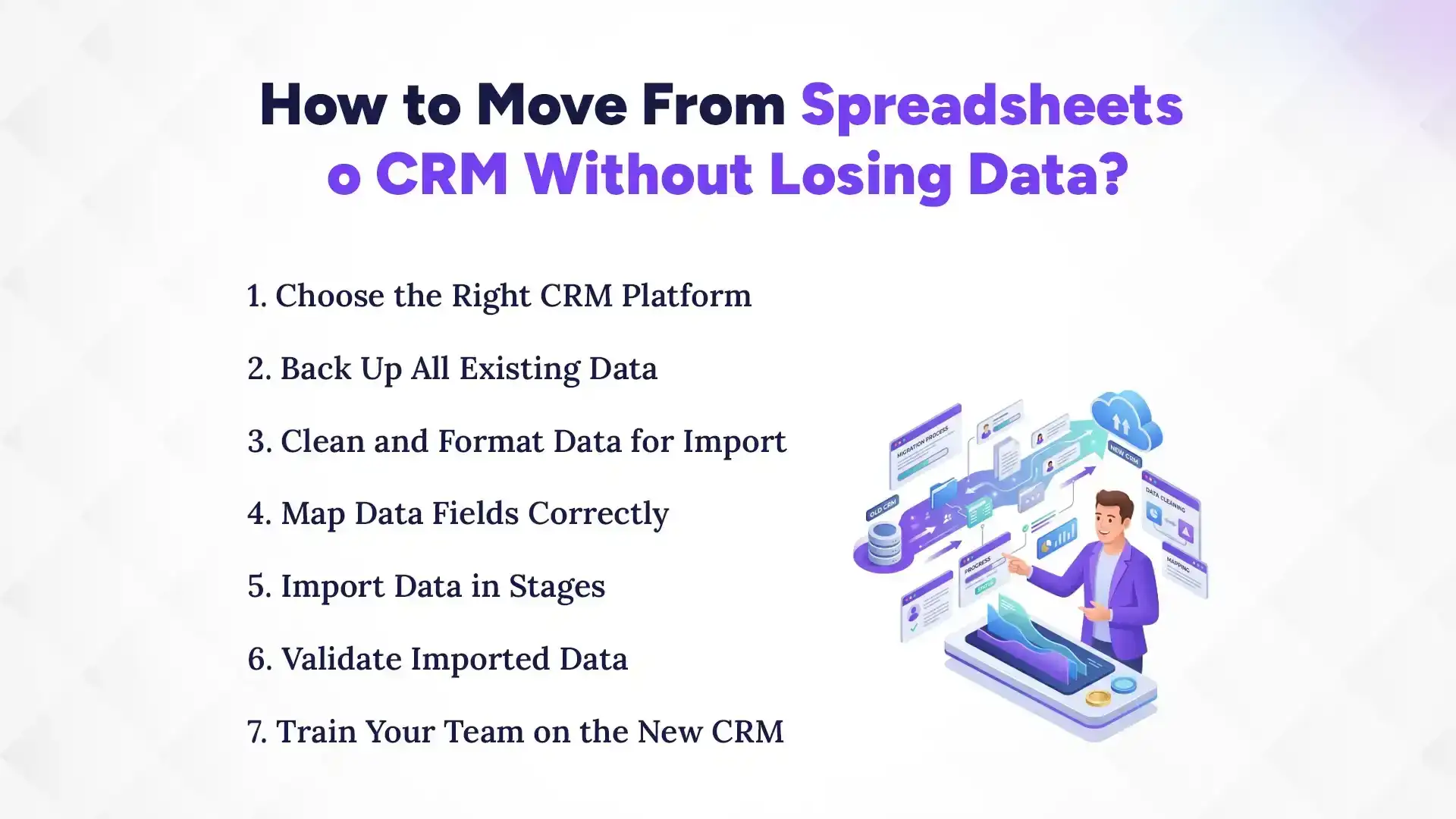
How to Move From Spreadsheets to CRM Without Losing Data?
To move data from spreadsheets to a CRM without losing data, businesses should first audit and clean their existing records, create secure backups, map spreadsheet fields correctly, test the migration process, and validate imported data before full deployment. Following a structured CRM data migration plan helps maintain data accuracy, prevent duplicate records, and ensure a smooth transition to the new system.
Successful CRM migration involves choosing the right CRM platform, importing data in stages, and training employees to use the new system effectively. By preparing data properly and verifying records after migration, businesses can reduce risks, improve data quality, and maximize the value of their CRM investment.
1. Choose the Right CRM Platform
Selecting the right CRM platform is the foundation of a successful data migration project. Businesses should choose a CRM that meets their current needs while also supporting future growth and scalability.
Evaluate features such as contact management, sales pipeline tracking, reporting, automation, and user access controls. It is also important to consider integration capabilities with existing tools such as email platforms, marketing software, accounting systems, and customer support applications.
2. Back Up All Existing Data
Before starting the migration process, create complete backups of all spreadsheet data and related files. Backups provide a safety net if data is accidentally lost, corrupted, or incorrectly imported during migration.
Store backup copies in secure locations, such as cloud storage and local drives. Maintaining version control also helps track changes and allows businesses to restore previous data versions if necessary.
3. Clean and Format Data for Import
Clean data is essential for a successful CRM migration. Review spreadsheets carefully to identify missing information, duplicate records, formatting inconsistencies, and outdated customer details.
Standardize fields such as names, phone numbers, email addresses, and company information before importing data. Ensuring CRM-compatible formats reduces import errors and improves overall data quality within the new system.
4. Map Data Fields Correctly
Data mapping ensures information from spreadsheets is transferred into the correct CRM fields. Each spreadsheet column should match the appropriate CRM field, including contacts, companies, leads, opportunities, and customer activities.
Carefully review field mappings before importing data to avoid mismatches or missing information. Proper mapping helps maintain data integrity and ensures users can easily access accurate records after migration.
5. Import Data in Stages
Importing data in stages helps identify potential problems before they affect the entire database. Instead of migrating all records at once, start by importing a small sample of data.
Review the results, verify field mapping accuracy, and fix any issues before proceeding with larger imports. A gradual migration approach reduces risk and makes troubleshooting much easier.
6. Validate Imported Data
After importing data, verify that all records have been transferred accurately. Check customer details, lead information, sales opportunities, and historical interactions to ensure data completeness.
Look for missing records, incorrect values, duplicate entries, or formatting issues. Data validation helps identify and resolve problems before employees begin using the CRM system.
7. Train Your Team on the New CRM
Employee training is a critical step in maintaining data quality after migration. Users should understand how to enter, update, and manage information consistently within the CRM platform.
Provide training sessions, user guides, and best practices to encourage adoption and reduce data entry mistakes. Well-trained employees help maintain accurate records and maximize the long-term value of the CRM system.
Common CRM Data Migration Mistakes to Avoid
Many CRM data migration projects face problems because of avoidable mistakes during planning and execution. Identifying these issues early can help businesses protect data quality, reduce migration risks, and ensure a successful transition from spreadsheets to a CRM system.
1. Migrating Duplicate Records
Importing duplicate customer, lead, or company records can create confusion and reduce the effectiveness of your CRM. Before migration, review and clean your data to eliminate duplicate entries and maintain a single, accurate record for each contact.
2. Skipping Data Backups
Failing to back up data before migration can result in permanent data loss if errors occur during the import process. Always create secure backups of all spreadsheets and databases so information can be restored if needed.
3. Poor Field Mapping
Incorrect field mapping can place data in the wrong CRM fields, leading to incomplete or inaccurate records. Carefully match spreadsheet columns with CRM fields and test mappings before performing the full migration.
4. Ignoring Data Validation
Some businesses assume the migration is successful without checking the imported data. Validating records after migration helps identify missing information, formatting errors, and data inconsistencies before they affect business operations.
5. Moving Unnecessary Historical Data
Migrating outdated, inactive, or irrelevant records can clutter the CRM and reduce system efficiency. Focus on transferring valuable and relevant data that supports current business goals and customer management activities.
6. Lack of Employee Training
Even a successful migration can fail if employees do not know how to use the CRM properly. Providing user training helps improve adoption, maintain data accuracy, and ensure teams follow consistent data management practices.
Essential CRM Data Migration Best Practices
Following CRM data migration best practices helps businesses minimize risks, maintain data accuracy, and ensure a successful transition from spreadsheets to a CRM system. By focusing on data quality, security, and ongoing management, organizations can maximize the long-term value of their CRM investment.
1. Establish Data Governance Policies
Data governance policies define how customer information is collected, stored, updated, and managed within the CRM. Clear guidelines help maintain data consistency, reduce errors, and ensure all teams follow the same data management standards.
2. Use Automated Migration Tools Where Possible
Automated CRM migration tools can simplify the migration process and reduce manual data entry errors. These tools help transfer large volumes of customer data more efficiently while improving accuracy and saving time.
3. Maintain Data Security and Compliance
Protecting customer data during migration should be a top priority. Use secure transfer methods, limit access to authorized users, and ensure compliance with relevant data privacy regulations and internal security policies.
4. Document Migration Procedures
Document every stage of the migration process, including data sources, field mappings, validation checks, and troubleshooting steps. Proper documentation makes future updates easier and provides a reference for resolving potential issues.
5. Monitor CRM Performance After Migration
The migration process does not end after data is imported into the CRM. Regularly monitor data quality, user adoption, system performance, and reporting accuracy to ensure the CRM continues to support business goals and deliver reliable results.
CRM Data Migration Checklist
A CRM data migration checklist helps businesses follow a structured process and reduces the risk of errors, missing records, or data loss. Completing each step before, during, and after migration helps ensure a smooth transition from spreadsheets to a CRM system.
1. Audit Existing Data
Review all spreadsheets and data sources to identify customer records, leads, sales opportunities, and other important information. This step helps determine which data should be migrated, updated, archived, or removed.
2. Clean and Standardize Records
Remove duplicate entries, correct inaccurate information, and standardize formats for names, phone numbers, email addresses, and company details. Clean data improves CRM performance and reporting accuracy.
3. Back Up Spreadsheets
Create secure backups of all spreadsheets and databases before starting the migration process. Backups provide protection against accidental data loss or migration errors.
4. Map CRM Fields
Match spreadsheet columns with the appropriate CRM fields to ensure data is imported correctly. Proper field mapping helps maintain data integrity and prevents missing or misplaced information.
5. Test Migration
Import a small sample of records before performing the full migration. Testing helps identify potential issues with field mapping, formatting, or data quality before they affect the entire database.
6. Validate Imported Data
Review imported records to confirm that customer information, sales data, and historical records have transferred correctly. Validation helps detect missing, duplicate, or corrupted data.
7. Train Users
Provide training to employees who will use the CRM system daily. User training improves adoption rates, reduces mistakes, and helps maintain accurate data over time.
8. Monitor Post-Migration Performance
Track CRM performance after migration to identify any issues related to data quality, reporting, or user adoption. Ongoing monitoring helps ensure long-term success and continuous improvement.
Measuring Success After CRM Data Migration
Measuring success after CRM data migration involves evaluating whether the migration achieved its goals without compromising data quality or business operations. Businesses should assess key performance indicators such as data accuracy, user adoption rates, sales pipeline visibility, and reporting reliability to determine whether the new CRM system is functioning as expected. These metrics help identify strengths, uncover potential issues, and ensure the migration delivers long-term value.
A successful CRM migration should result in cleaner customer data, improved team productivity, better customer relationship management, and more accurate business reporting. Organizations should also monitor how effectively employees use the CRM, how quickly they can access customer information, and whether the system supports faster decision-making. Regular performance reviews help maintain data quality and maximize the return on investment from the CRM implementation.
1. Data Accuracy Metrics
Data accuracy is one of the most important indicators of migration success. Businesses should review customer records, contact information, and sales data to ensure information is complete, accurate, and free from duplicate entries.
2. User Adoption Rates
A CRM system can only deliver value if employees actively use it. Monitoring login activity, record updates, and feature usage helps measure how successfully teams have adopted the new system.
3. Sales Pipeline Visibility Improvements
One of the key benefits of CRM software is improved visibility into the sales process. Businesses should evaluate whether sales teams can track leads, opportunities, and customer interactions more effectively after migration.
4. Customer Relationship Management Efficiency
CRM migration should make customer management faster and more organized. Improvements in response times, customer communication tracking, and access to customer information indicate a successful migration.
5. Reporting and Analytics Performance
A successful CRM migration should improve the quality of business reporting and analytics. Accurate dashboards, real-time reports, and reliable sales forecasts help organizations make better strategic decisions and maximize the value of their CRM system.
Conclusion
Successful CRM data migration requires careful planning, thorough data preparation, accurate field mapping, and ongoing validation throughout the migration process. Businesses that take the time to clean their data, create backups, test imports, and train employees can significantly reduce migration risks and improve CRM adoption. Planning, testing, and validation play a critical role in ensuring customer data remains accurate and accessible after migration. By following CRM data migration best practices, organizations can avoid common mistakes such as duplicate records, missing information, and reporting errors. Moving from spreadsheets to a CRM provides long-term benefits, including improved customer relationship management, better sales visibility, enhanced reporting, increased productivity, and stronger business growth. A well-executed CRM migration helps businesses build a reliable foundation for managing customer data and supporting future success.