

.webp&w=3840&q=75)
"If we invest in a CRM, how long before we can actually use it?" This is a very common question among Nepalese business leaders today.
Many local business owners delay buying a CRM because they assume setup will take months. They worry that their busy schedules cannot handle a massive tech change.
However, you do not have to wait forever to see results. The actual timeline varies based on your company size, data quality, customization needs, and team readiness. In fact, most small and medium businesses can be fully operational much faster than they think.
If you plan well, you can start tracking leads and boosting sales in just a few weeks. This guide will show you the exact timelines and help you plan your own smooth CRM setup. Let us dive in and learn how long does crm implementation take!
How Long Does CRM Implementation Usually Take?
Generally, a basic CRM setup takes anywhere from one week to six months depending on your company's size and needs. This range means that you do not have to wait half a year if you run a small shop. Instead, you can choose a timeline that fits your daily business goals.
For instance, a small startup might need only a few days to import contacts and start tracking leads. On the other hand, a larger enterprise with several departments might need half a year to connect all its systems. This is because complex teams have more workflows to map out.
Ultimately, your setup speed depends far more on your own preparation than the software itself. If you clean your customer lists and map out your workflows early, the software setup becomes incredibly quick and painless.
| Business Size | Implementation Timeline |
|---|---|
| Small businesses | 1–4 weeks |
| Growing SMEs | 1–3 months |
| Large organizations | 3–6+ months |
Common CRM Challenges Unique to Nepalese Businesses
Implementing a CRM in Nepal faces unique challenges such as scattered paper files, unorganized spreadsheets, and low digital comfort among local staff. These traditional manual habits make it much harder for teams to accept new technology quickly. Let us look at the primary obstacles our local businesses face during this change:
- Scattered customer data
- Excel-based processes
- Limited digital workflows
- Multiple branch locations
Ultimately, these challenges can slow down your daily sales tracking and drag out your setup time if you do not handle them early on.
Why Local CRM Providers Can Often Accelerate Implementation
Choosing a local CRM provider in Nepal, like The Pace Infosys, can make your setup process much faster and easier. Local teams understand how Nepalese businesses operate and can offer on-site support when you need it.
They can also communicate with your staff in Nepali, which helps reduce any fear of new technology. Since they are in the same time zone, you get quick answers to your questions without waiting for overseas support.
Additionally, local providers often have pre-built features designed for Nepalese workflows. This means you spend less time on customization and can start using your system right away.
What Factors Affect CRM Implementation Time?
Several key factors like team size, data quality, and customization needs directly decide how long your CRM setup takes. While some companies can launch within days, others need weeks to configure complex settings. Let us examine these main elements to help you plan your timeline.
1. Business Size and Team Structure
A small sales team always adopts a CRM much faster than a large company with multiple departments. Having more users means you will need more time to agree on standard processes. Therefore, you must map out your team roles and permissions before the software goes live. This simple planning step keeps your project moving forward without delays.
2. Existing Customer Data Quality
Starting your CRM journey with an organized database makes the entire setup process incredibly quick. However, if your data is full of duplicate contacts or missing information, you will face delays. Cleaning up messy spreadsheets and moving that data takes time and careful attention. Preparing your customer lists early is the best way to speed up your migration.
3. CRM Customization Requirements
A standard CRM setup can be completed almost instantly because the default pipelines are ready to use. However, creating custom sales pipelines, tailored reports, and automated workflows takes extra time. You must balance your need for custom features with your desire for a quick launch. Starting with basic settings allows you to go live much faster.
4. Integration Needs
Connecting your CRM to your website forms and email systems is usually quite quick. However, integrating it with complex accounting software, ERPs, or HR systems requires technical work. These complex integrations can add weeks to your project timeline. Identifying your must-have integrations early helps you schedule this technical work without stalling your launch.
5. User Training Requirements
Your team's digital literacy plays a massive role in how quickly you can launch. If employees struggle with new software, you must plan for extra training sessions and hands-on help. Active management involvement also helps staff accept the change much faster. Providing clear, simple training ensures everyone is ready to use the CRM on day one.
A Typical CRM Implementation Timeline for Nepalese Businesses
A typical CRM implementation for a Nepalese business takes about four weeks from planning to launch. Following a structured weekly plan helps you avoid missing important steps and keeps the project moving smoothly. Let us break down what you should focus on each week.
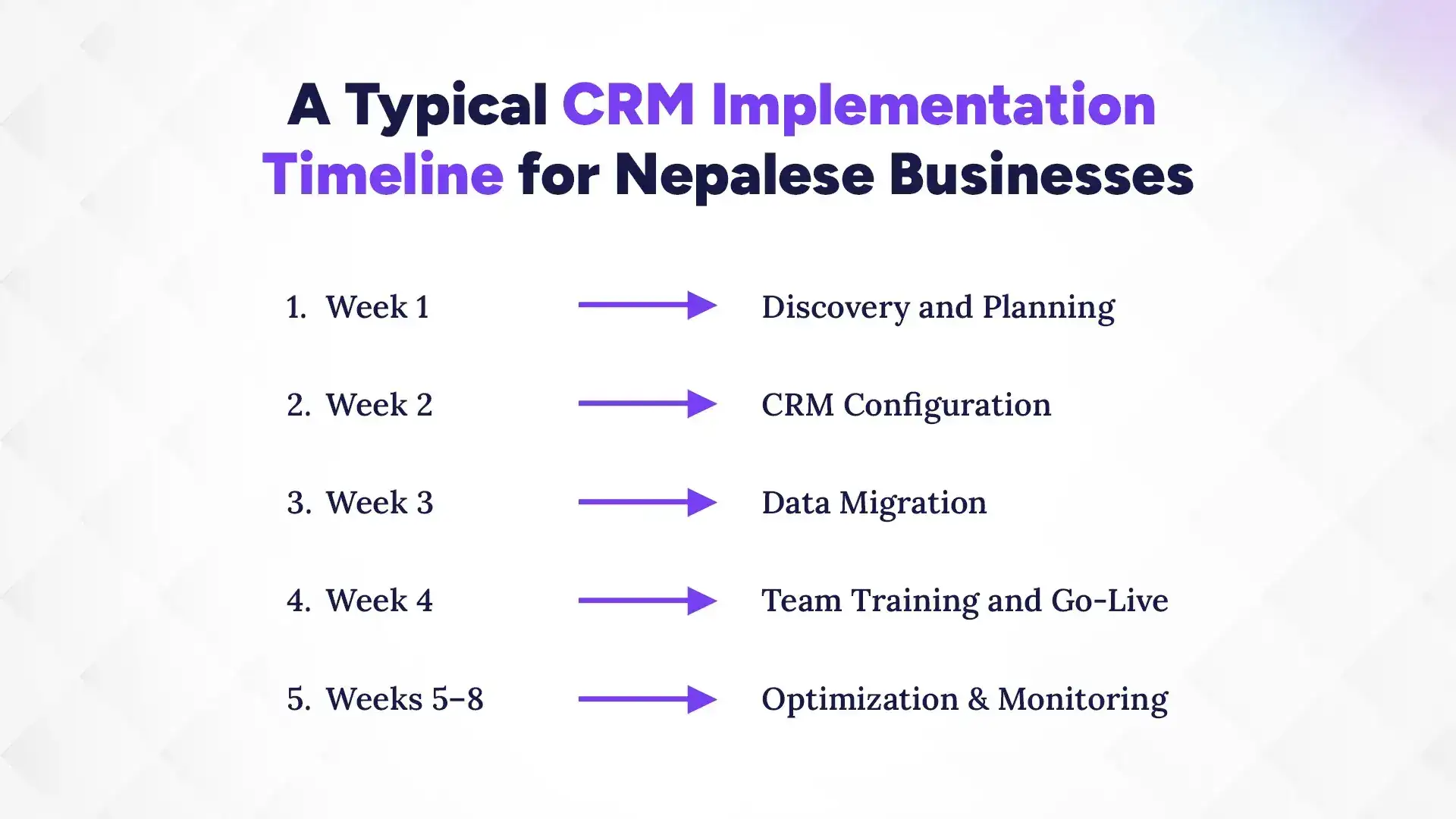
Week 1 – Discovery and Planning
During the first week, you should focus entirely on setting goals and planning your project. Meet with your team to define your sales stages and decide who will manage the CRM. This planning ensures everyone is aligned before you touch the software. It sets a strong foundation for a fast setup.
Week 2 – CRM Configuration
In week two, you will customize the CRM settings to match your daily business activities. You can set up user accounts, define lead stages, and create custom fields for your contacts. This step shapes the software to fit your unique business style. It makes the system easy for everyone to use.
Week 3 – Data Migration
Week three is all about moving your customer information into the new CRM system safely. You should clean your existing spreadsheets, remove duplicate contacts, and import the clean files. This process ensures your team starts with fresh, reliable data. It prevents confusion and keeps your database highly accurate.
Week 4 – Team Training and Go-Live
During week four, you will train your employees and officially launch the CRM system. Run interactive, hands-on training sessions so everyone knows how to log leads and update deals. Once the team feels comfortable, you can start using the CRM for daily work. This creates immediate momentum for your sales team.
Weeks 5–8 – Optimization & Monitoring
After going live, spend the next few weeks monitoring system use and collecting user feedback. You might need to adjust some workflows or offer extra training to team members who are struggling. This step ensures long-term success and helps you get the most value from your investment. Consistent support keeps everyone active.
CRM Implementation Timelines by Business Type in Nepal
In Nepal, CRM implementation timelines range from two to twelve weeks depending entirely on your specific business type and industry needs. A simple service business can set up their system within days, while a large manufacturing plant will need several months to connect all its departments. Let us look at the detailed timelines for different local sectors to help you plan your launch.
Before diving into the details, here is a quick overview of how timelines look across different industries in Nepal. This comparison will give you a realistic expectation of what to plan for in your specific field.
| Business Type | Setup Focus | Typical Timeline |
|---|---|---|
| Trading & Distribution | Dealer tracking, inventory | 4–8 weeks |
| Service-Based | Fast lead follow-ups | 2–4 weeks |
| Educational | Student intake cycle | 3–6 weeks |
| Real Estate | Property leads, long sales cycle | 4–8 weeks |
| Manufacturing | Multi-department sales | 8–12 weeks |
1. Trading and Distribution Companies
Trading firms usually need four to eight weeks to implement a CRM. Their biggest challenge is connecting dealer networks and tracking inventory levels. Setting up clear product catalogs and delivery pipelines early helps speed up this process.
2. Service-Based Businesses
Service businesses can often go live in just two to four weeks. They focus heavily on quick lead tracking and scheduling customer appointments. Because their workflows are simple, they can launch quickly and see immediate improvements.
3. Educational Institutions
Schools and colleges typically take three to six weeks to set up. They need to track student inquiries across complex admission seasons. Coordinating multiple staff members during training is their main challenge during implementation.
4. Real Estate Companies
Real estate agencies usually require four to eight weeks for a full setup. They must track property leads over very long sales cycles. Creating automated follow-up reminders helps agents close deals faster and manage listings easily.
5. Manufacturing Businesses
Manufacturing companies often take eight to twelve weeks to implement a CRM. They must coordinate multiple departments, including sales, production, and shipping. Connecting these areas requires careful planning and deep technical integrations.
The Real Culprits: Why Some CRM Projects Stall in Nepal
Many CRM setups get delayed due to common issues like messy spreadsheets, unclear goals, and low team buy-in. These setbacks are almost always caused by human preparation rather than software bugs. Let us look at the red flags that could slow down your project.
1. Unclear Objectives
Setting up software without clear goals leads to major project delays. Teams quickly get confused when they do not know what problems to solve. Define your specific business goals before you start configuration.
2. Poor Data Preparation
Importing messy or incomplete spreadsheets is a recipe for system failure. Spending days cleaning data mid-project will stall your launch schedule. Clean your contact lists before uploading them into the system.
3. Excessive Customization Requests
Trying to build every advanced feature at launch creates unnecessary delays. Complex workflows take weeks to design, test, and perfect. Start with core features and add custom details later.
4. Lack of Employee Buy-In
Employees often resist using new systems when they feel left out. This lack of adoption slows down the entire project rollout. Involve your staff early to build excitement and make training easier.
5. No Dedicated Project Owner
Without a single person in charge, CRM tasks will get ignored. Decisions take too long, and team members lose track of progress. Assign an internal champion to lead the setup process.
How to Speed Up Your CRM Implementation?
You can easily speed up your CRM setup by cleaning your customer lists and planning your sales steps early. Getting your daily work organized before buying any software prevents confusing delays. Let us look at five proven ways to fast-track your setup.
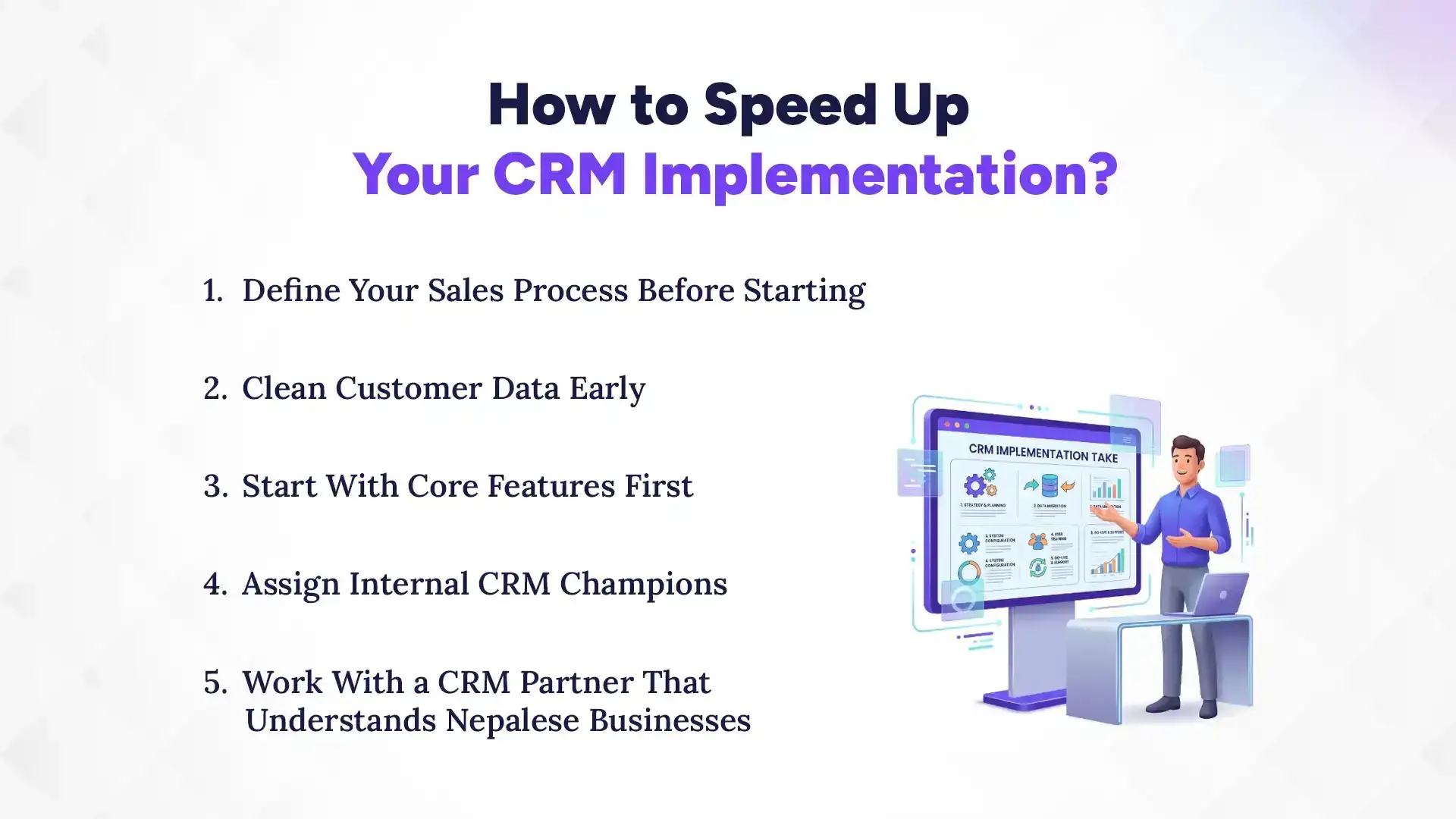
1. Define Your Sales Process Before Starting
Do not wait for the software to organize your team. Write down your steps for handling leads from start to finish. Having a clear manual process makes system setup incredibly fast and simple. Your team will understand the new tool immediately.
2. Clean Customer Data Early
Clean your customer spreadsheets long before you buy any software. Delete inactive contacts, merge duplicate files, and fix incorrect phone numbers. Doing this prep work avoids major database issues later. It allows your project to stay on track.
3. Start With Core Features First
Avoid the temptation to use every advanced tool on day one. Focus on simple lead tracking and contact management first. You can add automated workflows and deep reports later. This phased approach keeps your launch quick and easy.
4. Assign Internal CRM Champions
Choose a positive team member to act as your internal CRM leader. They will help answer questions and keep other employees excited about the change. This champion acts as a bridge between management and staff. Their support speeds up team adoption.
5. Work With a CRM Partner That Understands Nepalese Businesses
Partnering with a local CRM provider saves you a massive amount of time. They offer quick, on-site help and understand your daily local challenges. They can also train your team in simple, friendly ways. This support makes your transition completely stress-free.
Why Choose Pace CRM: Most Trusted CRM Software in Nepal?
Pace CRM is the most trusted choice because it offers local businesses simple workflows and direct on-site support. It is designed to match how Nepalese companies run their daily sales without unnecessary complexity. Here are the top reasons why local businesses succeed with Pace CRM.
1. Built for Nepalese Workflows
Pace CRM matches the exact way Nepalese businesses run their daily sales. It avoids overly complex designs, making it perfect for local teams. You get exactly what you need without any clutter.
2. On-Site Support and Training
We do not leave you to figure things out alone in the dark. Our local team offers hands-on training and quick support whenever you need help. This keeps your business running smoothly.
3. Quick and Easy Setup
With pre-built templates, you can launch your CRM in just a few days. We help you import your data and train your staff quickly. This saves you valuable time and money.
4. Affordable Local Pricing in NPR
Pace CRM offers clear pricing in Nepalese Rupees with zero hidden charges. This helps you plan budgets easily without worrying about dollar exchange rates.
5. Built-in SMS and WhatsApp Alerts
You can send instant updates to your customers using integrated SMS and WhatsApp tools. This helps you connect with clients directly on their favorite mobile apps.
Signs Your CRM Implementation Is Successful
A successful CRM setup is shown by high user adoption rates, clear lead visibility, and faster follow-up times. Measuring these results helps you know if your team is truly getting value from the tool. Let us look at the main signs that your rollout was a victory.
1. High User Adoption Rates
Your team actually logs in and uses the CRM every single day. They do not complain about the system or try to avoid it. Instead, they find it helpful for their daily work. This active daily use is the ultimate sign of success.
2. Improved Lead Tracking Visibility
You can see exactly where every lead is in your sales pipeline. No potential customer gets forgotten or lost in the cracks. Management has full visibility into daily team activities. This clarity helps you make smarter business decisions.
3. Faster Follow-Up Times
Your sales reps reach out to new leads much quicker than before. Automated alerts ensure that customers get speedy answers to their questions. This fast action keeps your clients happy and helps you close deals faster.
4. Better Reporting Accuracy
You no longer have to guess your monthly sales numbers or lead sources. The CRM provides clear, accurate reports with just a few simple clicks. This reliable data helps you plan your business future with total confidence.
5. Reduced Spreadsheet Dependency
Your office is finally free from messy, outdated Excel spreadsheets. All customer interactions and history are stored safely in one central system. Your team works from a single source of truth. This makes daily collaboration simple and fast.
Is Faster Always Better When it Comes to CRM Implementation?
While we all want a quick launch, rushing your CRM setup can lead to major issues. If you move too fast, you might skip crucial training or import messy data. This often causes your team to feel confused and reject the new system entirely.
A successful CRM rollout is not just about reaching the launch date. Instead, it is about balancing speed with employee adoption. Take enough time to listen to your team, clean your database, and practice using the tool. A slightly slower, more careful setup always leads to better long-term results and higher sales.
Conclusion
Setting up a CRM does not have to be a long or stressful project for your business. In fact, most Nepalese SMEs can easily go live in just a few short weeks with proper planning. By focusing on cleaning your data and training your team, you can avoid common delays.
Taking control of your customer relationships is the best move you can make for your business today. Imagine a daily routine where no leads are lost, and your sales team works with absolute clarity. You have the power to make this positive shift happen starting right now.
Do not let fear of technology hold your business back any longer. The sooner you start your CRM journey, the sooner you will gain complete visibility into your sales. Contact Pace CRM today to schedule your free consultation and take your business to the next level!