

.webp&w=3840&q=75)
Attendance should be simple: employees arrive, check in, and get to work
But when attendance depends on registers, manual entries, or unreliable devices, things can get messy fast. Missed punches, buddy punching, long queues, and payroll errors can turn a routine HR task into a monthly headache.
That is why more businesses in Nepal are moving to automated attendance systems.
Two options you will often come across are biometric and face recognition attendance. Interestingly, face recognition is also a form of biometric technology. Yet, in the HR software market, the two are commonly treated as separate solutions.
So, which one makes more sense for your business?
This guide breaks down how both systems work, their advantages and limitations, how they connect with HR software, and where each fits best. By the end, you should have a clearer idea of which attendance system suits your people, workplace, and budget.
What Is a Biometric Attendance System?
A biometric attendance system uses a unique physical characteristic to identify employees and record their working hours. Instead of signing a register or entering an employee ID, employees verify their identity through a biometric device.
In Nepal, “biometric attendance” usually refers to fingerprint-based attendance systems, which are widely used in offices, schools, factories, and other workplaces. However, biometric attendance can use several types of identification methods.
1. Fingerprint Attendance
Fingerprint attendance uses the unique patterns on an employee’s finger to verify their identity. It is affordable, easy to use, and widely adopted by businesses in Nepal.
2. Face Recognition Attendance
Face recognition uses an employee’s facial features to verify their identity. It provides a contactless way to record attendance and is becoming increasingly popular in modern workplaces.
3. Iris Recognition Attendance
Iris recognition identifies employees using the unique patterns in their eyes. It offers high accuracy but is less common for everyday workplace attendance because it requires specialized equipment.
4. Palm and Finger Vein Attendance
These systems identify unique patterns in the veins of an employee’s palm or finger. They offer strong security but are generally more expensive and less common than fingerprint systems.
What Is a Face Recognition Attendance System?
A face recognition attendance system uses an employee’s face to verify their identity and record attendance. Instead of touching a scanner, employees simply face the camera, allowing the system to confirm who they are and mark their check-in or check-out.
It is a contactless attendance option that can make daily check-ins faster and more convenient. This can be especially useful for businesses with large teams, multiple branches, or busy entry points.
How Face Recognition Attendance Works
The process is simple from an employee’s point of view:
- Face Capture: The camera detects the employee’s face when they approach the attendance device.
- Identity Verification: The system compares the captured face with the employee’s registered profile.
- Attendance Marking: Once the identity is confirmed, the system records the employee’s check-in or check-out time.
- HR Software Sync: The attendance record is transferred to the connected HR software, where it can support payroll, leave, shift management, and attendance reports.
Why Businesses Use It
Face recognition removes the need for physical contact with an attendance device. Employees do not need to remember cards, enter codes, or worry about fingerprint scans failing because of wet or dirty hands.
For HR teams, the bigger benefit comes from connecting the system with HR software. Attendance data can move directly into other HR processes instead of being entered and checked manually.
Biometric vs Face Recognition Attendance: Side-by-Side Comparison
Neither system is better for every business. Biometric attendance is usually more affordable and practical, while face recognition offers a faster, contactless experience. The right choice depends on your workforce, budget, and how you plan to use the system.
| Factor | Biometric | Face Recognition |
|---|---|---|
| Initial cost | Lower | Higher |
| Running cost | Low | Low to moderate |
| Accuracy | High | High with quality systems |
| Attendance speed | Fast | Very fast |
| Contactless | No | Yes |
| Hygiene | Moderate | Better |
| Ease of use | Simple | Very simple |
| Maintenance | Low to moderate | Low to moderate |
| Remote attendance | Limited | Better suited |
| Scalability | Good | Excellent |
| HR software | Widely compatible | Widely compatible |
| Best suited for | SMEs, offices, factories | Growing and multi-location businesses |
The biggest difference is how employees interact with the system. Fingerprint attendance requires a physical scan, while face recognition can verify employees without contact. For businesses mainly focused on affordability and reliable attendance, fingerprint remains a practical choice. For businesses prioritizing convenience, scalability, and contactless attendance, face recognition may be the better fit.
Pros and Cons of Biometric Attendance
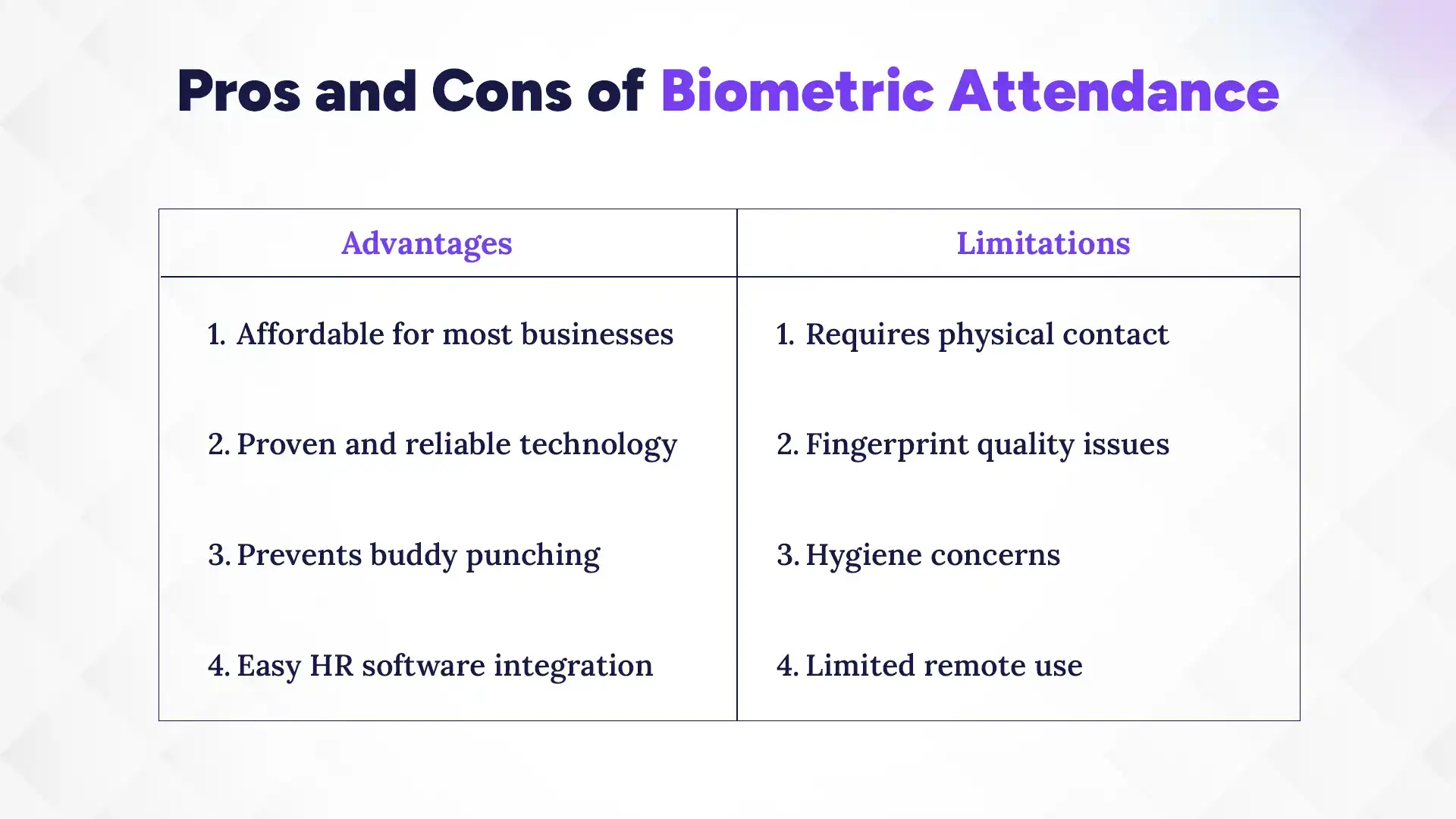
Biometric attendance is affordable, reliable, and easy to adopt, but fingerprint-based systems still have some practical limitations.
Advantages
For many Nepali businesses, biometric attendance offers a good balance of cost, reliability, and simple day-to-day use.
1. Affordable for Most Businesses
Fingerprint attendance devices are generally more affordable than face recognition systems, making them a practical option for small and medium-sized businesses.
2. Proven and Reliable
Fingerprint technology has been used for workplace attendance for years. With a good-quality device, it can provide consistent and accurate attendance records.
3. Prevents Buddy Punching
Because employees must verify their identity using their fingerprint, one employee cannot easily mark attendance on behalf of another.
4. Easy HR Software Integration
Most modern HR software allow biometric integration, enabling attendance data to flow into payroll, leave, shift management, and reporting.
Limitations
Fingerprint attendance works well in many workplaces, but the physical scanning process can create some challenges.
1. Requires Physical Contact
Employees need to touch the scanner to record attendance. This can be less convenient than a contactless system, particularly when many employees check in at the same time.
2. Fingerprint Quality Issues
Wet, dirty, worn, or damaged fingers can sometimes make fingerprint verification difficult. Employees may need to try again before their attendance is recorded.
3. Hygiene Concerns
Since employees share the same fingerprint scanner, frequent physical contact can be a hygiene concern, especially in workplaces with large teams.
4. Limited Remote Use
Traditional fingerprint devices are designed for fixed locations. They are therefore less suitable for field employees, remote workers, or teams that regularly work away from the office.
Pros and Cons of Face Recognition Attendance
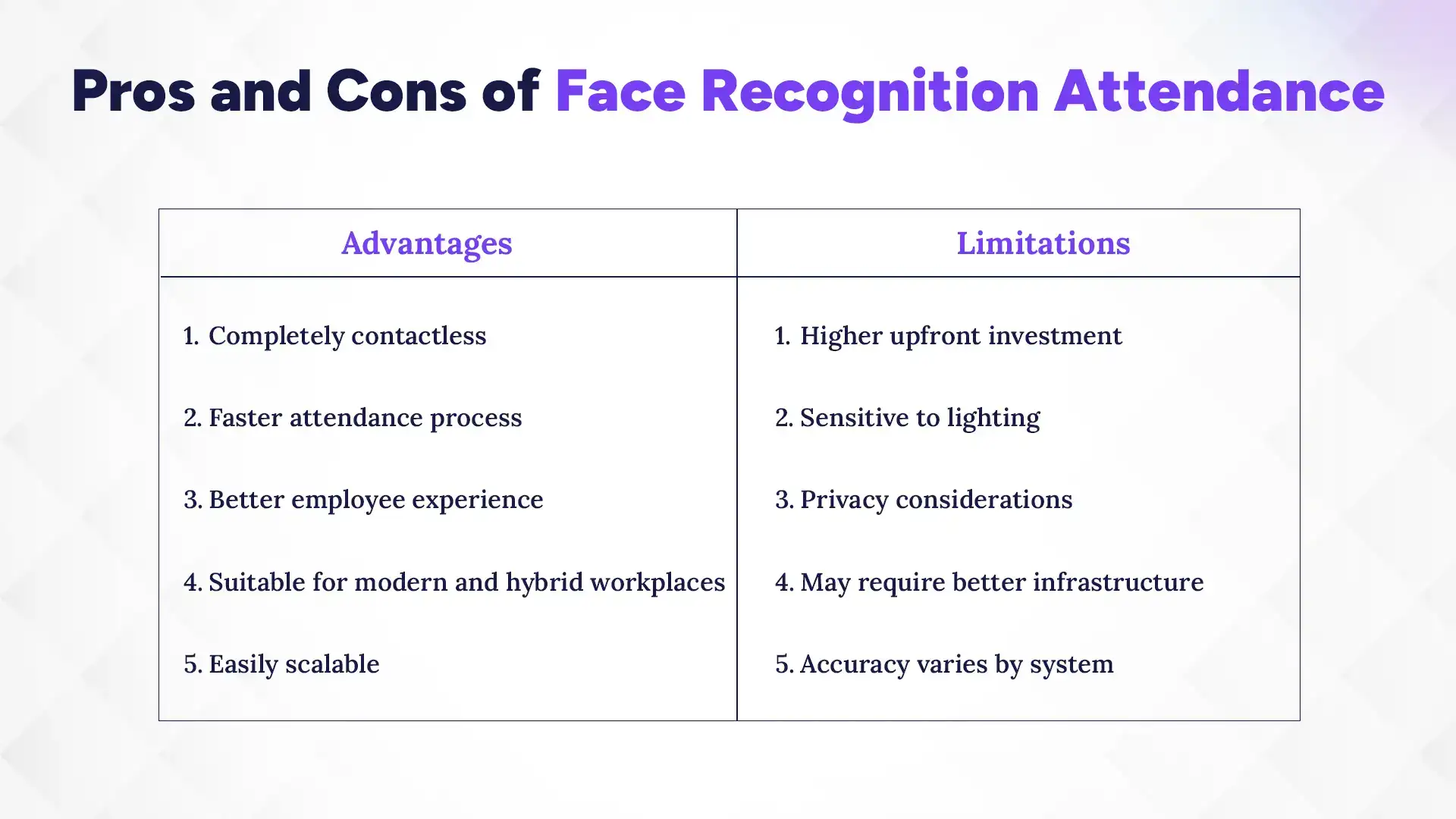
Face recognition attendance offers a faster, contactless way to track employees, but it can require a higher investment and the right setup to work reliably.
Advantages
For businesses looking for a convenient and modern attendance experience, face recognition can offer several practical benefits.
1. Completely Contactless
Employees only need to face the camera to record attendance. There is no need to touch a shared device, making the process more hygienic.
2. Faster Attendance Process
Employees can verify their identity quickly without placing a finger on a scanner. This can help reduce queues during busy check-in and check-out times.
3. Better Employee Experience
The process is simple and requires little effort from employees. They do not need cards, passwords, or repeated fingerprint scans.
4. Suitable for Modern and Hybrid Workplaces
Face recognition can work well for businesses with flexible work arrangements, multiple locations, or employees who move between different workspaces, depending on the system.
5. Easily Scalable
A face recognition system can support growing teams and multiple locations, making it a practical option for businesses planning to expand.
Limitations
Despite its convenience, face recognition is not completely problem-free. Its performance depends on the quality of the system and how it is set up.
1. Higher Upfront Investment
Face recognition devices and cameras can cost more than basic fingerprint attendance machines. Businesses should consider both the hardware and software costs before choosing one.
2. Sensitive to Lighting
Poor lighting, strong backlighting, or an unsuitable camera position can affect recognition. Proper device placement is important for consistent performance.
3. Privacy Considerations
Face recognition involves collecting employee facial data. Businesses should have clear policies for how this data is collected, stored, protected, and used.
4. May Require Better Infrastructure
Some systems may need reliable internet, suitable cameras, power backup, or other supporting infrastructure, particularly when used across multiple locations.
5. Accuracy Varies by System
Not every face recognition system performs equally well. Camera quality, recognition technology, liveness detection, and overall system design can affect how accurately employees are identified.
How HR Software Makes Attendance Smarter
An attendance device tells you when employees clock in and out. HR software takes that data further by connecting attendance with leave, shifts, payroll, and employee records.
1. Biometric Attendance + HR Software
Connecting biometric attendance with HR software helps businesses automatically turn fingerprint records into useful HR data.
- Automatic attendance recording
- Shift and late arrival tracking
- Leave balance updates
- Payroll synchronization
- Attendance reports
2. Face Recognition + HR Software
Face recognition can bring the same HR automation while making attendance faster and contactless. It can also support more flexible attendance setups for growing and multi-location businesses.
- Real-time attendance updates
- Mobile and remote attendance, where supported
- Attendance analytics
- Payroll automation
- Multi-branch management
Which Attendance System Should You Choose?
Choose biometric attendance for a practical, budget-friendly setup; choose face recognition if you want contactless attendance, greater flexibility, and room to scale.
| Choose Biometric Attendance If... | Choose Face Recognition If... |
|---|---|
| You run a small or medium business | You want contactless attendance |
| Your employees work mainly from one location | You manage multiple branches |
| Budget is a key consideration | You have hybrid or field employees |
| You already use fingerprint devices | You want a more flexible attendance setup |
| You need a simple, proven solution | You're planning for long-term growth |
Conclusion
Both biometric and face recognition attendance systems can make attendance easier and more accurate. Fingerprint systems are affordable and reliable, while face recognition offers a faster, contactless experience.
There is no one right choice for every business. Consider your team size, budget, workplace, and future needs before choosing.
Whichever system you choose, connecting it with HR software makes it more useful. It can help manage attendance, leave, shifts, payroll, and reports in one place.