Many businesses waste time, money, and momentum by choosing the wrong platform because they do not fully understand the difference between CRM and CMS. Marketing teams struggle with scattered customer data, sales teams miss follow-ups, and website managers feel stuck using tools that do not support their goals. This confusion often leads to poor decisions that slow growth instead of accelerating it.
The reality is that CRM and CMS systems are built for very different purposes, yet they are often compared or even mistaken for one another. Understanding how each works is critical before investing in either.
In this guide, you will get a clear, practical breakdown of CRM vs CMS, how they differ, when to use each, and how to choose the right solution to support scalable business growth.
Whatis a CRM? (Customer Relationship Management)
A CRM, or Customer Relationship Management system, is a software solution designed to help businesses manage, track, and optimize their interactions with customers and prospects. It acts as a centralized hub where sales, marketing, and customer support teams can access accurate customer information, monitor relationships, and improve overall customer experience. By organizing data and automating key processes, a CRM enables businesses to build stronger relationships and drive consistent growth.
Core Functions of a CRM System
A CRM system focuses on three essential operational areas:
Managing customer data and contact information: A CRM stores detailed customer profiles, including contact details, company information, preferences, and past interactions. This ensures teams always work with up-to-date and reliable data.
Sales pipeline tracking and lead management: CRM tools help track leads from first contact to conversion. Sales teams can monitor deal stages, prioritize high-value prospects, and identify bottlenecks in the sales funnel.
Customer engagement and communication history: Every email, call, meeting, or support ticket is logged in one place. This creates a complete interaction history that helps teams personalize communication and avoid missed follow-ups.
Improved customer relationships through personalized communication
Better sales forecasting based on real-time pipeline data
Centralized customer insights that support smarter decision-making
By aligning teams around shared customer data, a CRM reduces inefficiencies, increases transparency, and enables businesses to scale without losing touch with their customers.
A CMS, or Content Management System, is a software platform that allows users to create, manage, and publish digital content without needing advanced technical skills. It is primarily used for website management and helps businesses maintain blogs, landing pages, and full websites efficiently. A CMS platform separates content from code, making it easier for marketing teams, editors, and content creators to update websites quickly while maintaining consistency and performance.
Core Functions of a CMS Platform
A CMS platform supports content-driven operations through several key capabilities:
Creating, editing, and publishing digital content: Users can write, format, and publish blog posts, web pages, and other digital content through an intuitive interface, often with built-in editors.
Website structure and page management: A CMS controls site architecture, including menus, URLs, categories, and page hierarchies, ensuring organized and scalable website management.
Media and asset organization: Images, videos, documents, and other assets are stored in a central media library, making content reuse and updates simple and consistent.
Key Benefits of Using a CMS
Using a CMS delivers strong advantages for content-focused teams:
Easy website content updates without developer dependency
Improved content collaboration through user roles and permissions
SEO-friendly content publishing with built-in optimization features
Overall, a CMS empowers businesses to publish high-quality digital content efficiently, maintain control over their website, and support long-term organic growth through structured, search-friendly content management.
CRM vs CMS: Key Differences Explained
Choosing between a CRM vs CMS becomes easier once you understand how fundamentally different their roles are. While both are essential business tools, they are designed to solve very different problems and support different teams. Comparing them side by side helps clarify where each system adds value.
Feature
CRM (Customer Relationship Management)
CMS (Content Management System)
Primary Purpose
Manages customer relationships, sales activities, and customer data
Manages website content and digital publishing
Core Focus
Customer data, lead tracking, and engagement history
Website management and content publishing
Main Users
Sales teams, marketing teams, and customer support
Content creators, marketers, web managers
Data Type
Customer profiles, leads, deals, and communication logs
Blog posts, web pages, images, videos
Sales Pipeline
Tracks leads through sales stages and conversions
Not designed for sales tracking
Content Creation
Limited content tools, mainly for emails and notes
Advanced content creation and editing tools
Automation
Sales workflows, follow-ups, and customer journeys
Connects marketing, sales, and customer support data
Connects website content with marketing tools
Business Goal
Increase conversions, retention, and revenue
Increase visibility, traffic, and content reach
This comparison highlights why CRM vs CMS is not a competition but a distinction. Each platform serves a unique purpose, and many businesses benefit most by using both together rather than choosing one over the other.
CRM vs CMS: Which One Does Your Business Need?
Deciding between CRM vs CMS depends on your business goals, team structure, and growth priorities. While both tools support digital operations, a CRM addresses the challenges that directly impact revenue, customer relationships, and long-term business growth. Understanding how your business interacts with customers makes it clear why a CRM should often be the first investment.
If your business wants to increase sales, nurture leads efficiently, and maintain consistent communication across all touchpoints, a CRM is essential. It centralizes customer data, automates follow-ups, and gives your team the insights they need to turn prospects into loyal customers. A CMS can help manage content, but without a CRM, all those visitors may not convert into paying customers.
A CRM is the right choice if your business needs to:
Manage and nurture leads through a structured sales pipeline
Track customer interactions across multiple touchpoints
Improve sales forecasting and follow-up efficiency
Centralize customer data for sales and support teams
While a CMS helps publish content and improve website visibility, it does not drive customer relationships or revenue directly. A CRM ensures that every interaction, from first contact to post-sale support, is tracked and optimized. Businesses that focus on growth and customer retention see the greatest return by prioritizing a CRM.
In fact, many growing businesses integrate a CRM with their CMS later, but the real results start when the CRM is in place. By investing in a CRM first, you ensure that every lead, every conversation, and every customer interaction contributes to measurable business growth.
Ready to Manage Leads Better?
Use Pace CRM to track leads, automate follow-ups, and close deals faster. Simple, powerful, and built for your growth.
Understanding the core features of CRM and CMS platforms helps clarify how each system supports different business functions. While both are essential digital tools, their features are built to serve distinct operational goals.
Core Features of a CRM
A CRM focuses on managing customer relationships, sales processes, and engagement data. Key features include:
Customer data management: Centralized storage of contact details, company information, interaction history, and customer preferences
Lead and opportunity management: Tracking leads through sales stages with clear visibility into deal progress
Sales pipeline tracking: Visual pipelines to monitor conversions and identify bottlenecks
Communication tracking: Logging emails, calls, meetings, and follow-ups in one place
Sales automation: Automated workflows for task reminders, lead assignment, and follow-up
Reporting and analytics: Insights into sales performance, customer behavior, and revenue forecasting
Core Features of a CMS
A CMS is designed for website management and digital content publishing. Its core features include:
Content creation and editing: User-friendly editors for writing and formatting web pages and blog posts
Website structure management: Control over menus, URLs, categories, and page hierarchies
Media management: Central libraries for images, videos, and downloadable assets
User roles and permissions: Collaboration tools for editors, authors, and administrators
Content scheduling and publishing: Draft, schedule, and publish content with ease
SEO-friendly tools: Built-in features for metadata, clean URLs, and search engine optimization
Together, these features show why CRM and CMS serve different but complementary roles in a modern digital strategy.
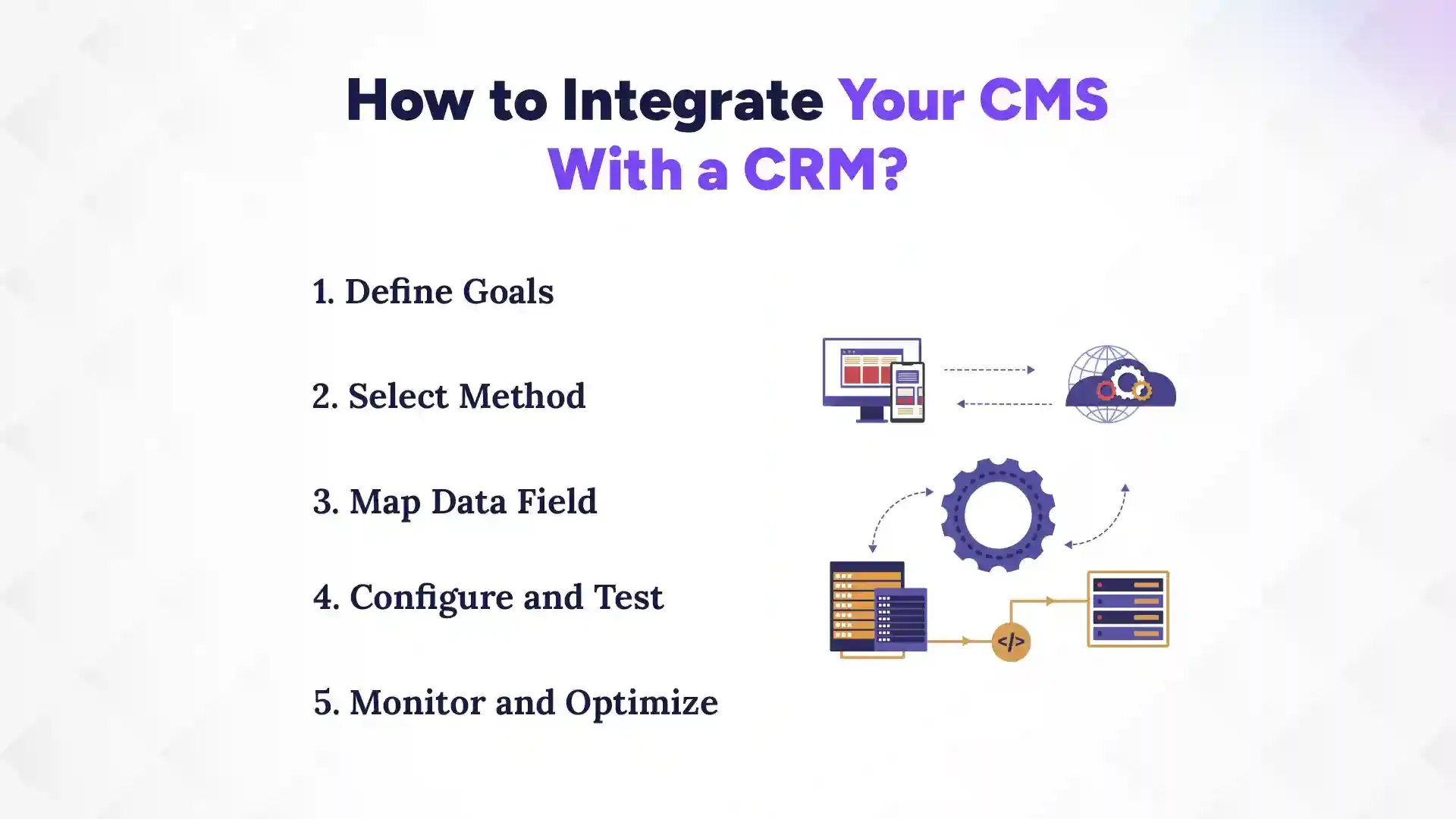
How to Integrate Your CMS With a CRM?
You can integrate your CMS with a CRM by clearly defining your goals, choosing the right integration method, mapping data fields, testing the setup, and continuously optimizing performance. When done correctly, this integration connects your website content with customer data to create a smoother lead-to-customer journey. It allows marketing and sales teams to work from the same data, improving efficiency and personalization across the funnel.
1. Define Goals
Start by identifying what you want the CMS and CRM integration to achieve. Common goals include capturing website leads directly into the CRM, tracking user behavior, or personalizing content based on customer data. Clear objectives help you avoid unnecessary complexity. They also determine which data needs to flow between systems. For example, a content-heavy business may focus on form submissions, while a sales-driven business may prioritize lead scoring. Defined goals ensure the integration supports real business outcomes rather than just technical connectivity.
2. Select Method
Next, choose how the CMS and CRM will connect. This could be through native integrations, third-party tools, or custom API connections. Native integrations are often the simplest and most reliable. Third-party tools offer flexibility with minimal development effort. Custom APIs are best for advanced or unique requirements. Your choice should balance scalability, budget, and technical resources. Selecting the right method prevents future integration issues.
3. Map Data Field
Data field mapping ensures information flows correctly between systems. Match CMS fields such as contact forms, page visits, or downloads with corresponding CRM fields. This step prevents data duplication and mismatches. Accurate mapping improves reporting and personalization. It also ensures sales teams receive clean, usable data. Proper field alignment is critical for long-term data integrity.
4. Configure and Test
Once mapping is complete, configure the integration settings carefully. Run multiple test submissions to confirm data syncs correctly. Check for errors, delays, or missing information. Testing helps identify issues before going live. It also ensures automation rules work as expected. A well-tested setup reduces disruption to ongoing operations.
5. Monitor and Optimize
After launch, continuously monitor the integration performance. Track data accuracy, sync speed, and system reliability. Adjust workflows as business needs evolve. Regular optimization improves efficiency and prevents technical debt. Ongoing monitoring ensures your CMS and CRM remain aligned as your business grows.
Benefits of CMS-CRM Integration
When your CMS and CRM function together, your business runs more smoothly. Instead of using separate tools that do not talk to each other, everything stays connected. This saves time, reduces mistakes, and helps teams stay on the same page. Most importantly, it creates a better experience for both your team and your customers.
1. Better Lead Management
CMS-CRM integration makes it easy to collect leads from your website and store them in one place. When someone fills out a form, their details go straight into the CRM. There is no need for manual entry or copying data. This reduces errors and saves time. Sales teams can follow up faster. Marketing teams can see which content brings the best leads. Overall, leads are handled more carefully and efficiently.
INSIGHTs
Did You Know?
Businesses using CRM systems can improve sales by up to 29%. With Pace CRM, you can track leads, automate tasks, and close deals faster in one simple platform.
2. Improved Customer Experience
When customer data and website content are connected, communication feels more personal. Teams can see what pages a user visited or what content they downloaded. This helps them send more relevant messages. Customers do not have to repeat the same information again and again. Support teams understand the full history of each customer. This makes interactions smoother and more helpful.
3. Better Team Collaboration
CMS-CRM integration helps marketing, sales, and support teams work together. Everyone uses the same data instead of separate tools. Marketing can see what happens after a lead is captured. Sales can understand what content influenced a buyer. Support teams get context before helping a customer. This reduces confusion and improves teamwork. Decisions become faster and clearer.
4. Smarter Business Decisions
With connected data, reports become more accurate. You can see which content leads to sales and which does not. This helps you focus on what works. Teams can spot trends and fix problems early. Planning becomes easier with clear insights. Over time, this leads to better growth and stronger results.
Conclusion
When it comes to CRM vs CMS, the clear choice for driving real business growth is a CRM. While a CMS helps manage content and attract visitors, it does not track customer interactions, nurture leads, or directly boost sales. A CRM centralizes all customer data, automates follow-ups, and provides actionable insights that turn prospects into loyal customers. For businesses focused on revenue, retention, and long-term growth, investing in a CRM first ensures every interaction counts.
Even if you use a CMS for your website, pairing it with a CRM unlocks the full potential of your marketing and sales efforts, making CRM the foundation for smarter, data-driven business success.
FAQs
What is the main difference between a CRM and a CMS?
+
A CRM manages customer data, sales, and interactions, while a CMS manages website content and publishing. CRM drives sales growth, CMS drives content visibility.
Do I need both a CRM and a CMS?
+
Not always, but using both together is ideal for growth-focused businesses. CRM handles leads and customers, CMS handles content and traffic.
Can a CMS replace a CRM?
+
No, a CMS cannot track customer interactions or manage sales pipelines. A CRM is needed to turn leads into paying customers.
Can a CRM manage website content?
+
No, CRM focuses on customer data and communication, not website publishing. You still need a CMS to manage digital content efficiently.
What are the key benefits of a CRM?
+
It improves lead management, centralizes customer data, and boosts sales and retention. Teams can follow up faster and make smarter decisions.
What are the key benefits of a CMS?
+
It simplifies content creation, publishing, and website management. It helps attract traffic and improve SEO.
How do CRM and CMS work together?
+
CMS captures leads and website activity, which CRM tracks and manages for sales follow-up. Integration creates a seamless customer journey.
Which should I invest in first: CRM or CMS?
+
Invest in a CRM first if your goal is revenue and customer growth. A CMS can be added later to support content and visibility.
Ready to get started?
Book a 30-minute consultation call, and let's talk about your goals.