Building a website sounds exciting, but most beginners quickly run into the same problem. They are not sure where to start, which platform to choose, or how much the entire project will cost. This confusion often leads to slow progress, wrong decisions, and websites that do not perform well.
The good news is that creating a professional website is much easier when you understand the basic steps and the tools available today. With the right guidance, you can avoid expensive mistakes and build a site that is fast, modern, and ready for your audience.
In this guide, you will learn everything you need before starting, the best ways to build a website, steps to follow, real pricing, timelines, and expert tips to help you launch with confidence.
What You Need Before Building a Website?
Before building a website, you must clearly define your purpose, list the features you need, and understand your target audience. Before you start designing or choosing a platform, you need a clear plan. The purpose of your website is the foundation because it guides every decision that follows. A business website focuses on services and conversions, a blog centers on content, a portfolio highlights your work, and an eCommerce site requires product pages, payment systems, and shipping tools. With the help of website development service, you can structure everything properly from the beginning. When you know your purpose, choosing the right structure and tools becomes much easier.
Next, think about the features your website must have. Features depend on your goals. For example, an online store needs product filters, a cart system, and secure checkout, while a service business needs appointment booking and contact forms. Listing these early helps you pick the right platform and avoid spending on unnecessary tools.
Also, understanding your audience is essential. Your design, content, and even hosting choice should match the habits of the people you want to attract. US buyers expect fast loading, clean layouts, and simple navigation. Local clients want clear contact details and trust signals. Global users need a design that works smoothly across regions and devices.
Here are three key questions to guide your planning:
Who will visit your website
What should they be able to do on your website
What action should they take before leaving
When you answer these questions first, your website becomes easier to build, clearer in purpose, and far more effective after launch.
Best Ways to Build a Website
There are many ways to create a website, and the right choice depends on your skills and goals. Some people want the fastest option, while others want full control over the design. You do not need coding knowledge for most platforms today. Let us look at the three most common methods and see which one fits your needs.
1. Website Builders (Best for Beginners in the US)
Website builders are the easiest way to make a website. Tools like Wix, Squarespace, GoDaddy Builder, and Shopify for eCommerce use simple drag and drop features. You can build a site even if you have never done it before. The templates are clean, modern, and ready to use. Most setups take only a few hours. This is great for small business owners who want speed. The main upside is that you do not need coding at all.
2. WordPress.org (Most Popular in the US)
WordPress.org is the most flexible option for beginners and growing businesses. It is open source, which means you can fully control the design and features. There are thousands of themes to choose from. You can also add plugins to handle things like SEO, security, and speed. Many US businesses use WordPress because it is reliable and easy to scale. It does take a little setup at the beginning, but once you get used to it, the workflow feels simple. This platform works best for blogs, agencies, and content-focused websites.
3. Custom Website Development
Custom development is for people who want something unique and powerful. These sites are built with coding tools like HTML, CSS, JavaScript, or frameworks such as React, Next.js, and Laravel. This option gives you full control over design and function. It is the best choice for startups, SaaS platforms, and large businesses with special needs. The process takes more time because everything is created from scratch. You will need a developer or an agency to build it. But the final result is fast, secure, and tailored to your exact goals.
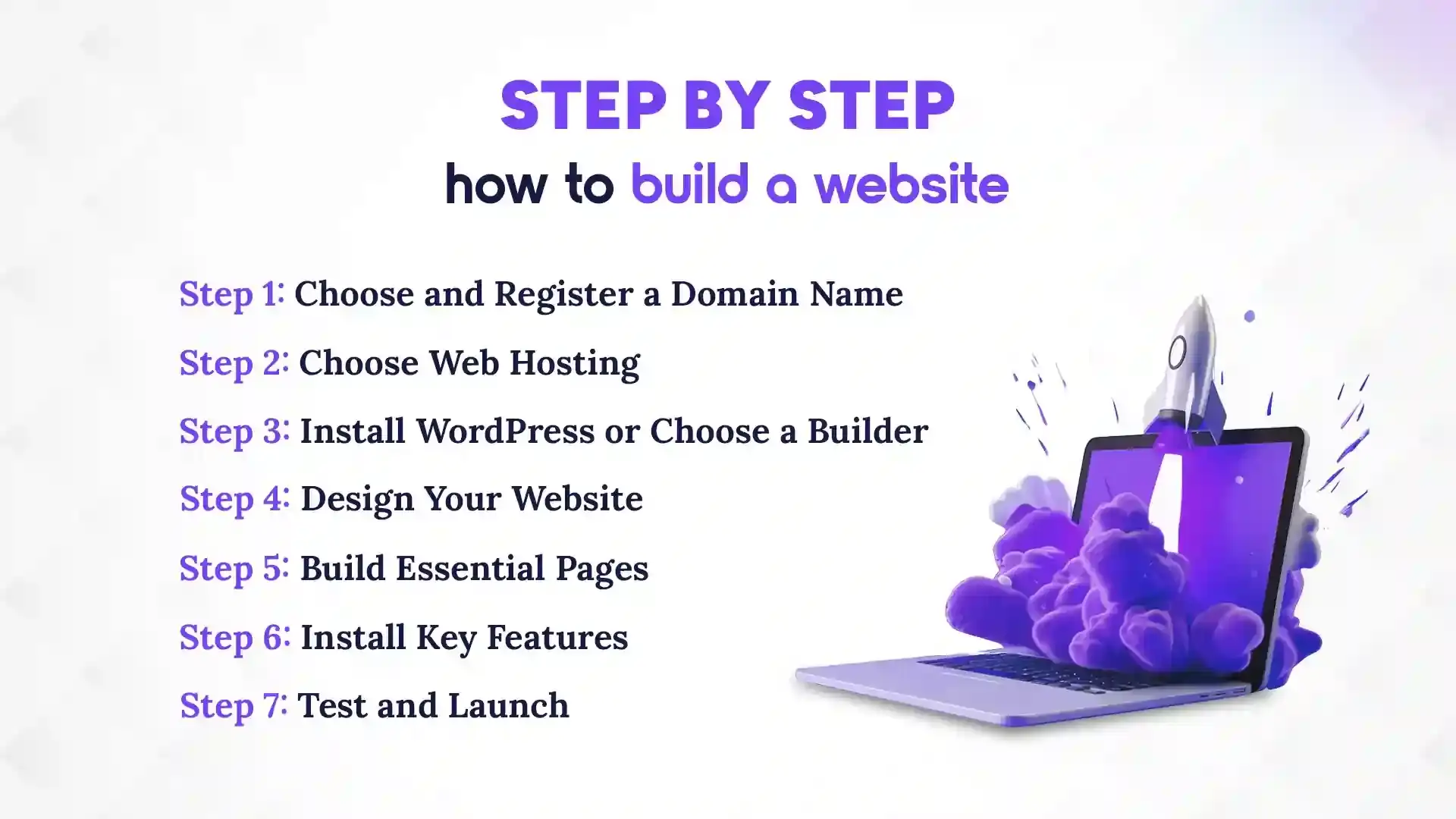
Step-by-Step: How to Build a Website
Building a website becomes much easier when you follow a clear checklist. Each step has a simple purpose, and you can complete most of them even as a beginner. Take it one step at a time, and you will see your site come together smoothly. Let us walk through the process.
Step 1: Choose and Register a Domain Name
Your domain is your online name, so keep it short and easy to spell. Try to get a .com if you plan to target US users. It looks more professional and is easier for people to remember. Think of names that match your brand or service. Once you decide, register it through Namecheap, GoDaddy, or Google Domains. The process takes only a few minutes. Try to avoid special characters because they confuse visitors.
Step 2: Choose Web Hosting
Hosting is where your website lives on the internet. You can choose shared hosting, VPS, or cloud hosting based on your needs. Shared hosting is cheap and good for beginners. VPS and cloud hosting are faster and better for growing traffic. Popular options in the US include Bluehost, HostGator, SiteGround, and Hostinger. Pick a plan that fits your budget and expected traffic. Make sure the hosting provider has good support.
Step 3: Install WordPress or Choose a Builder
If you go with WordPress, most hosting companies offer one-click installation. It is quick and easy. After installation, you just log in and start building. If you prefer a website builder like Wix or Squarespace, simply pick a template and begin editing. Builders are great for people who want a simple drag-and-drop setup. Both options work well, so choose what feels easier.
Step 4: Design Your Website
Start with a clean and modern theme. Make sure it looks good on mobile because most visitors are on phones. Choose simple colors, clear fonts, and place your logo where it is easy to see. US users like pages that load fast and look minimal. Avoid clutter and keep your layout simple. A neat design builds trust and keeps people on your site longer.
Step 5: Build Essential Pages
Every website needs a few core pages. These include Home, About Us, Services or Products, Blog, and Contact. Each page should clearly explain what you offer. Add call-to-action buttons to guide users. Include trust elements like testimonials, ratings, or certifications if you have them. These simple touches make your site feel more reliable.
Step 6: Install Key Features
Add an SSL certificate to keep your site secure. Install basic security tools to avoid malware. Use caching and a CDN to improve speed. Connect your site to Google Analytics and Search Console so you can track traffic. These features may sound technical, but most tools offer simple setup steps. They help your website run better over time.
Step 7: Test and Launch
Before going live, test everything. Check your site on mobile to make sure it looks right. Run a speed test to see how fast it loads. Fix any broken links or missing pages. Set up basic SEO so Google can find your site. Once everything feels ready, publish it and announce your launch. You now have a working website ready for your audience.
Wondering how websites are built in the real world? Explore our case study on Kumari Job’s website development. It shares how we understood their needs as a top job portal in Nepal and built a fast, user-friendly website, from design and development to testing and launch, entirely focused on performance, usability, and real business growth.
How Much Does It Cost to Build a Website in the USA?
The cost to build a website is around $16–$105/month using a builder, while a WordPress site costs $200–$500, and a custom website ranges from $1,500 to $30,000 or more, depending on complexity. Top IT companies in the USA, such as Pace Infosys, are known for providing affordable website development services. Let’s explore each of them in detail:
1. Using Website Builders
Website builders are the easiest way to start, and they usually charge monthly. Wix plans start at $16 and go up to $45 per month. Squarespace costs between $16 and $49 per month. Shopify, mainly for online stores, starts at $39 and can reach $105 per month. These prices include hosting and templates. Most builders also include SSL for security. They handle updates automatically. You do not need coding skills. The monthly cost can vary depending on extra features like email, apps, or advanced analytics. Website builders are great for beginners or small businesses that want a fast setup. You can start small and upgrade as your business grows. They are predictable, so you know what you will pay each month.
2. Using WordPress (Most Common in the US)
WordPress is flexible and widely used. First, you need a domain name, which costs about $10–$15 per year. Hosting ranges from $40 to $150 per year, depending on speed and reliability. Premium themes usually cost $50–$100 one time. Some plugins are optional but can cost $50–$200. Adding security, speed, and SEO plugins may increase cost slightly. A standard WordPress site typically costs $200–$500 in total. WordPress gives you full control over design and features. It is scalable if your business grows. Maintenance is mostly manual but easy with guides. This makes WordPress perfect for blogs, agencies, and small to medium businesses.
3. Custom Website Development
Custom development is the most expensive option, but also the most powerful. A small business custom site starts around $1,500 and can go up to $5,000. A larger agency-level website may cost $5,000 to $15,000 or more. Full eCommerce websites with advanced features can range from $10,000 to $30,000+. The cost depends on complexity, number of pages, and custom features. Custom sites are built from scratch using coding or frameworks like React, Next.js, or Laravel. They offer complete control over design, functionality, and performance. Maintenance and updates may require developer support. The advantage is a highly professional, fast, and secure website. This option is best for startups, SaaS, or businesses with special requirements. Custom websites also scale easily as your business grows.
How Long Does It Take to Build a Website?
A simple site can take a few days, a standard WordPress site 1–6 weeks, and a fully custom site 1–6 months. The time it takes to build a website depends on the method you choose and how complex your site is. Some options are very fast, while others need weeks or even months. Knowing the timeline helps you plan better and avoid unnecessary delays. Here’s a quick guide.
1. Website Builders
If you use a website builder like Wix or Squarespace, simple sites can be ready in just 1 to 3 days. A full business site with all pages and features usually takes about a week. These tools are fast because most of the work is already done for you.
2. WordPress Websites
A basic WordPress site can take 1 to 2 weeks, depending on your setup and content. If you want a custom-designed site with special features, it can take 3 to 6 weeks. WordPress is flexible but needs a bit more time than simple builders.
3. Custom Development
Custom-built websites take the longest. A small business site may take 4 to 10 weeks. Complex sites, like SaaS platforms or enterprise websites, can take 3 to 6 months. This is because everything is built from scratch and tested carefully.
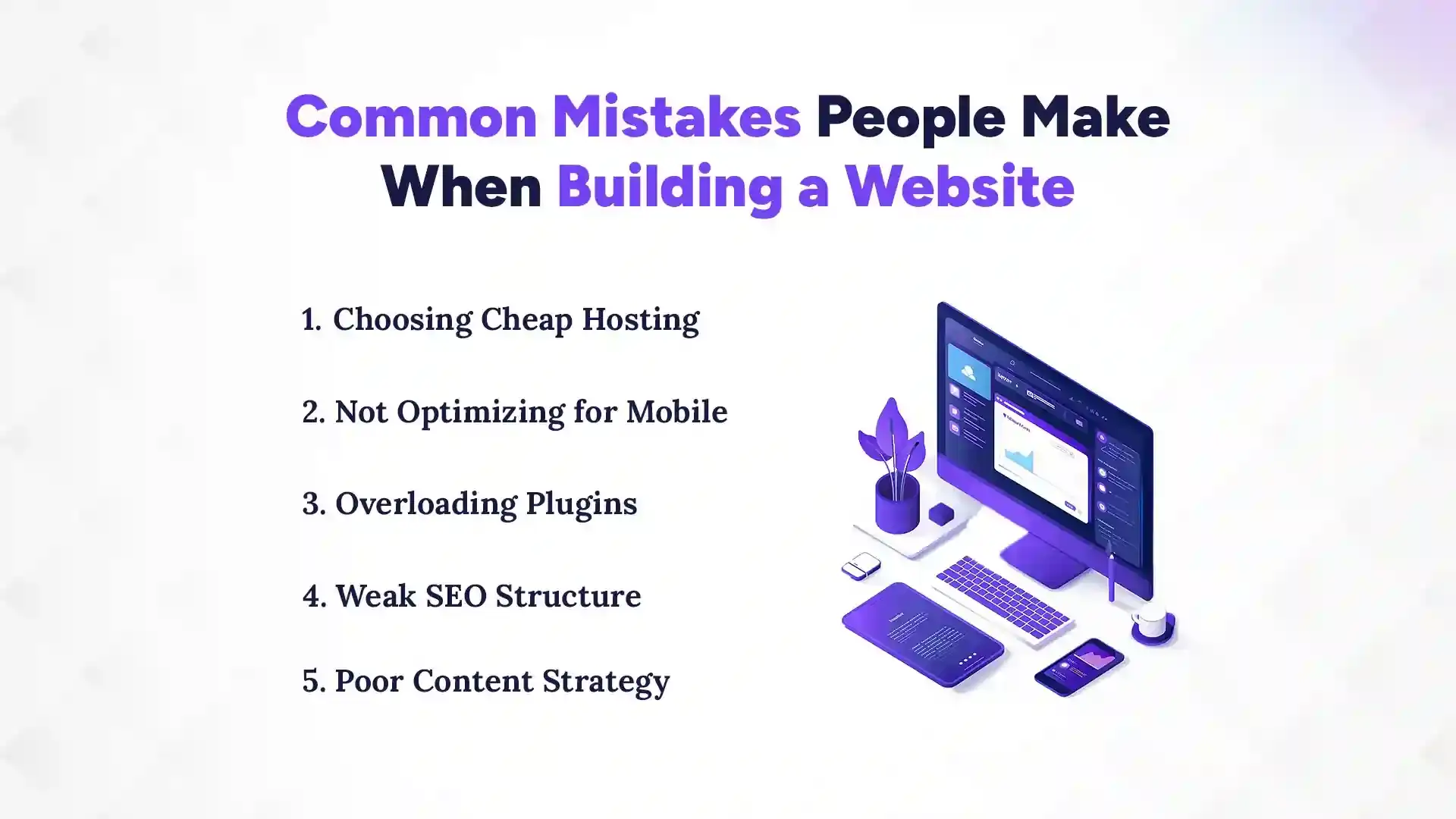
Common Mistakes People Make When Building a Website
Building a website is exciting, but many beginners make mistakes that slow them down. Some problems are easy to avoid if you know what to watch for. Small errors can affect speed, traffic, and how visitors see your business. Let’s look at the most common mistakes and how to avoid them.
1. Choosing Cheap Hosting
Choosing the cheapest hosting might save money at first. But slow servers make your site load slowly, especially for US visitors. A slow website can frustrate users and hurt SEO. It’s better to invest a little more for reliable hosting. Popular options like Bluehost, SiteGround, or HostGator give faster speed and good support. Fast hosting makes your site smooth and professional.
2. Not Optimizing for Mobile
Most people browse websites on phones now. If your site is not mobile-friendly, visitors will leave quickly. Text may be too small or buttons hard to tap. Images can look messy or slow down loading. A responsive theme fixes this easily. Testing your site on phones and tablets is important. Mobile optimization keeps visitors happy.
3. Overloading Plugins
Adding too many plugins can break your website or make it slow. Some plugins may conflict with others. Only install what you really need. Too many plugins also make updates harder. Focus on security, speed, and essential features. Keep your site simple for better performance.
4. Weak SEO Structure
SEO helps people find your website on Google. Without proper SEO, even a great website may not get visitors. This includes proper headings, meta titles, and keywords. Don’t forget alt text for images and clean URLs. Using SEO plugins on WordPress makes it easier. A strong SEO structure brings more traffic.
5. Poor Content Strategy
Content is what keeps visitors engaged. If your text is unclear or unorganized, people will leave. Avoid long paragraphs with no headings. Use images, lists, and call-to-actions. Plan content that answers your audience’s questions. Good content builds trust and encourages action.
Conclusion
Building a website in the USA is easier than ever, thanks to the variety of tools and platforms available today. If you want speed and simplicity, website builders like Wix or Squarespace let you launch a functional site in just a few days without coding skills. WordPress is ideal if you want more control, flexibility, and the ability to grow your site over time.
For businesses with unique needs, custom development offers full customization, scalability, and a professional edge. The key is to choose the method that fits your goals, audience, and skills. By planning carefully, following step-by-step processes, and focusing on essential features, anyone can create a website that looks great, works smoothly, and achieves results by exploring the top 10 website development companies in Austin.
FAQs
What is the best way for a beginner in the USA to build a website?
+
The best way for a beginner in the USA to build a website is by using a website builder like Wix or Squarespace. These tools are easy to use and require no coding skills.
How much does it cost to create a website in the United States?
+
The cost to create a website in the United States depends on the method. Website builders cost $16–$105/month, WordPress $200–$500, and custom websites $1,500–$30,000+.
How long does it take to build a website using different methods?
+
The time to build a website depends on the method. Builders take 1–7 days, WordPress 1–6 weeks, and custom websites 1–6 months.
Should I use a website builder, WordPress, or custom development for my business?
+
The choice depends on your skills, goals, and budget. Builders are fastest, WordPress is flexible, and custom development is fully customizable.
What essential pages should every website have before launching?
+
The essential pages every website should have are Home, About, Services or Products, Blog, and Contact. These pages clearly show your offerings and guide visitors.
How do I choose the right domain name and hosting for my website?
+
The right domain name is short, easy to spell, and matches your brand. Hosting should be reliable, fast, and fit your budget and traffic needs.
What are common mistakes to avoid when building a website?
+
Common mistakes include choosing cheap hosting, not optimizing for mobile, overloading plugins, weak SEO, and poor content strategy. Avoiding these ensures your website runs smoothly and attracts visitors.
How can I make sure my website is mobile-friendly and fast for users?
+
A website is mobile-friendly and fast by using a responsive theme, optimizing images, and testing on phones and tablets. Fast hosting and caching also improve performance.
Ready to get started?
Book a 30-minute consultation call, and let's talk about your goals.