

As your business grows, managing everyday operations can start feeling like juggling too many balls at once. Payroll, hiring, accounting, inventory, compliance, suddenly, everything overlaps, and keeping track becomes a real challenge. That’s when leaders start asking the big questions: What is the difference between ERP and HRMS? Is ERP enough to handle HR, or do we really need both systems? And how exactly does ERP relate to HRM?
Actually, ERP and HRMS aren’t competing tools. They solve different problems at different scales. Choosing the wrong system can slow your team, add unnecessary costs, or create headaches you didn’t sign up for. In this guide, we’ll break it all down clearly, practically, and without confusing tech jargon. By the end, you’ll know exactly which system fits your business today, and tomorrow!
What Is ERP (Enterprise Resource Planning)?
ERP, or Enterprise Resource Planning, is software that brings all the important parts of your business into one place. It connects finance, inventory, procurement, manufacturing, sales, CRM, and even basic HR. By having everything in one system, ERP reduces mistakes, saves time, and gives managers a clear view of how the business is running.
Think of ERP like the operating system of a computer, but for your company. It makes sure everything works together. When a sale happens, inventory and supply chain update automatically. If stock is low, procurement is triggered. Payroll runs, and accounting records labor costs. Invoices go out, and finance keeps track of the transactions.
Even the HR module, which handles payroll, attendance, and employee records, feeds into the same system. With all data in one place, everyone sees the same information, and teams don’t waste time fixing errors.
ERP is great for managing operations and giving a full view of the business. But if you want to manage employees, track performance, or improve HR processes, a dedicated HRMS is usually better.
What Is HRMS (Human Resource Management System)?
A Human Resource Management System (HRMS) is software built to manage everything related to employees. Unlike ERP, which handles the whole business, HRMS focuses on HR tasks like payroll, recruitment, onboarding, performance, training, and workforce analytics. Some vendors also call it HRIS (Human Resource Information System) or HCM (Human Capital Management), but the goal is the same: make HR processes easier and strategic.
Core HRMS Features
HRMS provides deep HR capabilities that ERP alone can’t match:
- Payroll management with compliance
- Applicant tracking and recruitment pipelines
- Onboarding workflows
- Performance evaluation, goal setting, and feedback cycles
- Learning management and training tracking
- Succession planning and skills inventory
- Employee engagement surveys
These tools help HR teams manage employees efficiently and strategically, not just administratively.
What Is the Difference Between ERP and HRMS?
The difference between ERP and HRMS lies in their scope and focus. ERP manages the entire business by connecting finance, operations, sales, inventory, and basic HR into one system, giving leaders a complete view of operations. HRMS on the other hand, solely focuses on employees, handling payroll, recruitment, performance, training, and engagement to help HR teams run efficiently and strategically. Here, the following points highlight the major differences between ERP and HRMS:
1. Core Purpose
ERP is built to manage the entire business. It connects finance, operations, sales, inventory, and even basic HR, giving leaders a full picture of the company. HRMS, in contrast, focuses entirely on people. It handles payroll, recruitment, performance, training, and employee engagement, helping HR teams run smoothly and strategically. Simply put, ERP manages operations, while HRMS manages the workforce.
2. Scope of Functionality
ERP offers broad functionality across multiple departments, providing visibility and coordination throughout the organization. HRMS provides specialized HR tools that go deeper than ERP’s HR module, including applicant tracking, onboarding workflows, performance management, learning management, and self-service portals. ERP gives the “big picture”; HRMS goes deep into workforce management.
3. Best Choice Based on Business Type
ERP works well for small to mid-sized companies with standard HR and operations needs, or larger organizations wanting centralized control across departments. HRMS is ideal for businesses with more complex HR processes or larger teams that require advanced HR features, employee engagement, and strategic workforce planning.
4. Reporting Focus
ERP reporting focuses on business operations and financial data, such as budgets, labor costs, inventory, and overall departmental performance. HRMS reporting focuses on employees, providing insights on turnover, time to hire, performance, training progress, skills gaps, and engagement trends. Each system gives leaders the insights most relevant to its purpose.
5. Setup & Implementation Complexity
ERP requires more effort to implement because it covers multiple business functions and integrates several departments. HRMS is quicker to deploy since it focuses only on HR processes, but connecting it with other systems may require additional work. Choosing the right solution depends on balancing your business complexity and deployment resources.
Here’s a comparison of ERP vs HRMS in a glance:
| Feature | ERP | HRMS |
|---|---|---|
| Core Focus | Manages the entire business, including finance, operations, inventory, and basic HR | Manages people, including payroll, recruitment, performance, training, and employee engagement |
| Payroll | Handles basic payroll and attendance | Advanced payroll with compliance, tax rules, and local regulations |
| Recruitment | Minimal or no recruitment tools | Full applicant tracking system (ATS) for hiring workflows |
| Self-Service | Employees have limited access; mostly HR-managed | Employees and managers use robust portals for leave, payslips, reviews, and training |
| Reporting | Focused on financial and operational metrics | Focused on workforce analytics, turnover, skills gaps, and engagement |
| Best For | Small to mid-sized businesses with simple HR needs (<50–100 employees) | Organizations with 50+ employees or strategic HR focus requiring deep HR functionality |
What Is the Relationship Between ERP and HRM?
Human Resource Management (HRM) is the business function that focuses on managing employees, payroll, recruitment, performance, training, and overall workforce strategy. HRMS is the software designed to support HRM, providing specialized tools that make these processes easier, more accurate, and strategic.
ERP, while primarily built for managing the entire business, often includes a basic HR module. This means it can handle some HR tasks, like payroll or attendance tracking, but it usually doesn’t cover the full depth of HRM that an HRMS provides or deliver the full benefits of hr software that dedicated HR systems offer.
In short, ERP can support HRM at a surface level, while HRMS is built specifically to manage people and workforce strategy comprehensively.
1. Can HRMS Be Part of an ERP?
Yes, many ERP systems include HR modules, but these are usually basic. They handle payroll, attendance, and cost tracking, but they don’t cover the full depth of HR strategy, such as recruitment pipelines, performance management, or employee engagement. An HRMS adds those advanced capabilities and can complement an ERP when deeper workforce management is needed.
2. ERP and HRMS Integration Explained
ERP and HRMS can work together through integration, allowing data to flow automatically between systems. For example, employee records created in HRMS can sync to ERP for payroll and accounting purposes, while attendance or leave data from ERP can update HRMS. Integration reduces manual work, prevents errors, and ensures that both systems stay aligned without duplicating effort.
With two systems in place, it’s important to define a single source of truth. Employee personal data should live in HRMS, while payroll and financial data remain in ERP. Regular checks and clear rules for syncing information help prevent mismatched records, errors, or missing updates. Assigning someone to monitor data quality ensures both systems remain reliable and accurate.
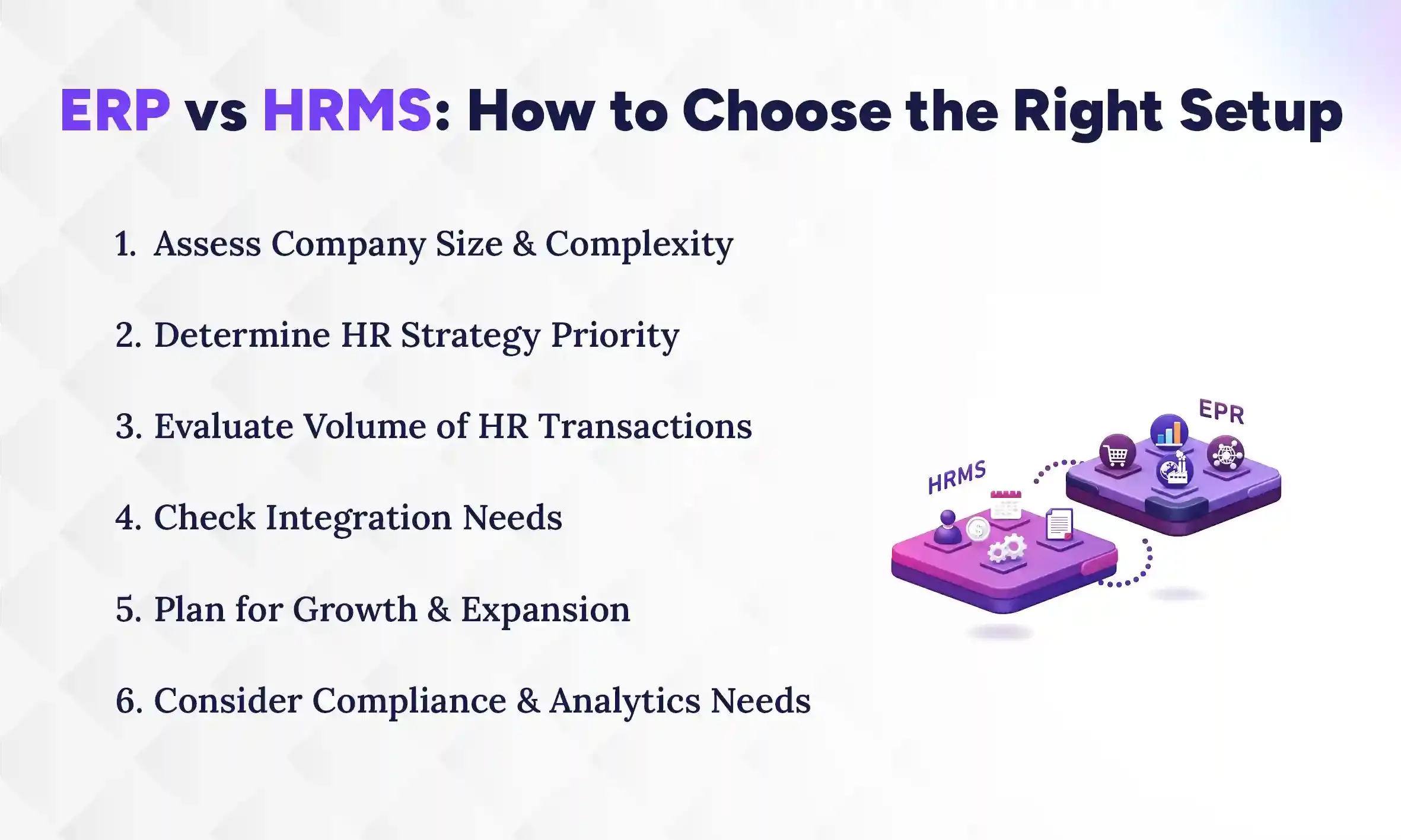
ERP vs HRMS: How to Choose the Right Setup
To make the right decision between ERP and HRMS, assess your company size, HR complexity, and growth plans. ERP works well for small businesses with basic HR needs, while HRMS is ideal for larger teams or strategic HR functions. Understanding what does hr software do can also help determine whether you need one system or both, especially when considering integration, compliance, and reporting requirements.
1. Assess Company Size & Complexity
The first step is to look at your company size and operational complexity. Small businesses with fewer than 50 employees often manage well with ERP alone, as HR needs are simpler. Mid-sized organizations with 50–200 employees may need HRMS if HR processes like recruitment, performance tracking, or training are growing more complex. Large organizations with 200+ employees almost always benefit from a dedicated HRMS to handle advanced workforce management efficiently. Company size is a guide, but the complexity of your operations is equally important in deciding the right system.
2. Determine HR Strategy Priority
Next, consider how strategic HR is for your business. If HR is mainly administrative, and you only need services like payroll, attendance, and basic record-keeping, then ERP may be sufficient. If HR plays a critical role in talent development, employee engagement, and retention, an HRMS is essential. A strategic HR focus requires features like performance management, learning programs, and succession planning. Choosing the right system ensures HR can support business goals rather than just complete routine tasks.
3. Evaluate Volume of HR Transactions
High HR transaction volume can quickly reveal the limits of an ERP’s basic HR module. Frequent hiring, onboarding, payroll runs, performance reviews, and training tracking demand specialized tools. HRMS handles these efficiently, automating workflows and reducing errors. If your team relies heavily on spreadsheets or manual processes, it’s a clear signal that ERP alone may not scale with your HR workload.
4. Check Integration Needs
Consider how much your HR system needs to connect with other business functions. ERP provides centralization across finance, operations, and inventory, while HRMS focuses on employees. Integration ensures employee data, payroll, and attendance sync seamlessly between the two systems. Without proper integration, you risk duplication, errors, and delays in reporting, making your decision not just about features, but about smooth connectivity.
5. Plan for Growth & Expansion
Your choice should also account for future growth. If your business plans to expand to new departments, locations, or even countries, ERP can manage operational scale, but HRMS supports workforce scaling. Advanced HR features like multi-location compliance, learning management, and performance tracking become more critical as you grow. Planning ahead avoids expensive system replacements or upgrades later.
6. Consider Compliance & Analytics Needs
Finally, assess your compliance and reporting requirements. ERP covers basic payroll and labor cost reporting, but HRMS provides detailed workforce analytics, turnover tracking, skills gaps, and engagement insights. Regulatory compliance with local labor laws, tax rules, or industry standards is easier to manage with HRMS. Choosing the right system ensures your company remains compliant, reduces risks, and makes informed, data-driven decisions about your workforce.
Signs You’ve Outgrown Your ERP HR Module
As your business grows, basic ERP HR modules often struggle to keep up with complex workforce needs. Tasks like payroll, recruitment, and performance may work in a limited way, but inefficiencies start to show. When HR staff rely on spreadsheets, employees face delays, and compliance feels risky, it’s a clear signal that your system isn’t scaling with your business. Recognizing these issues early can save time, reduce errors, and improve employee experience.
You may need to upgrade or add an HRMS if you notice any of the following:
- HR builds spreadsheets outside the system to track employees.
- Hiring processes are slow and inefficient.
- No structured performance management or goal tracking exists.
- Employees frequently complain about HR processes or access to information.
- Compliance tracking feels risky or error-prone.
- Workforce analytics and insights are missing or very limited.
The Hybrid Model: Using ERP and HRMS Together
For many growing businesses, the best solution isn’t always choosing between ERP and HRMS. Sometimes, it’s using both in a hybrid setup. In this approach, the ERP handles core business operations like finance, payroll, cost tracking, and overall workflows, ensuring all departments stay connected and data flows smoothly. Meanwhile, the HRMS focuses on people, with its focus on managing recruitment, performance evaluations, training, and employee engagement. These comprehensive features provide deeper insights and tools to develop your workforce strategically.
This hybrid model gives organizations the best of both worlds: operational efficiency and centralized control through ERP, combined with advanced, strategic HR management through HRMS. Data from both systems can sync automatically, reducing manual work and ensuring accuracy, so leaders have a complete picture of both business and workforce performance.
Comparing Costs: ERP vs HRMS vs Hybrid
Evaluating ERP, HRMS, or a hybrid setup requires looking beyond the sticker price. Costs can vary widely depending on features, integrations, and organizational needs. Understanding the main cost factors helps you make a smarter investment.
1. Licensing Fees
Software licenses vary by system type, number of users, and deployment model (cloud vs on-premises). ERP licenses are typically higher because they cover multiple business functions, while standalone HRMS licenses may be cheaper but limited in scope. Hybrid setups combine both, so it’s important to calculate the total upfront cost for all modules.
2. Implementation Costs
Setting up an ERP or HRMS involves planning, data migration, configuration, and training. ERP implementations usually take longer and require more resources due to cross-department workflows. HRMS is quicker to implement but may require additional setup if integrated with ERP. Hybrid systems combine these efforts, so realistic timelines and resources should be factored into the budget.
3. Integration Expenses
Integration ensures smooth data flow between ERP and HRMS. Prebuilt connectors can reduce costs, but custom development may be needed for complex workflows. Without proper integration, manual work and errors increase, indirectly raising operational costs over time.
4. Vendor Contracts & Support
Contracts may include annual support, updates, and consulting hours. Choosing a single vendor for ERP or HRMS can simplify maintenance, but hybrid setups may involve managing multiple vendors. Clear agreements and support levels are crucial to avoid hidden charges later.
5. Ongoing Maintenance & Updates
Software requires regular maintenance, security updates, and occasional retraining of staff. ERP and HRMS both need attention to remain efficient. Neglecting updates or maintenance can lead to system errors, data inconsistencies, and lost productivity.
6. Hidden Costs of Not Having the Right System
Beyond direct expenses, the wrong system can incur hidden costs:
- Time wasted on manual processes and spreadsheets
- Slow hiring and onboarding, leading to lost talent
- High turnover due to poor employee experience
- Compliance risks, fines, or reporting errors
- Limited workforce visibility, making strategic decisions harder
Focusing on ROI rather than just sticker price ensures you select a solution that saves time, reduces errors, improves HR and operational efficiency, and scales with your business.
Advantages and Limitations of ERP for HR
ERP systems can be a great starting point for managing HR alongside core business operations. They centralize key data, simplify workflows, and reduce administrative overhead. However, when it comes to strategic HR functions, ERP modules often have gaps that can slow workforce management and limit insights.
1. Key Advantages of ERP Systems
For businesses with straightforward HR needs, ERP modules provide practical benefits that save time and cost. A single database ensures all employee and operational data flows through one system, reducing duplication and errors. Staff training, IT management, and vendor support are simpler when only one platform is used.
- Single Database: All business and HR data is centralized, reducing errors and duplication.
- Simplified Training: Employees and managers learn one platform instead of multiple systems.
- One Vendor Management: IT support and contracts are streamlined with a single provider.
- Lower Upfront Cost: Implementing ERP alone is cheaper than ERP plus separate HRMS.
- Easier IT Management: Updates, security, and maintenance are handled in one system.
2. Limitations of ERP for Complex HR Needs
While ERP is strong for operational control, it often falls short for advanced HR functions. Recruitment pipelines, performance management, engagement tools, and workforce analytics are usually basic or missing. Organizations with strategic HR priorities may find these gaps hinder growth and reduce employee experience.
- Limited Applicant Tracking: Basic recruitment features may not support structured hiring pipelines.
- Weak Performance Management: Goal tracking, feedback cycles, and reviews are minimal or manual.
- Minimal Engagement Tools: Employee engagement, training, and career development options are limited.
- Surface-Level Reporting: Workforce analytics are basic, focusing on payroll and headcount rather than trends or insights.
Why Dedicated HRMS Is Better for Comprehensive HR Tasks
As companies grow, HR becomes more than just handling payroll or attendance. It turns into a strategic function that shapes employee performance, engagement, and retention. While ERP modules cover basic HR operations, a dedicated HRMS dives deeper, offering tools designed specifically for workforce management. This allows HR teams to focus on strategy rather than just administration, giving the organization better control and insight over its people.
1. HRMS is Built by HR Specialists
Dedicated HRMS platforms, for instance, Pace HRMS are designed by experts who understand the real challenges HR teams face daily. Unlike ERP modules, which are primarily built for finance and operations, HRMS solutions prioritize HR workflows such as recruitment, onboarding, training, and performance management. This ensures every feature is practical, comprehensive, and tailored to the needs of HR professionals.
2. Better Employee Experience
A dedicated HRMS improves the experience for both employees and managers. Self-service portals allow staff to update personal details, request leave, view payslips, complete performance reviews, and access training—all without involving HR for every step. This reduces bottlenecks, saves time, and increases engagement, while managers can easily approve requests, monitor attendance, and track performance efficiently.
3. Flexible Review Templates
Performance management in HRMS is highly adaptable. Review cycles, goal-setting, and feedback processes can be customized to fit the company’s policies and culture. This flexibility helps managers conduct meaningful evaluations, align employee goals with business objectives, and provide timely feedback that supports growth.
4. Advanced Analytics
HRMS provides deep insights that go far beyond payroll and basic reports. Organizations can track turnover, time-to-hire, engagement trends, skills gaps, and training progress. These analytics give leadership the ability to make informed decisions, plan for workforce changes, and address potential issues before they affect the business.
5. Mobile-First Design
Most modern HRMS platforms are mobile-friendly, allowing employees and managers to access HR tasks from anywhere. This flexibility ensures faster approvals, smoother workflows, and better adoption, especially for remote or distributed teams. It also helps employees stay connected to policies, training, and performance updates without being tied to a desktop.
6. Continuous Product Innovation
HRMS vendors constantly improve their platforms to meet evolving HR needs. Regular updates and new features ensure that recruitment, learning, performance management, and engagement tools remain relevant. Unlike ERP modules, HRMS is built to grow and adapt with HR trends, giving businesses a solution that stays aligned with modern workforce challenges.
Which Is the Best HR Management System (HRMS)?
Pace HRMS is one of the best HR management systems for growing businesses that need strong HR features without added complexity. As a cloud based HRMS, it combines essential HR tools, simple navigation, reliable local support, and affordable pricing, making it a practical choice for companies that want efficiency and room to grow. Built by experienced HR and technology professionals, Pace HRMS includes all the key features modern organizations need while keeping the system easy to use and focused on real business challenges.
1. Comprehensive HR Features
Pace HRMS offers the core HR tools most businesses need, from payroll automation to recruitment and performance tracking. Its features are built to reduce manual work and help HR teams manage people more effectively. This means staff spend less time on routine tasks and more time on strategic work.
2. User-Friendly and Affordable
Unlike many enterprise products that are complex and expensive, Pace HRMS is designed to be easy to learn and budget-friendly. Small and mid-sized teams can adopt it quickly without heavy IT support. This makes it a strong fit for organizations that want HR power without high costs.
3. Local Support for Nepalese Businesses
One advantage Pace HRMS brings is support that understands local needs. For Nepalese businesses, this means compliance with local labor practices, payroll rules, and easier access to help when you need it. Local support reduces the frustration of working with distant vendors and improves implementation success.
Conclusion
Choosing between ERP and HRMS isn’t just about features, it’s about matching the right tool to your company’s current maturity and long-term goals. Overbuying adds unnecessary complexity and cost, while underbuying creates friction and missed opportunities. The ideal system aligns with your operational needs, reduces silos, and provides clear visibility across finance, HR, and operations, supporting smoother workflows and smarter decisions.
For US business leaders modernizing operations, the right technology strategy ensures your systems scale as you grow. Evaluating ERP versus HRMS requires understanding your HR priorities, operational complexity, and future expansion plans.
If you need help with choosing your perfect digital HR solutions, our experts at The Pace Infosys help businesses assess current systems, identify integration gaps, and implement solutions that balance efficiency with growth. Schedule a consultation to find the setup that fits your organization and avoid costly missteps.